• Home
  • About Us
  • Toolkit
  • Getting Finances Done
    • Hiring Advisors
    • Debt Management
    • Spending Plan
  • Insurance
    • Life Insurance
    • Health Insurance
    • Disability Insurance
    • Homeowners/Renters Insurance
  • Contact Us
  • Privacy Policy
  • Risk Tolerance Quiz

The Free Financial Advisor

You are here: Home / Archives for cybersecurity

That Public QR Code You Scanned Could Be Giving Criminals Access to Your Phone

October 16, 2025 by Catherine Reed Leave a Comment

That Public QR Code You Scanned Could Be Giving Criminals Access to Your Phone

Image source: shutterstock.com

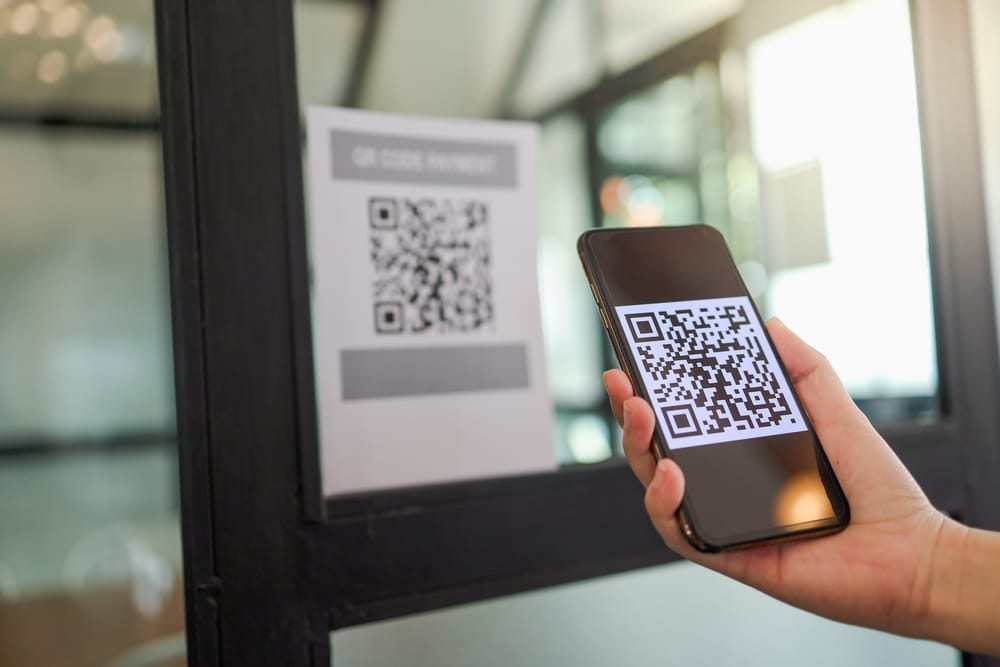
QR codes have become part of everyday life, from restaurant menus to parking meters and concert tickets. But while these black-and-white squares make life more convenient, they also open the door to serious security risks. A growing number of scams are now using a public QR code to trick people into giving away sensitive data or granting hackers direct access to their phones. What looks like a harmless scan could lead to stolen passwords, financial theft, or malware installation. Here’s how criminals exploit this new tactic and what you can do to protect yourself.

1. The Rise of QR Code Scams

Scammers have discovered that using a public QR code is one of the easiest ways to lure victims because it requires minimal effort and looks completely legitimate. You might find these codes posted on flyers, stickers, or parking meters, appearing as part of official signage. Once scanned, they can redirect users to fake websites designed to capture credit card details or install tracking software. The problem is that people rarely question QR codes—they trust that anything in a public space must be safe. This blind trust is exactly what cybercriminals rely on to spread their schemes quickly.

2. How QR Codes Can Hijack Your Phone

When you scan a public QR code, your phone’s camera reads a string of data that usually directs you to a URL or downloads a file. Malicious codes can reroute that process to install harmful software or open fake login pages that capture your credentials. Some even exploit vulnerabilities in your operating system to gain control of permissions, allowing access to contacts, photos, and stored passwords. Once inside, hackers can monitor your activity or use your device to target others. What makes this particularly dangerous is that everything happens silently in the background, often without the user noticing.

3. Real-World Examples of QR Code Exploitation

Law enforcement agencies have reported a surge in cases involving fraudulent QR codes placed in public areas. One common example is parking meter scams, where thieves cover legitimate payment stickers with counterfeit ones that redirect to fake payment portals. In another case, QR codes posted at ATMs or gas stations led victims to phishing pages designed to steal banking credentials. Even restaurant menus have been targeted, with criminals swapping out QR codes on tables for lookalike versions that prompt customers to enter personal details. Each of these incidents shows how easy it is to weaponize a simple piece of printed code.

4. Why Public QR Codes Are So Risky

The danger of scanning a public QR code lies in its invisibility—there’s no way to tell by looking whether it’s legitimate or malicious. Scammers can replace real codes with fake ones in seconds using stickers or printed overlays. Because the code looks official, people assume it’s safe and don’t verify where it leads before scanning. Unlike phishing emails or spam texts, QR scams bypass skepticism by disguising themselves as trusted public tools. The result is a perfect storm of accessibility, anonymity, and misplaced trust that makes these scams so effective.

5. Simple Ways to Stay Safe Before You Scan

You don’t have to give up using QR codes altogether—just approach them with the same caution you’d use when opening links from strangers. Always inspect the area around a public QR code to see if it looks tampered with or newly placed. Before scanning, make sure the code belongs to a legitimate business, and verify it through their official website or posted contact number. Use your phone’s built-in security features to preview URLs before opening them and avoid scanning codes from social media posts or random flyers. Installing antivirus or mobile security software can also help detect suspicious links.

6. How to Check If You’ve Been Compromised

If you recently scanned a questionable public QR code, there are steps you can take to protect yourself immediately. Start by checking your recent browser history for any strange websites or downloads. Run a malware or antivirus scan on your device to identify hidden threats. You should also change any passwords entered after scanning the code and enable two-factor authentication on your accounts. If you notice unfamiliar charges or login attempts, contact your bank or mobile provider right away. Acting quickly can minimize the damage and prevent future attacks.

Taking Back Control of Your Digital Safety

While technology constantly evolves, so do the tricks criminals use to exploit it. Understanding the risks behind a seemingly harmless public QR code is the first step toward safer digital habits. Treat every code you encounter like a potential doorway—because that’s exactly what it is, either to convenience or to crime. By verifying sources and practicing caution, you can enjoy the benefits of modern tech without sacrificing your privacy or security. Remember, one second of skepticism could save you hours of cleanup later.

Have you ever come across a suspicious public QR code or nearly fallen for a tech scam? Share your story and tips for staying safe in the comments below!

What to Read Next…

6 Situations Where Cash Is Safer Than Digital Payments

10 Digital Password Errors That Prevent Heirs From Accessing Funds

Are You Paying for Digital Tools You Don’t Use Anymore?

The Silent Rise of “Digital Squatters” Taking Over Abandoned Domains

What Are the Hidden Dangers of Digital-Only Banking?

Catherine Reed
Catherine Reed

Catherine is a tech-savvy writer who has focused on the personal finance space for more than eight years. She has a Bachelor’s in Information Technology and enjoys showcasing how tech can simplify everyday personal finance tasks like budgeting, spending tracking, and planning for the future. Additionally, she’s explored the ins and outs of the world of side hustles and loves to share what she’s learned along the way. When she’s not working, you can find her relaxing at home in the Pacific Northwest with her two cats or enjoying a cup of coffee at her neighborhood cafe.

Filed Under: safety Tagged With: cybersecurity, digital privacy, identity theft, Online Safety, phone security, QR code scams, tech awareness

9 Key Questions to Ask About Disaster Recovery Planning Now

October 1, 2025 by Travis Campbell Leave a Comment

disaster

Image source: pexels.com

Disaster recovery planning is not just for big companies or IT departments—it’s essential for any organization that relies on data, technology, or daily operations. Natural disasters, cyberattacks, or even simple human error can disrupt business and cause serious financial loss. Without a solid disaster recovery plan, you risk losing critical information, productivity, and customer trust. Asking the right questions now can help you prepare for the unexpected and recover faster when disaster strikes. Here are nine key questions to help you assess and improve your disaster recovery planning today.

1. What Are Our Most Critical Assets?

Start your disaster recovery planning by identifying what matters most. Which data, systems, or processes are essential for your business to operate? This could include customer databases, financial records, or proprietary software. Prioritize these assets to ensure they are protected and recoverable. Understanding what’s critical helps you allocate resources efficiently and avoid overlooking important elements.

2. Who Is Responsible for Disaster Recovery?

Assign clear roles and responsibilities for disaster recovery planning. Who leads the process, and who executes specific tasks during an emergency? Make sure you document these roles and communicate them to your team. Regular training and drills can help everyone understand their part, reducing confusion when a real incident occurs.

3. How Often Do We Back Up Data?

Regular data backups are a cornerstone of disaster recovery planning. Ask how frequently your data is backed up and where those backups are stored. Are backups automated or manual? Are they kept offsite or in the cloud? Testing your backups regularly ensures they work when you need them most.

4. What Is Our Recovery Time Objective (RTO)?

How quickly do you need to restore operations after a disaster? Your recovery time objective (RTO) defines the acceptable amount of downtime. Setting a realistic RTO helps you design a disaster recovery plan that matches your business needs and customer expectations. Review your RTO regularly as your operations and technology evolve.

5. Have We Tested Our Disaster Recovery Plan Recently?

Even the best disaster recovery planning can fall short if not tested. Conduct regular drills and simulations to uncover weaknesses and ensure everyone knows what to do. Testing helps you validate your plan and make improvements before a real crisis happens. Document lessons learned and update your plan accordingly.

6. Are Our Vendors and Partners Prepared?

Many organizations depend on third-party vendors for critical services. Ask your partners about their disaster recovery planning and how they will support you during a crisis. Include vendor responsibilities in your agreements and review their plans periodically. This reduces the risk of supply chain disruptions and ensures a coordinated response.

7. How Will We Communicate During a Disaster?

Effective communication is vital when disaster strikes. Outline how you will notify employees, customers, and stakeholders. Establish backup communication channels in case primary systems fail. This helps everyone stay informed and coordinated during recovery efforts.

8. What Are Our Cybersecurity Measures?

Cyber threats are a leading cause of business disruption. Integrate cybersecurity into your disaster recovery planning by assessing your defenses and response strategies. Are your systems protected against ransomware, phishing, or data breaches? Ensure your plan includes steps to contain threats, recover data, and notify affected parties if necessary.

9. How Will We Learn from Past Incidents?

Every incident is an opportunity to improve your disaster recovery planning. After an event, conduct a thorough review to identify what went well and what needs improvement. Engage your team in open discussions and document changes to your plan. This continuous improvement cycle strengthens your resilience against future disasters.

Taking Action on Disaster Recovery Planning

Disaster recovery planning is not a one-time project. It’s an ongoing process that protects your business from unexpected setbacks and ensures smooth operations. By asking these nine key questions, you can identify gaps, assign responsibilities, and ensure your plan is up to date. Invest the time now to review and strengthen your disaster recovery planning so you can face the future with confidence.

What steps has your organization taken to improve disaster recovery planning? Share your experiences or tips in the comments below!

What to Read Next…

  • 5 Emergency Repairs That Could Force You Into Debt Overnight
  • How Recurring Charges Keep Running After Death Without Intervention
  • 8 Common Home Security Features That Aren’t As Safe As You Think
  • What Happens When a Medical Emergency Outpaces Your Emergency Fund
  • 7 Ways a Family Member Can Accidentally Trigger Probate
Travis Campbell
Travis Campbell

Travis Campbell is a digital marketer/developer with over 10 years of experience and a writer for over 6 years. He holds a degree in E-commerce and likes to share life advice he’s learned over the years. Travis loves spending time on the golf course or at the gym when he’s not working.

Filed Under: Planning Tagged With: backup, business continuity, cybersecurity, disaster recovery, IT security, Planning, Risk management

6 Surprising Risks of Online-Only Banks

September 12, 2025 by Catherine Reed Leave a Comment

6 Surprising Risks of Online-Only Banks

Image source: 123rf.com

Online-only banks have exploded in popularity thanks to their convenience, competitive interest rates, and low fees. For many, the ability to handle everything from a smartphone feels like the future of banking. But while these institutions have plenty of benefits, they also come with some surprising drawbacks that aren’t always obvious at first glance. Ignoring the risks can leave customers frustrated, vulnerable, or even financially stuck when issues arise. Here are six surprising risks of online-only banks that everyone should understand before making the switch.

1. Limited Access to Cash Deposits

One of the biggest challenges with online-only banks is depositing cash. Unlike traditional banks, they lack branches where you can walk in and make a deposit. Some institutions partner with ATMs or retail stores, but these options often come with fees or limits. For people who earn tips, run small cash-based businesses, or regularly deal with physical money, this becomes a major inconvenience. What feels like a minor issue quickly turns into a frustrating hurdle.

2. Technology Glitches Can Lock You Out

While the convenience of mobile apps is appealing, they’re not foolproof. Online-only banks rely entirely on technology, which means outages, bugs, or cyberattacks can disrupt access to your money. Even temporary lockouts can cause stress if bills are due or emergencies arise. Traditional banks usually provide in-person help, but online-only banks may leave you waiting for a system to recover. Relying solely on technology makes access to funds less predictable than many realize.

3. Customer Service May Be Hard to Reach

Another surprising risk of online-only banks is the limited customer support. Without local branches, your only options are phone lines, email, or chatbots. During high-demand periods, wait times can stretch, leaving you stuck without solutions to urgent problems. Complex issues, such as disputed charges or frozen accounts, often require human assistance that isn’t readily available. The lack of personal service can make resolving problems far more difficult.

4. Potential for Account Freezes

Online-only banks use automated fraud detection systems, which sometimes flag legitimate activity as suspicious. This can result in sudden account freezes, cutting off access to your money until the issue is resolved. Proving your identity remotely often takes time, especially if customer support is limited. For someone relying on the account for bills or payroll, this can create serious financial stress. The automated nature of these systems makes false alarms a bigger risk than in traditional banks.

5. Limited Financial Products and Services

Traditional banks often offer a wide range of financial services, including mortgages, investment advice, and business accounts. Online-only banks tend to focus on checking and savings products, leaving fewer options for customers with diverse financial needs. While some are expanding their offerings, gaps remain compared to full-service banks. This limitation means you may need multiple institutions to cover all your financial bases. Convenience fades when you juggle accounts across different platforms.

6. Security Concerns with Cybercrime

Although online-only banks use strong security measures, they remain prime targets for cybercriminals. Phishing scams, data breaches, and account hacks are ongoing risks for anyone relying heavily on digital banking. Customers who aren’t vigilant about passwords or suspicious activity may find themselves especially vulnerable. Unlike losing a debit card at a branch, resolving online fraud can take longer due to remote-only systems. The risk of cybercrime remains one of the biggest concerns for digital banking customers.

Balancing Convenience with Security and Support

Online-only banks offer impressive perks, but the surprising risks highlight why they may not be ideal as your sole financial institution. Limited access to cash, tech glitches, and weak customer service can quickly turn convenience into frustration. Security concerns and narrow service offerings add to the potential pitfalls. A balanced approach—such as using an online bank for high-yield savings while keeping a traditional account for flexibility—can help minimize risks. By understanding the trade-offs, you can enjoy digital banking without leaving yourself vulnerable.

Do you use online-only banks, and have you experienced any of these risks firsthand? Share your thoughts in the comments below.

What to Read Next…

5 Outrageous Fees Hidden in Everyday Banking Services

Some U.S. Banks Are Now Charging a “Cash Handling” Fee—Even at ATMs

How Can Small Banking Errors Snowball Into Huge Losses

5 Financial Dangers That Hide in Credit Union Accounts

Could Having Too Many Bank Accounts Complicate Wealth Instead of Protect It

Catherine Reed
Catherine Reed

Catherine is a tech-savvy writer who has focused on the personal finance space for more than eight years. She has a Bachelor’s in Information Technology and enjoys showcasing how tech can simplify everyday personal finance tasks like budgeting, spending tracking, and planning for the future. Additionally, she’s explored the ins and outs of the world of side hustles and loves to share what she’s learned along the way. When she’s not working, you can find her relaxing at home in the Pacific Northwest with her two cats or enjoying a cup of coffee at her neighborhood cafe.

Filed Under: Banking Tagged With: banking tips, customer service issues, cybersecurity, digital banking, financial risks, online-only banks, Personal Finance

8 YAML-Coded Password Leaks in Finance Platforms

August 24, 2025 by Travis Campbell Leave a Comment

security

Image source: pexels.com

Finance platforms are prime targets for cybercriminals. When sensitive data like passwords is exposed, the risk multiplies. Recently, a concerning trend has emerged: passwords leaking through misconfigured YAML files. YAML, used for configuration, is human-readable but can accidentally expose secrets if not handled with care. These YAML-coded password leaks in finance platforms open the door to account takeovers, fraud, and regulatory headaches. Understanding how and why these leaks happen is essential for anyone using or building financial tools.

1. Unsecured DevOps Pipelines

Many finance firms rely on DevOps pipelines to automate deployments. YAML files often store credentials for databases and APIs. If these files are pushed to public repositories or shared carelessly, passwords can leak. In one recent incident, a finance startup accidentally committed its production credentials to GitHub, exposing customer accounts to risk. These YAML-coded password leaks in finance platforms happen more often than most realize, especially when teams move fast and skip security checks.

2. Misconfigured Cloud Services

Cloud configuration tools frequently use YAML to manage access settings. If a YAML file with plaintext passwords is left in an unsecured storage bucket, anyone with the link could access it. A major financial services provider experienced a scare when auditors found a YAML file containing admin passwords in an open S3 bucket. Even though the file was meant for internal use, its exposure put millions of dollars at risk.

3. Overexposed API Keys and Passwords

APIs power modern finance apps. Developers sometimes store API keys and passwords in YAML files for convenience. If those files end up in a public repository or are included in a deployment by mistake, attackers can grab them. In 2022, a digital wallet platform suffered a breach after an attacker found a YAML file with API keys and master passwords in a public Docker image. The cost of remediation, lost trust, and regulatory fines added up quickly.

4. Shared Internal Documentation

Teams often use internal wikis or shared drives to document system settings. YAML snippets are commonly pasted for clarity. Unfortunately, this can backfire if the documentation includes real passwords. In a well-known case, a fintech company’s internal wiki was compromised. Attackers found a YAML-coded password for the payment processor, leading to unauthorized fund transfers. Keeping documentation secure and sanitizing YAML examples is critical.

5. Insecure Backup Practices

Backups are essential, but they can also be a source of leaks. Some finance platforms back up their entire configuration directory, including YAML files with passwords. If these backups are stored without encryption or proper access controls, they become an easy target. One bank’s offsite backup was intercepted in transit, and the attackers used YAML-coded credentials to access customer data. Secure backup management is a must for any financial institution.

6. Poorly Protected CI/CD Secrets

Continuous integration and deployment (CI/CD) systems often need secrets to build and deploy apps. YAML files are used to define these secrets. If access controls are weak, anyone with access to the CI/CD system could extract passwords. A payment gateway provider faced a breach when a contractor downloaded a YAML file with production credentials. This incident highlighted the importance of strict role-based access and regular audits of YAML files in finance platforms.

7. Hardcoded Credentials in Open Source Projects

Open source is a double-edged sword. While it speeds up development, it also increases the risk of accidental leaks. Developers sometimes hardcode passwords in YAML files to get things working quickly, then forget to remove them before sharing code. In 2023, an open-source budgeting app was found to contain YAML-coded admin passwords. Users who deployed the app without changing defaults were vulnerable to takeover. This shows how YAML-coded password leaks in finance platforms can have far-reaching effects.

8. Legacy System Integrations

Legacy finance systems often require complex integrations. Teams may use YAML files to manage connection settings, including passwords. When these YAML files are left on shared drives or old servers, they can be forgotten and exposed. A regional credit union discovered that a decommissioned server still held a YAML file with mainframe access credentials. Luckily, it was found before attackers did, but the risk was real.

How to Prevent YAML-Coded Password Leaks in Finance Platforms

YAML-coded password leaks in finance platforms are preventable with the right practices. Always use environment variables or secret management tools to store credentials, not plaintext YAML. Audit your repositories and cloud storage for exposed YAML files regularly. Train your team on the risks of sharing configuration details, and use automated scanning tools to catch leaks early. Secure your backups and review your CI/CD pipeline permissions frequently.

Have you ever found a password or secret in a YAML file? What steps do you take to keep your financial data safe? Share your experiences below!

Read More

How Your Wi-Fi Router Placement Might Be Sharing Personal Info

How Safe Is That Password Free Login Feature Everyone’s Using?

Travis Campbell
Travis Campbell

Travis Campbell is a digital marketer/developer with over 10 years of experience and a writer for over 6 years. He holds a degree in E-commerce and likes to share life advice he’s learned over the years. Travis loves spending time on the golf course or at the gym when he’s not working.

Filed Under: Technology Tagged With: cloud security, cybersecurity, data security, devops, finance platforms, password leaks, YAML

7 Quiet Fraud Methods That Use Fake Tech Support Calls

August 24, 2025 by Travis Campbell Leave a Comment

tech support

Image source: pexels.com

Fake tech support calls have quietly become one of the most effective fraud methods in recent years. These scams prey on people’s trust and lack of technical knowledge, making it easy for criminals to steal money and sensitive data. The goal is simple: convince you that your computer or device has a problem, then offer to “fix” it for a fee or access to your information. Because the techniques are subtle and convincing, many victims don’t even realize they’ve been scammed until it’s too late. Understanding how these fake tech support calls operate is the first step to protecting yourself and your loved ones.

This article highlights seven quiet fraud methods that use fake tech support calls, explaining how each one works and what you can do to spot the warning signs. If you use a computer or smartphone, knowing these tricks is essential for keeping your finances and personal data safe.

1. Impersonating Trusted Brands

One of the most common quiet fraud methods in fake tech support calls is impersonating well-known companies like Microsoft, Apple, or your internet provider. Scammers use official-sounding language, spoofed caller IDs, and even stolen logos to convince you the call is legitimate. They might claim there’s a virus on your computer or that your account has suspicious activity.

The use of trusted brand names is powerful because it lowers your guard. If you get a call from someone claiming to be from a company you recognize, always hang up and contact the company directly using a number from their official website. Never trust numbers provided during the call.

2. Remote Access Requests

Many fake tech support calls escalate by asking you to install remote access software, such as TeamViewer or AnyDesk. The caller will guide you through the process, claiming they need to “diagnose” or “fix” your device. Once installed, scammers can control your computer, access files, and even watch you type passwords or credit card numbers.

This quiet fraud method is highly effective because it gives criminals full access without you realizing the extent of the risk. If anyone calls and asks you to install software or give them control of your device, it’s almost certainly a scam.

3. Phishing for Payment Details

Some scammers use fake tech support calls to trick you into sharing payment information. They might say you need to pay for a warranty renewal, a software update, or virus removal. The request often comes after convincing you of a fake problem, making the payment seem urgent and necessary.

These fraud methods are quiet but effective because the caller may already have some of your details, making the request seem more credible. Never give out your credit card or bank information over the phone to unsolicited callers. If payment is truly required, contact the company directly using the contact details from the official website.

4. Silent Malware Installation

Sometimes, scammers don’t just want your money—they want access to your device for other criminal activity. During a fake tech support call, they may trick you into downloading software that secretly installs malware. This could be spyware, ransomware, or keyloggers that monitor your keystrokes and steal sensitive information over time.

Unlike obvious scams, this quiet fraud method can go unnoticed for weeks or months. Keep your antivirus software updated and never download anything from a source you don’t trust, especially if prompted over a phone call.

5. “Refund” and Overpayment Scams

Some fake tech support calls claim you’re owed a refund for unused services or accidental charges. The scammer will ask for your bank account or credit card information to “process” the refund. In some cases, they claim to accidentally send too much money and ask you to send the excess back, often through gift cards or wire transfers.

This quiet fraud method plays on your desire to recover lost funds, but ends up costing you even more. Legitimate companies will never ask you to return money via gift cards or wire transfers. If you receive a call like this, end the conversation and report it to your bank.

6. Threats of Account Suspension or Legal Action

Scammers know that fear is a strong motivator. In this method, fake tech support calls threaten to suspend your account, disconnect your internet, or even take legal action if you don’t comply. The urgency is meant to make you act without thinking.

While these threats are rarely loud or aggressive, they are highly effective. If you receive such a call, pause and verify the claim independently. No legitimate tech support will threaten you with immediate legal action over the phone. For more tips on handling suspicious calls, the FTC’s guide to tech support scams is a helpful resource.

7. Collecting Personal Information for Identity Theft

Some fake tech support calls focus on quietly gathering personal information—like your address, date of birth, or Social Security number. The caller may say they need this data to verify your identity before helping you. Over time, these details are enough to steal your identity or open fraudulent accounts in your name.

Be extremely cautious about sharing any personal information over the phone. If you suspect you’ve given sensitive data to a scammer, contact your bank and consider placing a fraud alert on your credit report. For more information on identity theft prevention, visit IdentityTheft.gov.

Staying Safe from Fake Tech Support Calls

Fake tech support calls use a variety of quiet fraud methods to trick even the most careful individuals. They rely on trust, urgency, and technical jargon to make their scams believable. By understanding these tactics and knowing how to respond, you can avoid becoming a victim.

If you ever receive an unsolicited tech support call, remember that legitimate companies don’t contact you out of the blue to fix your device. Hang up, verify independently, and never give out personal or financial information. Have you or someone you know experienced a fake tech support call? Share your stories or tips in the comments below.

Read More

How Low Financial Knowledge Can Make Seniors 2.5x More Scam Prone

Senior Citizens Alert: 8 Pieces Of Information You Should Never Give Out Over The Phone

Travis Campbell
Travis Campbell

Travis Campbell is a digital marketer/developer with over 10 years of experience and a writer for over 6 years. He holds a degree in E-commerce and likes to share life advice he’s learned over the years. Travis loves spending time on the golf course or at the gym when he’s not working.

Filed Under: Crime Tagged With: cybersecurity, fraud prevention, identity theft, phone scams, tech support scams

Are Digital Legacy Plugins Secure Enough for Inheritance?

August 24, 2025 by Travis Campbell Leave a Comment

apps

Image source: pexels.com

Planning for the future isn’t just about wills and trusts anymore. As our lives move online, passing on digital assets—photos, documents, crypto wallets, and more—has become a real concern. Enter digital legacy plugins, tools that promise to organize and transfer online accounts and digital property to heirs. But are digital legacy plugins secure enough for inheritance? With sensitive financial and personal information at stake, trust in these tools is crucial. Let’s break down how these plugins work, their strengths, and the risks you should know before using them for your estate planning.

1. What Are Digital Legacy Plugins?

Digital legacy plugins are software tools designed to help users manage, store, and eventually transfer their digital assets after death. These might be browser add-ons, app integrations, or features built into password managers and cloud services. The goal is to make it easier for your loved ones to access your online accounts, digital files, and even cryptocurrency wallets when you’re gone.

For example, some plugins let you assign a “digital heir” who receives access after a waiting period or upon confirmation of your passing. Others provide secure vaults or step-by-step handoff instructions. While the convenience is appealing, the real question is: are digital legacy plugins secure enough for inheritance purposes?

2. Security Features: What’s Promised?

Most digital legacy plugins boast robust security features. These often include end-to-end encryption, two-factor authentication, and zero-knowledge architecture, meaning even the service provider can’t see your data. Some plugins require multiple verifications before releasing information to your chosen heirs. Others offer detailed logs so you can see who accessed what and when.

Despite the promises, you should always look behind the marketing. Not all plugins are created equal, and security standards vary widely. The key question remains: are digital legacy plugins secure enough for inheritance, or do they just create new vulnerabilities?

3. Where Do Digital Legacy Plugins Fall Short?

Even the most secure-sounding plugins have their weak spots. For starters, many rely on passwords or access codes that can be lost, stolen, or forgotten. If your heirs don’t have the right credentials, they may be locked out. On the flip side, if someone obtains your credentials, they could access your digital assets prematurely.

Another issue is software updates and long-term support. Will the plugin still be around in ten or twenty years? If the company behind the plugin folds, your digital inheritance plan could disappear with it. Lastly, plugins are only as secure as the devices and accounts they’re installed on. Malware or phishing attacks targeting your computer can undermine even the best encryption.

4. Legal and Compliance Risks

Security isn’t just about technology. Legal compliance matters too. Some digital legacy plugins may not fully comply with estate laws in your state or country. For example, a plugin might transfer access to an heir, but without legal documentation, banks or financial platforms may reject their claims.

There’s also the issue of data privacy. By storing sensitive information with a third party, you’re trusting that company to handle your data responsibly. If the company is bought out, hacked, or changes its privacy policy, your digital inheritance plan could be at risk. Always check if the plugin aligns with regulations like GDPR or state-specific digital asset laws.

5. Alternatives and Best Practices

If you’re worried about whether digital legacy plugins are secure enough for inheritance, consider some alternatives. Many password managers now offer legacy features that let you hand off access securely. You can also use encrypted USB drives or paper backups stored in a safe deposit box. For truly valuable digital assets, work with an estate attorney who understands digital inheritance.

Whichever method you choose, document your wishes clearly. Make a list of your digital assets and instructions for your executor or heirs. Update this list regularly. And don’t forget to review the security settings and compliance of any tools you use.

Making the Right Choice for Your Digital Legacy

The question, “Are digital legacy plugins secure enough for inheritance?” doesn’t have a simple yes or no answer. These tools can be part of a smart estate plan, but they aren’t foolproof. Their security depends on the provider’s technology, your own cyber hygiene, and the legal environment where you live. If you’re considering a plugin, research its security protocols, backup options, and long-term support. Consider using it alongside more traditional estate planning tools for a layered defense.

Ultimately, the best approach is to stay informed and proactive. The digital world changes fast, and so do the risks. Are you using a digital legacy plugin in your own estate plan, or do you prefer a different strategy? Share your thoughts and questions in the comments below.

Read More

What Happens If No One Claims Your Digital Assets After Death?

7 Digital Estate Plans That Left Widows Locked Out of Accounts

Travis Campbell
Travis Campbell

Travis Campbell is a digital marketer/developer with over 10 years of experience and a writer for over 6 years. He holds a degree in E-commerce and likes to share life advice he’s learned over the years. Travis loves spending time on the golf course or at the gym when he’s not working.

Filed Under: Estate Planning Tagged With: cybersecurity, digital assets, digital inheritance, Estate planning, online security, password managers, wills

8 Risky App Permissions That Expose Bank Login Info

August 20, 2025 by Travis Campbell Leave a Comment

app

Image source: pexels.com

Think about how many apps you’ve installed on your phone. Each one asks for permissions—sometimes more than they really need. But did you know that certain app permissions could expose your bank login info? It’s easy to overlook the risk when you just want to use a cool new feature or service. However, giving apps unnecessary access can make your financial data vulnerable to hackers and data thieves. Protecting your bank login info starts with understanding which permissions are most risky. Let’s break down the app permissions that could compromise your security and what you can do about them.

1. Access to Contacts

Allowing an app to access your contacts list might seem harmless. But when an app can see who you know, it can also gather data about your relationships and communication habits. Some malicious apps use this access to send phishing messages to your contacts, pretending to be you. If those messages include links to fake banking sites, your friends and family could end up exposing their bank login info as well.

It’s best to deny contact access unless it’s absolutely necessary for the app’s main function. Social media apps might need it for friend suggestions, but most banking or utility apps do not.

2. SMS Permissions

Granting SMS permissions lets an app read and send text messages from your device. This is a major risk for your bank login info because many banks use two-factor authentication codes sent via SMS. A rogue app with SMS access can intercept these codes, making it easier for someone to break into your bank account. Some apps even use your phone to send spam or phishing messages to others.

If you don’t need SMS features, always say no to this permission. And for extra security, consider using app-based authentication instead of SMS when possible.

3. Access to Device Storage

When an app asks for permission to access your photos, files, or device storage, it might be looking for more than just selfies. Bank login info can sometimes be stored in downloaded PDFs, screenshots, or saved emails. Malicious apps can search your storage for sensitive documents or even upload them without your consent.

Before granting storage access, ask yourself: Does this app really need to read my files? If not, deny the permission. Always keep sensitive banking info out of your general storage and use secure apps for document management.

4. Camera and Microphone Access

Camera and microphone permissions are often used for features like video calls or photo uploads. However, a sneaky app could use them to capture images or audio without your knowledge. If you ever use your camera to scan checks or QR codes for banking apps, an unauthorized app could intercept that data, potentially exposing your bank login info.

Only grant camera and microphone access to apps you trust completely. For extra peace of mind, regularly review which apps have these permissions in your phone’s settings.

5. Location Tracking

Location permissions help apps provide services like maps or local weather. But when apps track your location constantly, it can reveal patterns about your daily routine. If a bad actor knows when you visit your bank branch or when you’re away from home, it increases your risk. In some cases, apps might even use location data to target you with phishing attempts that seem more legitimate.

Limit location access to “while using the app” or turn it off entirely for apps that don’t need it. Remember, protecting your bank login info means controlling who knows where you are.

6. Accessibility Services

Accessibility permissions are designed to help people with disabilities. But they’re also some of the most powerful—and dangerous—permissions an app can have. With accessibility access, an app can read screen content, log keystrokes, and even interact with other apps. That means a malicious app could capture your bank login info as you type it or copy it from your password manager.

Only grant accessibility permissions to essential apps from reputable developers. If you’re unsure, check for alternatives that don’t require this level of access.

7. Overlay Permissions

Overlay permissions let an app display content on top of other apps. This is how chat heads or floating widgets work. Unfortunately, overlays can also be used for “tapjacking”—tricking you into entering your bank login info into a fake screen. You might not even realize you’re being duped until it’s too late.

Be cautious with apps that ask for overlay permissions, especially if they aren’t from trusted sources. Turn off this permission if you notice suspicious pop-ups or overlays while using your banking app.

8. Internet Access

Almost every app asks for internet access these days, but this permission is especially risky if the app has other dangerous permissions too. With internet access, an app can upload data it collects—including your bank login info—to remote servers. Some malicious apps combine internet access with storage or accessibility permissions to steal your credentials and send them to hackers.

Always check the developer’s reputation before installing an app that needs internet access. Read reviews and look for red flags. For more tips on protecting your financial data, check out this guide to avoiding phishing scams.

How to Protect Your Bank Login Info from Risky App Permissions

Being smart about app permissions is one of the simplest ways to protect your bank login info. Take time to review permissions before installing any new app. Go through your phone’s settings and remove unnecessary permissions from apps you already have. Use strong, unique passwords for your banking apps and enable two-factor authentication—preferably through a secure app rather than SMS.

If you want to learn more about staying safe online, visit these online safety resources. Your financial security is worth a few extra minutes of caution.

What app permission have you seen that made you pause before hitting “Allow”? Share your experiences in the comments below!

Read More

Whos Watching Your Financial Apps Without You Knowing It

6 Phone App Permissions That Spy On Your Financial Life

Travis Campbell
Travis Campbell

Travis Campbell is a digital marketer/developer with over 10 years of experience and a writer for over 6 years. He holds a degree in E-commerce and likes to share life advice he’s learned over the years. Travis loves spending time on the golf course or at the gym when he’s not working.

Filed Under: Online Safety Tagged With: app security, banking safety, cybersecurity, data protection, mobile privacy

7 Ways Identity Scammers Copy Your Signature Remotely

August 17, 2025 by Travis Campbell Leave a Comment

scammers

Image source: pexels.com

Identity scammers are getting smarter every year, and their latest tricks can hit you where you least expect: your handwritten signature. In today’s digital world, more documents are signed, sent, and stored online than ever before. That convenience comes with a risk—identity scammers can now copy your signature remotely using several clever methods. If they succeed, you could face financial loss or legal headaches, all from the comfort of your own home. Understanding how these scammers operate is the first step to protecting yourself. In this article, we’ll explore seven ways identity scammers copy your signature remotely and what you can do to stay one step ahead.

1. Phishing Emails with Document Requests

Identity scammers often use phishing emails to trick you into handing over your signature. These emails may look like they’re from your bank, employer, or another trusted source. They’ll ask you to sign a document and send it back—sometimes even providing a convenient link or attachment. Once you upload or email your signed document, scammers have a clean copy of your signature. They can then use it to forge documents or commit fraud in your name. To avoid falling victim, always verify the sender before responding to requests for signatures.

2. Social Media Image Harvesting

It may sound far-fetched, but identity scammers can copy your signature by scanning images you post online. If you’ve ever shared a photo of a signed check, a diploma, or even a contract, you might be at risk. Scammers use advanced image recognition tools to find and extract signatures from social media platforms. Once they have your signature, they can use it for fraudulent activities. Be careful about what you share online, especially if it includes any personal or financial details.

3. Hacking Cloud Storage Accounts

Many people store signed documents in cloud services like Google Drive, Dropbox, or OneDrive. If your account isn’t properly secured, identity scammers can break in and grab copies of your signature right from your files. They may use phishing, password guessing, or even data breaches to access your documents. Once inside, it’s easy for them to download, copy, and reuse your signature. To protect yourself, use strong, unique passwords and enable two-factor authentication on all your cloud accounts.

4. Intercepting Digital Signature Platforms

Platforms like DocuSign and Adobe Sign make it easy to sign documents remotely. But if scammers gain access to your account or intercept your emails, they can copy your signature and use it elsewhere. Sometimes, scammers even send fake signing requests to trick you into uploading your signature to a fraudulent site. This method is especially dangerous because it targets both individuals and businesses. Always double-check the sender and website before signing anything electronically. If you see something suspicious, contact the organization directly to confirm.

5. Malware That Captures Screenshots

Identity scammers sometimes use malware to steal your signature. These malicious programs can infect your computer or phone, then silently take screenshots as you sign documents. The malware sends these images back to the scammer, giving them a high-quality copy of your signature. You might not even realize your device is infected until it’s too late. Protect yourself by keeping your antivirus software up to date and avoiding suspicious downloads or email attachments.

6. Public Wi-Fi Eavesdropping

Using public Wi-Fi at a coffee shop or airport? Identity scammers can intercept data sent over unsecured networks, including electronic documents containing your signature. If you sign and send documents while connected to public Wi-Fi, your information could be exposed. Scammers use special tools to capture and analyze this data, searching for signatures and other valuable information. To reduce your risk, avoid signing sensitive documents on public networks or use a virtual private network (VPN) to encrypt your connection.

7. Data Breaches at Third-Party Services

Even if you’re careful, your signature could still end up in the wrong hands thanks to data breaches. Many third-party services—like payroll companies, schools, or online retailers—store signed documents. If these companies are hacked, identity scammers can access thousands of signatures in one go. There’s not much you can do about breaches at other companies, but you can limit your risk by only sharing your signature with trusted organizations and asking about their security practices. Keeping tabs on major breaches through services like Have I Been Pwned can also alert you if your information has been compromised.

Smart Steps to Defend Your Signature

Identity scammers are always developing new ways to copy your signature remotely, so staying aware is your best defense. Be cautious with emails or messages requesting your signature, and always verify the source. Use strong passwords and two-factor authentication on all your online accounts, especially those that store important documents. Avoid sharing signed documents on social media, and keep your devices protected with updated security software. If you must sign documents electronically, use trusted platforms and check for security features like encryption.

Finally, review your financial accounts and credit reports regularly for signs of suspicious activity. If you see anything unusual, act quickly to limit the damage. You can also freeze your credit or use identity theft protection services for extra peace of mind. The more proactive you are, the harder it will be for identity scammers to copy your signature and misuse it.

Have you ever experienced signature theft or know someone who has? What steps do you take to keep your signature safe? Share your thoughts in the comments below!

Read More

6 Online Freebies That End In Identity Theft

8 Everyday Scams Seniors Are Falling For Right Now

Travis Campbell
Travis Campbell

Travis Campbell is a digital marketer/developer with over 10 years of experience and a writer for over 6 years. He holds a degree in E-commerce and likes to share life advice he’s learned over the years. Travis loves spending time on the golf course or at the gym when he’s not working.

Filed Under: Online Safety Tagged With: cybersecurity, data breach, fraud prevention, identity theft, Online Safety, phishing, signature security

Are App-Controlled Wallets Leaving You Financially Exposed?

August 15, 2025 by Travis Campbell Leave a Comment

finance app

Image source: pexels.com

App-controlled wallets are everywhere. You can pay for coffee, split a bill, or send money to a friend with a few taps. It feels easy and fast. But is it safe? Many people trust these apps with their money, but few stop to think about the risks. If you use an app-controlled wallet, you need to know what could go wrong. Here’s what you should watch out for and how to keep your money safe.

1. Security Gaps Can Put Your Money at Risk

App-controlled wallets promise security, but no system is perfect. Hackers target these apps because they know people keep money there. If your phone gets stolen or hacked, someone could access your wallet. Even a weak password can be a problem. Some apps don’t require two-factor authentication, making it easier for someone to break in. And if you use the same password for everything, you’re making it even easier for thieves. Always use strong, unique passwords and enable every security feature your app offers. If your app-controlled wallet doesn’t offer two-factor authentication, consider switching to one that does.

2. Privacy Isn’t Always Guaranteed

When you use app-controlled wallets, you share a lot of personal information. Your name, email, phone number, and even your location can be collected. Some apps track your spending habits and sell that data to advertisers. You might not even know it’s happening. If you care about privacy, read the app’s privacy policy. Look for apps that limit data sharing and give you control over your information. You can also check out resources like the Federal Trade Commission’s guide to mobile privacy to learn more about protecting your data.

3. App Glitches and Outages Can Freeze Your Funds

App-controlled wallets rely on technology. Sometimes, that technology fails. Servers go down. Apps crash. Updates break things. If your app-controlled wallet stops working, you might not be able to access your money. This can be a big problem if you need to pay a bill or buy groceries. Some people have reported being locked out of their accounts for days. Always keep a backup payment method, like a debit card or cash, just in case your app-controlled wallet lets you down.

4. Scams and Phishing Attacks Are on the Rise

Scammers love app-controlled wallets. They send fake emails or texts that look real, hoping you’ll click a link and enter your login details. Once they have your info, they can drain your wallet. Some scams even trick you into sending money to the wrong person. Always double-check who you’re sending money to. Never click on links from unknown sources. If something feels off, stop and check with the app’s official support. The Federal Bureau of Investigation has tips on spotting and avoiding scams.

5. Limited Protection Compared to Banks

Traditional banks offer strong protection. If someone steals your debit card, you can report it and get your money back. App-controlled wallets don’t always offer the same level of protection. Some apps treat your money like cash—if it’s gone, it’s gone. Others may take days or weeks to investigate a problem. Before you trust an app-controlled wallet with your money, check what protections it offers. If you can’t find clear answers, that’s a red flag.

6. Overspending Is Easier Than You Think

App-controlled wallets make spending simple. Too simple, sometimes. When you don’t see cash leaving your hand, it’s easy to lose track of what you’re spending. Some people end up spending more than they planned because it feels less real. To avoid this, set spending limits in your app if possible. Track your transactions regularly. If you notice you’re spending more, take a break from using the app and switch to cash for a while.

7. Not All Apps Are Created Equal

There are many app-controlled wallets out there. Some are run by big companies with strong security. Others are new or less reliable. Some apps may not be regulated or insured. If an app goes out of business, you could lose your money. Before you download an app-controlled wallet, do some research. Look for reviews, check if the company is regulated, and see if your funds are insured. Don’t trust your money to an app just because it’s popular.

8. International Use Can Be Tricky

Traveling with an app-controlled wallet sounds easy, but it can cause problems. Some apps don’t work in other countries. Others charge high fees for currency conversion. If you lose access to your app while abroad, getting help can be hard. Always check if your app-controlled wallet works where you’re going. Bring a backup payment method, and know how to contact support if you run into trouble.

9. Updates Can Change How Your Wallet Works

App-controlled wallets update often. Sometimes, these updates add new features or fix bugs. Other times, they change how the app works in ways you don’t like. You might lose access to features you rely on, or new fees could appear. Always read update notes before installing. If you don’t like the changes, look for another app-controlled wallet that fits your needs better.

10. Your Financial Habits Matter More Than the App

No app-controlled wallet can fix bad money habits. If you overspend, ignore security, or don’t track your money, you’re at risk. Use your app-controlled wallet as a tool, not a solution. Set a budget, check your balance often, and stay alert for anything unusual. The best way to stay safe is to stay informed and pay attention.

Staying Smart with App-Controlled Wallets

App-controlled wallets are convenient, but they come with real risks. Security gaps, privacy issues, and scams can leave you financially exposed. The best defense is to stay alert, use strong security, and keep your financial habits in check. Don’t trust your money to just any app. Take time to understand how your app-controlled wallet works and what protections it offers. Your money deserves that extra care.

Have you ever had a problem with an app-controlled wallet? Share your story or tips in the comments below.

Read More

From Cars to Cereal: Tariffs Are Ruining Our Wallets

10 Overlooked Financial Questions That Can Ruin Your Legacy

Travis Campbell
Travis Campbell

Travis Campbell is a digital marketer/developer with over 10 years of experience and a writer for over 6 years. He holds a degree in E-commerce and likes to share life advice he’s learned over the years. Travis loves spending time on the golf course or at the gym when he’s not working.

Filed Under: Finance Tagged With: app-controlled wallets, cybersecurity, digital wallets, Financial Security, fintech, mobile wallets, money management, Personal Finance

5 Dark Web Gadgets That Are Already Monitoring Your Credit Cards

August 15, 2025 by Travis Campbell Leave a Comment

credit card

Image source: pexels.com

Credit card fraud is everywhere. You might think your information is safe, but dark web gadgets are always looking for ways in. These tools don’t just target big companies. They go after regular people, too. If you use a credit card online, you’re a target. The dark web is full of gadgets that can steal your data without you even knowing. Here’s what you need to know about these dark web gadgets and how to protect yourself.

1. Skimmer Devices Hidden in Plain Sight

Skimmer devices are small, sneaky tools that criminals attach to card readers. You’ll find them on ATMs, gas pumps, and even in some stores. These gadgets copy your card’s magnetic stripe when you swipe. Some skimmers even have tiny cameras to catch your PIN. The worst part? They’re hard to spot. You might not notice anything wrong until you see strange charges on your statement.

If you use your card at a machine, always check for anything loose or odd. Wiggle the card slot. If it moves, don’t use it. Cover your hand when you enter your PIN. And check your statements often. If you see something you don’t recognize, call your bank right away. Skimmers are one of the oldest dark web gadgets, but they’re still everywhere.

2. Keyloggers That Track Every Keystroke

Keyloggers are software or hardware tools that record everything you type. Some are installed on public computers, like those in hotels or libraries. Others come from malware you accidentally download. Once a keylogger is on your device, it can send your credit card numbers, passwords, and other private info straight to criminals on the dark web.

You might not notice a keylogger. Your computer will work as usual. But behind the scenes, every keystroke is being recorded. To protect yourself, avoid entering sensitive information on public computers. Keep your devices updated. Use antivirus software. And if you get a warning about malware, take it seriously. Keyloggers are one of the most common dark web gadgets used for credit card theft.

3. RFID Scanners That Steal Data Wirelessly

RFID scanners are handheld gadgets that can read information from your credit cards without touching them. Many modern cards have RFID chips for contactless payments. That’s convenient, but it also means someone with an RFID scanner can get your card info just by standing close to you. You won’t feel a thing. The thief can then sell your data on the dark web.

To stop this, use an RFID-blocking wallet or sleeve. These are easy to find and not expensive. You can also ask your bank for a card without RFID if you’re worried. Be careful in crowded places like airports or concerts. If someone is standing too close, move away. RFID scanners are one of the newer dark web gadgets, but they’re spreading fast.

4. Phishing Kits That Fool Even Smart Shoppers

Phishing kits are ready-made tools that help criminals build fake websites and emails. These sites look just like real ones from your bank or favorite store. You get an email or text that seems legit. It asks you to “verify your account” or “fix a problem.” If you click the link and enter your info, the phishing kit grabs your credit card details and sends them to the dark web.

Phishing kits are easy to buy and use, which is why they’re everywhere. Always check the sender’s email address. Look for spelling mistakes or weird links. If you’re not sure, go to the website directly instead of clicking a link. Use two-factor authentication when you can. Phishing kits are one of the most effective dark web gadgets for stealing credit card data.

5. Carding Bots That Test Your Numbers in Seconds

Carding bots are automated programs that test stolen credit card numbers on shopping sites. They try small purchases to see if the card works. If it does, the bot tells the criminal, who then sells the “live” card on the dark web. These bots can test thousands of cards in minutes. You might not notice a $1 charge, but that’s how they start.

To combat carding bots, set up alerts for all transactions, regardless of their size. Many banks offer this for free. If you see a charge you didn’t make, report it right away. Use virtual credit card numbers for online shopping when possible. Carding bots are one of the fastest-growing dark web gadgets, and they’re getting smarter all the time.

Staying Ahead of Dark Web Gadgets

Credit card security is a moving target. Dark web gadgets keep changing, and so do the tricks criminals use. But you can stay ahead by being alert and taking simple steps. Check your accounts often. Use strong passwords and two-factor authentication. Don’t trust every email or website. And if something feels off, trust your gut.

The dark web is full of gadgets designed to steal your credit card info. But you don’t have to make it easy for them. Stay informed, stay cautious, and you’ll be much safer.

Have you ever spotted a suspicious charge or caught a scam before it got worse? Share your story in the comments.

Read More

10 Credit Report Errors That Saddled Retirees With Denied Loans

Why Some Credit Reports Are Withholding Important Data

Travis Campbell
Travis Campbell

Travis Campbell is a digital marketer/developer with over 10 years of experience and a writer for over 6 years. He holds a degree in E-commerce and likes to share life advice he’s learned over the years. Travis loves spending time on the golf course or at the gym when he’s not working.

Filed Under: Auto & Tech Tagged With: credit card security, cybersecurity, dark web, financial safety, identity theft, online fraud, Personal Finance

  • « Previous Page
  • 1
  • 2
  • 3
  • 4
  • 5
  • 6
  • Next Page »

FOLLOW US

Search this site:

Recent Posts

  • Can My Savings Account Affect My Financial Aid? by Tamila McDonald
  • 12 Ways Gen X’s Views Clash with Millennials… by Tamila McDonald
  • What Advantages and Disadvantages Are There To… by Jacob Sensiba
  • 10 Tactics for Building an Emergency Fund from Scratch by Vanessa Bermudez
  • Call 911: Go To the Emergency Room Immediately If… by Stephen Kanaval
  • 7 Weird Things You Can Sell Online by Tamila McDonald
  • 10 Scary Facts About DriveTime by Tamila McDonald

Copyright © 2026 · News Pro Theme on Genesis Framework