• Home
  • About Us
  • Toolkit
  • Getting Finances Done
    • Hiring Advisors
    • Debt Management
    • Spending Plan
  • Insurance
    • Life Insurance
    • Health Insurance
    • Disability Insurance
    • Homeowners/Renters Insurance
  • Contact Us
  • Risk Tolerance Quiz
  • Our Editorial Commitment

The Free Financial Advisor

You are here: Home / Archives for Online Safety

5 Online Actions That Are Logged By Default and Most People Never Notice

April 4, 2026 by Brandon Marcus Leave a Comment

5 Online Actions That Are Logged By Default and Most People Never Notice
Image Source: Unsplash.com

A single tap, swipe, or voice command can leave a digital footprint that lasts far longer than expected. The internet does not just react to actions—it remembers them, organizes them, and often builds detailed profiles from them. That reality feels invisible because nothing dramatic happens in the moment, yet those tiny interactions stack up into something surprisingly revealing over time. The average person moves through apps and websites quickly, focusing on convenience, speed, and entertainment, without pausing to consider what gets recorded behind the scenes.

Data logging does not always mean something shady or malicious, but it absolutely shapes what shows up next—ads, recommendations, search results, even pricing in some cases. Companies rely on this data to refine services, improve experiences, and target content more effectively. Still, that convenience comes with a tradeoff, and it deserves a closer look.

1. Every Click Leaves a Trail You Didn’t Know Existed

Clicks feel harmless because they happen constantly, often without a second thought. Tapping a product, opening a headline, or selecting a suggested video all count as signals that platforms eagerly collect. Websites and apps track these clicks to understand preferences, interests, and even emotional reactions based on what holds attention the longest. That data feeds algorithms that shape future recommendations, which explains why one random click can suddenly flood a feed with similar content. This system thrives on patterns, and each click strengthens those patterns whether it reflects genuine interest or just curiosity.

Tracking clicks does not stop at obvious actions either, because platforms often monitor hover time, scrolling behavior, and interaction speed. That level of detail helps companies determine not just what gets clicked, but how engaging something feels in real time. This approach creates a feedback loop that constantly refines what appears next. A single click on a niche topic can snowball into a highly personalized stream that feels oddly specific. That precision feels convenient, but it also limits exposure to new or diverse content over time.

Taking control starts with awareness, and small adjustments can make a big difference. Clearing browsing history regularly, using private browsing modes, or adjusting personalization settings can reduce how much influence past clicks carry. Clicking more intentionally also helps, especially when curiosity leads toward topics that do not reflect real interests. Platforms will still track activity, but mindful habits can shift what gets logged and how it gets used.

2. Your Search History Knows More Than You Think

Search bars feel like neutral tools, but they act more like diaries that record questions, curiosities, and concerns. Every search query gets logged by default on most platforms, especially when accounts stay signed in. That information helps improve search results, but it also builds a detailed picture of interests, habits, and even future plans. Over time, search history becomes a timeline that reveals patterns far beyond what any single query suggests.

Search engines often connect this data across devices, which means a search on a phone can influence results on a laptop later. That seamless experience feels convenient, yet it also expands the scope of what gets tracked. Personalized results rely heavily on past searches, which can create a filter bubble that reinforces existing viewpoints. This effect shapes what information appears first, often without any obvious indication that personalization plays a role.

Managing search history requires more than a one-time cleanup. Many platforms offer settings that allow auto-deletion after a set period, which helps limit long-term data buildup. Turning off personalized search features can also reduce how much past activity influences future results. Taking a few minutes to review account settings can reveal options that many people never realize exist, and those options offer more control than expected.
5 Online Actions That Are Logged By Default and Most People Never Notice
Image Source: Unsplash.com

3. Location Tracking Doesn’t Turn Off When You Think It Does

Location services feel straightforward, especially when apps ask for permission upfront. Many assume that turning off location access in one app solves the issue, but tracking often continues in less obvious ways. Devices can log location data through Wi-Fi networks, Bluetooth signals, and even IP addresses, creating a broader picture of movement patterns. That data helps with navigation, local recommendations, and weather updates, but it also builds a record of where time gets spent.

Some apps collect location data in the background even when they do not actively run on the screen. This feature supports functions like traffic updates or location-based reminders, yet it also increases how often data gets recorded. Over time, location history can reveal routines such as daily commutes, favorite hangouts, and travel habits. That level of detail holds value for services, but it also raises important questions about privacy and control.

Adjusting location settings can reduce unnecessary tracking without sacrificing useful features. Switching apps to “while using” access instead of “always” access limits background data collection. Reviewing which apps truly need location data can also cut down on excess logging. Regularly checking location history within account settings offers a clear view of what gets stored, which helps guide smarter choices moving forward.

4. Voice Assistants Remember More Than Commands

Voice assistants respond quickly and make everyday tasks easier, from setting reminders to answering quick questions. Each interaction, however, often gets recorded and stored to improve accuracy and performance. These recordings can include not just commands, but also snippets of background conversation if the device activates unintentionally. That possibility surprises many people because the process feels invisible and effortless.

Companies use voice data to train systems, refine speech recognition, and personalize responses. This approach improves functionality, but it also means that voice interactions contribute to a growing data profile. Some platforms allow users to review and delete voice recordings, yet many never explore those settings. Over time, those stored interactions can add up, creating a detailed log of spoken requests and habits.

Taking control of voice data starts with exploring privacy settings within the device or app. Disabling voice recording storage or enabling automatic deletion can limit how long data stays on file. Muting microphones when not in use adds another layer of control, especially in shared spaces. Voice assistants offer convenience, but a few simple adjustments can keep that convenience from turning into constant background tracking.

5. App Activity Tracking Goes Far Beyond What You Open

Apps track more than just usage time or frequency. Many collect data about how long screens stay open, which features get used most, and how interactions unfold within the app. This information helps developers improve design and functionality, but it also contributes to detailed user profiles. Even apps that seem simple, like games or note-taking tools, often gather more data than expected.

Cross-app tracking adds another layer, as some platforms share data across multiple apps or services. This connection allows for more targeted advertising and personalized experiences, but it also expands the scope of what gets logged. A single action in one app can influence what appears in another, creating a network of interconnected data points. That system operates quietly, without obvious signs, which makes it easy to overlook.

Reviewing app permissions and privacy settings can reveal how much data each app collects. Limiting permissions to only what feels necessary can reduce excessive tracking. Turning off ad personalization within device settings can also minimize how data gets shared across apps. Staying aware of app behavior helps maintain a better balance between convenience and privacy.

Awareness Changes Everything

Digital life runs on convenience, and that convenience depends on data flowing constantly behind the scenes. These five everyday actions—clicks, searches, location sharing, voice commands, and app activity—form the backbone of how platforms understand behavior. None of this happens by accident, and most of it gets enabled by default. That reality does not mean panic or complete disconnection, but it does call for a more intentional approach to everyday online habits.

Small changes can shift the balance in a meaningful way. Checking settings once a month, clearing histories, and adjusting permissions can reduce unnecessary data collection without sacrificing the benefits of modern technology. Awareness creates options, and those options put control back where it belongs. The internet will always track something, but it does not need to track everything.

Which of these surprised you the most, and what changes feel worth trying first? Drop thoughts, strategies, or even personal discoveries in the comments and keep the conversation going.

You May Also Like…

6 Online Habits That Quietly Expose Your Financial Information

Why IRS Payment Plans Still Default After Missed Online Notices

Why Free Online Checking Continues to Beat Traditional Banks

8 Personal Finance Debates That Are Dividing the Internet

14 Online Debates That Show How Social Media Divided the Nation

Brandon Marcus
Brandon Marcus

Brandon Marcus is a writer who has been sharing the written word since a very young age. His interests include sports, history, pop culture, and so much more. When he isn’t writing, he spends his time jogging, drinking coffee, or attempting to read a long book he may never complete.
Filed Under: Online Safety Tagged With: apps tracking, browsing habits, Cybersecurity Tips, data collection, data tracking, digital footprint, digital-life, internet habits, online privacy, Online Safety, privacy settings, tech awareness

The Verizon $20 Trap: Why That ‘Outage Refund’ Text Message Could Wipe Out Your Bank Account

January 16, 2026 by Tamila McDonald Leave a Comment

Verizon Scam

At 10:20 PM ET on Wednesday night, Verizon finally plugged the leaks on a massive 10-hour software-driven blackout that left over 2 million Americans in “SOS mode.” Yesterday, the company issued an official apology and a promise: a $20.00 account credit for everyone affected.

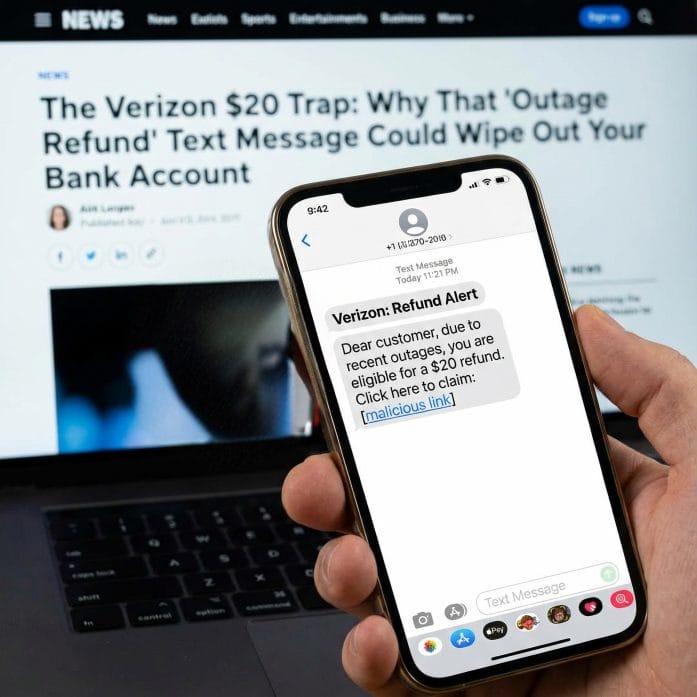
But today, January 16, that promise of “free money” has turned into a digital landmine. Scammers have launched a massive, nationwide “smishing” (SMS phishing) campaign that is perfectly timed to exploit your wait for that $20 refund. If you click the wrong link today, you aren’t just losing your credit—you are handing over the keys to your entire financial life.

The ‘Perfect’ Scam: How They Are Hooking You

The danger lies in how Verizon decided to handle the rollout. In an official statement, Verizon News confirmed: “You will receive a text message when the credit is available.”

Hackers were waiting for exactly that sentence. This morning, thousands of Verizon customers reported receiving texts that look nearly identical to official carrier communications. They use the same corporate branding, professional tone, and—most importantly—they reference the “January 14 Outage” specifically.

The Trap: The text contains a link (e.g., https://www.google.com/search?q=vzw-relief-portal.com or verizon-claims-2026.net). When you click, you are taken to a mirror-image of the Verizon login page. Once you enter your username and password to “claim your $20,” the scammer has everything they need to bypass your security.

From a $20 Credit to a $0 Bank Balance

This isn’t just about stealing your Verizon login. Security experts are warning that this outage has become the ultimate catalyst for “SIM Swapping”—the most dangerous form of identity theft in 2026.

Once a scammer has your account credentials, they don’t just look at your bill. They initiate a SIM Swap. They convince an automated system or a customer service bot that you have a new device. Within seconds:

  1. Your Phone Goes Dead: You lose service immediately (thinking it’s just another outage).

  2. They Intercept Your Texts: Every 2-factor authentication (2FA) code from your bank, your 401(k) provider, and your Venmo now goes to the scammer’s phone.

  3. The Drain: They reset your bank passwords using the “Forgot Password” feature via SMS and drain your accounts before you even realize you’ve been hacked. In a world where your phone number is your identity, losing control of your SIM means losing control of your money.

The 3 Red Flags of a Verizon Scam Text

Verizon has stated they will notify you via text, but they will NEVER ask you to click a link to provide personal or financial data. Look for these “Audit Alarms”:

  • The Link: If the URL isn’t verizon.com or doesn’t direct you to open the app manually, it is 100% fake.

  • The Urgency: Scammers use phrases like “Claim within 2 hours or the offer expires.” Verizon’s actual credit is available for at least one full billing cycle.

  • The Information Request: If a site asks for your Social Security Number or a Credit Card to “verify your identity” for a credit, close the tab immediately.

How to Safely Claim Your $20 Today

If you want to ensure your $20 goes into your pocket and stay out of the hands of hackers, follow the “Manual Only” rule:

  1. Ignore the Text: Treat every incoming text as a scam, even if it looks real.

  2. Use the App: Open the MyVerizon App directly from your phone’s home screen.

  3. Check ‘Verizon Up’: Navigate to the “Rewards” or “Verizon Up” section. If you are eligible, the $20 credit will appear as a “Redeem” button inside the secure app environment.

  4. The Live Agent Hack: If you don’t see it, use the app’s chat and type “Live Agent” followed by “Request credit for Jan 14 outage.”

Small Win-Big Headache

Verizon’s $20 credit covers roughly 2–3 days of service, which is a small win for a big headache. But that small win isn’t worth a compromised bank account. We are seeing reports of “SIM Swapping” spikes in New York, Dallas, and Atlanta this morning—the exact cities hit hardest by the original outage.

Have you received a suspicious text message claiming to be from Verizon today? Tell us the phone number it came from and your city in the comments below so we can alert other readers in your area.

Read More:

The Verizon Kill Switch: Why Your Phone is Still in “SOS Mode” This Morning Despite the “Fix”

14 Outrageous Laws Still Legal in America — And Nobody’s Stopped Them

Tamila McDonald
Tamila McDonald

Tamila McDonald is a U.S. Army veteran with 20 years of service, including five years as a military financial advisor. After retiring from the Army, she spent eight years as an AFCPE-certified personal financial advisor for wounded warriors and their families. Now she writes about personal finance and benefits programs for numerous financial websites.

Filed Under: Online Safety, scams Tagged With: bank account, Scam, Verizon

7 Dangers Lurking in Rideshare Apps You’ve Probably Ignored

November 26, 2025 by Travis Campbell Leave a Comment

rideshare
Image source: shutterstock.com

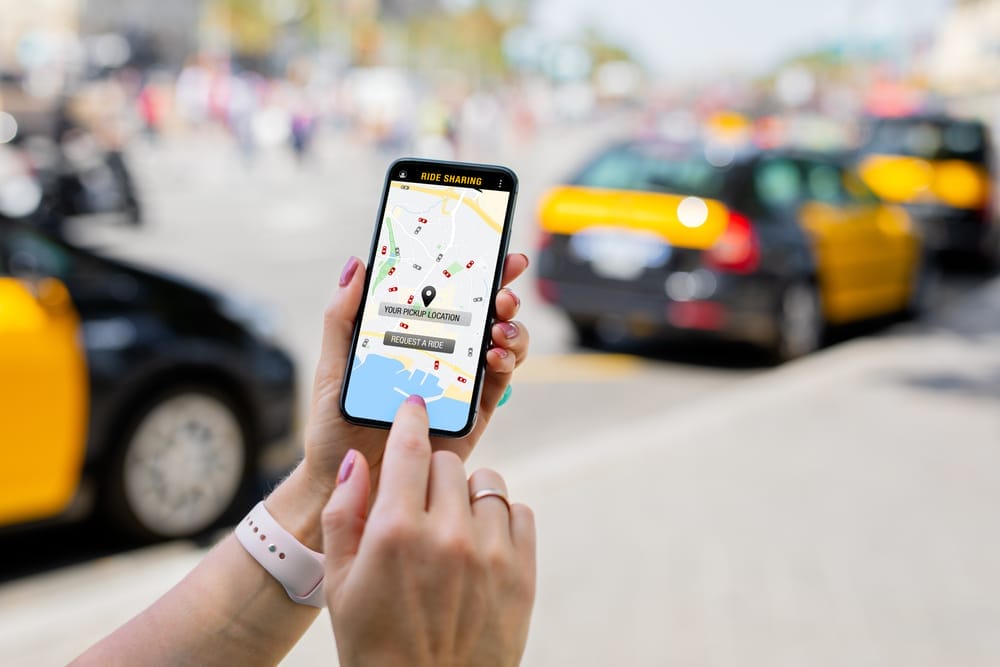
Rideshare apps have become commonplace. Users activate their screens before entering vehicles, which then transport them to their desired locations. The user-friendly design of rideshare apps conceals dangerous situations that users cannot see through their app interfaces or driver profiles. The system contains two types of problems: visible issues that users can see, and hidden issues in data settings and fast business processes. People tend to disregard these risks until they witness the adverse effects firsthand. The analysis of rideshare app security risks has become essential because users often disregard potential threats when using these services.

1. Data Trails That Don’t Disappear

Rideshare apps collect precise information about where people go, when they go, and how often they travel. That means every trip creates a data point tied to routines, habits, and private details. The data often stays on servers long after a person deletes the app. In some cases, the location history built by rideshare apps can reveal medical visits, financial errands, or personal relationships. This depth of information turns a simple ride request into a long-term record that can create vulnerabilities if mishandled or breached.

2. Surge Pricing That Quietly Drains Budgets

Surge pricing feels like a temporary inconvenience, but its impact stretches further. The algorithms shift fares in real time, sometimes doubling or tripling prices without warning. People often find themselves paying significantly more during peak hours when they have the fewest alternatives. These spikes create unpredictable expenses that undermine budgeting efforts. Over time, recurring surges make rideshare apps far more expensive than they appear in marketing claims or default fare estimates.

3. Driver Identity Gaps

Verification systems look strict from the outside. Inside the apps, gaps still exist. Photos may be outdated, names may appear similar, and occasional mismatches slip through unnoticed. The ride starts before the rider realizes something feels off. When that happens, a sense of safety built on trust in the app breaks down. And once the ride begins, exiting a moving car or arguing with a driver becomes a risk in itself.

4. App Glitches That Leave Riders Stranded

Most rides run smoothly until the app freezes, the GPS fails, or the platform crashes during high-traffic times. A stalled request can leave someone waiting alone at night or stuck outside in an unfamiliar area. Even when the app restarts, previous cancellations or broken connections can trigger penalties or delayed pickups. The reliance on rideshare apps for transportation makes these glitches more than technical hiccups—they become real safety issues disguised as simple errors.

5. Background Checks That Miss Critical Information

Rideshare companies promote safety processes, but the checks often rely on databases that update inconsistently. Recent incidents or unresolved cases may not appear, and the screening windows sometimes exclude relevant events. This creates a gap between what riders assume about driver histories and what the platform can actually confirm. When a driver with missing or outdated records is approved, the oversight exposes passengers to risks that go unnoticed until it’s too late.

6. Vehicle Safety Standards That Vary Widely

Cars participating in rideshare programs range from brand-new models to older vehicles that have barely passed inspection. Some drivers maintain their cars meticulously. Others cut corners. A clean interior can hide mechanical issues, poor tire conditions, or missing safety features. Riders rarely check because the transaction moves fast. That quick entry into an unknown car, combined with the assumption that the platform enforces strict standards, creates a false sense of security.

7. Quiet Shifts in Privacy Policies

Privacy policies inside rideshare apps change often. Updates typically come through small pop-up notices or long documents that most people accept without reading. Those quiet changes can alter how trip data is stored, shared, or monetized. A single update may expand a company’s ability to use detailed travel patterns for internal modeling or outside partnerships. Over time, these incremental shifts reshape how personal information is handled while giving riders little control over the outcome.

Why These Risks Keep Growing

The rapid growth of rideshare applications has outpaced the protective measures that should support them. The companies operating these platforms operate at high speed, but implementing oversight and consumer protection measures takes extended periods of time. The combination of feature development, increased trip data collection, and rising user numbers increases the risk of accidents, financial losses, and privacy violations. The same technology that provides affordable, quick transportation also raises financial, safety, and privacy issues that require human intervention to address.

People who understand how rideshare apps function can use them by setting specific goals and making logical choices. Knowledge of rideshare app operations does not eliminate all dangers, but it reduces the unknowns surrounding this widely used service. What issues have you faced while using your rideshare app?

What to Read Next…

  • Whos Watching Your Financial Apps Without You Knowing It
  • How Your Wi Fi Router Placement Might Be Sharing Personal Info
  • What Scams Are Targeting Retirees While You Still Trust Your Phone
  • 6 Phone App Permissions That Spy On Your Financial Life
  • Are Financial Apps Sharing Your Spending Data More Than You Realize
Travis Campbell
Travis Campbell

Travis Campbell is a digital marketer/developer with over 10 years of experience and a writer for over 6 years. He holds a degree in E-commerce and likes to share life advice he’s learned over the years. Travis loves spending time on the golf course or at the gym when he’s not working.

Filed Under: Online Safety Tagged With: budgeting, Personal Finance, privacy, rideshare, safety, transportation

7 Everyday Mistakes That Invite Cybercriminals Into Your Life

November 19, 2025 by Travis Campbell Leave a Comment

cyber security
Image source: shutterstock.com

Cybercrime now exists in every aspect of our daily lives, appearing in our email messages and phone communications, on public Wi-Fi networks, and in the ordinary actions we tend to ignore. Cybercriminals target standard behaviors because these actions follow predictable patterns that they can easily understand, and most people fail to verify them. Criminals exploit these minor security weaknesses to launch their attacks. The attackers use their gained access to perform their operations quickly and stealthily. Cybercriminals manage to connect useful convenience to major financial losses through their daily operations.

1. Reusing the Same Password Everywhere

This mistake opens the door before cybercriminals even knock. A single leaked password gives them access to multiple accounts, and they test it across financial platforms, email, and cloud services within minutes. It’s a fast chain reaction that grows harder to stop with each login they break.

Many people rely on memorable passwords because complex ones feel burdensome. But that convenience becomes a liability the moment one site suffers a breach. A password manager reduces the risk and keeps unique logins organized. One strong password protects the rest.

2. Ignoring Software Updates

Updates feel optional. They pop up in the middle of something important, and it’s tempting to put them off. But delaying them gives cybercriminals an advantage. They watch for disclosed vulnerabilities and design attacks around them because they know millions of people won’t update for days or weeks.

Phones, laptops, routers, and even smart home devices need patches. When they’re outdated, cybercriminals can slip in through well-known security holes. The simplest fix is automatic updates. It removes hesitation and closes those holes before anyone can exploit them.

3. Trusting Public Wi-Fi Without Protection

Public Wi-Fi creates an easy hunting ground for cybercriminals. They can intercept traffic, mimic legitimate networks, or pull data from unsecured connections. The risk increases when banking, shopping, or logging into accounts on open networks.

A virtual private network encrypts traffic, making it far harder for cybercriminals to monitor activity. When a VPN isn’t available, mobile data is safer than any public hotspot. Even brief sessions on an unsecured network can expose sensitive information. That’s enough time for an attacker to take advantage.

4. Clicking Links Without Verifying the Source

Links remain one of the most effective tools for cybercriminals. They use urgency—missed packages, account alerts, payment errors—to push people into reactive decisions. A single click can install spyware or lead to a convincing fake login page designed to steal credentials.

Hovering over a link reveals the real destination. Slow down, check the URL, and watch for subtle misspellings or extra characters. Many fraudulent emails imitate real organizations, including banking sites and government agencies. The Federal Trade Commission breaks down common scam formats that appear in inboxes every day. A few seconds of scrutiny can block an attack before it starts.

5. Oversharing on Social Media

Birthdays, workplaces, vacation plans, pet names—these small details carry more weight than people realize. Cybercriminals use them to guess security answers, target scams, or time break-ins when they know a home is empty. A profile filled with personal information becomes a blueprint for exploitation.

Location tags and public friend lists add more clues. When accounts are open to anyone, cybercriminals can pull details and build trust with impersonation tactics. Setting profiles to private and removing unnecessary personal data limits what they can use. Not everything needs an audience.

6. Falling for Fake Apps and Browser Extensions

Cybercriminals use fake apps to capture passwords, monitor activity, or hijack devices. Some slip into official app stores before they’re removed, and others circulate through links promising features that don’t exist. Browser extensions carry similar risks. Once installed, a malicious extension can read browsing data, alter pages, or redirect traffic.

Installing software only from verified sources helps reduce exposure. So does checking developer histories and reviews that show patterns of suspicious behavior. Even widely used extensions get compromised. Regularly reviewing installed apps and removing anything unused strengthens security.

7. Forgetting to Secure Home Wi-Fi

A home network can be an entry point for cybercriminals when left unattended. Many routers ship with default passwords that are easy to find online. If those settings remain unchanged, attackers can gain access without much effort. From there, they can monitor traffic or move through connected devices.

Changing the default password, enabling encryption, and updating firmware make a big difference. Some routers offer automatic security features, but they require activation. The Cybersecurity and Infrastructure Security Agency provides clear guidance for secure home networks. Small configuration changes close the gap cybercriminals rely on.

A Safer Routine Starts With Awareness

Cybercriminals exploit human behavior because people tend to follow predictable patterns in their actions. Cybercriminals carry out their activities at regular times, revealing their reliance on persistent security vulnerabilities. Our awareness efforts will help us achieve this goal. The security advantage of cybercriminals decreases when people modify their daily routines. The security system defends against cybercriminals through robust password requirements, controlled-click functionality, and an automated software update system.

Financial stability protection and personal privacy need only short intervals to execute these critical operations. Experts use research on cybercriminal tactics to develop more effective security systems against these types of cyber threats.

Which daily practices have you implemented to stop cybercriminals from accessing your life?

What to Read Next…

  • 8 Things You’re Doing That Make Criminals Think You’re an Easy Target
  • How Your Wi-Fi Router Placement Might Be Sharing Personal Info
  • 6 Phone App Permissions That Spy on Your Financial Life
  • 8 Email Habits That Make You a Target for Identity Theft After 40
  • 10 Phishing Scheme Red Flags That Fool Even Savvy Account Holders
Travis Campbell
Travis Campbell

Travis Campbell is a digital marketer/developer with over 10 years of experience and a writer for over 6 years. He holds a degree in E-commerce and likes to share life advice he’s learned over the years. Travis loves spending time on the golf course or at the gym when he’s not working.

Filed Under: Online Safety Tagged With: cybersecurity, digital hygiene, fraud prevention, Online Safety, Personal Finance

8 Online Mistakes That Make You a Hacker’s Dream

November 16, 2025 by Travis Campbell Leave a Comment

hacker
Image source: shutterstock.com

Living online is unavoidable, but it also opens doors to people who want your data. Every careless click or weak password can make you a hacker’s dream. Online security isn’t just about fancy software—it’s mostly about habits. Many people think they’re too small to be a target, yet hackers rely on that exact mindset. Understanding the most common online mistakes can help you protect your accounts, money, and peace of mind.

1. Using the Same Password Everywhere

Reusing passwords is one of the easiest ways to become a hacker’s dream. Once a criminal gets one password from a data breach, they’ll try it on every major site. If you use the same password for your bank, email, and shopping accounts, that one leak can expose your entire digital life.

Instead, use unique passwords for every account. A password manager can safely store them so you don’t have to remember dozens. It takes a few minutes to set up, but it can save you from weeks of recovery if something goes wrong.

2. Ignoring Two-Factor Authentication

Two-factor authentication (2FA) adds a second layer of protection beyond a password. When you skip it, you make it far easier for hackers to log in as you. Even if they steal your password, they still need that extra code from your phone or app to break in.

Many services—especially those handling money or personal data—offer 2FA for free. Turning it on is one of the simplest steps to improve online security. It may feel like an inconvenience, but it’s a small price for safety.

3. Falling for Phishing Emails

Phishing emails are still one of the top ways hackers steal information. They look legitimate and often create a sense of urgency: a fake alert from your bank or an email about a delivery issue. Clicking a malicious link or attachment can hand over login details or install malware in seconds.

Always pause before responding. Hover over links to see where they lead. If something feels off, go directly to the company’s website instead of clicking. Awareness is your best defense against these traps.

4. Oversharing on Social Media

People love to post birthdays, vacations, and life updates online. But oversharing can make you a hacker’s dream. Those personal details help criminals guess passwords, security questions, or even time their attacks while you’re away.

Review your privacy settings and think twice before posting sensitive information. You don’t have to go silent, just selective. The less data you give away publicly, the fewer clues hackers have to exploit.

5. Ignoring Software Updates

Outdated software often contains security holes. Hackers know this and build tools to exploit old versions of operating systems, browsers, and apps. When you skip updates, you’re leaving the door open for them.

Automatic updates exist for a reason—use them. If you run a business or handle financial data, consider scheduling regular maintenance. A few minutes of updating can block entire categories of attacks.

6. Using Public Wi-Fi Without Protection

Free Wi-Fi at cafes or airports feels convenient, but it’s rarely safe. Hackers can intercept data on unsecured networks, grabbing passwords or credit card numbers as you type. That’s how a simple coffee break can turn into an identity theft nightmare.

When you must connect to public networks, use a virtual private network (VPN). It encrypts your traffic so prying eyes can’t read it. For more details on how VPNs work, see this explanation from the FTC. Better yet, wait until you’re on a trusted network before logging in to sensitive accounts.

7. Downloading Apps or Files from Unverified Sources

It’s tempting to grab free versions of paid software or random attachments sent by friends. But unverified downloads often come with hidden malware. Once installed, it can record keystrokes, steal files, or give hackers control of your device.

Stick to official app stores and trusted developers. If an offer seems too good to be true, it usually is. Even a single bad download can compromise years of data and make recovery expensive and stressful.

8. Forgetting to Back Up Your Data

Ransomware attacks are brutal. They lock your files and demand payment for access. Without backups, you’re at their mercy. Regularly backing up your data—both to the cloud and an external drive—means you can recover quickly without paying a hacker.

Don’t wait until disaster strikes. Set automated backups so you never forget. It’s one of the most overlooked yet effective steps in online security.

Building Safer Online Habits

People who want to defend themselves against hacker attacks do not need to become hacking experts. People can protect themselves by following basic security practices, which include using strong passwords, being cautious of scams, and keeping their device software up to date. Most attackers will avoid attempting to penetrate security systems that users have established through their regular habits.

The National Cybersecurity Alliance provides individuals and their families with step-by-step instructions to protect their personal data. The main principle involves maintaining constant vigilance. The speed of technological progress does not diminish the value of basic online security practices, which consistently yield positive results.

What’s the hardest online habit for you to maintain without slipping into risky territory?

What to Read Next…

  • 8 Things You’re Doing That Make Criminals Think You’re An Easy Target
  • How Your Wi-Fi Router Placement Might Be Sharing Personal Info
  • 6 Online Freebies That End In Identity Theft
  • 8 Email Habits That Make You A Target For Identity Theft After 40
  • What Happens If Adult Children Control Your Online Banking Credentials
Travis Campbell
Travis Campbell

Travis Campbell is a digital marketer/developer with over 10 years of experience and a writer for over 6 years. He holds a degree in E-commerce and likes to share life advice he’s learned over the years. Travis loves spending time on the golf course or at the gym when he’s not working.

Filed Under: Online Safety Tagged With: cyber safety, data protection, online security, passwords, phishing

8 Risky App Permissions That Expose Bank Login Info

August 20, 2025 by Travis Campbell Leave a Comment

app
Image source: pexels.com

Think about how many apps you’ve installed on your phone. Each one asks for permissions—sometimes more than they really need. But did you know that certain app permissions could expose your bank login info? It’s easy to overlook the risk when you just want to use a cool new feature or service. However, giving apps unnecessary access can make your financial data vulnerable to hackers and data thieves. Protecting your bank login info starts with understanding which permissions are most risky. Let’s break down the app permissions that could compromise your security and what you can do about them.

1. Access to Contacts

Allowing an app to access your contacts list might seem harmless. But when an app can see who you know, it can also gather data about your relationships and communication habits. Some malicious apps use this access to send phishing messages to your contacts, pretending to be you. If those messages include links to fake banking sites, your friends and family could end up exposing their bank login info as well.

It’s best to deny contact access unless it’s absolutely necessary for the app’s main function. Social media apps might need it for friend suggestions, but most banking or utility apps do not.

2. SMS Permissions

Granting SMS permissions lets an app read and send text messages from your device. This is a major risk for your bank login info because many banks use two-factor authentication codes sent via SMS. A rogue app with SMS access can intercept these codes, making it easier for someone to break into your bank account. Some apps even use your phone to send spam or phishing messages to others.

If you don’t need SMS features, always say no to this permission. And for extra security, consider using app-based authentication instead of SMS when possible.

3. Access to Device Storage

When an app asks for permission to access your photos, files, or device storage, it might be looking for more than just selfies. Bank login info can sometimes be stored in downloaded PDFs, screenshots, or saved emails. Malicious apps can search your storage for sensitive documents or even upload them without your consent.

Before granting storage access, ask yourself: Does this app really need to read my files? If not, deny the permission. Always keep sensitive banking info out of your general storage and use secure apps for document management.

4. Camera and Microphone Access

Camera and microphone permissions are often used for features like video calls or photo uploads. However, a sneaky app could use them to capture images or audio without your knowledge. If you ever use your camera to scan checks or QR codes for banking apps, an unauthorized app could intercept that data, potentially exposing your bank login info.

Only grant camera and microphone access to apps you trust completely. For extra peace of mind, regularly review which apps have these permissions in your phone’s settings.

5. Location Tracking

Location permissions help apps provide services like maps or local weather. But when apps track your location constantly, it can reveal patterns about your daily routine. If a bad actor knows when you visit your bank branch or when you’re away from home, it increases your risk. In some cases, apps might even use location data to target you with phishing attempts that seem more legitimate.

Limit location access to “while using the app” or turn it off entirely for apps that don’t need it. Remember, protecting your bank login info means controlling who knows where you are.

6. Accessibility Services

Accessibility permissions are designed to help people with disabilities. But they’re also some of the most powerful—and dangerous—permissions an app can have. With accessibility access, an app can read screen content, log keystrokes, and even interact with other apps. That means a malicious app could capture your bank login info as you type it or copy it from your password manager.

Only grant accessibility permissions to essential apps from reputable developers. If you’re unsure, check for alternatives that don’t require this level of access.

7. Overlay Permissions

Overlay permissions let an app display content on top of other apps. This is how chat heads or floating widgets work. Unfortunately, overlays can also be used for “tapjacking”—tricking you into entering your bank login info into a fake screen. You might not even realize you’re being duped until it’s too late.

Be cautious with apps that ask for overlay permissions, especially if they aren’t from trusted sources. Turn off this permission if you notice suspicious pop-ups or overlays while using your banking app.

8. Internet Access

Almost every app asks for internet access these days, but this permission is especially risky if the app has other dangerous permissions too. With internet access, an app can upload data it collects—including your bank login info—to remote servers. Some malicious apps combine internet access with storage or accessibility permissions to steal your credentials and send them to hackers.

Always check the developer’s reputation before installing an app that needs internet access. Read reviews and look for red flags. For more tips on protecting your financial data, check out this guide to avoiding phishing scams.

How to Protect Your Bank Login Info from Risky App Permissions

Being smart about app permissions is one of the simplest ways to protect your bank login info. Take time to review permissions before installing any new app. Go through your phone’s settings and remove unnecessary permissions from apps you already have. Use strong, unique passwords for your banking apps and enable two-factor authentication—preferably through a secure app rather than SMS.

If you want to learn more about staying safe online, visit these online safety resources. Your financial security is worth a few extra minutes of caution.

What app permission have you seen that made you pause before hitting “Allow”? Share your experiences in the comments below!

Read More

Whos Watching Your Financial Apps Without You Knowing It

6 Phone App Permissions That Spy On Your Financial Life

Travis Campbell
Travis Campbell

Travis Campbell is a digital marketer/developer with over 10 years of experience and a writer for over 6 years. He holds a degree in E-commerce and likes to share life advice he’s learned over the years. Travis loves spending time on the golf course or at the gym when he’s not working.

Filed Under: Online Safety Tagged With: app security, banking safety, cybersecurity, data protection, mobile privacy

7 Ways Identity Scammers Copy Your Signature Remotely

August 17, 2025 by Travis Campbell Leave a Comment

scammers
Image source: pexels.com

Identity scammers are getting smarter every year, and their latest tricks can hit you where you least expect: your handwritten signature. In today’s digital world, more documents are signed, sent, and stored online than ever before. That convenience comes with a risk—identity scammers can now copy your signature remotely using several clever methods. If they succeed, you could face financial loss or legal headaches, all from the comfort of your own home. Understanding how these scammers operate is the first step to protecting yourself. In this article, we’ll explore seven ways identity scammers copy your signature remotely and what you can do to stay one step ahead.

1. Phishing Emails with Document Requests

Identity scammers often use phishing emails to trick you into handing over your signature. These emails may look like they’re from your bank, employer, or another trusted source. They’ll ask you to sign a document and send it back—sometimes even providing a convenient link or attachment. Once you upload or email your signed document, scammers have a clean copy of your signature. They can then use it to forge documents or commit fraud in your name. To avoid falling victim, always verify the sender before responding to requests for signatures.

2. Social Media Image Harvesting

It may sound far-fetched, but identity scammers can copy your signature by scanning images you post online. If you’ve ever shared a photo of a signed check, a diploma, or even a contract, you might be at risk. Scammers use advanced image recognition tools to find and extract signatures from social media platforms. Once they have your signature, they can use it for fraudulent activities. Be careful about what you share online, especially if it includes any personal or financial details.

3. Hacking Cloud Storage Accounts

Many people store signed documents in cloud services like Google Drive, Dropbox, or OneDrive. If your account isn’t properly secured, identity scammers can break in and grab copies of your signature right from your files. They may use phishing, password guessing, or even data breaches to access your documents. Once inside, it’s easy for them to download, copy, and reuse your signature. To protect yourself, use strong, unique passwords and enable two-factor authentication on all your cloud accounts.

4. Intercepting Digital Signature Platforms

Platforms like DocuSign and Adobe Sign make it easy to sign documents remotely. But if scammers gain access to your account or intercept your emails, they can copy your signature and use it elsewhere. Sometimes, scammers even send fake signing requests to trick you into uploading your signature to a fraudulent site. This method is especially dangerous because it targets both individuals and businesses. Always double-check the sender and website before signing anything electronically. If you see something suspicious, contact the organization directly to confirm.

5. Malware That Captures Screenshots

Identity scammers sometimes use malware to steal your signature. These malicious programs can infect your computer or phone, then silently take screenshots as you sign documents. The malware sends these images back to the scammer, giving them a high-quality copy of your signature. You might not even realize your device is infected until it’s too late. Protect yourself by keeping your antivirus software up to date and avoiding suspicious downloads or email attachments.

6. Public Wi-Fi Eavesdropping

Using public Wi-Fi at a coffee shop or airport? Identity scammers can intercept data sent over unsecured networks, including electronic documents containing your signature. If you sign and send documents while connected to public Wi-Fi, your information could be exposed. Scammers use special tools to capture and analyze this data, searching for signatures and other valuable information. To reduce your risk, avoid signing sensitive documents on public networks or use a virtual private network (VPN) to encrypt your connection.

7. Data Breaches at Third-Party Services

Even if you’re careful, your signature could still end up in the wrong hands thanks to data breaches. Many third-party services—like payroll companies, schools, or online retailers—store signed documents. If these companies are hacked, identity scammers can access thousands of signatures in one go. There’s not much you can do about breaches at other companies, but you can limit your risk by only sharing your signature with trusted organizations and asking about their security practices. Keeping tabs on major breaches through services like Have I Been Pwned can also alert you if your information has been compromised.

Smart Steps to Defend Your Signature

Identity scammers are always developing new ways to copy your signature remotely, so staying aware is your best defense. Be cautious with emails or messages requesting your signature, and always verify the source. Use strong passwords and two-factor authentication on all your online accounts, especially those that store important documents. Avoid sharing signed documents on social media, and keep your devices protected with updated security software. If you must sign documents electronically, use trusted platforms and check for security features like encryption.

Finally, review your financial accounts and credit reports regularly for signs of suspicious activity. If you see anything unusual, act quickly to limit the damage. You can also freeze your credit or use identity theft protection services for extra peace of mind. The more proactive you are, the harder it will be for identity scammers to copy your signature and misuse it.

Have you ever experienced signature theft or know someone who has? What steps do you take to keep your signature safe? Share your thoughts in the comments below!

Read More

6 Online Freebies That End In Identity Theft

8 Everyday Scams Seniors Are Falling For Right Now

Travis Campbell
Travis Campbell

Travis Campbell is a digital marketer/developer with over 10 years of experience and a writer for over 6 years. He holds a degree in E-commerce and likes to share life advice he’s learned over the years. Travis loves spending time on the golf course or at the gym when he’s not working.

Filed Under: Online Safety Tagged With: cybersecurity, data breach, fraud prevention, identity theft, Online Safety, phishing, signature security

How Low Financial Knowledge Can Make Seniors 2.5x More Scam-Prone

August 14, 2025 by Catherine Reed Leave a Comment

How Low Financial Knowledge Can Make Seniors 2.5x More Scam-Prone
Image source: 123rf.com

Financial scams targeting seniors are on the rise, costing older Americans billions every year. While anyone can fall victim to fraud, research shows that seniors with low financial literacy are at significantly higher risk — up to 2.5 times more likely to be scammed. This increased vulnerability stems from gaps in understanding complex financial products, recognizing red flags, and keeping up with evolving digital threats. As scammers become more sophisticated, the need for awareness and education has never been greater. Understanding how low financial knowledge can make seniors 2.5x more scam-prone is the first step toward protection.

1. Difficulty Spotting Scam Tactics

Many scams use urgent language, emotional manipulation, or fake authority to pressure victims into quick decisions. Seniors with limited financial knowledge may not recognize these warning signs. Without familiarity with common fraud methods, they might believe a scammer posing as a bank representative or government official. Even something as simple as a “too good to be true” investment can seem plausible without the knowledge to assess it. This gap in awareness shows exactly how low financial knowledge can make seniors 2.5x more scam-prone.

2. Limited Understanding of Investment Risks

Scammers often target seniors with fake investment opportunities promising guaranteed returns. Those who lack a solid grasp of how investments work may overlook obvious red flags, like unrealistic profit claims or lack of proper licensing. They may also struggle to differentiate between legitimate high-yield opportunities and fraudulent schemes. This vulnerability is especially dangerous for retirees relying on savings to last their lifetime. It’s another example of how low financial knowledge can make seniors 2.5x more scam-prone.

3. Struggles with Digital Banking and Security

As more banking and financial transactions move online, seniors with limited digital literacy face new challenges. Phishing emails, fake websites, and fraudulent text messages are designed to look legitimate, making them hard to detect without training. Seniors who don’t understand how to verify online security features, such as HTTPS or multi-factor authentication, are more likely to click harmful links or share personal data. Once scammers gain access to sensitive accounts, recovery can be difficult and costly. This risk illustrates how low financial knowledge can make seniors 2.5x more scam-prone in the digital age.

4. Overreliance on Trust in Familiar Brands

Scammers often impersonate well-known companies, charities, or financial institutions to appear credible. Seniors who have long-standing trust in certain organizations may not question unexpected calls or emails claiming to be from them. Without financial education on verification practices, they may hand over personal or payment information without hesitation. This misplaced trust is frequently exploited in donation scams, fake tech support calls, and fraudulent account alerts. It’s a prime reason how low financial knowledge can make seniors 2.5x more scam-prone.

5. Lack of Awareness About Current Scam Trends

Fraudsters constantly adapt, creating new schemes that target current events, tax seasons, or disaster relief efforts. Seniors with limited access to timely scam alerts may be unaware of the latest tactics. Without regular updates on fraud prevention, they can be caught off guard by new angles, such as cryptocurrency scams or fake government relief programs. Education programs, community resources, and trusted news outlets can help fill this gap. Staying informed is key to reducing how low financial knowledge can make seniors 2.5x more scam-prone.

6. Inexperience with Contract and Fine Print Details

Scammers often hide critical terms in small print or use vague legal language to commit fraud. Seniors unfamiliar with reading contracts or spotting misleading clauses may sign documents without fully understanding them. This is common in predatory loan agreements, fake timeshare sales, or misleading subscription services. Without the habit of asking questions or seeking legal advice, they may commit to harmful agreements. Such scenarios clearly demonstrate how low financial knowledge can make seniors 2.5x more scam-prone.

7. Difficulty Recognizing High-Pressure Sales Tactics

Fraudsters frequently rely on high-pressure sales techniques to force quick decisions. Seniors with limited financial education may not realize that legitimate businesses rarely require immediate action without time to review details. When pressured, they may agree to purchases, investments, or donations without due diligence. Awareness of these psychological tactics is a key defense against scams. It’s yet another example of how low financial knowledge can make seniors 2.5x more scam-prone.

Building Financial Awareness for Protection

While the statistics can be alarming, the good news is that education and proactive habits can greatly reduce scam risk. Seniors can benefit from attending community workshops, reading trusted financial resources, and involving family or advisors in major financial decisions. Regularly reviewing accounts, verifying requests, and staying informed about evolving scam tactics can create a stronger shield against fraud. The more financial knowledge seniors build, the less likely they are to be part of the 2.5x higher risk group. Awareness isn’t just power — it’s protection.

What do you think is the most effective way to help seniors protect themselves from scams? Share your thoughts in the comments below!

Read More:

10 Phishing Scheme Red Flags That Fool Even Savvy Account Holders

8 “Grandparent Rescue” Scams That Use Voice Cloning to Trick You

Catherine Reed
Catherine Reed

Catherine is a tech-savvy writer who has focused on the personal finance space for more than eight years. She has a Bachelor’s in Information Technology and enjoys showcasing how tech can simplify everyday personal finance tasks like budgeting, spending tracking, and planning for the future. Additionally, she’s explored the ins and outs of the world of side hustles and loves to share what she’s learned along the way. When she’s not working, you can find her relaxing at home in the Pacific Northwest with her two cats or enjoying a cup of coffee at her neighborhood cafe.

Filed Under: Online Safety Tagged With: elder financial abuse, financial literacy, fraud prevention, how low financial knowledge can make seniors 2.5x more scam-prone, retirement planning, senior scams

Senior Citizens Alert: 8 Pieces of Information You Should Never Give Out Over The Phone

August 10, 2025 by Catherine Reed Leave a Comment

Senior Citizens Alert: 8 Pieces of Information You Should Never Give Out Over The Phone
Image source: 123rf.com

Scammers know that seniors are often kind-hearted, trusting, and willing to engage in conversation, which makes them easy targets. Every year, thousands of older adults are tricked into revealing private details over the phone, leading to stolen identities, emptied bank accounts, and emotional distress. The most effective scams are often friendly-sounding and surprisingly convincing. That’s why this senior citizens alert is so important: knowing which pieces of information to keep private can protect you and your loved ones from devastating fraud. Here are eight things you should never share over the phone—no matter how official the caller sounds.

1. Your Social Security Number

The Social Security number is one of the most dangerous pieces of information you can share over the phone. Scammers can use it to open credit cards, apply for loans, and even commit tax fraud in your name. Government agencies like the IRS or Social Security Administration will never call and ask for your number. If someone claims they need it to verify your identity, hang up and call the agency directly. This senior citizens alert is loud and clear—never give your Social Security number to an unsolicited caller.

2. Bank Account or Credit Card Numbers

One of the most common scams involves someone pretending to be from your bank or credit card company. They may say there’s been suspicious activity or offer to help you get a refund—but they’ll need your full account number first. Giving them that information is like handing over the keys to your finances. A real bank will never ask for full account details over an unexpected call. Always hang up and call your financial institution directly using the number on your statement.

3. Medicare or Health Insurance Information

Healthcare-related scams are on the rise, especially targeting those who rely on Medicare. Fraudsters might pose as representatives needing to “update your file” or “confirm your coverage.” They often sound knowledgeable and may even reference your provider by name. But sharing your Medicare ID or insurance numbers could lead to false claims, billing fraud, or identity theft. This senior citizens alert reminds all retirees: never share your health plan information over the phone unless you initiated the call.

4. Your Full Date of Birth

Your date of birth is a vital part of verifying your identity—and scammers know it. It’s often used alongside other information to unlock accounts or bypass security questions. Some callers may casually ask for it while pretending to confirm a service or delivery. Even if it seems harmless, sharing your birthdate can set the stage for identity theft. Treat it like a password and never share it with strangers.

5. Passwords or Security Codes

No legitimate organization will ever ask you for your password or a one-time security code over the phone. Scammers may say they’re helping you reset your account or that they need to “verify” your access. In reality, they may already be attempting to log in and just need you to give them the final piece. Sharing this information gives them control of your email, bank, or shopping accounts. It’s a key warning in any senior citizens alert—never read a code or password to anyone who calls you.

6. Information About Your Family Members

Scammers often try to gain your trust by bringing up family. They might pretend to be a grandchild in trouble, a hospital worker calling on behalf of a loved one, or someone who claims to know your child. In the course of conversation, they may prompt you to reveal names, ages, or even locations of your family members. That information can be used for future scams, social engineering, or fake emergency calls. If someone brings up your family unexpectedly, hang up and verify the situation yourself.

7. Your Home Address (When Not Needed)

While many seniors assume their address is public information, giving it out over the phone can still be risky. Scammers may use your address to create fake utility accounts, commit mail fraud, or even scope your property for burglary. If someone calls asking for your address “to send a prize” or “verify delivery,” it’s likely a scam. Always be skeptical of calls that don’t align with services you’re actively expecting. When it comes to protecting your home, caution is key.

8. Confirmation That You Live Alone

This question may come up in a friendly conversation, but it’s a serious red flag. Scammers (and potential criminals) ask this to determine if you’re a vulnerable target. If someone presses for details about your living situation, they’re fishing for an opportunity to take advantage. Always keep the conversation vague and never admit to living alone. This is one of the most important tips in any senior citizens alert focused on personal safety.

Stay Alert and Trust Your Instincts

The most powerful defense against phone scams is knowing what to watch for and trusting your gut. If something feels off—even just a little—end the call. Senior citizens alert tips like these exist because too many good people have lost money, privacy, and peace of mind to phone scams. You deserve to enjoy retirement without the fear of being taken advantage of. Knowledge is your best shield, and it only takes one safe decision to avoid becoming a victim.

Have you or someone you know received a suspicious phone call asking for private information? Share your story in the comments to help protect others.

Read More:

Everyday Mistakes That Make You Vulnerable to Criminals

7 Times You Should Lie About How Much Money You Have

Catherine Reed
Catherine Reed

Catherine is a tech-savvy writer who has focused on the personal finance space for more than eight years. She has a Bachelor’s in Information Technology and enjoys showcasing how tech can simplify everyday personal finance tasks like budgeting, spending tracking, and planning for the future. Additionally, she’s explored the ins and outs of the world of side hustles and loves to share what she’s learned along the way. When she’s not working, you can find her relaxing at home in the Pacific Northwest with her two cats or enjoying a cup of coffee at her neighborhood cafe.

Filed Under: Online Safety Tagged With: elder safety, financial protection, identity theft, phone scams, privacy tips, scam calls, scam prevention, senior citizens alert, senior fraud prevention

7 “Free” Financial Tools With Privacy Concerns

August 9, 2025 by Catherine Reed Leave a Comment

7 “Free” Financial Tools That Sold Your Data Despite Promises
Image source: 123rf.com

Many free financial tools make money by using your data. You sign up for convenience and trade personal details without realizing it. That data can be shared, sold, or used to target you. Knowing which tools carry privacy risks helps you make smarter choices.

1. Budgeting apps that link to your bank accounts

Budgeting apps ask for account access to categorize spending. That access gives them transaction histories, merchant names, locations, and balances. Some apps share anonymized data with partners or sell trends to data brokers. Limit risk by using read-only access or manual entry when possible, and review the app’s privacy policy for third-party sharing.

2. Investment robo-advisors with free tiers

Robo-advisors collect income, net worth, and risk tolerance to build portfolios. Even free tiers may gather browsing and device data. Firms sometimes share data with analytics or ad partners. Pick services that commit to never selling personal data, check for encryption statements, and prefer advisors covered by strict financial privacy rules.

3. Credit score and monitoring sites

Free credit score sites often pull from credit bureaus or request identity details. To monetize, many integrate third-party trackers and ad networks. These trackers can link your financial profile to advertising IDs. Use official bureau services when possible, enable tracker blockers, and avoid giving extra permissions like SMS or call access.

4. Cashback and coupon extensions

Browser extensions and cashback tools need access to shopping activity to apply offers. That access can expose purchase histories and visited stores. Extensions may collect browsing data beyond shopping pages. Only install extensions from trusted sources, inspect requested permissions, and remove ones that ask for full browsing access.

5. Personal finance aggregators and “free” spreadsheets

Aggregators that combine multiple accounts are convenient but centralize risk. A single breach can expose data across banks, cards, and investment accounts. Spreadsheets shared or saved in cloud accounts can also leak info if linked to third-party apps. Use strong, unique passwords, enable two-factor authentication, and limit which accounts you connect.

6. Free tax-preparation tools

Some free tax tools advertise no-cost filing but monetize with targeted offers and data sharing. Sensitive details like Social Security numbers and dependents end up in their systems. Confirm whether the provider uses data for marketing or shares with affiliates. Prefer providers that explicitly restrict data use to tax services and that follow strong security standards.

7. Socially driven money apps and payment platforms

Peer payment apps and social finance tools collect contact lists, payment histories, and sometimes geo-location. That data can be used to suggest lenders, advertisers, or credit offers. Check settings to prevent contact syncing, and remove permissions you don’t need. If a social feature feels optional, turn it off.

Why these risks matter now

Free financial tools are widely used for convenience. At the same time, regulators are paying attention. The Federal Trade Commission has increased enforcement on data practices and financial privacy, and it has guidance on data brokers and tracking. Older but still relevant research shows how data brokers compile and sell consumer profiles, which can include financial behaviors.

Simple checks to protect your privacy

Start with the privacy policy. Look for clear statements about selling data. Next, limit permissions: apps often ask for more access than they need. Use bank accounts that support read-only API access. Turn on two-factor authentication and use a password manager. If a feature is optional, skip it. For browser tools, inspect extension permissions before installing.

Practical alternatives to sharing everything

You don’t have to avoid free tools entirely. Consider using separate accounts with lower balances for aggregation. Use manual imports or CSV uploads instead of full linking. Employ privacy-focused browsers and tracker blockers when using web-based tools. For sensitive tasks like tax filing, consider paid versions that promise no data-sharing, or use a local software install.

A clear, quick checklist

Check the privacy policy, limit permissions, use read-only connections, enable two-factor authentication, and avoid syncing contacts or location. Backup any exported records securely and delete old accounts you no longer use. These steps cut exposure without giving up convenience.

Main takeaway: convenience costs more than you think

Free financial tools can save time and money, but often trade privacy for convenience. Treat each app like a service that asks for access to your life. Read policies, reduce permissions, and use safer alternatives when you can. That keeps your financial data under your control.

How have free financial tools affected your privacy or finances? Share your experiences or tips in the comments.

Read More:

How Safe Is That “Password-Free” Login Feature Everyone’s Using?

How Your Wi-Fi Router Placement Might Be Sharing Personal Info

Catherine Reed
Catherine Reed

Catherine is a tech-savvy writer who has focused on the personal finance space for more than eight years. She has a Bachelor’s in Information Technology and enjoys showcasing how tech can simplify everyday personal finance tasks like budgeting, spending tracking, and planning for the future. Additionally, she’s explored the ins and outs of the world of side hustles and loves to share what she’s learned along the way. When she’s not working, you can find her relaxing at home in the Pacific Northwest with her two cats or enjoying a cup of coffee at her neighborhood cafe.

Filed Under: Online Safety Tagged With: budgeting apps, credit monitoring, data privacy, digital safety, fintech, free financial tools, identity protection, online privacy, Personal Finance, Planning

  • 1
  • 2
  • 3
  • Next Page »

FOLLOW US

Search this site:

Recent Posts

  • Can My Savings Account Affect My Financial Aid? by Tamila McDonald
  • 12 Ways Gen X’s Views Clash with Millennials… by Tamila McDonald
  • What Advantages and Disadvantages Are There To… by Jacob Sensiba
  • 10 Tactics for Building an Emergency Fund from Scratch by Vanessa Bermudez
  • Call 911: Go To the Emergency Room Immediately If… by Stephen Kanaval
  • 7 Weird Things You Can Sell Online by Tamila McDonald
  • 10 Scary Facts About DriveTime by Tamila McDonald

Copyright © 2026 · News Pro Theme on Genesis Framework