
• Home
  • About Us
  • Toolkit
  • Getting Finances Done
    • Hiring Advisors
    • Debt Management
    • Spending Plan
  • Insurance
    • Life Insurance
    • Health Insurance
    • Disability Insurance
    • Homeowners/Renters Insurance
  • Contact Us
  • Privacy Policy
  • Risk Tolerance Quiz

The Free Financial Advisor

You are here: Home / Archives for app security

5 Budgeting Apps That Integrate With Biometric Banking

March 12, 2026 by Brandon Marcus Leave a Comment

5 Budgeting Apps That Integrate With Biometric Banking

Image Source: Pexels.com

Money management used to involve spreadsheets, notebooks, and a calculator that lived somewhere near the kitchen junk drawer. Those days disappeared fast. Modern banking now unlocks with a fingerprint or a quick glance at a phone screen, and budgeting tools have evolved right alongside that technology. Financial apps now combine powerful tracking systems with biometric security features that make logging in faster and safer than ever before. That combination delivers a rare win for personal finance: convenience without sacrificing protection.

A growing group of budgeting apps now integrates smoothly with fingerprint sensors and facial recognition systems built into smartphones. Anyone searching for better financial awareness without endless password typing will find plenty to like in this new generation of money-management tools.

When Your Face Unlocks Your Finances

Biometric banking sounds futuristic, yet most smartphones already carry the technology in their hardware. Fingerprint scanners and facial recognition systems allow apps to confirm identity using physical characteristics instead of traditional passwords. Financial apps quickly embraced this technology because it balances speed and security in a way passwords never quite managed.

Budgeting apps that support biometric authentication allow users to unlock financial dashboards with a single touch or glance. That quick access encourages frequent check-ins with spending habits, which plays a huge role in successful budgeting. People tend to ignore tools that require long login processes, yet biometric access removes that friction almost entirely.

Security also improves when biometric verification replaces weak passwords. A fingerprint or face scan cannot be guessed or easily stolen in the same way as a simple login code. Most smartphones store biometric data locally on the device rather than inside the app itself, which adds another protective layer.

1. YNAB: The App That Turns Budgeting Into a Strategy

YNAB, short for You Need A Budget, approaches personal finance with a philosophy rather than just a spreadsheet. The platform encourages users to assign every dollar a job, which pushes budgeting beyond simple expense tracking. Biometric login support allows quick access to this system through fingerprint or facial recognition on supported devices.

This app shines when someone wants detailed control over spending decisions. YNAB emphasizes intentional planning by encouraging users to allocate money before spending it rather than reviewing transactions afterward. That proactive method helps many people break cycles of paycheck-to-paycheck living.

The biometric login option removes the usual friction associated with opening financial tools throughout the day. Quick access encourages users to check budgets before making purchases, which supports the philosophy behind the platform. YNAB also offers educational resources and workshops that help users sharpen their budgeting skills over time.

2. PocketGuard: The App That Answers One Big Question

Some budgeting apps bombard users with charts, graphs, and financial jargon. PocketGuard takes a different approach by focusing on a single question: how much money remains available to spend after covering bills and savings goals? The app integrates biometric login features on compatible smartphones, allowing secure access without long passwords.

PocketGuard connects to bank accounts and automatically tracks recurring bills, subscriptions, and everyday purchases. Once the system calculates those obligations, the app displays a clear “safe to spend” number that helps users avoid overspending. This simple approach removes much of the guesswork that makes budgeting frustrating.

The biometric login feature plays an important role because it encourages quick daily check-ins. A glance at the “safe to spend” number can prevent impulse purchases before they happen. PocketGuard also identifies recurring subscriptions that quietly drain money each month, which can lead to surprising discoveries about forgotten streaming services or unused memberships.

3. Goodbudget: Envelope Budgeting for the Digital Age

Long before smartphones existed, many households used envelope budgeting to control spending. People placed cash into labeled envelopes for groceries, transportation, and entertainment, and each envelope set a clear spending limit. Goodbudget brings that classic system into the digital world with modern features and biometric login support.

The app allows users to create virtual envelopes for different spending categories while tracking bank transactions through linked accounts. Biometric authentication protects access to these digital envelopes, making it easy to check balances quickly without entering passwords every time.

Goodbudget works particularly well for people who enjoy visual budgeting systems. Watching envelope balances shrink throughout the month can encourage more thoughtful spending decisions. The app also supports shared budgets, which allows couples or families to coordinate financial plans across multiple devices. The combination of a proven budgeting method and modern biometric security creates a tool that feels both nostalgic and surprisingly powerful.

4. EveryDollar: Budgeting With a Clear, Focused Layout

EveryDollar offers a streamlined budgeting experience designed for clarity and speed. The app supports biometric login features on smartphones that include fingerprint scanners or facial recognition systems, allowing quick and secure access to financial data.

The platform organizes monthly budgets into clean categories that make spending patterns easy to understand at a glance. Users can connect bank accounts for automatic transaction imports or enter purchases manually for more deliberate tracking.

Many people appreciate the simplicity of the interface because it removes clutter while still delivering useful insights about spending habits. Biometric login encourages regular use by eliminating the hassle of repeated password entry. That quick access makes it easier to adjust budgets throughout the month as financial priorities shift. Anyone searching for a budgeting tool that balances structure with simplicity may find EveryDollar particularly appealing.
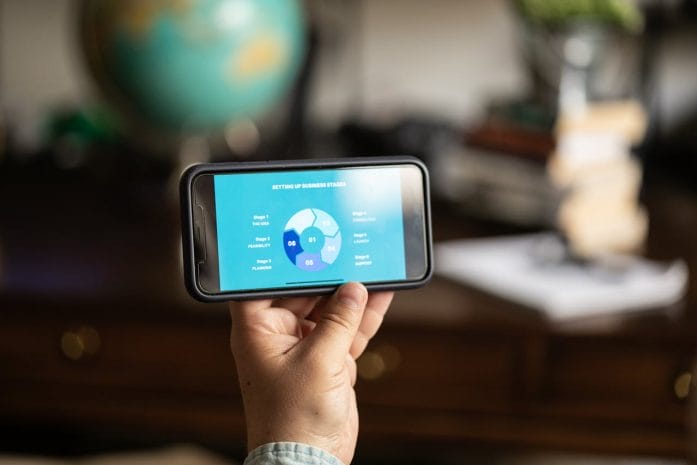
5 Budgeting Apps That Integrate With Biometric Banking

Image Source: Pexels.com

5. Honeydue: Budgeting Designed for Two

Money conversations can create tension in relationships, yet Honeydue attempts to make shared budgeting less stressful and more collaborative. The app allows couples to track spending, coordinate bills, and monitor joint financial goals in one shared platform. Biometric authentication helps protect access to that shared financial dashboard.

Each partner can connect personal bank accounts while choosing how much information to share with the other person. This flexibility helps couples maintain transparency without sacrificing privacy. Fingerprint or facial recognition login keeps financial data secure while still allowing quick daily access.

Honeydue also includes bill reminders and spending notifications that help couples stay aligned on financial decisions. Shared budgeting tools like this can transform financial management from a solitary task into a cooperative effort. For couples looking to strengthen financial communication while maintaining security, Honeydue offers a thoughtful solution.

Your Phone Might Already Hold the Best Budget Assistant

Budgeting tools no longer belong exclusively to accountants and spreadsheet enthusiasts. Modern financial apps combine smart design with biometric technology that turns a smartphone into a powerful money-management hub. Quick fingerprint or face-scan access removes the barriers that once kept people from checking their finances regularly.

Each app highlighted above offers a slightly different approach to budgeting, yet all of them benefit from biometric security that protects sensitive financial data while keeping access fast and convenient. A well-chosen budgeting app can reveal spending patterns, highlight wasteful subscriptions, and encourage smarter financial habits over time.

Which budgeting app would you trust with your financial life, and does biometric login make a difference when choosing a financial tool? Share your thoughts, ideas, or experiences in the comments section.

You May Also Like…

6 Reasons Middle-Class Budgets Are Breaking Under “Slow Inflation”

7 Budget Foods Americans Rely On That Doctors Say Create Bigger Problems Later

Why Investing Apps Will Remain Popular in 2026

7 Dangers Lurking in Rideshare Apps You’ve Probably Ignored

Tech-Threat: 5 Ways AI Is Changing What Your Financial Advisor Should Be Doing for You

Brandon Marcus
Brandon Marcus

Brandon Marcus is a writer who has been sharing the written word since a very young age. His interests include sports, history, pop culture, and so much more. When he isn’t writing, he spends his time jogging, drinking coffee, or attempting to read a long book he may never complete.

Filed Under: Budgeting Tagged With: app security, biometric banking, budgeting apps, digital budgeting, face ID finance, financial planning apps, financial technology, fingerprint login apps, fintech apps, mobile banking security, money management tools, personal finance apps

8 Risky App Permissions That Expose Bank Login Info

August 20, 2025 by Travis Campbell Leave a Comment

app

Image source: pexels.com

Think about how many apps you’ve installed on your phone. Each one asks for permissions—sometimes more than they really need. But did you know that certain app permissions could expose your bank login info? It’s easy to overlook the risk when you just want to use a cool new feature or service. However, giving apps unnecessary access can make your financial data vulnerable to hackers and data thieves. Protecting your bank login info starts with understanding which permissions are most risky. Let’s break down the app permissions that could compromise your security and what you can do about them.

1. Access to Contacts

Allowing an app to access your contacts list might seem harmless. But when an app can see who you know, it can also gather data about your relationships and communication habits. Some malicious apps use this access to send phishing messages to your contacts, pretending to be you. If those messages include links to fake banking sites, your friends and family could end up exposing their bank login info as well.

It’s best to deny contact access unless it’s absolutely necessary for the app’s main function. Social media apps might need it for friend suggestions, but most banking or utility apps do not.

2. SMS Permissions

Granting SMS permissions lets an app read and send text messages from your device. This is a major risk for your bank login info because many banks use two-factor authentication codes sent via SMS. A rogue app with SMS access can intercept these codes, making it easier for someone to break into your bank account. Some apps even use your phone to send spam or phishing messages to others.

If you don’t need SMS features, always say no to this permission. And for extra security, consider using app-based authentication instead of SMS when possible.

3. Access to Device Storage

When an app asks for permission to access your photos, files, or device storage, it might be looking for more than just selfies. Bank login info can sometimes be stored in downloaded PDFs, screenshots, or saved emails. Malicious apps can search your storage for sensitive documents or even upload them without your consent.

Before granting storage access, ask yourself: Does this app really need to read my files? If not, deny the permission. Always keep sensitive banking info out of your general storage and use secure apps for document management.

4. Camera and Microphone Access

Camera and microphone permissions are often used for features like video calls or photo uploads. However, a sneaky app could use them to capture images or audio without your knowledge. If you ever use your camera to scan checks or QR codes for banking apps, an unauthorized app could intercept that data, potentially exposing your bank login info.

Only grant camera and microphone access to apps you trust completely. For extra peace of mind, regularly review which apps have these permissions in your phone’s settings.

5. Location Tracking

Location permissions help apps provide services like maps or local weather. But when apps track your location constantly, it can reveal patterns about your daily routine. If a bad actor knows when you visit your bank branch or when you’re away from home, it increases your risk. In some cases, apps might even use location data to target you with phishing attempts that seem more legitimate.

Limit location access to “while using the app” or turn it off entirely for apps that don’t need it. Remember, protecting your bank login info means controlling who knows where you are.

6. Accessibility Services

Accessibility permissions are designed to help people with disabilities. But they’re also some of the most powerful—and dangerous—permissions an app can have. With accessibility access, an app can read screen content, log keystrokes, and even interact with other apps. That means a malicious app could capture your bank login info as you type it or copy it from your password manager.

Only grant accessibility permissions to essential apps from reputable developers. If you’re unsure, check for alternatives that don’t require this level of access.

7. Overlay Permissions

Overlay permissions let an app display content on top of other apps. This is how chat heads or floating widgets work. Unfortunately, overlays can also be used for “tapjacking”—tricking you into entering your bank login info into a fake screen. You might not even realize you’re being duped until it’s too late.

Be cautious with apps that ask for overlay permissions, especially if they aren’t from trusted sources. Turn off this permission if you notice suspicious pop-ups or overlays while using your banking app.

8. Internet Access

Almost every app asks for internet access these days, but this permission is especially risky if the app has other dangerous permissions too. With internet access, an app can upload data it collects—including your bank login info—to remote servers. Some malicious apps combine internet access with storage or accessibility permissions to steal your credentials and send them to hackers.

Always check the developer’s reputation before installing an app that needs internet access. Read reviews and look for red flags. For more tips on protecting your financial data, check out this guide to avoiding phishing scams.

How to Protect Your Bank Login Info from Risky App Permissions

Being smart about app permissions is one of the simplest ways to protect your bank login info. Take time to review permissions before installing any new app. Go through your phone’s settings and remove unnecessary permissions from apps you already have. Use strong, unique passwords for your banking apps and enable two-factor authentication—preferably through a secure app rather than SMS.

If you want to learn more about staying safe online, visit these online safety resources. Your financial security is worth a few extra minutes of caution.

What app permission have you seen that made you pause before hitting “Allow”? Share your experiences in the comments below!

Read More

Whos Watching Your Financial Apps Without You Knowing It

6 Phone App Permissions That Spy On Your Financial Life

Travis Campbell
Travis Campbell

Travis Campbell is a digital marketer/developer with over 10 years of experience and a writer for over 6 years. He holds a degree in E-commerce and likes to share life advice he’s learned over the years. Travis loves spending time on the golf course or at the gym when he’s not working.

Filed Under: Online Safety Tagged With: app security, banking safety, cybersecurity, data protection, mobile privacy

Who’s Watching Your Financial Apps Without You Knowing It?

August 5, 2025 by Travis Campbell Leave a Comment

apps

Image source: unsplash.com

You probably use financial apps every day. They help you check your bank balance, pay bills, invest, and even split dinner with friends. But have you ever stopped to think about who else might be watching your financial apps? It’s not just you and your bank. There are companies, hackers, and even advertisers who want a peek at your money habits. This matters because your financial data is valuable. If the wrong people get it, you could lose money, face identity theft, or just feel like your privacy is gone. Here’s what you need to know about who’s watching your financial apps—and what you can do about it.

App Developers and Third-Party Partners

When you download a financial app, you trust the company behind it. But it’s not always just them. Many financial apps work with third-party partners. These partners might help with things like analytics, advertising, or even customer support. Sometimes, your data gets shared with these companies. They might see your spending habits, account balances, or even your location. You might not realize how much you’re sharing. Always read the privacy policy. It’s not fun, but it tells you who gets your data. If you see a long list of partners, that’s a red flag. Stick to financial apps that limit data sharing and are clear about who gets your information.

Data Brokers and Advertisers

Financial apps often make money by sharing your data with data brokers and advertisers. These companies build profiles about you. They track what you buy, where you shop, and how much you spend. Then, they sell this information to advertisers. You might start seeing ads for loans, credit cards, or investment products based on your app activity. This isn’t just annoying—it’s a privacy risk. Your financial life should be private. To limit this, check your app’s settings. Turn off ad tracking if you can. Use financial apps that don’t rely on advertising for revenue.

Hackers and Cybercriminals

Hackers love financial apps. They know these apps hold sensitive information. If your app isn’t secure, hackers can steal your login details, drain your accounts, or even open new credit cards in your name. Sometimes, they get in through weak passwords or outdated software. Other times, they use fake apps that look real but are designed to steal your data. Always use strong, unique passwords for your financial apps. Turn on two-factor authentication if it’s available. And only download apps from official app stores. If something feels off, trust your gut and don’t use the app.

Public Wi-Fi Snoops

Using financial apps on public Wi-Fi is risky. Anyone on the same network can try to intercept your data. This is called “sniffing.” Hackers use simple tools to watch what you’re doing. They can grab your login details or see your transactions. If you need to use a financial app, wait until you’re on a secure, private network. Or use a virtual private network (VPN) to encrypt your connection. Never enter sensitive information when you’re on public Wi-Fi. It’s just not worth the risk.

Your Own Device’s Permissions

Sometimes, your phone or tablet is the problem. Many financial apps ask for permissions they don’t really need. For example, a budgeting app might ask for access to your contacts or location. If you say yes, the app can collect more data than you expect. This data might get shared or sold. Always check what permissions your financial apps are asking for. If something doesn’t make sense, deny the permission. You can always change it later if you need to.

Cloud Storage and Backups

Financial apps often store your data in the cloud. This makes it easy to access your info from any device. But it also means your data is stored on someone else’s servers. If those servers get hacked, your information could be exposed. Some apps also back up your data automatically. If you don’t control these backups, you might not know where your data is going. Look for financial apps that use strong encryption and have a good track record of security.

Government and Law Enforcement Requests

Sometimes, government agencies ask financial apps for user data. This can happen if there’s a legal investigation. Most companies will hand over your data if they get a court order. You might never know this happened. While this is rare, it’s something to keep in mind. If privacy is important to you, look for financial apps that are transparent about government requests. Some companies publish “transparency reports” that show how often they get these requests.

Outdated or Abandoned Apps

Old financial apps can be a big risk. If an app isn’t updated, it might have security holes. Hackers look for these weaknesses. If you’re still using an app that hasn’t been updated in a year or more, it’s time to move on. Delete old apps you don’t use. Stick with financial apps that get regular updates and have active support.

Family and Friends with Device Access

It’s easy to forget that anyone who uses your phone or tablet can open your financial apps. Maybe you share a device with family or friends. If your apps aren’t locked, someone could see your account details or even move money. Use app-specific passwords or biometric locks if your app offers them. Always log out when you’re done. It’s a simple step that keeps your financial life private.

Protecting Your Financial Apps: What You Can Do Now

Your financial apps are powerful tools, but they come with risks. The best way to protect yourself is to stay alert. Check your app permissions, use strong passwords, and keep your apps updated. Don’t use public Wi-Fi for sensitive transactions. Read privacy policies, even if it’s boring. And if something feels off, trust your instincts. Your financial data is yours—don’t let anyone watch it without your say.

Have you ever discovered that someone was monitoring your financial accounts? How did you handle it? Share your story in the comments.

Read More

5 Times Financial Power Was Abused—Without Breaking a Single Law

What Financial Planners Know About Divorce That Most Couples Don’t

Travis Campbell
Travis Campbell

Travis Campbell is a digital marketer/developer with over 10 years of experience and a writer for over 6 years. He holds a degree in E-commerce and likes to share life advice he’s learned over the years. Travis loves spending time on the golf course or at the gym when he’s not working.

Filed Under: Finance Tagged With: app security, cybersecurity, data protection, financial apps, fintech, Online Safety, Personal Finance, privacy

FOLLOW US

Search this site:

Recent Posts

  • Can My Savings Account Affect My Financial Aid? by Tamila McDonald
  • 12 Ways Gen X’s Views Clash with Millennials… by Tamila McDonald
  • What Advantages and Disadvantages Are There To… by Jacob Sensiba
  • Call 911: Go To the Emergency Room Immediately If… by Stephen Kanaval
  • 10 Tactics for Building an Emergency Fund from Scratch by Vanessa Bermudez
  • 7 Weird Things You Can Sell Online by Tamila McDonald
  • 10 Scary Facts About DriveTime by Tamila McDonald

Copyright © 2026 · News Pro Theme on Genesis Framework