
• Home
  • About Us
  • Getting Finances Done
    • Hiring Advisors
    • Debt Management
    • Spending Plan
  • Insurance
    • Life Insurance
    • Health Insurance
    • Disability Insurance
    • Homeowners/Renters Insurance
  • Contact Us
  • Our Editorial Commitment

The Free Financial Advisor

You are here: Home / Archives for phone security

The “One-Ring” Phone Scam: Why Scammers Let It Ring Once and Hope You Call Back

May 2, 2026 by Brandon Marcus Leave a Comment

The “One-Ring” Phone Scam: Why Scammers Let It Ring Once and Hope You Call Back
Image Source: Shutterstock.com

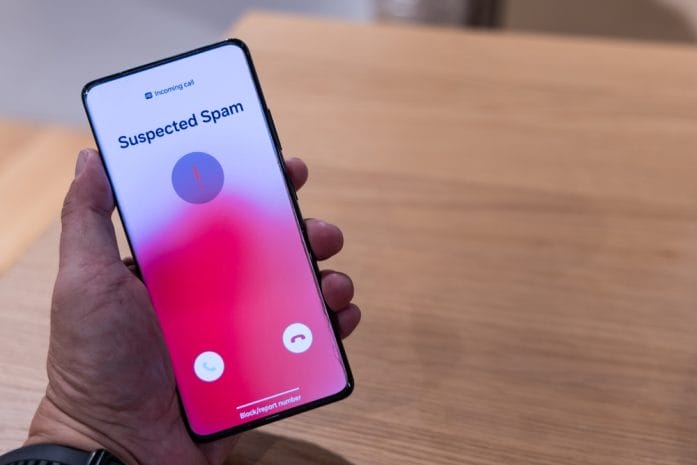
Scammers have turned missed calls into a money-making machine, and the “one-ring” trick sits right at the center of it. A phone buzzes, rings once, then stops, leaving nothing but curiosity and a flashing missed call notification. That tiny moment pushes many people into doing exactly what scammers want: calling back without thinking. Once that callback happens, the situation shifts from harmless curiosity to a potentially expensive mistake. This scam thrives because it plays on quick reactions instead of careful decisions.

Modern phone fraud doesn’t rely on complex hacking or sophisticated technology. It relies on human behavior, especially the impulse to return a missed call from an unknown number. Scammers know that people often assume a dropped call means something important or urgent.

How the One-Ring Scam Actually Works

Scammers use automated dialing systems that target thousands of numbers in a short burst. Each phone receives a single ring, just enough to trigger a missed call notification without giving time for the user to answer. The number often looks international or unfamiliar, which adds a layer of confusion and curiosity. Many of these calls come from premium-rate numbers that charge high fees per minute once someone calls back. The scammer earns money each time a victim returns the call and stays on the line even briefly.

The operation depends on scale rather than precision, so scammers do not care who answers. They simply want enough people to call back to generate profit from connection fees. Some operations even route calls through expensive foreign carriers to increase charges. The system works like a digital fishing net, casting wide and waiting for small but consistent returns. Every returned call increases the scammer’s revenue, even if the conversation never actually happens.

Why Scammers Rely on Curiosity and Urgency

Scammers understand that people react emotionally to missed calls from unknown numbers. The brain often assumes that a single ring signals urgency, such as a job call, delivery update, or personal emergency. That assumption pushes people to act quickly instead of checking details. The scam exploits this split-second decision-making process and turns it into profit. Curiosity becomes the bait that pulls victims into expensive traps.

Urgency also plays a powerful role in how this scam spreads. Many victims believe ignoring the call might mean missing something important. That fear of missing out creates pressure that overrides caution. Scammers do not need to build trust or maintain conversation because the system works before any dialogue even begins. The moment a call gets returned, the scam has already succeeded in its main goal.

The Hidden Costs When the Call Gets Returned

Returning a one-ring call often triggers international charges that appear small at first glance but grow quickly over time. Some premium-rate numbers charge per minute, while others apply connection fees that start immediately after dialing. Victims often remain on the line long enough to hear silence or automated messages, which still racks up charges. Phone bills then reveal unexpected costs that feel confusing and frustrating. These charges can escalate fast, especially when multiple callbacks happen in a short period.

Beyond direct financial loss, some scams also collect personal data during the call. Fraudulent systems may record voice patterns or attempt to trick callers into sharing information. Even a short interaction can expose users to additional scam attempts later. Phone numbers that engage with these systems often get flagged as “active,” leading to more spam calls. The damage continues long after the initial call ends.

Smart Ways to Shut It Down Fast and Stay Protected

The simplest defense starts with ignoring unknown missed calls that ring only once. Legitimate callers rarely rely on a single ring before disconnecting. Blocking suspicious numbers immediately reduces repeat attempts from the same source. Many smartphones now include built-in spam detection tools that flag risky calls automatically. These tools help filter out most one-ring scam attempts before they ever reach attention.

Awareness also plays a major role in stopping this scam from spreading further. Checking unfamiliar numbers online often reveals reports from other users who experienced the same issue. Mobile carriers sometimes offer free scam and spam protection services that block known premium-rate fraud numbers. Reporting suspicious calls helps providers shut down active scam lines faster. Every small action strengthens protection against future attempts.
The “One-Ring” Phone Scam: Why Scammers Let It Ring Once and Hope You Call Back
Image Source: Shutterstock.com

The Real Cost Behind That One Ring: Staying Ahead of the Scam

The one-ring scam survives because it turns a split-second reaction into a financial trap. Scammers depend on curiosity, urgency, and automatic habits that bypass careful thinking. A single missed call can feel harmless, yet it can open the door to unexpected charges and ongoing spam contact. Staying cautious with unknown numbers protects both money and personal information. Smart habits consistently beat fast reactions when dealing with modern phone fraud.

What do you think—should phone carriers do more to block these scams before they even reach users? Share your thoughts with us below in our comments section.

You May Also Like…

5 Phone Calls You Should Never Return — Even If They Sound Urgent

8 Scam Messages That Look Official — But Aren’t

8 Subtle Illusions Used by Scammers in Investment Offers

7 New Scam Tactics That Look Real — And Are Still Fooling Americans

The “Love Bombing” Tactic Scammers Use to Gain Financial Control in a New Relationship

Brandon Marcus
Brandon Marcus

Brandon Marcus is a writer who has been sharing the written word since a very young age. His interests include sports, history, pop culture, and so much more. When he isn’t writing, he spends his time jogging, drinking coffee, or attempting to read a long book he may never complete.
Filed Under: scams Tagged With: Consumer Protection, cybersecurity, financial safety, international fraud, missed call scam, one ring scam, phone fraud, phone scam, phone security, robocalls, scam awareness, spam calls

That Public QR Code You Scanned Could Be Giving Criminals Access to Your Phone

October 16, 2025 by Catherine Reed Leave a Comment

That Public QR Code You Scanned Could Be Giving Criminals Access to Your Phone
Image source: shutterstock.com

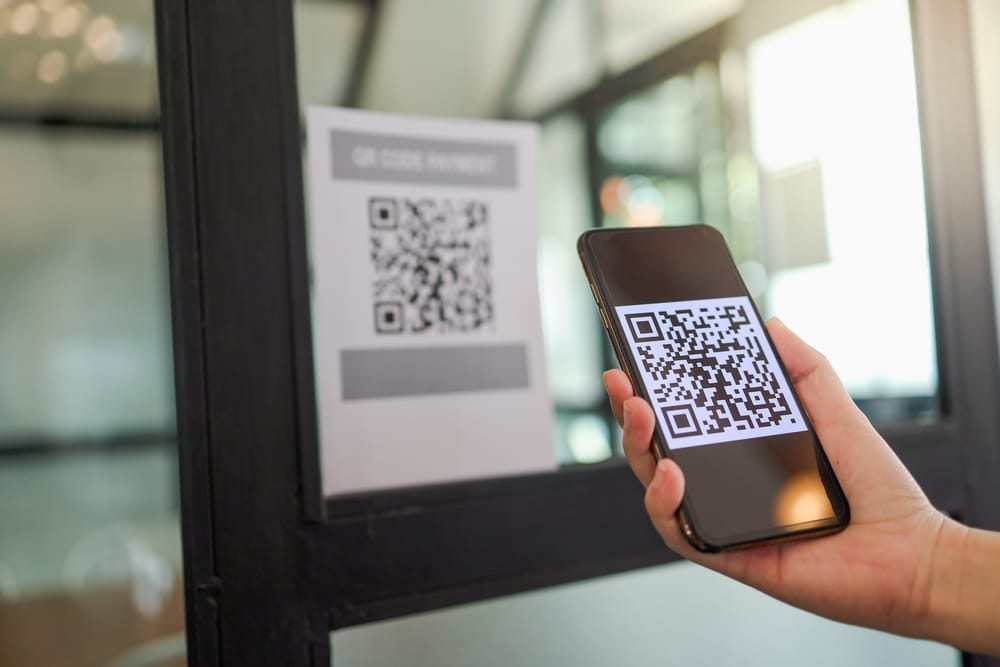
QR codes have become part of everyday life, from restaurant menus to parking meters and concert tickets. But while these black-and-white squares make life more convenient, they also open the door to serious security risks. A growing number of scams are now using a public QR code to trick people into giving away sensitive data or granting hackers direct access to their phones. What looks like a harmless scan could lead to stolen passwords, financial theft, or malware installation. Here’s how criminals exploit this new tactic and what you can do to protect yourself.

1. The Rise of QR Code Scams

Scammers have discovered that using a public QR code is one of the easiest ways to lure victims because it requires minimal effort and looks completely legitimate. You might find these codes posted on flyers, stickers, or parking meters, appearing as part of official signage. Once scanned, they can redirect users to fake websites designed to capture credit card details or install tracking software. The problem is that people rarely question QR codes—they trust that anything in a public space must be safe. This blind trust is exactly what cybercriminals rely on to spread their schemes quickly.

2. How QR Codes Can Hijack Your Phone

When you scan a public QR code, your phone’s camera reads a string of data that usually directs you to a URL or downloads a file. Malicious codes can reroute that process to install harmful software or open fake login pages that capture your credentials. Some even exploit vulnerabilities in your operating system to gain control of permissions, allowing access to contacts, photos, and stored passwords. Once inside, hackers can monitor your activity or use your device to target others. What makes this particularly dangerous is that everything happens silently in the background, often without the user noticing.

3. Real-World Examples of QR Code Exploitation

Law enforcement agencies have reported a surge in cases involving fraudulent QR codes placed in public areas. One common example is parking meter scams, where thieves cover legitimate payment stickers with counterfeit ones that redirect to fake payment portals. In another case, QR codes posted at ATMs or gas stations led victims to phishing pages designed to steal banking credentials. Even restaurant menus have been targeted, with criminals swapping out QR codes on tables for lookalike versions that prompt customers to enter personal details. Each of these incidents shows how easy it is to weaponize a simple piece of printed code.

4. Why Public QR Codes Are So Risky

The danger of scanning a public QR code lies in its invisibility—there’s no way to tell by looking whether it’s legitimate or malicious. Scammers can replace real codes with fake ones in seconds using stickers or printed overlays. Because the code looks official, people assume it’s safe and don’t verify where it leads before scanning. Unlike phishing emails or spam texts, QR scams bypass skepticism by disguising themselves as trusted public tools. The result is a perfect storm of accessibility, anonymity, and misplaced trust that makes these scams so effective.

5. Simple Ways to Stay Safe Before You Scan

You don’t have to give up using QR codes altogether—just approach them with the same caution you’d use when opening links from strangers. Always inspect the area around a public QR code to see if it looks tampered with or newly placed. Before scanning, make sure the code belongs to a legitimate business, and verify it through their official website or posted contact number. Use your phone’s built-in security features to preview URLs before opening them and avoid scanning codes from social media posts or random flyers. Installing antivirus or mobile security software can also help detect suspicious links.

6. How to Check If You’ve Been Compromised

If you recently scanned a questionable public QR code, there are steps you can take to protect yourself immediately. Start by checking your recent browser history for any strange websites or downloads. Run a malware or antivirus scan on your device to identify hidden threats. You should also change any passwords entered after scanning the code and enable two-factor authentication on your accounts. If you notice unfamiliar charges or login attempts, contact your bank or mobile provider right away. Acting quickly can minimize the damage and prevent future attacks.

Taking Back Control of Your Digital Safety

While technology constantly evolves, so do the tricks criminals use to exploit it. Understanding the risks behind a seemingly harmless public QR code is the first step toward safer digital habits. Treat every code you encounter like a potential doorway—because that’s exactly what it is, either to convenience or to crime. By verifying sources and practicing caution, you can enjoy the benefits of modern tech without sacrificing your privacy or security. Remember, one second of skepticism could save you hours of cleanup later.

Have you ever come across a suspicious public QR code or nearly fallen for a tech scam? Share your story and tips for staying safe in the comments below!

What to Read Next…

6 Situations Where Cash Is Safer Than Digital Payments

10 Digital Password Errors That Prevent Heirs From Accessing Funds

Are You Paying for Digital Tools You Don’t Use Anymore?

The Silent Rise of “Digital Squatters” Taking Over Abandoned Domains

What Are the Hidden Dangers of Digital-Only Banking?

Catherine Reed
Catherine Reed

Catherine is a tech-savvy writer who has focused on the personal finance space for more than eight years. She has a Bachelor’s in Information Technology and enjoys showcasing how tech can simplify everyday personal finance tasks like budgeting, spending tracking, and planning for the future. Additionally, she’s explored the ins and outs of the world of side hustles and loves to share what she’s learned along the way. When she’s not working, you can find her relaxing at home in the Pacific Northwest with her two cats or enjoying a cup of coffee at her neighborhood cafe.

Filed Under: safety Tagged With: cybersecurity, digital privacy, identity theft, Online Safety, phone security, QR code scams, tech awareness

Are You Vulnerable if Your Phone Is Lost with Finance Apps?

August 23, 2025 by Travis Campbell Leave a Comment

banking app
Image source: pexels.com

We rely on our phones for nearly everything, especially managing money. From checking balances to paying bills, finance apps make life easier. But what happens if your phone is lost? The risk isn’t just about losing the device—it’s about losing control over your sensitive financial information. If you use finance apps, you need to know what’s actually at stake. Understanding your vulnerability is the first step toward protecting your money and your identity.

1. The Real Risks of Losing Your Phone with Finance Apps

When your phone goes missing, so does access to all the finance apps you use daily. If your device isn’t locked down, someone could open your banking, investment, or payment apps and see account numbers, balances, and even transaction histories. Without proper security settings, a lost phone could become a direct gateway to your money.

It’s not just about the apps themselves. Many apps store login sessions, meaning a thief might not need your password to access your accounts. Even if your phone has a screen lock, some older devices or weak security settings can be bypassed. It’s easy to underestimate how much information is exposed until your phone is in someone else’s hands.

2. How Finance Apps Protect (or Fail to Protect) Your Data

Most major finance apps use encryption and require authentication, but the level of protection varies. Some apps log you out after a period of inactivity. Others keep you logged in for convenience. If you haven’t set up biometric authentication or a strong PIN, anyone who gets your phone could gain instant access. Phone security with finance apps depends on both the app’s design and your personal settings.

Some apps offer two-factor authentication (2FA), but if your phone is gone, a thief could intercept those codes. That’s why it’s critical to review the security options for every finance app you use.

3. What Can Happen If Someone Accesses Your Finance Apps?

If a stranger gets into your finance apps, the consequences can be serious. They might transfer money, make purchases, or even change account settings. In some cases, they could use your personal details to commit identity theft. Banks and financial institutions may offer some protection, but you could still lose time, money, and peace of mind.

Your accounts may be frozen while investigations take place. You might spend days or weeks untangling fraudulent activity. Notifications about suspicious transactions may not reach you if you no longer have access to your phone. Phone security with finance apps is about more than just stopping theft—it’s about protecting your financial reputation, too.

4. Immediate Steps to Take If Your Phone Is Lost

If you lose your phone, act fast. Use the phone’s “Find My” feature to lock or erase the device remotely. Change passwords for all your finance apps and email accounts. Contact your financial institutions to let them know about the loss. They can monitor for suspicious activity or temporarily block access. If you suspect your phone was stolen, report it to the police and your wireless carrier.

Many people don’t realize they can log out of accounts or deauthorize devices remotely. Review your finance apps for these options. The quicker you act, the more likely you are to prevent damage.

5. How to Strengthen Phone Security with Finance Apps

Prevention is always better than a cure. Start by enabling a strong screen lock—use a PIN, password, or biometric authentication like fingerprint or face recognition. Set your finance apps to require authentication every time you open them. Don’t rely on convenience if it means sacrificing security. Phone security with finance apps also means enabling 2FA wherever possible, but avoid using SMS-based codes if you can.

Regularly update your apps and operating system. Updates often include security patches that protect against new threats. Review app permissions and uninstall any finance apps you don’t use. Back up your data securely so you can restore it if your phone is lost or stolen. Make sure you know how to use the remote lock and erase features before you need them.

Stay Smart with Your Financial Security

Our phones hold the keys to our financial lives, and losing one can be stressful. But by understanding the risks and taking steps to secure your device, you can minimize your vulnerability. Phone security with finance apps isn’t just a technical issue—it’s a habit that protects your money, your personal information, and your peace of mind. Don’t wait for a loss to remind you how important it is.

Have you ever lost your phone with finance apps installed? What steps did you take to protect your information? Share your experience in the comments below!

Read More

Whos Watching Your Financial Apps Without You Knowing It

6 Phone App Permissions That Spy On Your Financial Life

Travis Campbell
Travis Campbell

Travis Campbell is a digital marketer/developer with over 10 years of experience and a writer for over 6 years. He holds a degree in E-commerce and likes to share life advice he’s learned over the years. Travis loves spending time on the golf course or at the gym when he’s not working.

Filed Under: Finance Tagged With: data protection, finance apps, identity theft, mobile security, Personal Finance, phone security

6 Phone App Permissions That Spy on Your Financial Life

August 12, 2025 by Travis Campbell Leave a Comment

apps
Image source: pexels.com

We all use phone apps every day. They help us check our bank accounts, pay bills, shop, and even invest. But have you ever stopped to think about what these apps know about your financial life? Many apps ask for permissions that seem harmless. But some of these permissions can give them a front-row seat to your money habits. If you care about your privacy and your wallet, you need to know which app permissions are quietly watching your financial moves. Here’s what you should look out for and why it matters.

1. Location Access

When an app asks for your location, it’s not always about giving you directions. Some apps track where you go, how often you visit certain stores, and even how long you stay there. This information can reveal a lot about your spending habits. For example, if you visit a coffee shop every morning, an app can guess how much you spend on coffee each month. Some companies use this data to target you with ads or offers. Others might sell your location data to third parties. If you use banking or budgeting apps, location access can also expose where you shop and bank. To protect your financial privacy, only allow location access when it’s absolutely necessary. You can usually change these settings in your phone’s privacy menu.

2. Contacts Permission

Some apps want access to your contacts. They say it’s to help you find friends or send money easily. But giving an app access to your contacts can open the door to more than just convenience. With this permission, an app can see who you know, how often you interact, and sometimes even your contacts’ email addresses and phone numbers. This can be used to build a profile of your social and financial network. For example, if you often send money to a certain contact, the app knows about your financial relationship. Some apps may even use your contacts to market financial products or services to you and your friends. If you don’t want your financial connections mapped out, think twice before granting this permission.

3. SMS and Call Log Access

Some apps, especially payment and finance apps, ask for access to your SMS messages or call logs. They claim it’s for security or to auto-fill verification codes. But with this access, an app can read your text messages, see who you call, and when. This can reveal sensitive financial information, like bank alerts, payment confirmations, or even two-factor authentication codes. In the wrong hands, this data can be used for fraud or identity theft. Even if the app is trustworthy, your data could be at risk if the company is hacked. Always check if an app really needs this permission. If not, deny it. You can usually enter verification codes manually.

4. Storage and File Access

Many apps ask for permission to access your phone’s storage. This lets them read, modify, or delete files on your device. For finance apps, this can include bank statements, receipts, or tax documents you’ve saved. Some apps use this access to scan for files that might help them “improve your experience.” But it also means they can see sensitive financial documents. If an app is compromised, hackers could get access to these files. To stay safe, only allow storage access for apps you trust completely. And avoid saving sensitive financial documents on your phone if you can.

5. Microphone and Camera Access

It might seem odd for a finance app to ask for your microphone or camera. But some do, especially if they offer features like mobile check deposit or voice commands. The problem is, once an app has this access, it can technically record audio or video at any time. This could capture private conversations about money, or even record your PIN as you say it out loud. There have been cases where apps have abused these permissions to collect data without users knowing. If you don’t use features that need the camera or microphone, turn off these permissions. You can always enable them temporarily if needed.

6. App Usage and Activity Tracking

Some apps want to track which other apps you use and how often. This is called “usage access.” With this permission, an app can see if you use other banking apps, shopping apps, or investment tools. This helps them build a detailed profile of your financial life. For example, if you use multiple credit card apps, they might guess you have several cards and target you with loan offers. Some apps even track your screen time on financial apps to see how often you check your accounts. This data can be shared with advertisers or data brokers. To limit this, check your phone’s settings and restrict usage access for apps that don’t need it.

Protecting Your Financial Privacy Starts with App Permissions

Your phone is a window into your financial life. Every permission you grant is a potential way for apps to watch, record, and share your money habits. The best way to protect yourself is to stay alert. Review app permissions regularly. Only give access when it’s truly needed. And remember, you can always change your mind and revoke permissions later. Your financial privacy is worth the extra effort.

Have you ever found an app asking for a permission that made you uncomfortable? Share your story or tips in the comments.

Read More

What Should You Do If Your Financial Advisor Stops Returning Your Calls?

7 Email Threads That Should Never Be Sent to Your Financial Power of Attorney

Travis Campbell
Travis Campbell

Travis Campbell is a digital marketer/developer with over 10 years of experience and a writer for over 6 years. He holds a degree in E-commerce and likes to share life advice he’s learned over the years. Travis loves spending time on the golf course or at the gym when he’s not working.

Filed Under: safety Tagged With: app permissions, data protection, financial privacy, mobile apps, Personal Finance, phone security, privacy tips

Follow Us

Search this site:

Recent Posts

  • Can My Savings Account Affect My Financial Aid? by Tamila McDonald
  • 12 Ways Gen X’s Views Clash with Millennials… by Tamila McDonald
  • What Advantages and Disadvantages Are There To… by Jacob Sensiba
  • 10 Tactics for Building an Emergency Fund from Scratch by Vanessa Bermudez
  • Call 911: Go To the Emergency Room Immediately If… by Stephen Kanaval
  • 7 Weird Things You Can Sell Online by Tamila McDonald
  • 10 Scary Facts About DriveTime by Tamila McDonald

Copyright © 2026 · News Pro Theme on Genesis Framework