• Home
  • About Us
  • Getting Finances Done
    • Hiring Advisors
    • Debt Management
    • Spending Plan
  • Insurance
    • Life Insurance
    • Health Insurance
    • Disability Insurance
    • Homeowners/Renters Insurance
  • Contact Us
  • Our Editorial Commitment

The Free Financial Advisor

You are here: Home / Archives for cybersecurity

Scan a QR Code to Pay? Check These 3 Things Before Entering Your Card Number

September 15, 2026 by Brandon Marcus Leave a Comment

Scan a QR Code to Pay? Check These 3 Things Before Entering Your Card Number
A QR code can lead to a legitimate payment page or a convincing fake, so consumers should inspect the physical code, check the web address, and verify the payment request before entering card information – Shutterstock

A QR code can turn a parking meter, restaurant table, or checkout counter into a payment screen in seconds. That convenience comes with one important catch: the code can send you somewhere you never intended to go, and scammers have gotten creative about making fake payment pages look perfectly ordinary.

The Federal Trade Commission recently warned about scammers placing their own QR codes over legitimate ones on parking meters. A quick scan can lead to a fake website designed to collect payment information or personal details.

Before entering a card number, take a moment to play detective. Three quick checks can help separate a legitimate payment page from one that deserves a very hard pass.

1. Check Where the QR Code Actually Sends You

A QR code itself does not prove anything about the business behind it. Think of it as a shortcut to a destination, and that destination could belong to the real business or someone pretending to be it. After scanning, look at the web address your phone displays before tapping deeper into the page or entering any information. The FTC recommends checking for misspellings, swapped letters, or other signs that a website address does not match the company you expect.

This matters because scammers can build convincing copies of real payment pages, complete with familiar logos and polished designs. A page can look professional and still belong to a stranger. If the address looks odd, overly complicated, or unrelated to the business, close the page and find the company’s official website another way. For a parking payment, for example, check the meter or the parking operator’s known website rather than trusting a suspicious destination simply because the QR code sits nearby.

2. Inspect the QR Code Before You Scan

Give the physical code a quick once-over before pointing a camera at it. Scammers can place stickers over legitimate QR codes, turning an ordinary parking meter or sign into a digital trap without changing the rest of the setup. The FBI specifically warns consumers to look for signs that a physical QR code has been tampered with, including a sticker placed over the original code.

That tiny pause can make a big difference. Look for peeling edges, unusual placement, crooked stickers, mismatched printing, or a code that seems strangely attached to an otherwise official sign. If something looks off, skip the scan and locate the payment service through a trusted source instead. A QR code should make payment easier, not force a scavenger hunt for your card number.

3. Ask Why the Site Needs Your Card Information

Once a QR code opens a payment page, resist the urge to fill in every box simply because the page asks for it. Check the amount, the merchant name, the purpose of the payment, and the information the page requests before entering your card number. A legitimate payment process should make sense for the transaction, while a suspicious page may suddenly ask for unrelated account credentials or other sensitive information.

Pay particular attention when a QR code arrives unexpectedly by text, email, or some other message and pressures you to act immediately. The FTC has warned about QR-code phishing messages that claim a payment problem, account issue, or other urgent situation requires a scan. If the message claims to come from a company you do business with, visit that company’s known website or contact it using a trusted phone number instead of following the QR code’s instructions.

A QR Code Can Be Convenient Without Being Automatically Safe

QR codes themselves are not the villain here. Businesses use them for perfectly legitimate purposes, including menus, event tickets, parking payments, and other everyday transactions. The problem starts when people treat the little black-and-white square as proof that whatever appears after the scan deserves trust.

If a payment page raises doubts, there is no prize for finishing the transaction fastest. Enter the business’s website manually, use its official app, or ask an employee where customers should pay. The FBI has specifically advised consumers to avoid making payments through sites reached from QR codes when they can instead use a known, trusted website.

Already Entered Your Card Number? Act Quickly

A suspicious scan does not automatically mean someone stole your information, but entering card details on a fake payment page deserves immediate attention. Contact the card issuer using the number on the back of the card or through its official app or website, explain what happened, and ask what steps it recommends. The FTC also advises reviewing credit card and bank statements for transactions you do not recognize.

If the suspicious page also collected a username or password, change that password promptly anywhere else you reused it and turn on multifactor authentication when available. If the QR code came through a suspicious message or package, avoid returning to the site or communicating with the sender. The FTC recommends reporting QR-code scams through ReportFraud.ftc.gov, while the FBI accepts reports of suspicious internet activity through its Internet Crime Complaint Center.

Let the QR Code Earn Your Trust

A payment QR code deserves the same scrutiny as a link in an unexpected email. Check the code, inspect the destination, and make sure the payment request actually matches the purchase before handing over card information. Those few seconds can keep a convenient payment from becoming a very inconvenient cleanup job.

The smartest payment screen is not necessarily the prettiest one. If anything about the code, website address, payment amount, or request for information feels wrong, stop and verify the payment through a source you already trust. Would you scan a QR code to pay after spotting one of these warning signs?

You May Also Like…

That Public QR Code You Scanned Could Be Giving Criminals Access to Your Phone

New York Attorney General Warns of Gold Bar Scam That Has Cost Victims More Than $100 Million

7 Ways Identity Scammers Copy Your Signature Remotely

Why Seniors Are Seeing More “Account Access” Text Scams

8 Scam Messages That Look Official — But Aren’t

Brandon Marcus
Brandon Marcus

Brandon Marcus is a writer who has been sharing the written word since a very young age. His interests include sports, history, pop culture, and so much more. When he isn’t writing, he spends his time jogging, drinking coffee, or attempting to read a long book he may never complete.

Filed Under: Finance Tagged With: Consumer Protection, credit card safety, cybersecurity, financial safety, online scams, payment scams, phishing, QR code scams

What to Know About Identity Verification Requests That Are Legitimate—and 4 That Are Not

August 7, 2026 by Brandon Marcus Leave a Comment

What to Know About Identity Verification Requests That Are Legitimate—and 4 That Are Not
A person reviewing an identity verification message while checking for warning signs of fraud, including suspicious links, urgent demands, and requests for sensitive information – Shutterstock

Identity verification requests have become a normal part of modern life, from opening bank accounts to recovering online access. The tricky part comes when a message, phone call, or email asks for personal details and leaves people wondering whether the request protects their identity or puts it at risk.

A legitimate verification request usually follows a clear purpose, comes through an expected channel, and asks for information that matches the situation. A suspicious request often creates panic, demands secrecy, or asks for details that should never leave someone’s control. Knowing the difference can help prevent a small mistake from becoming a major headache.

1. Legitimate Requests Usually Connect to Something Already Happening

A real identity verification request often appears when someone starts a transaction, accesses an account, or requests a service. A bank may ask for verification during a new account application, and a government service may require identity checks before allowing access to certain online tools.

The key clue involves timing because legitimate organizations usually have a reason for contacting someone. If a person recently applied for a loan, changed account information, or requested assistance, a verification step makes sense.

Legitimate companies and agencies also provide ways to verify the request independently. Someone can visit an official website by typing the address manually or use a known phone number instead of relying on contact details from an unexpected message.

A verification process may involve confirming information already associated with an account or providing documents through a secure portal. However, a legitimate process should not require someone to hand over passwords, security codes, or full account access.

2. Fake Verification Requests Often Create Urgency and Fear

Scammers love urgency because panic makes people skip their normal safety checks. A message claiming an account will close today, money will disappear, or legal trouble will follow often tries to push someone into acting before thinking.

A common scam involves a fake representative who claims to protect an account while actually attempting to steal information. The person may request Social Security numbers, login details, one-time security codes, or copies of identification documents.

Another warning sign appears when the person contacting someone refuses to allow independent verification. A real organization usually understands when someone wants to hang up and call back through an official number.

Scammers also use familiar names and logos to look convincing. A polished email or professional-sounding phone call does not automatically make a request trustworthy. Identity verification should feel like a security checkpoint, not a surprise pop quiz where someone demands answers immediately.

3. Four Identity Verification Requests that Should Raise Red Flags

The first suspicious request involves someone asking for passwords or login credentials. No legitimate verification process should require handing over the keys to an online account because those details give someone direct access.

The second red flag involves unexpected requests for security codes sent by text or email. Those codes exist to confirm identity, and sharing them with another person can allow criminals to bypass account protections.

The third warning sign involves demands for payment before verification. A caller who requests gift cards, cryptocurrency, wire transfers, or unusual fees while claiming to fix an identity problem should receive immediate skepticism.

The fourth risky request involves pressure to upload sensitive documents through unfamiliar links. IdentityTheft.gov recommends using trusted resources when dealing with identity theft issues and provides recovery steps for victims through official government channels. These four situations share a common theme: they attempt to move control of personal information away from the rightful owner.

4. Smart Habits Can Make Identity Checks Safer

The best defense against fake verification requests involves building a few simple habits into daily routines. Before sharing information, check who requested it, why they need it, and whether the request connects to an action already taken.

Avoid clicking links in unexpected messages, especially when the message uses alarming language. Instead, open the organization’s official website separately and look for secure account access or contact options.

Keeping software updated, using strong passwords, and turning on multi-factor authentication can add valuable protection. These steps do not eliminate every risk, but they create extra barriers that make account takeovers harder.

People who suspect identity theft can use resources from IdentityTheft.gov and review guidance from the Consumer Financial Protection Bureau’s fraud resources. These tools help consumers report problems, organize recovery steps, and recognize common warning signs. A little skepticism goes a long way because personal information deserves the same protection as a wallet full of cash.

The Verification Question Worth Asking Before Sharing Anything

Identity verification exists to protect people, but scammers often twist the process into a trap. The safest response to an unexpected request involves slowing down, checking the source, and refusing to share information until the situation makes sense.

A legitimate organization should not object when someone takes time to confirm a request through official channels. That simple pause can separate a real security measure from a clever attempt at fraud.

Have you received an identity verification request that seemed suspicious or surprisingly legitimate? Share your experience in the comments and help others recognize the warning signs.

You May Also Like…

New Identity Verification at the SSA Is Causing Payment Delays for Thousands

Refunds Are Being Frozen Over a New IRS Identity Flag — And It’s Happening to More Filers Than Ever

Deepfakes and Fake AI Breakthroughs: The Investment Scams the SEC Is Now Targeting

The “One-Ring” Phone Scam: Why Scammers Let It Ring Once and Hope You Call Back

Why Seniors Are Seeing More “Account Access” Text Scams

Brandon Marcus
Brandon Marcus

Brandon Marcus is a writer who has been sharing the written word since a very young age. His interests include sports, history, pop culture, and so much more. When he isn’t writing, he spends his time jogging, drinking coffee, or attempting to read a long book he may never complete.

Filed Under: scams Tagged With: Consumer Protection, cybersecurity, fraud prevention, identity theft, identity verification, Personal Finance, scams

CISA Warns of High-Severity Path Traversal Vulnerability in Rockwell Automation ThinManager, Urges Immediate Patching

July 24, 2026 by Amanda Blankenship Leave a Comment

Rockwell Automation ThinManager vulnerability
CISA is urging organizations to immediately patch a high-severity vulnerability affecting multiple versions of Rockwell Automation ThinManager used in industrial control systems. Media_Photos/Shutterstock

The Cybersecurity and Infrastructure Security Agency (CISA) is warning organizations to immediately address a newly disclosed high-severity vulnerability affecting Rockwell Automation ThinManager, software commonly used in industrial control systems across critical infrastructure sectors. The advisory, released July 23, identifies a path traversal vulnerability tracked as CVE-2026-11917 that could allow an authenticated attacker to write arbitrary files outside permitted directories. CISA assigned the flaw a CVSS v3.1 score of 8.1, rating it High severity. The affected software is deployed worldwide in industries including energy, water and wastewater, food and agriculture, chemical manufacturing, and critical manufacturing.

Affected Versions and Available Updates

According to CISA, the vulnerability affects several supported versions of ThinManager. Organizations running versions 13.0.0 through 13.0.7 should update to 13.0.8, while those using 13.1.x, 13.2.x, and 14.0.x should upgrade to 13.1.6, 13.2.5, and 14.0.3, respectively. Rockwell Automation reported the issue to CISA and has released patched versions to address the vulnerability. Organizations that cannot update immediately should follow the vendor’s published security recommendations until patches can be applied.

CISA Recommends Immediate Mitigation

In addition to installing the latest software updates, CISA recommends minimizing network exposure for industrial control systems by ensuring they are not directly accessible from the public internet. The agency also advises placing operational technology networks behind firewalls, separating them from business networks whenever possible, and using fully updated VPNs for remote access. Before deploying any defensive measures, organizations should conduct a risk assessment to determine the potential operational impact. CISA says no known public exploitation of this specific vulnerability has been reported at this time, but organizations should review the official advisory and Rockwell Automation’s security guidance to determine how the issue may affect their environments.

What to Read Next

CMS Issues Technical Correction to 2027 Affordable Care Act Benefit and Payment Parameters Rule

Trump Accounts Spark New Debate Over Social Security Privatization

DOJ Settles for $400 Million with Alaska Native Tribal Health Consortium Over Unpaid Healthcare Administrative Costs

Amanda Blankenship

Amanda Blankenship is the Chief Editor for District Media.  With a BA in journalism from Wingate University, she frequently writes for a handful of websites and loves to share her own personal finance story with others. When she isn’t typing away at her desk, she enjoys spending time with her daughter, son, husband, and dog. During her free time, you’re likely to find her with her nose in a book, hiking, or playing RPG video games.

Filed Under: news Tagged With: CISA, critical infrastructure, CVE-2026-11917, cybersecurity, ICS, industrial control systems, operational technology, Rockwell Automation, security vulnerability, ThinManager

5 Phone Scam Warning Signs Too Many Americans Ignore

June 1, 2026 by Brandon Marcus Leave a Comment

5 Phone Scam Warning Signs Too Many Americans Ignore
Scammers use everything from emotions to pressure to get what they want – Shutterstock

Scam calls keep getting sharper, faster, and far more convincing than most people expect. Fraudsters now use spoofed numbers, AI-generated voices, and urgent threats that push people into quick emotional decisions. A single moment of hesitation or panic often opens the door to financial loss or stolen personal data. Many victims report that the scam felt “real enough” to trust at first glance. That reaction explains why these warning signs matter more than ever in daily life.

Criminals rely on pressure, confusion, and speed to bypass common sense. They often create scenarios involving missed payments, fake government threats, or “limited-time” account problems. These tactics work best when the target feels rushed or isolated. Strong awareness of early red flags stops most scams before any damage occurs.

1. Urgent Pressure That Demands Immediate Action

Scammers love urgency because it short-circuits careful thinking. They often claim an account faces suspension, a legal issue requires immediate payment, or a package needs instant confirmation. The caller pushes fast decisions and discourages hanging up or calling anyone else. That pressure tactic aims to force mistakes before doubts form. Legitimate institutions rarely demand instant action over the phone.

Real agencies and companies give clear timelines and written notices. They also allow time for verification and follow-up questions. Scammers remove that breathing room because hesitation breaks their control. Many victims report hearing phrases like “act now” or “last chance” within the first minute. Any call that demands instant compliance signals a high-risk scam attempt.

2. Requests for Gift Cards, Crypto, or Wire Transfers

Scammers avoid traditional payment methods because those options leave clear trails and protections. Instead, they demand gift cards, cryptocurrency, or wire transfers that offer no easy recovery. They often instruct victims to buy cards from specific stores and read numbers over the phone. That method removes banking safeguards and makes transactions nearly impossible to reverse. No legitimate business uses these payment methods for debt collection or fees.

Banks and government agencies rely on official billing systems, not untraceable transfers. Fraudsters prefer gift cards because they function like cash once activated. Many scams even involve step-by-step instructions to avoid suspicion at checkout counters. Retail employees now receive training to spot these transactions, especially when customers appear stressed or confused. Any request for unconventional payment should trigger immediate caution.

3. Caller ID That Looks Legitimate but Feels Off

Scammers often spoof phone numbers to mimic banks, government agencies, or tech support lines. Caller ID may show a familiar name or local area code, which builds instant trust. The voice on the other end may sound professional and rehearsed, adding another layer of credibility. Despite that appearance, small inconsistencies often reveal the scam. Strange phrasing, unusual grammar, or vague account details often signal fraud.

Many victims notice something “off” during the first exchange but continue the call anyway. Scammers rely on that hesitation gap to push their narrative forward. Real organizations provide verification methods and never object to callbacks through official numbers. Spoofing technology keeps improving, which makes caller ID less reliable every year. Trusting numbers alone creates one of the most common entry points for fraud.

5 Phone Scam Warning Signs Too Many Americans Ignore
The next time you receive a bizarre phone call, remember a few telltale signs of a scam – Shutterstock

4. Requests for Personal or Account Verification Details

Scammers often ask for Social Security numbers, banking credentials, passwords, or one-time verification codes. They frame these requests as routine security checks or identity confirmation steps. The conversation usually sounds polite and structured, which lowers suspicion. However, legitimate institutions never request full sensitive data over unsolicited calls. That detail alone exposes many scams instantly.

Fraudsters use stolen fragments of personal data to sound convincing during calls. Even partial information like an address or birth date can build false credibility. Victims often feel pressured to “confirm” details that the caller already knows. That psychological trick creates a false sense of legitimacy. Any request for sensitive data during an unexpected call should immediately end the conversation.

5. Emotional Triggers Like Fear, Sympathy, or Excitement

Scammers carefully design calls to trigger strong emotions that override logic. Some impersonate family members in trouble, while others claim urgent legal or financial danger. A growing trend includes fake tech support calls that warn about hacked devices or frozen accounts. These emotional hooks push people into fast reactions instead of careful verification. Fear remains the most common trigger used across scam operations.

Excitement also plays a role in lottery scams or fake prize notifications. Victims often hear claims of winnings that require small “processing fees” upfront. Sympathy-based scams may involve fabricated stories about relatives needing immediate help. Each emotional angle serves the same goal: quick compliance without questions. Recognizing emotional manipulation often stops scams before any information gets shared.

Scam Awareness That Builds Real Financial Protection

Scam tactics continue evolving, but the core warning signs stay consistent across most fraud attempts. Pressure, unusual payments, spoofed identities, data requests, and emotional manipulation all signal danger. People who slow down conversations and verify details independently avoid most financial losses. A simple pause often breaks the scammer’s control and exposes inconsistencies. Awareness turns confusing calls into obvious red flags.

Strong habits make the biggest difference in protection. Hanging up and calling official numbers directly removes uncertainty. Checking accounts independently instead of following caller’s instructions prevents unauthorized access. Families who discuss scam tactics often respond faster when real threats appear. Consistent caution creates a powerful defense against modern phone fraud.

What warning sign stands out the most in everyday scam calls, and which tactic seems the hardest to ignore in real time?

You May Also Like…

The “One-Ring” Phone Scam: Why Scammers Let It Ring Once and Hope You Call Back

The “Love Bombing” Tactic Scammers Use to Gain Financial Control in a New Relationship

7 New Scam Tactics That Look Real — And Are Still Fooling Americans

Is Quality Furniture Officially a Scam? Why Filling a New Home in 2026 is Destroying Senior Nest Eggs

8 Job-Scam Red Flags Everyone Needs to Know in 2025

Brandon Marcus
Brandon Marcus

Brandon Marcus is a writer who has been sharing the written word since a very young age. His interests include sports, history, pop culture, and so much more. When he isn’t writing, he spends his time jogging, drinking coffee, or attempting to read a long book he may never complete.

Filed Under: scams Tagged With: Consumer Protection, cybersecurity, fraud prevention, identity theft, phone scams, robocalls, scam calls, scam warning signs

9 Digital Payment Habits That Banks Are Quietly Flagging in 2026

May 14, 2026 by Brandon Marcus Leave a Comment

9 Digital Payment Habits That Banks Are Quietly Flagging in 2026
A digital payment being accepted on a smartphone – Shutterstock

Digital payments keep expanding across the United States, but banks now monitor transaction behavior more closely than ever. New fraud detection systems scan for patterns that signal risk, not just outright fraud. Everyday habits that once seemed harmless now trigger automated reviews or temporary holds.

Many consumers never realize their behavior raises internal “red flags” until a payment gets delayed or declined. These nine digital payment habits stand out as the ones banks quietly track in 2026.

1. Rapid Fire Transfers Between Multiple Apps

Banks now track how quickly money moves between apps like Venmo, Cash App, and Zelle. Fast, repeated transfers within minutes can look like layering, a tactic often linked to money laundering attempts. Even legitimate users sometimes trigger alerts when they split payments across platforms to manage expenses. Fraud detection systems often freeze transactions for review when they detect rapid cycling behavior. Users who space out transfers and keep clear records avoid unnecessary interruptions.

Financial institutions also compare transaction timing with typical user behavior patterns. Sudden spikes in activity often raise more scrutiny than the dollar amount itself. Many banks now use AI-driven monitoring tools that flag “velocity patterns” instead of just large transfers. Consumers who frequently bounce funds between accounts may notice delayed settlements. Slow and consistent payment habits reduce the chance of automated intervention.

2. Repeated Small Transfers That Add Up

Banks increasingly watch for structured payments that break larger amounts into smaller chunks. This pattern once helped fraudsters avoid reporting thresholds, so systems now detect it aggressively. Even everyday users who split rent, bills, or group expenses can trigger alerts if patterns look unusual. Multiple $50 transfers within a short window can raise more concern than a single $300 payment. Clear descriptions and predictable timing help reduce unnecessary flags.

Modern banking systems now group related transactions to detect intentional fragmentation. AI tools analyze both frequency and intent behind small transfers. Users who frequently send micro-payments to new recipients face higher scrutiny. Payment history consistency plays a major role in account stability reviews. Simple consolidation of payments often keeps accounts in good standing.

3. Unusual Late-Night Spending Spikes

Banks track transaction timing as part of behavioral authentication systems. Late-night spending spikes, especially outside normal patterns, often trigger fraud checks. A user who typically shops during daytime hours may face alerts if sudden midnight transactions appear. Systems treat these shifts as potential account compromise signals. This behavior often leads to temporary card locks or verification requests.

Time-based monitoring has grown more precise in 2026. Algorithms compare activity against weeks or months of past habits. A sudden change in spending hours often triggers automated identity checks. Many users experience declines at gas stations, online retailers, or travel apps when this happens. Maintaining consistent usage windows helps reduce disruptions.

4. Frequent Refunds and Chargebacks

Banks and payment processors closely monitor refund-heavy accounts. High refund rates can signal product disputes, scams, or resale manipulation. Even legitimate sellers who handle returns frequently can trigger risk scoring increases. Chargebacks carry even more weight because they involve direct bank intervention. Merchants and consumers both face scrutiny when disputes become routine.

Financial institutions treat chargebacks as a reliability metric. Too many disputes can lead to account restrictions or higher processing fees. Banks also compare refund ratios across similar user profiles. Sudden spikes in disputes often trigger manual reviews. Keeping transactions clean and documented helps maintain trust with financial systems.

5. Logging In From Multiple Locations in One Day

Banks now rely heavily on geolocation tracking for fraud prevention. Logging in from different states or cities within a short time window often signals account sharing or hacking attempts. Even legitimate travel can confuse systems if users do not update location settings. Sudden shifts in login geography often trigger identity verification steps. Some accounts even face temporary freezes during security checks.

Security systems now combine device fingerprinting with location data. A mismatch between device history and login location raises immediate concern. Frequent travelers often face more verification prompts than others. Banking apps increasingly encourage users to register travel plans ahead of time. Stable login patterns reduce friction during everyday transactions.

9 Digital Payment Habits That Banks Are Quietly Flagging in 2026
Someone holding their credit card while logging into a computer – Pexels

6. High-Value Transfers to New Recipients

Banks monitor first-time payments very closely, especially when they involve large amounts. Sending significant funds to a new recipient often triggers manual review. Fraud systems assume higher risk when trust history does not exist. Even legitimate purchases or personal transfers can face delays under these rules. Verification steps often interrupt the payment process.

Financial systems now assign “recipient trust scores” based on transaction history. New payees always start at the lowest trust level. Larger amounts increase the likelihood of verification requests. Users who gradually build transaction history face fewer interruptions. Establishing consistent recipient patterns improves payment reliability.

7. Frequent Use of Public Wi-Fi for Payments

Banks detect login environments and often flag transactions from unsecured networks. Public Wi-Fi creates higher risk of interception, so systems respond with caution. Payment attempts from cafes, airports, or hotels often require extra authentication. Even secure apps cannot fully offset risks tied to open networks. Users often notice more verification prompts when using public connections.

Security systems evaluate network consistency alongside device behavior. A sudden switch from home Wi-Fi to public hotspots can trigger alerts. Fraudsters often exploit public networks, so banks respond aggressively. Many institutions now recommend mobile data for sensitive transactions. Secure connections reduce unnecessary friction during payments.

8. Repeated Declines Followed by Immediate Retry Attempts

Banks track failed transactions as part of fraud detection models. Multiple declines followed by rapid retries often signal card testing behavior. Fraudsters commonly use this method to validate stolen card details. Even legitimate users who mistype details can trigger temporary safeguards. Systems interpret repeated attempts as elevated risk.

Modern payment systems now limit retry frequency. Too many attempts in a short period often result in temporary blocks. Banks encourage users to verify details before resubmitting payments. Decline patterns matter more than individual errors. Careful entry habits help avoid unnecessary security flags.

9. Sudden Subscription Overload Across Multiple Services

Banks increasingly monitor subscription behavior tied to digital payment accounts. A sudden surge in streaming, gaming, or software subscriptions often raises spending pattern alerts. Fraud systems interpret rapid subscription growth as possible account takeover activity. Even legitimate users who upgrade services quickly can face scrutiny. Payment networks track subscription velocity closely.

Financial institutions analyze recurring billing patterns for stability signals. Abrupt changes in monthly commitments often trigger account reviews. Systems compare subscription history against previous spending behavior. Consistency plays a major role in maintaining uninterrupted payments. Gradual changes in subscriptions reduce unnecessary alerts.

Smarter Payment Habits Keep Accounts Running Smoothly

Digital payment systems now rely heavily on behavioral analytics, not just transaction amounts. Banks focus on patterns, timing, and consistency to detect risk faster than ever. Many flagged behaviors come from normal habits that simply look unusual to automated systems. Small adjustments in payment routines often prevent unnecessary holds or verification delays. Awareness of these patterns helps users navigate modern banking with fewer interruptions.

What digital payment habit feels most surprising or restrictive in today’s banking world? Share thoughts and experiences in the comments.

You May Also Like…

8 Banking Policies Changing This Year That Could Freeze Your Money

$3,000 Withdrawal Cap: Why Some Banks Are Limiting Weekend Cash Access in High-Fraud Areas

Why Some Banks Are Tightening Cash Access in Texas and Florida

Why Banks Are Quietly Reducing Cash Withdrawal Limits in California, New York, Texas, Florida, and Illinois

How a Greener Home Can Boost Your Bank Account

Brandon Marcus
Brandon Marcus

Brandon Marcus is a writer who has been sharing the written word since a very young age. His interests include sports, history, pop culture, and so much more. When he isn’t writing, he spends his time jogging, drinking coffee, or attempting to read a long book he may never complete.

Filed Under: Banking Tagged With: banking alerts, banking security, cybersecurity, digital payments, financial habits, fintech trends, fraud prevention, money management, Online banking, payment apps, Personal Finance, USA banking

API Banking Lock: Why Budget Apps May Lose Access Under New Security Standards

May 6, 2026 by Brandon Marcus Leave a Comment

API Banking Lock: Why Budget Apps May Lose Access Under New Security Standards
Image Source: Shutterstock.com

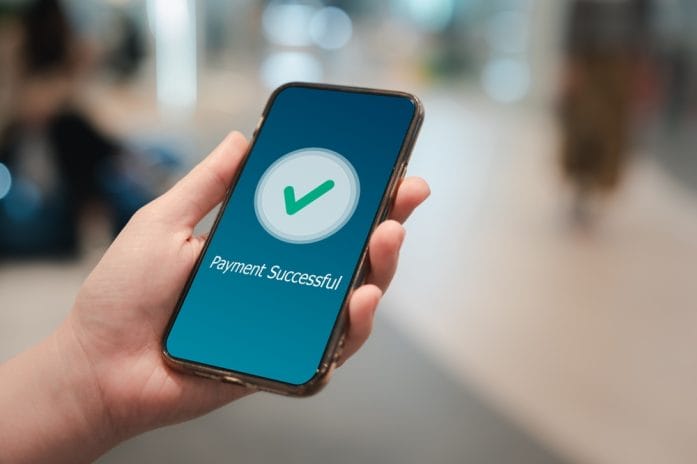
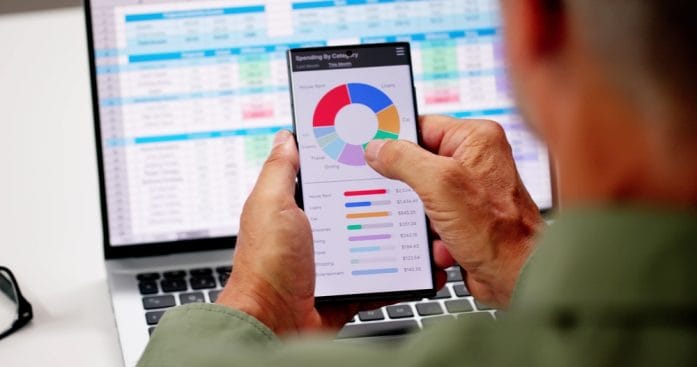
Budgeting apps have become the digital sidekick many people rely on to track spending, crush debt, and stay financially sharp. But a major shift in banking security standards could shake up that relationship in a big way.

New API restrictions aim to tighten data access, which sounds great for safety, but creates real friction for the apps people trust daily. Some tools may lose access entirely, while others scramble to adapt behind the scenes. The result could feel like your favorite money app suddenly forgot who you are—and why it exists.

The Security Shake-Up That’s Changing Everything in Fintech

Banks no longer tolerate loose data-sharing practices, and regulators now demand stronger protections across the board. Financial institutions push toward secure APIs instead of older screen-scraping methods that quietly collected your login details. That shift closes dangerous loopholes, but it also cuts off many apps that relied on those older connections to function smoothly. Developers now face stricter approval processes, technical requirements, and compliance hurdles that slow everything down. The days of instant plug-and-play budgeting tools may fade as security takes center stage.

This transformation doesn’t come out of nowhere, and it reflects years of rising cyber threats and data breaches. Banks want to control exactly how third parties access customer data, which gives them more oversight and accountability. That means apps must request permission through official channels, and banks can deny or limit access whenever they choose. Consumers gain more protection, but they also lose some of the seamless experience they once enjoyed. That trade-off sits right at the heart of this API banking lock.

Why Budget Apps Depend on Access More Than You Think

Budgeting apps don’t magically know your spending habits, and they rely heavily on direct bank connections to deliver real-time insights. Every time an app categorizes your grocery bill or alerts you about overspending, it pulls that data from your linked accounts. Without that steady stream of information, the app turns into little more than a manual spreadsheet with a fancy interface. Users expect automation, and losing that automation feels like a major downgrade. That’s why API access isn’t just helpful—it’s absolutely essential.

Many popular apps depend on intermediaries like Plaid or Yodlee to bridge the gap between banks and users. These services aggregate financial data and translate it into something apps can use quickly and efficiently. When banks tighten API permissions, those middlemen feel the squeeze first, and the ripple effect hits every app that depends on them. Some apps may negotiate new agreements, while others struggle to meet the updated standards. Users may notice broken connections, delayed updates, or missing transactions almost overnight.

What Happens When Apps Lose Access to Your Bank Data

Losing access doesn’t always mean a complete shutdown, but it definitely changes how an app behaves. You might open your budgeting tool and see outdated balances, missing transactions, or error messages that refuse to go away. That kind of disruption can derail financial planning, especially for people who rely on daily tracking. Manual entry becomes the fallback option, which adds time and effort that most users won’t stick with long-term. Convenience disappears, and engagement often drops right along with it.

Some apps will pivot and rebuild their systems to comply with the new API standards, but that process takes time and resources. Smaller developers may not survive the transition, which could shrink the number of available budgeting tools on the market. Larger platforms will likely adapt faster, but even they may limit features or charge more to offset compliance costs. Users could face subscription hikes or reduced functionality as companies adjust. The landscape of personal finance apps may look very different within a year.

API Banking Lock: Why Budget Apps May Lose Access Under New Security Standards
Image Source: Unsplash.com

The Upside: Stronger Protection for Your Financial Data

This shift isn’t all bad news, and stronger security delivers real benefits that shouldn’t get ignored. API-based access eliminates the need to share your banking username and password with third-party apps, which reduces a major security risk. Banks can monitor and revoke access instantly if something looks suspicious, giving users more control over their data. That level of oversight helps prevent fraud and limits the damage from potential breaches. In a world full of digital threats, that kind of protection matters more than ever.

Users also gain more transparency about who accesses their financial information and why. Instead of vague permissions, APIs often require clear consent for specific types of data sharing. That clarity builds trust, even if it comes with a few extra steps during setup. People who value privacy will appreciate the tighter controls and reduced exposure. Security may feel inconvenient at times, but it plays a crucial role in keeping your money safe.

Keeping Your Budgeting Tools Working Smoothly

Staying ahead of these changes doesn’t require a tech degree, but it does require a little awareness and action. Start by checking whether your current budgeting app supports secure API connections with your bank. Many companies already updated their systems, and they often provide guides to reconnect accounts under the new standards. Keeping your app updated ensures you benefit from the latest compatibility fixes and security improvements. Ignoring updates could leave you stuck with broken features.

It also helps to diversify how you track your finances instead of relying on a single app for everything. Some users combine budgeting apps with direct bank tools or spreadsheets to maintain visibility if one system fails. Exploring alternatives now can save frustration later if your favorite app loses access. Reading app announcements and user forums can also provide early warnings about potential disruptions. A little preparation goes a long way in keeping your financial routine intact.

The Bigger Picture for the Future of Money Apps

This API banking lock signals a broader evolution in how financial technology operates and grows. The industry moves toward a more structured, regulated environment that prioritizes safety over speed. Innovation won’t stop, but it will look different as developers work within stricter boundaries. New apps will emerge with built-in compliance, while older ones either adapt or disappear. That shift may ultimately create a more stable and trustworthy ecosystem.

Consumers will play a key role in shaping that future through their choices and expectations. Apps that balance security with usability will win loyalty, while clunky or restrictive tools will fade away. Financial institutions will also compete to offer better API integrations, which could improve the overall experience over time. The transition period may feel messy, but it sets the stage for smarter and safer money management tools. Change always brings friction, but it also opens the door to something better.

Budget Apps and Today’s Banking Barriers

Budgeting apps stand at a crossroads as new API standards redefine how they connect to your financial life. Security improvements bring undeniable benefits, but they also disrupt the convenience users have come to expect. Some apps will rise to the challenge, while others may quietly disappear from your home screen. Staying informed and proactive can help you avoid unpleasant surprises and keep your finances on track. The key lies in adapting alongside the technology instead of getting left behind.

What changes would make you stick with—or ditch—your favorite budgeting app?

You May Also Like…

The “Loud Budgeting” Trend and Transparent Money Conversations

Life on Pause? How to Stay Mobile on a Budget When Your License Is Suspended

5 Budgeting Apps That Integrate With Biometric Banking

5 Financial Apps That Baby Boomers Refuse To Use But Need

8 Times Financial Tracking Apps Sold Your Purchase History

Brandon Marcus
Brandon Marcus

Brandon Marcus is a writer who has been sharing the written word since a very young age. His interests include sports, history, pop culture, and so much more. When he isn’t writing, he spends his time jogging, drinking coffee, or attempting to read a long book he may never complete.
Filed Under: Technology Tagged With: API banking, budgeting apps, cybersecurity, data privacy, financial apps, fintech regulation, fintech security, money management, open banking, personal finance tips, Plaid, Yodlee

Medicare Identity Alert: 3 Steps to Take After a Data Exposure Notice

May 5, 2026 by Brandon Marcus Leave a Comment

Medicare Identity Alert: 3 Steps to Take After a Data Exposure Notice
Image Source: Shutterstock.com

A Medicare data exposure notice can land in a mailbox or inbox like an unwelcome surprise that instantly raises alarm bells. These notices signal that sensitive personal information may have been compromised, and scammers often see that as an open invitation. Medical identity theft does not just create financial headaches—it can also disrupt healthcare records, prescriptions, and even insurance eligibility.

Quick action matters more than panic, and smart steps can shut down fraud attempts before they gain momentum. This situation demands attention, but it also gives a clear opportunity to lock down protection fast and effectively.

What a Medicare Data Exposure Notice Really Signals

A Medicare data exposure notice does not automatically mean fraud already occurred, but it does confirm that personal data entered risky territory. Hackers, unauthorized insiders, or system vulnerabilities may have exposed details such as Medicare numbers, names, or even health records. Criminals often trade this information on hidden online marketplaces where identity data becomes a valuable commodity. That reality makes early awareness a powerful advantage rather than a reason for fear. Quick interpretation of the notice helps prevent confusion and keeps the response focused.

Many notices include technical explanations that sound confusing, but the core message stays simple: personal data may no longer remain private. Fraudsters often wait weeks or months before using stolen information, which creates a false sense of safety for victims. This delay makes proactive monitoring essential because silence does not equal safety. Acting early shuts down opportunities before criminals test the stolen information. Awareness turns into the first line of defense.

Step 1: Confirm the Legitimacy of the Notice

Scammers love impersonating government agencies, so verifying the notice comes first before any action takes place. Official Medicare communications always include verifiable contact information and reference numbers that match government records. A quick call to the official Medicare helpline confirms whether the notice holds real legitimacy or masks a phishing attempt. Fraudulent letters often push urgency without providing traceable details. Careful verification stops unnecessary exposure to secondary scams.

Suspicious notices often contain spelling errors, unusual return addresses, or pressure tactics demanding immediate action. Real Medicare communications never request sensitive details like passwords or banking credentials through insecure channels. Comparing the notice with official Medicare updates online helps separate fact from fraud. Many scams rely on emotional urgency, so slowing down breaks their momentum. A verified notice clears the path for confident next steps.

Step 2: Lock Down Your Medicare and Financial Accounts

Once legitimacy gets confirmed, securing Medicare accounts becomes the top priority. Changing login credentials and strengthening passwords creates an immediate barrier against unauthorized access. Fraudsters often attempt to reuse stolen data quickly, so early lock-down efforts disrupt their timing. Enabling multi-factor authentication adds another layer that blocks most automated intrusion attempts. Security improvements work best when applied immediately after exposure.

Financial institutions connected to Medicare billing also need close attention because criminals often test multiple systems with stolen data. Banks and credit card companies can place fraud alerts that flag suspicious activity in real time. Reviewing recent transactions helps detect small unauthorized charges that often go unnoticed. Reporting any irregularity early prevents larger financial damage from developing. A coordinated lock-down strategy limits every possible entry point.

Medicare Identity Alert: 3 Steps to Take After a Data Exposure Notice
Image Source: Shutterstock.com

Step 3: Watch for Fraudulent Activity Like a Hawk

Monitoring activity becomes critical after securing accounts because identity theft often develops in subtle stages. Criminals may open medical claims, request prescriptions, or reroute insurance benefits using stolen Medicare information. Regular review of Medicare Summary Notices helps detect unfamiliar services or providers. Early detection turns small issues into manageable corrections instead of full-scale crises. Vigilance transforms into ongoing protection.

Credit reports also reveal whether identity thieves attempt to open new accounts using stolen personal data. Free credit monitoring tools or alerts can flag sudden changes that signal unauthorized activity. Fraud often starts quietly before escalating into visible financial damage. Tracking patterns over time helps identify irregular behavior that single checks might miss. Consistent monitoring builds a strong defensive rhythm.

Extra Moves That Add Strong Security Layers

Adding extra safeguards strengthens protection beyond the basic steps and reduces future risk exposure. Placing a fraud alert or credit freeze restricts access to credit reports, making new account openings significantly harder for criminals. These tools act like security gates that require verification before any financial activity proceeds. Many victims overlook these protections until after damage occurs. Acting early increases overall resilience.

Identity theft protection services can also monitor dark web activity for stolen Medicare or personal data. While no service guarantees total protection, alerts often provide early warning signs that help contain threats quickly. Updating passwords regularly and avoiding reuse across platforms further reduces vulnerability. Small habits build strong long-term security outcomes. Layered protection creates multiple barriers that discourage criminal attempts.

Red Flags That Suggest Identity Theft Has Already Started

Certain warning signs reveal that stolen Medicare information may already be in use. Unexpected medical bills, unfamiliar doctor visits, or denied insurance claims often signal fraudulent activity. These issues typically appear before victims realize any breach occurred. Quick reporting to Medicare and healthcare providers helps stop misuse early. Immediate action limits long-term consequences.

Credit score drops or new accounts appearing without authorization also indicate potential identity theft. Fraudsters often test stolen data in small ways before attempting larger financial moves. Monitoring alerts from banks or Medicare systems can expose suspicious behavior quickly. Ignoring these signals allows criminals more time to escalate damage. Fast response turns detection into protection.

Why Quick Action Changes the Outcome Entirely

Speed matters more than complexity when responding to a Medicare data exposure notice because fraudsters rely on delay. Immediate verification, account protection, and monitoring create a defensive chain that blocks most exploitation attempts. Criminals often abandon compromised data when they encounter strong resistance early. Every hour of delay increases risk exposure. Fast action reduces both stress and potential damage.

Medicare identity protection depends on consistent awareness rather than one-time fixes. Each step builds on the previous one to create a secure environment that limits fraud opportunities. Staying alert transforms a stressful notice into a manageable situation with clear control points. Strong responses prevent long-term complications from taking root. Confidence grows when protection becomes routine.

Staying One Step Ahead of Medicare Identity Threats

A Medicare data exposure notice does not define the outcome—response strategy does. Careful verification, fast account protection, ongoing monitoring, and layered security tools all work together to shut down fraud opportunities. Criminals depend on confusion and delay, but structured action removes both advantages. Each step strengthens control over personal information and healthcare security. Smart prevention always beats reactive recovery.

What steps feel most important when it comes to protecting your Medicare information after a data exposure notice? Let’s hear your thoughts and advice in the comments below.

You May Also Like…

A Big Change to Medicare Prior Authorization: 7‑Day Deadline Now Mandatory

Retirement Healthcare Costs Are Climbing Again — What the Average Couple Now Needs

Healthcare Spending Doesn’t Stop Rising — Why That Matters for Retirees

4 Medicare Advantage Changes That Could Affect Your Doctor Access

5 Hidden Medicare Costs That Can Reduce Your Monthly Budget

Brandon Marcus
Brandon Marcus

Brandon Marcus is a writer who has been sharing the written word since a very young age. His interests include sports, history, pop culture, and so much more. When he isn’t writing, he spends his time jogging, drinking coffee, or attempting to read a long book he may never complete.

Filed Under: safety Tagged With: credit monitoring, cybersecurity, data breach, financial safety, fraud prevention, healthcare security, identity theft, Medicare, Medicare fraud, personal data protection, scam alerts

The “One-Ring” Phone Scam: Why Scammers Let It Ring Once and Hope You Call Back

May 2, 2026 by Brandon Marcus Leave a Comment

The “One-Ring” Phone Scam: Why Scammers Let It Ring Once and Hope You Call Back
Image Source: Shutterstock.com

Scammers have turned missed calls into a money-making machine, and the “one-ring” trick sits right at the center of it. A phone buzzes, rings once, then stops, leaving nothing but curiosity and a flashing missed call notification. That tiny moment pushes many people into doing exactly what scammers want: calling back without thinking. Once that callback happens, the situation shifts from harmless curiosity to a potentially expensive mistake. This scam thrives because it plays on quick reactions instead of careful decisions.

Modern phone fraud doesn’t rely on complex hacking or sophisticated technology. It relies on human behavior, especially the impulse to return a missed call from an unknown number. Scammers know that people often assume a dropped call means something important or urgent.

How the One-Ring Scam Actually Works

Scammers use automated dialing systems that target thousands of numbers in a short burst. Each phone receives a single ring, just enough to trigger a missed call notification without giving time for the user to answer. The number often looks international or unfamiliar, which adds a layer of confusion and curiosity. Many of these calls come from premium-rate numbers that charge high fees per minute once someone calls back. The scammer earns money each time a victim returns the call and stays on the line even briefly.

The operation depends on scale rather than precision, so scammers do not care who answers. They simply want enough people to call back to generate profit from connection fees. Some operations even route calls through expensive foreign carriers to increase charges. The system works like a digital fishing net, casting wide and waiting for small but consistent returns. Every returned call increases the scammer’s revenue, even if the conversation never actually happens.

Why Scammers Rely on Curiosity and Urgency

Scammers understand that people react emotionally to missed calls from unknown numbers. The brain often assumes that a single ring signals urgency, such as a job call, delivery update, or personal emergency. That assumption pushes people to act quickly instead of checking details. The scam exploits this split-second decision-making process and turns it into profit. Curiosity becomes the bait that pulls victims into expensive traps.

Urgency also plays a powerful role in how this scam spreads. Many victims believe ignoring the call might mean missing something important. That fear of missing out creates pressure that overrides caution. Scammers do not need to build trust or maintain conversation because the system works before any dialogue even begins. The moment a call gets returned, the scam has already succeeded in its main goal.

The Hidden Costs When the Call Gets Returned

Returning a one-ring call often triggers international charges that appear small at first glance but grow quickly over time. Some premium-rate numbers charge per minute, while others apply connection fees that start immediately after dialing. Victims often remain on the line long enough to hear silence or automated messages, which still racks up charges. Phone bills then reveal unexpected costs that feel confusing and frustrating. These charges can escalate fast, especially when multiple callbacks happen in a short period.

Beyond direct financial loss, some scams also collect personal data during the call. Fraudulent systems may record voice patterns or attempt to trick callers into sharing information. Even a short interaction can expose users to additional scam attempts later. Phone numbers that engage with these systems often get flagged as “active,” leading to more spam calls. The damage continues long after the initial call ends.

Smart Ways to Shut It Down Fast and Stay Protected

The simplest defense starts with ignoring unknown missed calls that ring only once. Legitimate callers rarely rely on a single ring before disconnecting. Blocking suspicious numbers immediately reduces repeat attempts from the same source. Many smartphones now include built-in spam detection tools that flag risky calls automatically. These tools help filter out most one-ring scam attempts before they ever reach attention.

Awareness also plays a major role in stopping this scam from spreading further. Checking unfamiliar numbers online often reveals reports from other users who experienced the same issue. Mobile carriers sometimes offer free scam and spam protection services that block known premium-rate fraud numbers. Reporting suspicious calls helps providers shut down active scam lines faster. Every small action strengthens protection against future attempts.

The “One-Ring” Phone Scam: Why Scammers Let It Ring Once and Hope You Call Back
Image Source: Shutterstock.com

The Real Cost Behind That One Ring: Staying Ahead of the Scam

The one-ring scam survives because it turns a split-second reaction into a financial trap. Scammers depend on curiosity, urgency, and automatic habits that bypass careful thinking. A single missed call can feel harmless, yet it can open the door to unexpected charges and ongoing spam contact. Staying cautious with unknown numbers protects both money and personal information. Smart habits consistently beat fast reactions when dealing with modern phone fraud.

What do you think—should phone carriers do more to block these scams before they even reach users? Share your thoughts with us below in our comments section.

You May Also Like…

5 Phone Calls You Should Never Return — Even If They Sound Urgent

8 Scam Messages That Look Official — But Aren’t

8 Subtle Illusions Used by Scammers in Investment Offers

7 New Scam Tactics That Look Real — And Are Still Fooling Americans

The “Love Bombing” Tactic Scammers Use to Gain Financial Control in a New Relationship

Brandon Marcus
Brandon Marcus

Brandon Marcus is a writer who has been sharing the written word since a very young age. His interests include sports, history, pop culture, and so much more. When he isn’t writing, he spends his time jogging, drinking coffee, or attempting to read a long book he may never complete.
Filed Under: scams Tagged With: Consumer Protection, cybersecurity, financial safety, international fraud, missed call scam, one ring scam, phone fraud, phone scam, phone security, robocalls, scam awareness, spam calls

Why Seniors Are Seeing More “Account Access” Text Scams

May 2, 2026 by Brandon Marcus Leave a Comment

Why Seniors Are Seeing More “Account Access” Text Scams
Image Source: Shutterstock.com

Scammers have shifted tactics in a big way, and text messages now sit at the center of their strategy. One of the fastest-growing tricks involves fake alerts about “account access,” designed to trigger panic and quick action. Seniors increasingly receive these messages because criminals see them as more likely to respond without digging into the details. These scams often look official, using familiar brand names, urgent language, and convincing formatting. The goal always stays the same: steal personal information before the target has time to think twice.

Digital communication has made life more convenient, but it has also opened new doors for fraud. Scammers no longer need advanced hacking skills when a well-written text can do the job. Many of these messages mimic banks, delivery services, or government agencies. The urgency in the wording pushes recipients to click links or call fake support numbers.

Fake “Account Access” Alerts Trigger Instant Panic Responses

Scammers design these messages to feel urgent and alarming, often claiming that someone accessed an account without permission. They rely on emotional pressure because panic weakens careful thinking. Many texts include phrases like “suspicious login detected” or “your account has been locked.” These statements push recipients to act fast instead of verifying the message. Seniors often trust official-looking warnings, which increases the success rate of these scams.

The messages usually include a link or a phone number that leads directly to criminals. Clicking the link can install malware or lead to a fake login page that steals credentials. Calling the number connects victims to scammers pretending to be support agents. These criminals use scripted conversations to extract sensitive details like passwords or banking information. The entire setup aims to simulate legitimate security alerts while quietly stealing access.

Why Seniors Become Prime Targets for These Scams

Scammers often target older adults because they expect higher trust levels in digital communications. Many seniors grew up in an era when official messages rarely arrived through text, which makes modern scams feel more believable. Criminals also assume that older individuals may not track every account activity notification closely. That assumption leads them to craft messages that sound helpful rather than suspicious. They exploit politeness, urgency, and respect for authority to gain control of the interaction.

Another reason involves financial stability, since scammers believe seniors may have more accessible savings. They also take advantage of emotional triggers like fear of account loss or frozen funds. Many seniors prefer resolving issues quickly rather than navigating complex digital systems. That behavior plays directly into scam tactics that demand immediate action. Criminals carefully study these patterns and adjust their messaging to match expected reactions.

How “Account Access” Text Scams Actually Work Step by Step

These scams typically begin with a simple text claiming unusual account activity or login attempts. The message often includes branding from banks, streaming services, or government portals. Once the target clicks the provided link, a fake website opens that closely mirrors a real login page. Entering credentials on that page sends the information directly to scammers. That moment gives criminals full access to accounts without raising immediate alarms.

Some versions of the scam escalate further by adding follow-up calls or additional texts. Scammers may pose as customer service representatives to reinforce the illusion of legitimacy. They guide victims through fake “security verification” steps designed to collect even more personal data. In some cases, they convince individuals to share one-time passcodes sent by real institutions. That final step often gives scammers complete control over financial accounts.

Warning Signs That Reveal a Fake Account Alert Instantly

Urgent language serves as the first major red flag in these scams. Legitimate companies rarely demand immediate action through text messages without prior notice. Suspicious links that use shortened URLs or unusual domains also signal danger. Grammar mistakes or awkward phrasing often appear in scam messages, even when they try to sound official. These inconsistencies reveal that criminals rushed the message rather than following professional communication standards.

Another warning sign appears when the message requests sensitive information directly. No legitimate institution asks for passwords, PINs, or verification codes through text. Unexpected notifications about account locks or security breaches should trigger caution rather than panic. Contacting the company directly using official channels helps confirm whether the alert holds any truth. Careful verification always beats fast reaction when dealing with potential fraud.

Why Seniors Are Seeing More “Account Access” Text Scams
Image Source: Shutterstock.com

Steps That Shut Down These Scams Before Damage Happens

Blocking unknown numbers helps reduce exposure to repeated scam attempts. Enabling spam filters on mobile devices also prevents many fraudulent messages from reaching inboxes. Seniors benefit from setting up two-factor authentication on financial and email accounts to add another layer of protection. That extra step prevents criminals from logging in even if they steal a password. Regularly reviewing account activity helps catch suspicious behavior early.

Education plays a powerful role in stopping these scams from succeeding. Families who discuss common fraud tactics create stronger defense systems at home. Reporting suspicious messages to banks or service providers helps improve fraud detection systems. Deleting scam texts without engaging reduces the chance of accidental interaction. Consistent awareness builds a strong barrier against evolving digital threats.

Avoiding Digital Fraud Without Losing Peace of Mind

Scammers continue refining their tactics, but awareness consistently disrupts their success rate. Seniors who recognize fake urgency and verify messages independently reduce their risk significantly. Technology offers tools that help block, filter, and detect suspicious activity before damage occurs. Simple habits like pausing before clicking links make a major difference in safety outcomes. Staying informed turns digital communication into a safer, more manageable experience.

What steps do you think make the biggest difference when protecting against scam texts like these? Let’s hear your thoughts and helpful advice in the comments below.

You May Also Like…

New York’s Rent-Audit Increase: Why More Seniors Are Getting Verification Letters

Georgia Seniors Are Paying More Due to Ad Valorem Rules on Vehicle Purchases

Is Quality Furniture Officially a Scam? Why Filling a New Home in 2026 is Destroying Senior Nest Eggs

8 Subtle Illusions Used by Scammers in Investment Offers

How Scammers Are Using Stolen License Plates to Frame Innocent People

Brandon Marcus
Brandon Marcus

Brandon Marcus is a writer who has been sharing the written word since a very young age. His interests include sports, history, pop culture, and so much more. When he isn’t writing, he spends his time jogging, drinking coffee, or attempting to read a long book he may never complete.

Filed Under: scams Tagged With: account access scam, cybersecurity, Digital Security, elder fraud, financial scams, identity theft, Online Safety, phishing texts, senior scams, SMS scams, text message fraud

The SSA’s Digital Shift Is Locking Some Users Out — What You Need to Know

April 13, 2026 by Brandon Marcus Leave a Comment

The SSA’s Digital Shift Is Locking Some Users Out — What You Need to Know
Image Source: Shutterstock.com

A login screen now stands between millions of people and their Social Security benefits. That shift might sound modern and efficient, but it has created a frustrating reality for many who suddenly cannot access what they need. The Social Security Administration has pushed deeper into digital systems, aiming to streamline services and boost security, yet that transition has not landed smoothly for everyone. Instead of convenience, some people now face locked accounts, confusing identity checks, and long waits for help.

The stakes feel high because Social Security does not sit on the sidelines of everyday life. It plays a central role in retirement, disability support, and financial stability. When access breaks down, it does not just inconvenience people; it disrupts routines and creates real stress. This digital shift brings both promise and problems, and understanding both sides makes all the difference. Anyone who depends on these services or plans to in the future needs to know what changed and how to stay ahead of the curve.

When Convenience Turns Complicated

The Social Security Administration has invested heavily in online tools to replace in-person visits and phone-based processes. Officials want faster service, stronger identity protection, and fewer administrative delays. On paper, that goal sounds like a win for everyone, especially in a world that already relies on digital banking and online healthcare portals. The agency has introduced stricter login systems, including identity verification steps that often involve third-party services. These systems aim to reduce fraud, which has become a serious concern in recent years. However, the added layers of protection have also introduced friction that many users did not expect. People who once logged in easily now face multi-step authentication, document uploads, and verification checks that sometimes fail without clear explanation.

That complexity hits hardest for older adults and people without consistent access to technology. A person who feels comfortable with a simple password may struggle when asked to scan documents or verify identity through unfamiliar apps. Even those who understand the process can run into technical glitches that block progress. Some users report getting locked out after repeated attempts, which then triggers additional verification steps that feel even more confusing. Customer support channels often struggle to keep up, leaving people waiting on hold or searching for answers online. That combination of technical barriers and limited support creates a situation where convenience turns into a maze.

Identity Verification: Security vs. Accessibility

Security concerns have pushed the SSA to adopt stronger identity verification systems, and those concerns come with real justification. Fraudsters have targeted government benefits for years, and digital systems can attract even more sophisticated attacks. The agency has responded by partnering with identity verification platforms that require users to prove who they are through official documents, facial recognition, or credit history checks. These tools aim to protect accounts from unauthorized access and prevent fraudulent claims. In theory, that protection benefits everyone who relies on Social Security services. In practice, it introduces new challenges that do not affect all users equally.

Not everyone can pass these verification steps easily, even when they have legitimate access rights. Some people lack the required documents in digital format, while others encounter issues with facial recognition technology that fails to match their identity. People with limited credit history may struggle with verification questions that rely on financial data. Language barriers and disabilities can also complicate the process, especially when instructions do not feel clear or accessible. When verification fails, the system often pushes users into alternative pathways that take more time and effort. That creates a frustrating loop where security measures, while necessary, end up excluding the very people they aim to protect.

Who Gets Left Behind in a Digital-First World

The digital shift does not affect everyone equally, and that reality deserves attention. People who feel comfortable navigating apps and online systems often move through the new process without major issues. Others face a completely different experience, one filled with confusion, delays, and sometimes complete loss of access. Older adults make up a significant portion of Social Security users, and many of them did not grow up with digital tools as a daily necessity. That gap in experience can turn even simple online tasks into stressful challenges.

Rural communities also face unique obstacles, especially when reliable internet access remains inconsistent. A slow connection can interrupt verification steps or prevent uploads from completing, which leads to repeated attempts and potential lockouts. People with disabilities may encounter systems that do not fully support assistive technologies, making navigation difficult or impossible. Low-income individuals may rely on shared devices or public internet access, which adds another layer of complexity to secure logins. These barriers do not just slow people down; they can completely block access to essential services. A system designed for efficiency must account for these realities, or it risks leaving large groups behind.

The SSA’s Digital Shift Is Locking Some Users Out — What You Need to Know
Image Source: Shutterstock.com

Smart Moves to Stay Ahead of the System

Anyone who relies on Social Security services can take steps to avoid getting caught off guard by these changes. Setting up an online account before an urgent need arises can make a big difference, since it allows time to complete verification steps without pressure. Keeping important documents, such as identification and financial records, in a secure and easily accessible place can help speed up the process. Learning how multi-factor authentication works can also reduce confusion when additional security steps appear during login. These actions do not eliminate every potential issue, but they can make the experience smoother.

It also helps to stay informed about updates from the Social Security Administration. The agency regularly shares guidance on account setup, security changes, and troubleshooting tips through its official website. Visiting local offices remains an option for those who cannot complete the process online, although wait times can vary. Community organizations and advocacy groups often provide assistance for people who need help navigating digital systems. Asking for help early can prevent small issues from turning into major problems. Taking a proactive approach turns a frustrating system into something more manageable.

The Bigger Picture Behind the Digital Push

The SSA’s move toward digital services reflects a broader trend across government agencies. Technology promises efficiency, cost savings, and improved security, all of which matter in a system that serves millions of people. However, that shift requires careful balance between innovation and accessibility. A system that prioritizes speed but overlooks usability risks, creating new barriers instead of removing old ones. Policymakers and administrators must consider how each change affects real people with diverse needs and abilities.

Public feedback plays a crucial role in shaping these systems. When users report issues, agencies gain insight into where the process breaks down and how to improve it. Advocacy groups continue to push for more inclusive design, clearer instructions, and better support options. These efforts can lead to meaningful changes, but they require attention and persistence. The digital transformation of Social Security will continue, and its success depends on how well it serves everyone, not just those who adapt quickly. Watching how these systems evolve will remain important for anyone who depends on them.

Don’t Let a Password Stand Between You and Your Benefits

A digital login should not feel like a locked door, yet that has become the reality for some people navigating Social Security services today. Understanding the system, preparing for verification steps, and seeking help when needed can make a real difference in avoiding those frustrating roadblocks. The shift toward online access will not slow down, so adapting to it becomes essential for staying connected to important benefits. Taking control early can prevent last-minute stress and keep everything running smoothly when it matters most.

What has the experience been like so far? Have the new login systems felt helpful or overwhelming? Give us your thoughts, tips, or frustrations in the comments.

You May Also Like…

How Seniors Jeopardize Their Social Security Right After Retirement

​5 Warning Signs Someone Is Using Your Social Security Number

Social Security Checks Are Getting Smaller for Some Retirees — And It’s Not a Benefit Cut

8 Mistakes That Can Trigger a Social Security Overpayment Notice

Why More Seniors Are Getting Surprise Social Security Overpayment Notices

Brandon Marcus
Brandon Marcus

Brandon Marcus is a writer who has been sharing the written word since a very young age. His interests include sports, history, pop culture, and so much more. When he isn’t writing, he spends his time jogging, drinking coffee, or attempting to read a long book he may never complete.

Filed Under: social security Tagged With: accessibility, cybersecurity, digital identity, government services, identity verification, login issues, online accounts, public policy, retirement benefits, seniors, Social Security, SSA, technology access

  • 1
  • 2
  • 3
  • …
  • 7
  • Next Page »

Follow Us

Search this site:

Recent Posts

  • Can My Savings Account Affect My Financial Aid? by Tamila McDonald
  • 12 Ways Gen X’s Views Clash with Millennials… by Tamila McDonald
  • What Advantages and Disadvantages Are There To… by Jacob Sensiba
  • 10 Tactics for Building an Emergency Fund from Scratch by Vanessa Bermudez
  • Call 911: Go To the Emergency Room Immediately If… by Stephen Kanaval
  • 7 Weird Things You Can Sell Online by Tamila McDonald
  • 10 Scary Facts About DriveTime by Tamila McDonald

Copyright © 2026 · News Pro Theme on Genesis Framework