
• Home
  • About Us
  • Toolkit
  • Getting Finances Done
    • Hiring Advisors
    • Debt Management
    • Spending Plan
  • Insurance
    • Life Insurance
    • Health Insurance
    • Disability Insurance
    • Homeowners/Renters Insurance
  • Contact Us
  • Privacy Policy
  • Risk Tolerance Quiz

The Free Financial Advisor

You are here: Home / Archives for cybersecurity

Are App-Controlled Wallets Leaving You Financially Exposed?

August 15, 2025 by Travis Campbell Leave a Comment

finance app

Image source: pexels.com

App-controlled wallets are everywhere. You can pay for coffee, split a bill, or send money to a friend with a few taps. It feels easy and fast. But is it safe? Many people trust these apps with their money, but few stop to think about the risks. If you use an app-controlled wallet, you need to know what could go wrong. Here’s what you should watch out for and how to keep your money safe.

1. Security Gaps Can Put Your Money at Risk

App-controlled wallets promise security, but no system is perfect. Hackers target these apps because they know people keep money there. If your phone gets stolen or hacked, someone could access your wallet. Even a weak password can be a problem. Some apps don’t require two-factor authentication, making it easier for someone to break in. And if you use the same password for everything, you’re making it even easier for thieves. Always use strong, unique passwords and enable every security feature your app offers. If your app-controlled wallet doesn’t offer two-factor authentication, consider switching to one that does.

2. Privacy Isn’t Always Guaranteed

When you use app-controlled wallets, you share a lot of personal information. Your name, email, phone number, and even your location can be collected. Some apps track your spending habits and sell that data to advertisers. You might not even know it’s happening. If you care about privacy, read the app’s privacy policy. Look for apps that limit data sharing and give you control over your information. You can also check out resources like the Federal Trade Commission’s guide to mobile privacy to learn more about protecting your data.

3. App Glitches and Outages Can Freeze Your Funds

App-controlled wallets rely on technology. Sometimes, that technology fails. Servers go down. Apps crash. Updates break things. If your app-controlled wallet stops working, you might not be able to access your money. This can be a big problem if you need to pay a bill or buy groceries. Some people have reported being locked out of their accounts for days. Always keep a backup payment method, like a debit card or cash, just in case your app-controlled wallet lets you down.

4. Scams and Phishing Attacks Are on the Rise

Scammers love app-controlled wallets. They send fake emails or texts that look real, hoping you’ll click a link and enter your login details. Once they have your info, they can drain your wallet. Some scams even trick you into sending money to the wrong person. Always double-check who you’re sending money to. Never click on links from unknown sources. If something feels off, stop and check with the app’s official support. The Federal Bureau of Investigation has tips on spotting and avoiding scams.

5. Limited Protection Compared to Banks

Traditional banks offer strong protection. If someone steals your debit card, you can report it and get your money back. App-controlled wallets don’t always offer the same level of protection. Some apps treat your money like cash—if it’s gone, it’s gone. Others may take days or weeks to investigate a problem. Before you trust an app-controlled wallet with your money, check what protections it offers. If you can’t find clear answers, that’s a red flag.

6. Overspending Is Easier Than You Think

App-controlled wallets make spending simple. Too simple, sometimes. When you don’t see cash leaving your hand, it’s easy to lose track of what you’re spending. Some people end up spending more than they planned because it feels less real. To avoid this, set spending limits in your app if possible. Track your transactions regularly. If you notice you’re spending more, take a break from using the app and switch to cash for a while.

7. Not All Apps Are Created Equal

There are many app-controlled wallets out there. Some are run by big companies with strong security. Others are new or less reliable. Some apps may not be regulated or insured. If an app goes out of business, you could lose your money. Before you download an app-controlled wallet, do some research. Look for reviews, check if the company is regulated, and see if your funds are insured. Don’t trust your money to an app just because it’s popular.

8. International Use Can Be Tricky

Traveling with an app-controlled wallet sounds easy, but it can cause problems. Some apps don’t work in other countries. Others charge high fees for currency conversion. If you lose access to your app while abroad, getting help can be hard. Always check if your app-controlled wallet works where you’re going. Bring a backup payment method, and know how to contact support if you run into trouble.

9. Updates Can Change How Your Wallet Works

App-controlled wallets update often. Sometimes, these updates add new features or fix bugs. Other times, they change how the app works in ways you don’t like. You might lose access to features you rely on, or new fees could appear. Always read update notes before installing. If you don’t like the changes, look for another app-controlled wallet that fits your needs better.

10. Your Financial Habits Matter More Than the App

No app-controlled wallet can fix bad money habits. If you overspend, ignore security, or don’t track your money, you’re at risk. Use your app-controlled wallet as a tool, not a solution. Set a budget, check your balance often, and stay alert for anything unusual. The best way to stay safe is to stay informed and pay attention.

Staying Smart with App-Controlled Wallets

App-controlled wallets are convenient, but they come with real risks. Security gaps, privacy issues, and scams can leave you financially exposed. The best defense is to stay alert, use strong security, and keep your financial habits in check. Don’t trust your money to just any app. Take time to understand how your app-controlled wallet works and what protections it offers. Your money deserves that extra care.

Have you ever had a problem with an app-controlled wallet? Share your story or tips in the comments below.

Read More

From Cars to Cereal: Tariffs Are Ruining Our Wallets

10 Overlooked Financial Questions That Can Ruin Your Legacy

Travis Campbell
Travis Campbell

Travis Campbell is a digital marketer/developer with over 10 years of experience and a writer for over 6 years. He holds a degree in E-commerce and likes to share life advice he’s learned over the years. Travis loves spending time on the golf course or at the gym when he’s not working.

Filed Under: Finance Tagged With: app-controlled wallets, cybersecurity, digital wallets, Financial Security, fintech, mobile wallets, money management, Personal Finance

5 Dark Web Gadgets That Are Already Monitoring Your Credit Cards

August 15, 2025 by Travis Campbell Leave a Comment

credit card

Image source: pexels.com

Credit card fraud is everywhere. You might think your information is safe, but dark web gadgets are always looking for ways in. These tools don’t just target big companies. They go after regular people, too. If you use a credit card online, you’re a target. The dark web is full of gadgets that can steal your data without you even knowing. Here’s what you need to know about these dark web gadgets and how to protect yourself.

1. Skimmer Devices Hidden in Plain Sight

Skimmer devices are small, sneaky tools that criminals attach to card readers. You’ll find them on ATMs, gas pumps, and even in some stores. These gadgets copy your card’s magnetic stripe when you swipe. Some skimmers even have tiny cameras to catch your PIN. The worst part? They’re hard to spot. You might not notice anything wrong until you see strange charges on your statement.

If you use your card at a machine, always check for anything loose or odd. Wiggle the card slot. If it moves, don’t use it. Cover your hand when you enter your PIN. And check your statements often. If you see something you don’t recognize, call your bank right away. Skimmers are one of the oldest dark web gadgets, but they’re still everywhere.

2. Keyloggers That Track Every Keystroke

Keyloggers are software or hardware tools that record everything you type. Some are installed on public computers, like those in hotels or libraries. Others come from malware you accidentally download. Once a keylogger is on your device, it can send your credit card numbers, passwords, and other private info straight to criminals on the dark web.

You might not notice a keylogger. Your computer will work as usual. But behind the scenes, every keystroke is being recorded. To protect yourself, avoid entering sensitive information on public computers. Keep your devices updated. Use antivirus software. And if you get a warning about malware, take it seriously. Keyloggers are one of the most common dark web gadgets used for credit card theft.

3. RFID Scanners That Steal Data Wirelessly

RFID scanners are handheld gadgets that can read information from your credit cards without touching them. Many modern cards have RFID chips for contactless payments. That’s convenient, but it also means someone with an RFID scanner can get your card info just by standing close to you. You won’t feel a thing. The thief can then sell your data on the dark web.

To stop this, use an RFID-blocking wallet or sleeve. These are easy to find and not expensive. You can also ask your bank for a card without RFID if you’re worried. Be careful in crowded places like airports or concerts. If someone is standing too close, move away. RFID scanners are one of the newer dark web gadgets, but they’re spreading fast.

4. Phishing Kits That Fool Even Smart Shoppers

Phishing kits are ready-made tools that help criminals build fake websites and emails. These sites look just like real ones from your bank or favorite store. You get an email or text that seems legit. It asks you to “verify your account” or “fix a problem.” If you click the link and enter your info, the phishing kit grabs your credit card details and sends them to the dark web.

Phishing kits are easy to buy and use, which is why they’re everywhere. Always check the sender’s email address. Look for spelling mistakes or weird links. If you’re not sure, go to the website directly instead of clicking a link. Use two-factor authentication when you can. Phishing kits are one of the most effective dark web gadgets for stealing credit card data.

5. Carding Bots That Test Your Numbers in Seconds

Carding bots are automated programs that test stolen credit card numbers on shopping sites. They try small purchases to see if the card works. If it does, the bot tells the criminal, who then sells the “live” card on the dark web. These bots can test thousands of cards in minutes. You might not notice a $1 charge, but that’s how they start.

To combat carding bots, set up alerts for all transactions, regardless of their size. Many banks offer this for free. If you see a charge you didn’t make, report it right away. Use virtual credit card numbers for online shopping when possible. Carding bots are one of the fastest-growing dark web gadgets, and they’re getting smarter all the time.

Staying Ahead of Dark Web Gadgets

Credit card security is a moving target. Dark web gadgets keep changing, and so do the tricks criminals use. But you can stay ahead by being alert and taking simple steps. Check your accounts often. Use strong passwords and two-factor authentication. Don’t trust every email or website. And if something feels off, trust your gut.

The dark web is full of gadgets designed to steal your credit card info. But you don’t have to make it easy for them. Stay informed, stay cautious, and you’ll be much safer.

Have you ever spotted a suspicious charge or caught a scam before it got worse? Share your story in the comments.

Read More

10 Credit Report Errors That Saddled Retirees With Denied Loans

Why Some Credit Reports Are Withholding Important Data

Travis Campbell
Travis Campbell

Travis Campbell is a digital marketer/developer with over 10 years of experience and a writer for over 6 years. He holds a degree in E-commerce and likes to share life advice he’s learned over the years. Travis loves spending time on the golf course or at the gym when he’s not working.

Filed Under: Auto & Tech Tagged With: credit card security, cybersecurity, dark web, financial safety, identity theft, online fraud, Personal Finance

8 Email Formats That Signal a Financial Scam in Disguise

August 11, 2025 by Travis Campbell Leave a Comment

email

Image source: pexels.com

Email scams are everywhere. They show up in your inbox when you least expect them. Some look like messages from your bank. Others pretend to be from the IRS or a company you trust. These scams can cost you money, steal your identity, or even lock you out of your accounts. Spotting a financial scam in your email isn’t always easy, but knowing what to look for can save you a lot of trouble. Here are eight email formats that often signal a financial scam in disguise.

1. The “Urgent Action Required” Email

Scammers love urgency. If you get an email saying you must act now or lose access to your account, pause. These emails often claim your account is locked, your payment failed, or your information needs updating. The goal is to make you panic and click a link without thinking. Real companies rarely demand immediate action by email. If you’re unsure, go directly to the company’s website or call their official number. Don’t use links or numbers in the email.

2. The “Unusual Login Attempt” Notification

You might get an email saying someone tried to log in to your account from a strange location. It looks official, maybe with a logo and a warning. The message urges you to click a link to secure your account. This is a common financial scam email format. The link often leads to a fake login page that steals your password. If you get a message like this, check your account by typing the website address yourself. Don’t trust the email’s links.

3. The “You’ve Won a Prize” Message

Winning money or a gift card sounds great. But if you didn’t enter a contest, it’s probably a scam. These emails say you’ve won a lottery, sweepstakes, or some other prize. To claim it, you need to provide personal or financial information. Sometimes, they ask for a small “processing fee.” Real contests don’t ask for money to claim a prize. If it sounds too good to be true, it usually is.

4. The “Bank Account Verification” Request

This one looks like it’s from your bank. The email says there’s a problem with your account and asks you to verify your details. It might use your bank’s logo and colors. But the link goes to a fake site that collects your information. Banks don’t ask for sensitive details by email. If you get a message like this, call your bank using the number on your card or their official website. Never share your account number, password, or PIN by email.

5. The “Tax Refund Notification” Email

Tax season brings a wave of scam emails. Some claim you’re owed a refund. Others say there’s a problem with your return. These emails often look like they’re from the IRS or another tax agency. They ask you to click a link or download a form. The IRS does not contact people by email about refunds or problems. If you get a message like this, delete it.

6. The “Suspicious Payment” Alert

You might get an email saying a large payment was made from your account. The message urges you to review the transaction by clicking a link. This is a classic financial scam email. The link may install malware or take you to a fake site. If you’re worried about a real payment, log in to your account directly—not through your email. Check your recent transactions there.

7. The “Invoice Attached” Trick

Some scam emails come with an attached invoice or receipt. The message says you owe money for a service or product you never bought. The attachment may contain malware or a virus. Never open attachments from unknown senders. If you get an invoice for something you didn’t buy, delete the email. If you’re unsure, contact the company using their official website.

8. The “Charity Request” After a Disaster

After a big news event or natural disaster, scammers send emails asking for donations. They use real charity names or make up new ones. The email may have a sad story and a link to donate. These financial scam emails prey on your kindness. If you want to help, go to the charity’s official website and donate there. Don’t trust links in emails, even if the cause seems urgent.

Staying Safe: Trust Your Instincts and Double-Check

Financial scam emails are getting harder to spot. Scammers use real logos, official-sounding language, and even your name. But the signs are there if you know what to look for. Always be cautious with emails about money, accounts, or personal information. If something feels off, trust your gut. Go directly to the company’s website or call them. Don’t click links or download attachments from suspicious emails. Staying alert can protect your money and your identity.

Have you ever received a financial scam email? What tipped you off that it wasn’t real? Share your story in the comments.

Read More

5 Premium Funeral Plans That Can Scam Families out of Thousands of Dollars

What Scams Are Targeting Retirees While You Still Trust Your Phone

Travis Campbell
Travis Campbell

Travis Campbell is a digital marketer/developer with over 10 years of experience and a writer for over 6 years. He holds a degree in E-commerce and likes to share life advice he’s learned over the years. Travis loves spending time on the golf course or at the gym when he’s not working.

Filed Under: Technology Tagged With: cybersecurity, email security, financial scams, online fraud, Personal Finance, phishing, scam prevention

8 Email Habits That Make You a Target for Identity Theft After 40

August 9, 2025 by Catherine Reed Leave a Comment

8 Email Habits That Make You a Target for Identity Theft After 40

Image source: 123rf.com

Once you hit your 40s, chances are you’ve got a solid online footprint, a decent credit score, and a lot to protect—which makes you the perfect target for identity thieves. And while many people assume it’s shopping sites or social media that pose the biggest risk, your inbox may be the real weak spot. Every year, cybercriminals refine their tactics, and one wrong click can expose your personal and financial information in seconds. That’s why it’s important to recognize the email habits that make you a target for identity theft after 40. Here are eight habits to ditch before your inbox becomes your biggest liability.

1. Using the Same Password for Multiple Accounts

Reusing passwords is one of the riskiest email habits that make you a target for identity theft after 40. If a hacker gains access to one of your accounts in a data breach, they can try the same password on your email, banking, or shopping accounts. Unfortunately, many adults reuse passwords for convenience, especially when juggling work, family, and financial responsibilities. Once your email is compromised, criminals can intercept password reset emails and lock you out of other accounts. A password manager can help you create and store strong, unique passwords for every login.

2. Clicking Links Without Double-Checking the Sender

Phishing scams are getting more convincing, and clicking on a malicious link is still one of the easiest ways to get hacked. Emails that look like they’re from your bank, utility company, or favorite retailer can be fake, with small tweaks in the sender’s email address. One careless click can lead to fake login pages, malware downloads, or even ransomware. This is one of the most common email habits that make you a target for identity theft after 40, especially for people juggling busy schedules. Always verify the sender before clicking and go directly to the company’s website when in doubt.

3. Leaving Old Emails with Sensitive Info in Your Inbox

Think of your inbox like a filing cabinet—would you leave your Social Security number or tax documents lying around in there? Many people do just that without realizing it. If your inbox holds old emails with tax returns, medical records, or banking info, you’re giving cybercriminals a goldmine if your account is ever hacked. Regularly clean out your inbox and store important documents offline or in secure cloud storage. Holding onto sensitive information in email is one of the overlooked email habits that make you a target for identity theft after 40.

4. Ignoring Two-Factor Authentication

Two-factor authentication (2FA) adds a second layer of security to your email account, yet many users still haven’t turned it on. After 40, you likely have access to more financial accounts, employer systems, and online services that connect to your primary email. That makes protecting your inbox even more critical. With 2FA, even if someone gets your password, they still need a code from your phone or an app to log in. It’s a simple step that can block most unauthorized access attempts and reduce your exposure dramatically.

5. Opening Emails from Unknown Senders “Just to See”

Curiosity may have killed the cat, but it also compromises thousands of inboxes every day. Opening suspicious emails—even without clicking links—can confirm to scammers that your address is active. That opens the floodgates for more targeted phishing attempts and scam messages. Many people in their 40s receive emails related to mortgages, college savings, or retirement planning, and scammers know how to tailor messages to these interests. One of the email habits that make you a target for identity theft after 40 is thinking it’s harmless to take a peek.

6. Auto-Saving Email Addresses and Login Info in Browsers

Allowing your browser to auto-fill your email credentials may feel convenient, but it’s also a security risk—especially if your device is lost or hacked. Anyone with access to your device can easily get into your email and see everything from credit card receipts to travel confirmations. This is particularly dangerous if you’re also saving login info for banking or healthcare portals. Turn off auto-fill for sensitive accounts and log in manually whenever possible. This small change can protect you from one of the riskiest email habits that make you a target for identity theft after 40.

7. Using Work Email for Personal Accounts

Mixing work and personal email use is a bad idea at any age, but after 40, it’s especially risky. If you lose access to your job’s email system or change employers, you could be locked out of personal subscriptions, financial accounts, or online services. Even worse, if a company’s email server is compromised, your personal life is suddenly exposed too. Always keep personal and professional communications separate to minimize your vulnerability. It may be less convenient, but it’s a smarter long-term move.

8. Not Monitoring Your Email for Unusual Activity

Many people assume their email is fine as long as they can log in. But identity thieves often access email accounts without changing passwords so they can quietly monitor your activity. Look out for login notifications, new forwarding rules, or emails marked as read when you haven’t opened them. These are signs someone else could be watching your inbox. Failing to monitor your email regularly is one of the most damaging email habits that make you a target for identity theft after 40.

Take Control Before Someone Else Does

Cybercriminals know that people over 40 often have more assets, responsibilities, and digital accounts than younger users. That’s exactly why they’re targeting your inbox. By ditching these common email habits that make you a target for identity theft after 40, you can drastically reduce your risk and protect your personal and financial future. Security doesn’t require paranoia—it just takes awareness, routine updates, and a few smart habits.

Have you changed your email habits in recent years to stay safer online? What tips or tools do you rely on? Share with us in the comments!

Read More:

Everyday Mistakes That Make You Vulnerable to Criminals

6 Financial Traps Retirees Walk Into Without Questioning

Catherine Reed
Catherine Reed

Catherine is a tech-savvy writer who has focused on the personal finance space for more than eight years. She has a Bachelor’s in Information Technology and enjoys showcasing how tech can simplify everyday personal finance tasks like budgeting, spending tracking, and planning for the future. Additionally, she’s explored the ins and outs of the world of side hustles and loves to share what she’s learned along the way. When she’s not working, you can find her relaxing at home in the Pacific Northwest with her two cats or enjoying a cup of coffee at her neighborhood cafe.

Filed Under: Online Safety Tagged With: cybercrime prevention, cybersecurity, digital habits, email safety, email security, financial protection, identity theft, online safety tips, over 40

10 Phishing Scheme Red Flags That Fool Even Savvy Account Holders

August 9, 2025 by Travis Campbell Leave a Comment

phishing

Image source: unsplash.com

Phishing schemes are everywhere. Even people who know the risks can get caught. Cybercriminals keep getting smarter, and their tricks are harder to spot. You might think you’re too careful to fall for a scam, but phishing attacks are designed to fool even the most alert account holders. These scams can lead to stolen money, identity theft, and a lot of stress. Knowing the red flags can help you protect your accounts and your peace of mind.

1. Slight Misspellings in Email Addresses

Phishers often use email addresses that look almost right. Maybe there’s an extra letter, or a number replaces a letter. For example, “support@yourbank.com” becomes “support@yourbannk.com.” At a glance, it looks fine. But if you’re not paying close attention, you might reply or click a link. Always check the sender’s address carefully before you act. If something feels off, don’t trust it.

2. Urgent or Threatening Language

Phishing emails often try to scare you. They say things like, “Your account will be closed in 24 hours,” or “We noticed suspicious activity.” The goal is to make you panic and act fast. Real companies don’t threaten you or demand instant action. If you get a message that feels urgent or aggressive, pause. Take a breath. Contact the company directly using a phone number or website you trust.

3. Requests for Personal or Financial Information

Legitimate companies don’t ask for your password, Social Security number, or bank details by email or text. If you get a message asking for this information, it’s almost always a scam. Even if the message looks official, don’t reply. Go to the company’s website yourself and log in there. Never share sensitive information through links in emails or texts.

4. Unusual Attachments or Links

Phishing emails often include attachments or links. The attachment might look like an invoice or a document you need to review. The link might say “Click here to verify your account.” These are common tricks. Clicking can install malware or take you to a fake website. If you weren’t expecting an attachment or link, don’t open it. When in doubt, delete the message.

5. Generic Greetings

Phishing messages often use generic greetings like “Dear Customer” or “Dear User.” Real companies usually address you by name. If the message doesn’t use your name, be suspicious. This is a sign the sender doesn’t know who you are—they’re just hoping someone will respond.

6. Messages That Don’t Match Your Usual Communication

If you get a message from your bank or another company, think about how they usually contact you. Is the tone different? Are there spelling or grammar mistakes? Does the message come at a strange time? If something feels off, it probably is. Trust your instincts. If you’re not sure, call the company using a number from their official website.

7. Fake Websites That Look Real

Phishers create websites that look almost exactly like the real thing. The logo, colors, and layout all match. But the web address might be slightly different, like “yourbank-login.com” instead of “yourbank.com.” Before you enter any information, check the URL carefully. Look for “https” and a padlock symbol. But remember, even these can be faked. If you’re unsure, type the website address yourself instead of clicking a link.

8. Unexpected Account Activity Notifications

You might get a message saying, “We noticed a login from a new device,” or “Your password was changed.” If you didn’t do anything, this can be alarming. Scammers use these messages to get you to click a link or call a fake support number. Before you react, check your account directly by logging in through the official website or app. Don’t use the links or numbers in the message.

9. Offers That Seem Too Good to Be True

Phishing schemes often promise rewards, refunds, or prizes. Maybe you’ve “won” a gift card or a big cash prize. All you have to do is click a link or provide some information. These offers are almost always fake. If it sounds too good to be true, it probably is. Ignore these messages and don’t click anything.

10. Spoofed Phone Numbers and Caller ID

Phishers don’t just use email. They also call or text, and they can make it look like the message is coming from your bank or another trusted company. This is called “spoofing.” The number on your caller ID might look real, but it’s not. If someone calls and asks for personal information, hang up. Call the company back using a number from their official website.

Stay Ahead of Phishing Schemes

Phishing schemes are always changing. Even savvy account holders can get fooled. The best defense is to stay alert and know the red flags. Always double-check messages, links, and requests for information. If something feels wrong, trust your gut. And remember, it’s okay to take your time. Scammers want you to rush. Slow down, check the details, and protect yourself.

Have you ever spotted a phishing scheme that almost fooled you? Share your story or tips in the comments.

Read More

How to Spot a Phishing Email Before It Steals Your Bank Info

How Safe Is It to Link All Your Devices to a Single Email Account?

Travis Campbell
Travis Campbell

Travis Campbell is a digital marketer/developer with over 10 years of experience and a writer for over 6 years. He holds a degree in E-commerce and likes to share life advice he’s learned over the years. Travis loves spending time on the golf course or at the gym when he’s not working.

Filed Under: Online Safety Tagged With: account safety, cybersecurity, financial scams, fraud prevention, online security, Personal Finance, phishing

Who’s Watching Your Financial Apps Without You Knowing It?

August 5, 2025 by Travis Campbell Leave a Comment

apps

Image source: unsplash.com

You probably use financial apps every day. They help you check your bank balance, pay bills, invest, and even split dinner with friends. But have you ever stopped to think about who else might be watching your financial apps? It’s not just you and your bank. There are companies, hackers, and even advertisers who want a peek at your money habits. This matters because your financial data is valuable. If the wrong people get it, you could lose money, face identity theft, or just feel like your privacy is gone. Here’s what you need to know about who’s watching your financial apps—and what you can do about it.

App Developers and Third-Party Partners

When you download a financial app, you trust the company behind it. But it’s not always just them. Many financial apps work with third-party partners. These partners might help with things like analytics, advertising, or even customer support. Sometimes, your data gets shared with these companies. They might see your spending habits, account balances, or even your location. You might not realize how much you’re sharing. Always read the privacy policy. It’s not fun, but it tells you who gets your data. If you see a long list of partners, that’s a red flag. Stick to financial apps that limit data sharing and are clear about who gets your information.

Data Brokers and Advertisers

Financial apps often make money by sharing your data with data brokers and advertisers. These companies build profiles about you. They track what you buy, where you shop, and how much you spend. Then, they sell this information to advertisers. You might start seeing ads for loans, credit cards, or investment products based on your app activity. This isn’t just annoying—it’s a privacy risk. Your financial life should be private. To limit this, check your app’s settings. Turn off ad tracking if you can. Use financial apps that don’t rely on advertising for revenue.

Hackers and Cybercriminals

Hackers love financial apps. They know these apps hold sensitive information. If your app isn’t secure, hackers can steal your login details, drain your accounts, or even open new credit cards in your name. Sometimes, they get in through weak passwords or outdated software. Other times, they use fake apps that look real but are designed to steal your data. Always use strong, unique passwords for your financial apps. Turn on two-factor authentication if it’s available. And only download apps from official app stores. If something feels off, trust your gut and don’t use the app.

Public Wi-Fi Snoops

Using financial apps on public Wi-Fi is risky. Anyone on the same network can try to intercept your data. This is called “sniffing.” Hackers use simple tools to watch what you’re doing. They can grab your login details or see your transactions. If you need to use a financial app, wait until you’re on a secure, private network. Or use a virtual private network (VPN) to encrypt your connection. Never enter sensitive information when you’re on public Wi-Fi. It’s just not worth the risk.

Your Own Device’s Permissions

Sometimes, your phone or tablet is the problem. Many financial apps ask for permissions they don’t really need. For example, a budgeting app might ask for access to your contacts or location. If you say yes, the app can collect more data than you expect. This data might get shared or sold. Always check what permissions your financial apps are asking for. If something doesn’t make sense, deny the permission. You can always change it later if you need to.

Cloud Storage and Backups

Financial apps often store your data in the cloud. This makes it easy to access your info from any device. But it also means your data is stored on someone else’s servers. If those servers get hacked, your information could be exposed. Some apps also back up your data automatically. If you don’t control these backups, you might not know where your data is going. Look for financial apps that use strong encryption and have a good track record of security.

Government and Law Enforcement Requests

Sometimes, government agencies ask financial apps for user data. This can happen if there’s a legal investigation. Most companies will hand over your data if they get a court order. You might never know this happened. While this is rare, it’s something to keep in mind. If privacy is important to you, look for financial apps that are transparent about government requests. Some companies publish “transparency reports” that show how often they get these requests.

Outdated or Abandoned Apps

Old financial apps can be a big risk. If an app isn’t updated, it might have security holes. Hackers look for these weaknesses. If you’re still using an app that hasn’t been updated in a year or more, it’s time to move on. Delete old apps you don’t use. Stick with financial apps that get regular updates and have active support.

Family and Friends with Device Access

It’s easy to forget that anyone who uses your phone or tablet can open your financial apps. Maybe you share a device with family or friends. If your apps aren’t locked, someone could see your account details or even move money. Use app-specific passwords or biometric locks if your app offers them. Always log out when you’re done. It’s a simple step that keeps your financial life private.

Protecting Your Financial Apps: What You Can Do Now

Your financial apps are powerful tools, but they come with risks. The best way to protect yourself is to stay alert. Check your app permissions, use strong passwords, and keep your apps updated. Don’t use public Wi-Fi for sensitive transactions. Read privacy policies, even if it’s boring. And if something feels off, trust your instincts. Your financial data is yours—don’t let anyone watch it without your say.

Have you ever discovered that someone was monitoring your financial accounts? How did you handle it? Share your story in the comments.

Read More

5 Times Financial Power Was Abused—Without Breaking a Single Law

What Financial Planners Know About Divorce That Most Couples Don’t

Travis Campbell
Travis Campbell

Travis Campbell is a digital marketer/developer with over 10 years of experience and a writer for over 6 years. He holds a degree in E-commerce and likes to share life advice he’s learned over the years. Travis loves spending time on the golf course or at the gym when he’s not working.

Filed Under: Finance Tagged With: app security, cybersecurity, data protection, financial apps, fintech, Online Safety, Personal Finance, privacy

What Happens If No One Claims Your Digital Assets After Death?

August 1, 2025 by Travis Campbell Leave a Comment

digital assets

Image Source: pexels.com

When you think about what happens after you die, you probably picture your house, car, or savings account. But what about your digital life? Most people have dozens of online accounts, from social media to email to cryptocurrency wallets. These digital assets can hold real value—sometimes emotional, sometimes financial. But if no one claims your digital assets after death, what happens next? This question matters more than ever as our lives move online. If you haven’t thought about it, you’re not alone. But ignoring it can leave your loved ones with a mess, or worse, let your digital assets vanish forever.

1. Your Digital Assets May Become Inaccessible

When no one claims your digital assets after death, most of them become locked. Passwords, two-factor authentication, and privacy laws make it hard for anyone—even family—to access your accounts. If you haven’t left instructions or shared login details, your digital photos, emails, and even money in online accounts can be lost. Some companies have strict policies. For example, Google and Facebook have processes for handling accounts after death, but they require proof and paperwork. If no one steps up, your digital assets may sit untouched, sometimes forever.

2. Unclaimed Financial Accounts Can Be Lost

Digital assets after death aren’t just about photos or emails. Many people have money in online-only banks, investment apps, or cryptocurrency wallets. If no one knows about these accounts, the money can be lost. Some states have laws that require companies to turn over unclaimed property to the government after a certain period. But with crypto, if no one has the private key, the funds are gone for good. There’s no customer service to call. This is why it’s important to keep a secure list of your digital financial accounts and how to access them.

3. Social Media Profiles May Stay Online Indefinitely

If no one claims your digital assets after death, your social media profiles might stay online for years. Some platforms allow accounts to be memorialized or deleted, but only if someone requests it. Otherwise, your profile could become a ghost account, open to hacking or misuse. Old accounts can be targets for identity theft or scams. It’s a good idea to name a legacy contact or set up account preferences now, so your wishes are clear.

4. Valuable Content Could Disappear

Many people store important documents, creative work, or business files online. If no one claims your digital assets after death, these files can be deleted when accounts are closed for inactivity. Cloud storage services often have policies to remove inactive accounts after a set time. That means family photos, unpublished writing, or business records could vanish. If you want to protect these digital assets, make sure someone knows where to find them and how to access them.

5. Legal Complications Can Arise

Digital assets after death can create legal headaches. If you don’t leave clear instructions, your family may have to go through a long process to access your accounts. Some companies require a court order. Others won’t release anything without a will that mentions digital assets. This can delay settling your estate and add stress for your loved ones. Including digital assets in your will or estate plan can help avoid these problems.

6. Emotional Loss for Loved Ones

Photos, videos, and messages stored online can be priceless to your family. If no one claims your digital assets after death, these memories might be lost. For many, losing access to a loved one’s digital life can feel like losing them all over again. It’s not just about money. It’s about preserving your story and the things that matter most to the people you leave behind.

7. Risk of Identity Theft

Unclaimed digital assets after death can be a target for hackers. Old email or social media accounts can be used to steal your identity or scam your contacts. If no one is monitoring your accounts, they can be taken over and misused. Protecting your digital assets isn’t just about your legacy—it’s about keeping your family safe from fraud.

8. Some Assets May Be Recovered—But It’s Not Easy

In some cases, unclaimed digital assets after death can be recovered. Family members can contact companies, provide proof, and sometimes gain access. But this process is often slow and complicated. Each company has its own rules. Some require a death certificate, others need a court order. And with cryptocurrencies, recovery is almost impossible without the right keys.

9. Planning Ahead Makes All the Difference

The best way to make sure your digital assets after death don’t disappear is to plan ahead. Make a list of your important accounts and passwords. Decide what you want to happen to each one. Name a digital executor in your will. Use tools like password managers or legacy contacts. Talk to your family about your wishes. A little planning now can save a lot of trouble later.

Protecting Your Digital Legacy Starts Today

Your digital assets after death are part of your legacy. If you don’t take steps to protect them, they could be lost, misused, or cause problems for your loved ones. Think about what matters most in your digital life. Make a plan. Share it with someone you trust. Your future self—and your family—will thank you.

What steps have you taken to protect your digital assets after death? Share your thoughts in the comments.

Read More

Do These 7 Things Immediately After A Car Accident To Protect Your Assets

7 Practical Tips for Protecting Your Assets From Lawsuits

Travis Campbell
Travis Campbell

Travis Campbell is a digital marketer/developer with over 10 years of experience and a writer for over 6 years. He holds a degree in E-commerce and likes to share life advice he’s learned over the years. Travis loves spending time on the golf course or at the gym when he’s not working.
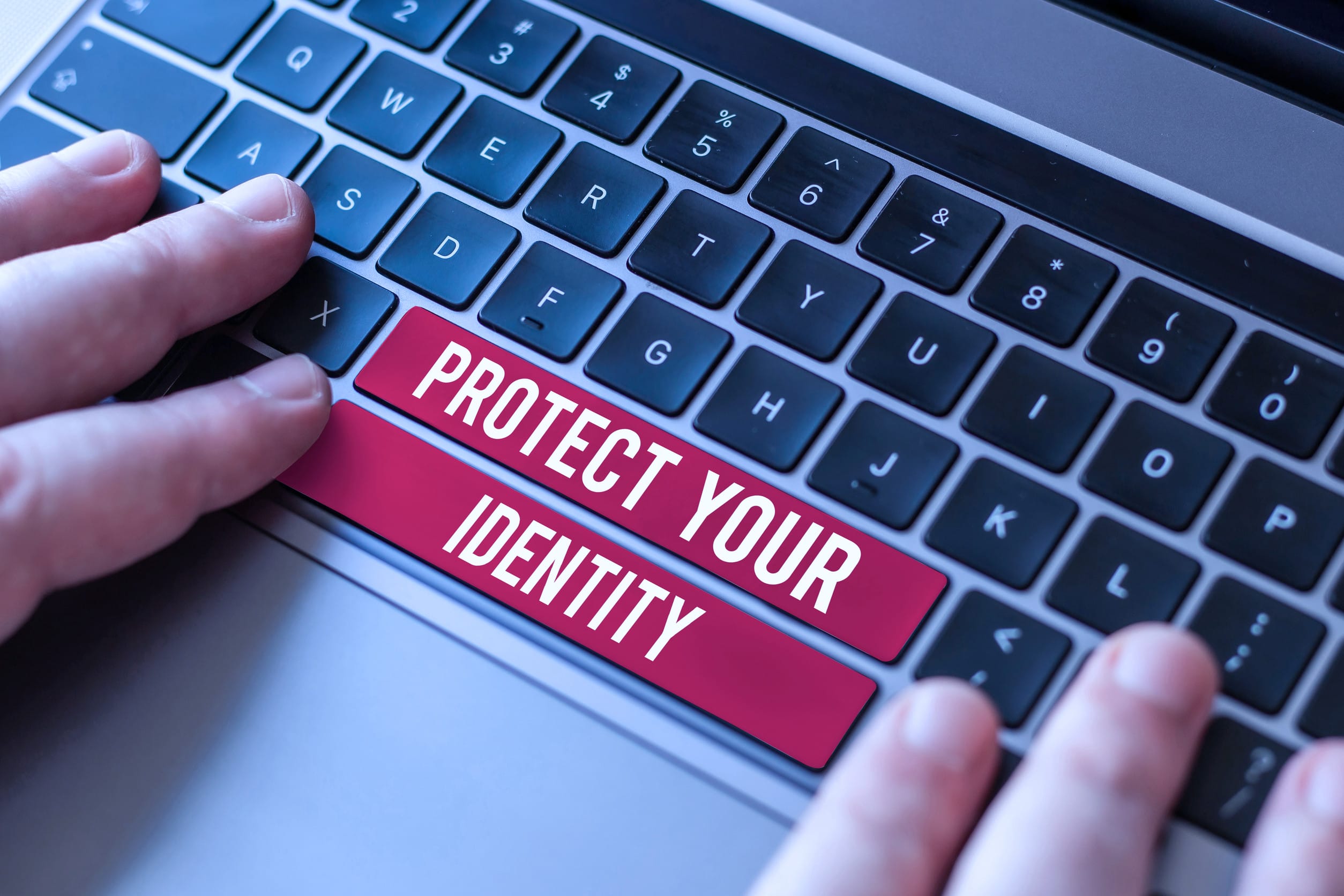
Filed Under: Estate Planning Tagged With: cybersecurity, digital assets, digital legacy, Estate planning, Inheritance, online accounts, Planning, wills

How Safe Is It to Link All Your Devices to a Single Email Account?

August 1, 2025 by Travis Campbell Leave a Comment

email

Image Source: pexels.com

Staying connected is easier than ever. You can check your email on your phone, tablet, laptop, and even your smart TV. Many people link all their devices to a single email account. It feels simple. You get your messages everywhere. But is it safe? What happens if someone gets into that account? Email account security is more important than most people realize. If you use one email for everything, you need to know the risks and how to protect yourself.

1. Convenience Comes with a Price

Linking all your devices to one email account makes life easier. You get instant notifications. You can reset passwords quickly. You don’t have to remember which device has what. But this convenience can be risky. If someone hacks your email, they can access every device connected to it. They might see your contacts, messages, and even your location. Email account security is not just about your inbox. It’s about your whole digital life. If you use one email for everything, you’re putting a lot of trust in that one account.

2. One Breach, Many Problems

If your email account gets hacked, the damage can spread fast. Hackers can reset passwords for your bank, social media, and shopping accounts. They can lock you out of your devices. They might even use your email to scam your friends or family. The more devices you link, the more doors you open. Email account security means thinking about what could happen if someone else gets in. It’s not just about losing access. It’s about losing control over your digital identity.

3. Two-Factor Authentication Isn’t Foolproof

Many people use two-factor authentication (2FA) to protect their email. It’s a good step. But it’s not perfect. If all your devices are linked to the same email, a hacker who gets in might also get your 2FA codes. For example, if you use your email to get 2FA codes for other accounts, and someone hacks your email, they can get those codes too. This makes email account security even more important. Don’t rely on 2FA alone. Use different methods, like an authenticator app or a physical security key, for extra protection.

4. Privacy Risks Multiply

Your email account holds a lot of personal information. It might have receipts, travel plans, medical info, and private conversations. When you link all your devices, you’re spreading that information across more places. If one device gets lost or stolen, someone could use it to get into your email. And if your email is hacked, every device becomes a risk. Email account security is about more than just passwords. It’s about keeping your private life private. Think about what’s in your inbox. Would you want a stranger to see it?

5. Syncing Can Lead to Data Leaks

When you sync your email across devices, you’re copying data everywhere. That means your messages, contacts, and files are stored on each device. If you sell or give away an old phone or laptop without wiping it, your email data could go with it. Even if you think you deleted everything, some data might stay behind. Email account security means making sure your data doesn’t end up in the wrong hands. Always wipe devices before getting rid of them. And check your account settings to see which devices are connected.

6. Phishing Attacks Get Easier

Phishing is when someone tries to trick you into giving up your password or other information. If all your devices are linked to one email, a successful phishing attack can be much worse. Hackers can send fake alerts to all your devices at once. You might see a message on your phone, then your laptop, then your tablet. It feels urgent, so you might act without thinking. Email account security means being careful with every message. Don’t click on links or download attachments from people you don’t know.

7. Recovery Can Be Complicated

If you lose access to your email, getting it back can be hard. If all your devices are linked, you might lose access to everything at once. Recovery steps often use your email to verify your identity. If you can’t get into your email, you might be locked out of your bank, social media, and more. Email account security means having backup options. Set up recovery emails or phone numbers. Write down important information and keep it somewhere safe. Don’t wait until you’re locked out to think about recovery.

8. Kids and Shared Devices Add Risk

If you share devices with family or kids, linking everything to one email can be risky. Kids might click on unsafe links or download bad apps. Shared devices can make it easier for someone to accidentally change settings or delete important messages. Email account security is harder when more people use the same devices. Set up separate accounts for each person when possible. Use parental controls and teach kids about online safety.

9. You Might Miss Security Alerts

Many services send security alerts to your email. If you get a lot of notifications on all your devices, it’s easy to miss something important. You might ignore a warning about a suspicious login or a password change. Email account security means paying attention to alerts. Set up filters or rules to highlight security messages. Check your account activity regularly. Don’t assume everything is fine just because you haven’t noticed a problem.

10. There Are Safer Ways to Stay Connected

You don’t have to link every device to the same email. Use different accounts for work, personal, and important services. Set up guest accounts on shared devices. Use strong, unique passwords for each account. Turn on security features like device tracking and remote wipe. Email account security is about making smart choices. You can stay connected without putting everything at risk.

Protecting Your Digital Life Starts with One Account

Linking all your devices to a single email account is easy, but it’s not always safe. Email account security should be a top priority. Take steps to protect your information, use strong passwords, and think before you link. Your email is the key to your digital life. Treat it with care.

Have you ever had a problem with email account security? Share your story or tips in the comments.

Read More

How to Spot a Phishing Email Before It Steals Your Bank Info

How Safe Is That “Password-Free” Login Feature Everyone’s Using?

Travis Campbell
Travis Campbell

Travis Campbell is a digital marketer/developer with over 10 years of experience and a writer for over 6 years. He holds a degree in E-commerce and likes to share life advice he’s learned over the years. Travis loves spending time on the golf course or at the gym when he’s not working.

Filed Under: safety Tagged With: account protection, cybersecurity, device safety, email security, online privacy, Personal Finance, tech tips

How Safe Is That “Password-Free” Login Feature Everyone’s Using?

July 30, 2025 by Travis Campbell Leave a Comment

password

Image Source: pexels.com

You’ve probably seen it. That little button that says, “Sign in with Google,” “Log in with Apple,” or “Passwordless Login.” It promises a faster, easier way to get into your favorite apps and websites. No more forgotten passwords. No more endless resets. But is this new “password-free” login feature really as safe as it seems? Or are you trading convenience for risk? Here’s what you need to know before you click that button.

1. What Is a Password-Free Login, really?

A password-free login lets you access your accounts without typing a password. Instead, you might get a one-time code by email or text. Or you might use a fingerprint, face scan, or a link sent to your phone. Some sites let you log in with your Google, Apple, or Facebook account. This is called single sign-on (SSO). The idea is to make logging in easier and faster. But it also changes how your data is protected. The main thing to remember you’re putting a lot of trust in the system that handles your login.

2. The Good: Less Password Hassle, Fewer Weak Spots

Let’s be honest. Most people use weak passwords. Or they reuse the same password everywhere. That’s risky. Password-free logins can help. If you use a fingerprint or a one-time code, hackers can’t just guess your password. And you don’t have to remember dozens of logins. This can cut down on phishing attacks, where someone tricks you into giving up your password. It also means you’re less likely to fall for fake login pages. In some ways, password-free logins can be safer than old-school passwords.

3. The Bad: New Kinds of Attacks

But password-free doesn’t mean risk-free. Hackers are always looking for new ways in. If your email or phone gets hacked, someone could use it to get into all your accounts. If you use single sign-on, a breach at Google or Apple could put everything at risk. And if you lose your phone, someone might be able to use it to log in as you. Some attacks target the way codes are sent. For example, SIM swapping is when a hacker tricks your phone company into giving them your number. Then they get your login codes.

4. Privacy Trade-Offs: Who Sees What?

When you use a password-free login, you often share more data with the company handling your login. If you use “Sign in with Google,” Google knows which sites you’re logging into. The same goes for Apple or Facebook. This can make your online life easier, but it also means these companies see more of your activity. Some people are fine with this. Others want more privacy. Think about what you’re comfortable sharing. And check the privacy settings on your accounts. You might be surprised at how much data is being shared.

5. What Happens If You Lose Access?

Here’s a big one. What if you lose your phone, or can’t get into your email? With password-free logins, your phone or email is often the key to everything. If you lose access, getting back in can be tough. Some sites have backup codes or recovery options. Others don’t. It’s smart to set up backup methods, like a trusted contact or a secondary email. Write down recovery codes and keep them somewhere safe. Don’t wait until you’re locked out to think about this.

6. Multi-Factor Authentication Still Matters

Even with password-free logins, you should use multi-factor authentication (MFA) when you can. MFA means you need two or more ways to prove who you are. For example, a fingerprint plus a code sent to your phone. Or a face scan plus a backup email. This makes it much harder for someone to break in, even if they get your phone or email. Many password-free systems support MFA. Turn it on if you can. It’s one of the best ways to keep your accounts safe.

7. Not All Password-Free Logins Are Equal

Some password-free systems are safer than others. Biometrics (like fingerprints or face scans) are hard to fake, but not impossible. Codes sent by text can be intercepted. Email links can be hacked if your email isn’t secure. Single sign-on is only as safe as the company providing it. Before you use a password-free login, check how it works. Does it use strong encryption? Does it offer backup options? Is the company known for good security? If you’re not sure, look for reviews or security ratings.

8. Practical Steps to Stay Safe

Want to use password-free logins without worry? Here are some tips. First, keep your phone and email secure. Use strong passwords and MFA on those accounts. Don’t share your phone or leave it unlocked. Watch out for phishing messages that try to trick you into giving up codes. Review which apps and sites have access to your Google, Apple, or Facebook account. Remove anything you don’t use. And always have a backup plan in case you lose access.

The Real Question: Is Password-Free Login Right for You?

Password-free login features are changing how we get online. They can be safer and easier than old passwords, but they’re not perfect. The real answer depends on your habits, your devices, and how much risk you’re willing to take. If you keep your phone and email secure, use MFA, and pay attention to privacy, password-free logins can be a smart choice. But don’t assume they’re foolproof. Stay alert, keep your recovery options handy, and remember: convenience is great, but your security comes first.

Have you tried password-free logins? Did you feel safer, or did you run into problems? Share your story in the comments.

Read More

What Happens to Your Money If You Die Without a Password List

8 Common Home Security Features That Aren’t As Safe As You Think

Travis Campbell
Travis Campbell

Travis Campbell is a digital marketer/developer with over 10 years of experience and a writer for over 6 years. He holds a degree in E-commerce and likes to share life advice he’s learned over the years. Travis loves spending time on the golf course or at the gym when he’s not working.

Filed Under: Online Safety Tagged With: account safety, cybersecurity, multi-factor authentication, online security, password-free login, privacy, single sign-on

6 Online “Freebies” That End in Identity Theft

July 25, 2025 by Travis Campbell Leave a Comment

identity theft

Image Source: pexels.com

Getting something for free online feels good. You see a pop-up for a free gift card, a free trial, or a free download, and it’s tempting to click. But these “freebies” can cost you more than you think. Many of these offers are traps set by scammers to steal your personal information. Identity theft is a real risk, and it can mess up your finances, your credit, and your peace of mind. The problem is, these scams look real. They use familiar logos, friendly language, and even fake reviews. If you’re not careful, you could hand over your details without even realizing it. Here’s what you need to know about the most common online “freebies” that can lead to identity theft.

1. Free Gift Card Giveaways

Gift card scams are everywhere. You might see them on social media, in your email, or even as ads on websites you trust. The offer is simple: fill out a quick survey or enter your email, and you’ll get a free $100 gift card. But there’s a catch. These forms often ask for your name, address, phone number, and sometimes even your Social Security number. Once you enter your details, scammers can use them to steal your identity or sell your information to others. Real companies rarely give away gift cards without a reason, and they never ask for sensitive information just to enter. If it sounds too good to be true, it probably is.

2. Free Trial Offers That Require a Credit Card

Free trials for streaming services, fitness apps, or beauty products are popular. But some of these “free” trials are just a way to get your credit card and personal information. You sign up, enter your card details, and suddenly you’re charged for a subscription you didn’t want. Worse, some sites ask for extra information like your date of birth or address. Scammers can use this data to open accounts in your name or make unauthorized purchases. Always read the fine print before signing up for a free trial. If a company asks for more than just your email, think twice. Cancel any trial before it ends if you don’t want to be charged and monitor your statements for unexpected charges.

3. Free Public Wi-Fi Access

Everyone loves free Wi-Fi at coffee shops, airports, or hotels. But connecting to public Wi-Fi can put your identity at risk. Hackers set up fake Wi-Fi networks with names that look real, like “Free Airport Wi-Fi.” When you connect, they can see everything you do online, including passwords and personal details. Some networks even ask you to create an account, giving away your email and other information. To stay safe, avoid entering sensitive information when using public Wi-Fi. Use a virtual private network (VPN) if you need to access personal accounts.

4. Free Downloads: Apps, Games, and Software

Free apps and games are fun, but they can hide malware or spyware. Some downloads ask for permissions they don’t need, like access to your contacts or location. Others might install programs that track your activity or steal your passwords. Even if the app looks legit, it could be a fake version designed to trick you. Only download software from official app stores or trusted websites. Check reviews and permissions before installing anything. If an app asks for too much information, delete it. Your personal data is worth more than a free game.

5. Free Online Quizzes and Personality Tests

Quizzes and personality tests are everywhere on social media. They promise to tell you which celebrity you look like or what your spirit animal is. But many of these quizzes collect personal information, like your birthdate, hometown, or even your mother’s maiden name. Scammers use this data to answer security questions and break into your accounts. Some quizzes also ask for access to your social media profile, giving away even more information. Before you take a quiz, ask yourself why it needs your details. If you wouldn’t share that info with a stranger, don’t share it online.

6. Free Credit Report or Score Sites

You’re entitled to a free credit report every year from the major credit bureaus. But some websites offer “free” credit scores or reports in exchange for your personal information. These sites may not be legitimate. They can use your details to commit identity theft or sign you up for paid services without your consent. Always use the official site, AnnualCreditReport.com, to get your free credit report. Never give your Social Security number or other sensitive information to a site you don’t trust.

Protecting Yourself from “Freebie” Traps

Online “freebies” are everywhere, but many are just bait for identity theft. The best way to protect yourself is to be skeptical. Don’t give out personal information unless you’re sure the site is legitimate. Use strong, unique passwords for every account. Monitor your credit and bank statements for signs of fraud. If you think you’ve been scammed, act fast. Freeze your credit, change your passwords, and report the fraud to the authorities. Staying alert can save you a lot of trouble.

Have you ever fallen for an online “freebie” that turned out to be a scam? Share your story or tips in the comments.

Read More

Free Wi-Fi Spots That Are Ripe for Identity Theft

The Silent Theft: How to Spot a Relative Stealing from Your Elderly Parents

Travis Campbell
Travis Campbell

Travis Campbell is a digital marketer/developer with over 10 years of experience and a writer for over 6 years. He holds a degree in E-commerce and likes to share life advice he’s learned over the years. Travis loves spending time on the golf course or at the gym when he’s not working.

Filed Under: Online Safety Tagged With: cybersecurity, free offers, identity theft, internet safety, online scams, Personal Finance

  • « Previous Page
  • 1
  • 2
  • 3
  • 4
  • 5
  • 6
  • Next Page »

FOLLOW US

Search this site:

Recent Posts

  • Can My Savings Account Affect My Financial Aid? by Tamila McDonald
  • 12 Ways Gen X’s Views Clash with Millennials… by Tamila McDonald
  • What Advantages and Disadvantages Are There To… by Jacob Sensiba
  • 10 Tactics for Building an Emergency Fund from Scratch by Vanessa Bermudez
  • Call 911: Go To the Emergency Room Immediately If… by Stephen Kanaval
  • 7 Weird Things You Can Sell Online by Tamila McDonald
  • 10 Scary Facts About DriveTime by Tamila McDonald

Copyright © 2026 · News Pro Theme on Genesis Framework