• Home
  • About Us
  • Toolkit
  • Getting Finances Done
    • Hiring Advisors
    • Debt Management
    • Spending Plan
  • Insurance
    • Life Insurance
    • Health Insurance
    • Disability Insurance
    • Homeowners/Renters Insurance
  • Contact Us
  • Risk Tolerance Quiz
  • Our Editorial Commitment

The Free Financial Advisor

You are here: Home / Archives for digital privacy

6 Online Habits That Quietly Expose Your Financial Information

March 31, 2026 by Brandon Marcus Leave a Comment

6 Online Habits That Quietly Expose Your Financial Information
Image Source: Shutterstock.com

An unlocked door does not always look like an unlocked door. Sometimes it looks like a quick login, a harmless post, or a saved password that feels like a shortcut instead of a risk. The internet thrives on convenience, and that convenience often comes wrapped in quiet trade-offs that most people never stop to question. Every click, every autofill, and every shared detail creates a tiny trail that can lead somewhere far more serious than expected.

Financial information rarely gets exposed in one dramatic moment. It slips out gradually through everyday habits that feel routine, safe, and even smart. That’s what makes this topic so important and, honestly, a little unsettling. Once these habits come into focus, they become much easier to fix.

1. The Password Comfort Zone That Isn’t Comfortable at All

Reusing passwords across multiple accounts feels efficient, organized, and oddly satisfying, especially when everything just works without a reset email interrupting the day. That sense of ease hides a massive vulnerability, because one compromised account can unlock several others in seconds. Hackers rely on this exact behavior, often using automated tools that test stolen passwords across banking sites, shopping platforms, and email accounts. Once they find a match, they move fast and quietly. No alarms, no dramatic warnings, just access.

Password managers offer a much safer alternative, even if they seem like an extra step at first. They generate strong, unique passwords for every account and store them securely, which removes the mental load of remembering dozens of combinations. Two-factor authentication adds another layer, forcing a second verification step that blocks unauthorized access even if a password leaks. Simple tweaks like avoiding personal details in passwords and updating them regularly can also make a huge difference. This habit alone can close one of the biggest gaps in online security.

2. Public Wi-Fi: The Digital Coffee Shop Trap

Free Wi-Fi feels like a win every single time, especially when it saves mobile data or speeds up a quick task. Unfortunately, public networks often lack proper encryption, which means anyone with the right tools can intercept data moving across that connection. That includes login credentials, payment details, and even private messages. It does not take a high-level hacker to exploit this either, which makes the risk far more widespread than most people realize.

Using a virtual private network (VPN) creates a secure tunnel for internet activity, making it much harder for anyone to snoop on sensitive information. Avoiding financial transactions or account logins on public Wi-Fi adds another layer of safety. Even something as simple as turning off automatic Wi-Fi connections can prevent devices from joining risky networks without notice. These steps might sound cautious, but they quickly become second nature and dramatically reduce exposure.

3. Oversharing on Social Media: More Than Just Likes and Comments

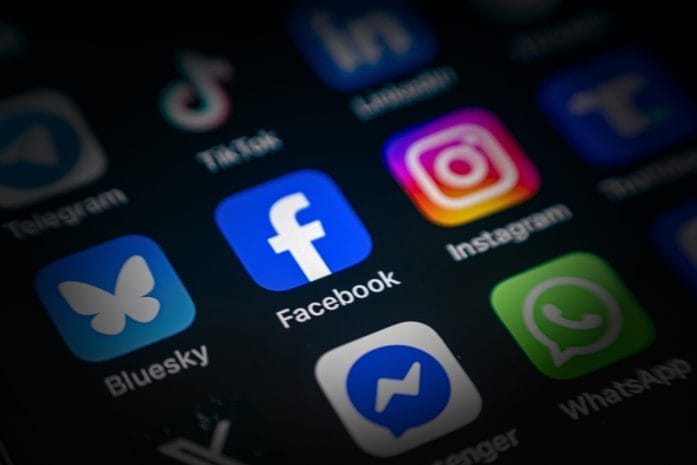
Social media platforms encourage sharing, celebrating, and documenting everyday life, but they also create a goldmine of personal information. Details like birthdays, hometowns, workplaces, and even pet names can help attackers guess security questions or build convincing phishing messages. A seemingly harmless post can provide just enough context to make a scam feel legitimate and trustworthy. That’s where the real danger lies.

Adjusting privacy settings can limit who sees personal information, but awareness plays an even bigger role. Avoid posting details that tie directly to financial accounts or identity verification questions. Keeping location tagging to a minimum and thinking twice before sharing milestones can also reduce risk. Social media should feel fun and expressive, not like a blueprint for identity theft. A little restraint goes a long way without taking away the enjoyment.
6 Online Habits That Quietly Expose Your Financial Information
Image Source: Shutterstock.com

4. Auto-Save Features That Know Too Much

Browsers and apps love to offer convenience through auto-saving passwords and payment details. One click, and everything fills in instantly, which feels like magic during a busy day. That same convenience can turn risky if someone gains access to the device or if malware sneaks in. Stored information becomes an easy target, especially when devices lack strong security measures like encryption or passcodes.

Switching to a dedicated password manager instead of relying on browser storage adds a stronger layer of protection. Disabling auto-save for payment information and manually entering details when needed can also reduce exposure. Regularly reviewing saved data and clearing anything unnecessary keeps things tidy and safer. These small adjustments might add a few extra seconds to a task, but they significantly cut down on risk.

5. Clicking First, Thinking Later: The Phishing Problem

Phishing attacks have become incredibly convincing, often mimicking legitimate companies with impressive accuracy. Emails, texts, and even social media messages can carry links that lead to fake login pages designed to capture credentials. One quick click can hand over sensitive information without any obvious warning signs. That split-second decision can open the door to financial loss.

Taking a moment to verify links before clicking changes everything. Hovering over URLs, checking for slight misspellings, and going directly to official websites instead of using embedded links can prevent trouble. Suspicious messages that create urgency or fear should always raise a red flag. Deleting them or reporting them keeps things clean and reduces the chance of falling into a trap. A cautious mindset beats a rushed reaction every time.

6. Ignoring Software Updates Like They’re Optional

Software updates often show up at the worst possible time, interrupting work or delaying plans. That annoyance leads many people to hit “remind me later” again and again. Behind the scenes, those updates fix security vulnerabilities that attackers actively look for and exploit. Skipping updates leaves systems exposed in ways that feel invisible but carry real consequences.

Turning on automatic updates removes the hassle and ensures devices stay protected without constant attention. Keeping apps, operating systems, and even routers up to date closes known security gaps quickly. It also improves overall performance, which adds a nice bonus to the effort. Treating updates as essential rather than optional shifts the entire approach to digital safety.

The Quiet Habits That Make the Loudest Impact

Every online action leaves a trace, but not every trace needs to lead somewhere dangerous. Small, consistent habits shape the level of protection far more than any single dramatic change ever could. Strengthening passwords, avoiding risky networks, and staying mindful of shared information create a solid foundation that keeps financial data out of the wrong hands. None of these steps require expert-level knowledge, just a willingness to pay attention and adjust.

Which of these habits feels the hardest to break, and what strategies have worked to keep personal information secure? Drop some thoughts, tips, or even cautionary tales in the comments—there’s always something new to learn from each other.

You May Also Like…

4 Indispensable Tools for Backtesting Investment Theories Swiftly

Did You Know Turning Off Your Wi-Fi Router at Night Can Save You Money?

Why IRS Payment Plans Still Default After Missed Online Notices

Why Free Online Checking Continues to Beat Traditional Banks

Is Your “Little Treat” Habit Costing You $2,500 a Year? The Real Spending Math

Brandon Marcus
Brandon Marcus

Brandon Marcus is a writer who has been sharing the written word since a very young age. His interests include sports, history, pop culture, and so much more. When he isn’t writing, he spends his time jogging, drinking coffee, or attempting to read a long book he may never complete.
Filed Under: Finance Tagged With: cybersecurity, data protection, digital privacy, Financial Security, identity theft, internet habits, Online Safety, Online shopping, passwords, Personal Finance, scams, social media safety

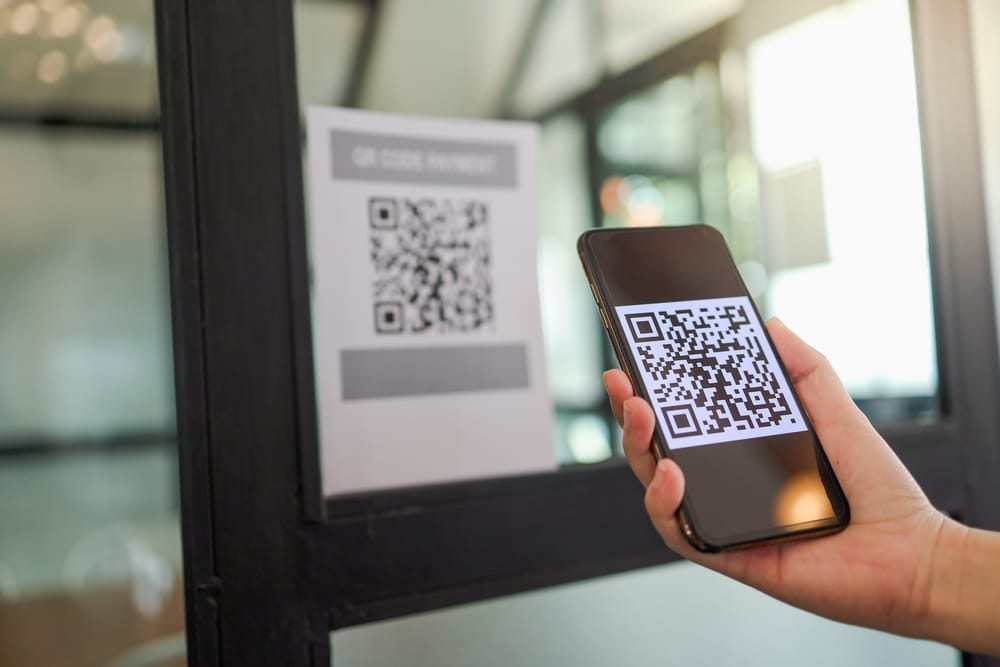
That Public QR Code You Scanned Could Be Giving Criminals Access to Your Phone

October 16, 2025 by Catherine Reed Leave a Comment

That Public QR Code You Scanned Could Be Giving Criminals Access to Your Phone
Image source: shutterstock.com

QR codes have become part of everyday life, from restaurant menus to parking meters and concert tickets. But while these black-and-white squares make life more convenient, they also open the door to serious security risks. A growing number of scams are now using a public QR code to trick people into giving away sensitive data or granting hackers direct access to their phones. What looks like a harmless scan could lead to stolen passwords, financial theft, or malware installation. Here’s how criminals exploit this new tactic and what you can do to protect yourself.

1. The Rise of QR Code Scams

Scammers have discovered that using a public QR code is one of the easiest ways to lure victims because it requires minimal effort and looks completely legitimate. You might find these codes posted on flyers, stickers, or parking meters, appearing as part of official signage. Once scanned, they can redirect users to fake websites designed to capture credit card details or install tracking software. The problem is that people rarely question QR codes—they trust that anything in a public space must be safe. This blind trust is exactly what cybercriminals rely on to spread their schemes quickly.

2. How QR Codes Can Hijack Your Phone

When you scan a public QR code, your phone’s camera reads a string of data that usually directs you to a URL or downloads a file. Malicious codes can reroute that process to install harmful software or open fake login pages that capture your credentials. Some even exploit vulnerabilities in your operating system to gain control of permissions, allowing access to contacts, photos, and stored passwords. Once inside, hackers can monitor your activity or use your device to target others. What makes this particularly dangerous is that everything happens silently in the background, often without the user noticing.

3. Real-World Examples of QR Code Exploitation

Law enforcement agencies have reported a surge in cases involving fraudulent QR codes placed in public areas. One common example is parking meter scams, where thieves cover legitimate payment stickers with counterfeit ones that redirect to fake payment portals. In another case, QR codes posted at ATMs or gas stations led victims to phishing pages designed to steal banking credentials. Even restaurant menus have been targeted, with criminals swapping out QR codes on tables for lookalike versions that prompt customers to enter personal details. Each of these incidents shows how easy it is to weaponize a simple piece of printed code.

4. Why Public QR Codes Are So Risky

The danger of scanning a public QR code lies in its invisibility—there’s no way to tell by looking whether it’s legitimate or malicious. Scammers can replace real codes with fake ones in seconds using stickers or printed overlays. Because the code looks official, people assume it’s safe and don’t verify where it leads before scanning. Unlike phishing emails or spam texts, QR scams bypass skepticism by disguising themselves as trusted public tools. The result is a perfect storm of accessibility, anonymity, and misplaced trust that makes these scams so effective.

5. Simple Ways to Stay Safe Before You Scan

You don’t have to give up using QR codes altogether—just approach them with the same caution you’d use when opening links from strangers. Always inspect the area around a public QR code to see if it looks tampered with or newly placed. Before scanning, make sure the code belongs to a legitimate business, and verify it through their official website or posted contact number. Use your phone’s built-in security features to preview URLs before opening them and avoid scanning codes from social media posts or random flyers. Installing antivirus or mobile security software can also help detect suspicious links.

6. How to Check If You’ve Been Compromised

If you recently scanned a questionable public QR code, there are steps you can take to protect yourself immediately. Start by checking your recent browser history for any strange websites or downloads. Run a malware or antivirus scan on your device to identify hidden threats. You should also change any passwords entered after scanning the code and enable two-factor authentication on your accounts. If you notice unfamiliar charges or login attempts, contact your bank or mobile provider right away. Acting quickly can minimize the damage and prevent future attacks.

Taking Back Control of Your Digital Safety

While technology constantly evolves, so do the tricks criminals use to exploit it. Understanding the risks behind a seemingly harmless public QR code is the first step toward safer digital habits. Treat every code you encounter like a potential doorway—because that’s exactly what it is, either to convenience or to crime. By verifying sources and practicing caution, you can enjoy the benefits of modern tech without sacrificing your privacy or security. Remember, one second of skepticism could save you hours of cleanup later.

Have you ever come across a suspicious public QR code or nearly fallen for a tech scam? Share your story and tips for staying safe in the comments below!

What to Read Next…

6 Situations Where Cash Is Safer Than Digital Payments

10 Digital Password Errors That Prevent Heirs From Accessing Funds

Are You Paying for Digital Tools You Don’t Use Anymore?

The Silent Rise of “Digital Squatters” Taking Over Abandoned Domains

What Are the Hidden Dangers of Digital-Only Banking?

Catherine Reed
Catherine Reed

Catherine is a tech-savvy writer who has focused on the personal finance space for more than eight years. She has a Bachelor’s in Information Technology and enjoys showcasing how tech can simplify everyday personal finance tasks like budgeting, spending tracking, and planning for the future. Additionally, she’s explored the ins and outs of the world of side hustles and loves to share what she’s learned along the way. When she’s not working, you can find her relaxing at home in the Pacific Northwest with her two cats or enjoying a cup of coffee at her neighborhood cafe.

Filed Under: safety Tagged With: cybersecurity, digital privacy, identity theft, Online Safety, phone security, QR code scams, tech awareness

Is Sharing Your Location With Your Partner Healthy—or Controlling?

April 15, 2025 by Travis Campbell Leave a Comment

location sharing on phone
Image Source: unsplash.com

In today’s hyper-connected world, location sharing has become as commonplace as texting. With just a few taps, couples can track each other’s whereabouts in real-time, ostensibly for convenience and safety. But where exactly is the line between caring connection and concerning control? This question has sparked heated debates about privacy, trust, and the evolving nature of modern relationships. Whether you’re currently sharing your location or considering it, understanding the nuances of this practice can help you maintain a healthy balance in your relationship.

1. The Evolution of Location Sharing in Relationships

Location sharing technology has transformed from clunky check-ins to seamless background tracking that requires virtually no effort. What began as occasional “I’m here” text messages has evolved into continuous GPS monitoring through apps like Find My Friends, Life360, and Google Maps. This technological shift has fundamentally changed relationship dynamics, creating new expectations around partner accessibility and accountability. Many couples now consider location sharing a natural extension of their connection, viewing it as no different than knowing each other’s schedules. The normalization of this practice has happened so quickly that many haven’t paused to consider its implications for relationship health and personal boundaries.

2. When Location Sharing Strengthens Relationships

Location sharing can serve as a practical tool for coordination in busy households juggling multiple schedules and responsibilities. For parents, knowing when a partner is leaving work helps with childcare handoffs and dinner planning without requiring constant communication. Many couples report feeling a genuine sense of security knowing their partner can find them in emergencies or if they’re traveling alone in unfamiliar areas. Location sharing often reduces unnecessary worry, and text messages asking “Where are you?” or “When will you be home?” streamline daily logistics. In relationships with strong foundations of trust, location sharing typically operates in the background as a convenience rather than a surveillance tool.

3. Red Flags: When Location Sharing Becomes Controlling

Location sharing becomes problematic when it’s demanded rather than mutually agreed upon, especially when refusal leads to conflict or accusations. Partners who constantly monitor movements, question every deviation from routine or become upset about brief periods of unavailability are exhibiting controlling behavior that often escalates over time. According to relationship experts, location tracking can become a digital form of coercive control, a pattern of behavior that undermines a person’s autonomy and creates power imbalances. Research from the National Resource Center on Domestic Violence indicates that digital surveillance tools are increasingly used in abusive relationships to monitor and restrict partners’ movements. When location sharing creates anxiety or leads to behavior modification—like avoiding certain places to prevent questioning—it’s crossed into unhealthy territory.

4. The Privacy Paradox in Intimate Relationships

Individuals must maintain personal boundaries and spaces for independent growth and self-reflection even in committed relationships. The privacy paradox emerges when we simultaneously value transparency with our partners while needing personal space—both physically and psychologically. Many relationship therapists argue that healthy partnerships require a balance of togetherness and separateness, with each person maintaining their individual identity. Privacy isn’t secrecy—it’s about having the autonomy to process thoughts, emotions, and experiences without constant observation or explanation. Cultural expectations often pressure couples to share everything, including location data, under the misguided belief that complete transparency equals commitment and love. Finding the right balance requires honest communication about comfort levels and recognition that privacy needs may change throughout a relationship’s lifecycle.

5. Setting Healthy Boundaries Around Location Sharing

Couples should explicitly discuss their motivations for location sharing before implementing it, distinguishing between convenience and control-based reasons. Healthy location sharing includes mutual agreement about when tracking is appropriate and when it should be paused for privacy (like during therapy sessions, surprise planning, or personal reflection time). Partners should establish clear communication protocols for when someone goes “off the grid,” preventing unnecessary worry while respecting independence. Regular check-ins about comfort levels with location sharing help ensure the arrangement continues to serve both partners as the relationship evolves. Remember that healthy relationships are built on trust that exists independently of technological verification—your partner should trust you even when they can’t track your movements.

6. The Trust Factor: Building Confidence Beyond GPS

True relationship security comes from consistent reliability and emotional safety, not from knowing your partner’s physical location at all times. Trust develops through patterns of honesty, kept promises, and respectful behavior—none of which require GPS confirmation. Many couples who become overly dependent on location sharing find their fundamental trust issues remain unresolved, merely masked by technological monitoring. Relationship experts suggest that couples struggling with trust might benefit more from counseling than from surveillance apps that treat symptoms rather than underlying issues. Building genuine trust requires vulnerability, open communication about insecurities, and the courage to give partners freedom without constant verification.

Finding Your Personal Location-Sharing Balance

Every relationship has unique dynamics that influence how location sharing fits into the partnership. What works for one couple might feel invasive to another, making it essential to develop guidelines that respect both individuals’ comfort levels. The healthiest approach treats location sharing as an opt-in convenience rather than a relationship requirement or trust test. Remember that technology should enhance your relationship, not replace fundamental trust or become a source of conflict and control. Ultimately, the goal is to create a relationship where you feel secure enough that you don’t need constant location updates, even if you choose to use them for practical purposes.

Have you and your partner discussed boundaries around location sharing? What guidelines have worked best for maintaining both connection and independence in your relationship? Share your experiences in the comments below.

Read More

9 Nice Things That Are Secretly Killing Your Relationship

6 Types of Love That Are Actually Dangerous

Travis Campbell
Travis Campbell

Travis Campbell is a digital marketer/developer with over 10 years of experience and a writer for over 6 years. He holds a degree in E-commerce and likes to share life advice he’s learned over the years. Travis loves spending time on the golf course or at the gym when he’s not working.

Filed Under: relationships Tagged With: digital privacy, healthy relationships, location sharing, partner trust, relationship boundaries, relationship red flags

6 Apps That Secretly Share Your Location (and How to Disable Them)

April 2, 2025 by Latrice Perez Leave a Comment

Woman hand using smartphone with gps navigator map icon on blur street background. Technology and business travel concept. Generative ai.
Image Source: 123rf.com

In today’s hyper-connected world, our smartphones have become indispensable tools, guiding us through daily life and keeping us connected. They guide us, connect us, and track our fitness goals, making our lives more convenient. However, this convenience comes with a trade-off: our location data, a valuable commodity that many apps seek to collect.

Many apps, often without our explicit knowledge, monitor our whereabouts, raising serious privacy concerns and prompting us to question the extent of our digital footprint. It’s crucial to understand which apps have access to your location and how to regain control of this sensitive information, safeguarding our privacy in an increasingly digital age.

1. Understanding Location Tracking

Location tracking isn’t inherently malicious, as many apps use it for legitimate purposes like navigation or ride-sharing, providing essential services. The concern arises when this data falls into the wrong hands, potentially leading to identity theft or harm, compromising our personal security. It’s vital to know that most smartphones allow you to see what apps use your location and change those settings, empowering us to make informed choices about our privacy. Understanding the nuances of location tracking empowers you to make informed decisions about your privacy. This knowledge helps you navigate the digital world with greater awareness, protecting yourself from potential privacy breaches.

2. Reviewing App Permissions

The first step to safeguarding your location privacy is to review your app permissions, taking control of the information you share. Both Android and iOS provide settings to control which apps access your location, giving you granular control over your data. You can choose from options like “Always,” “While Using the App,” “Ask Next Time,” or “Never,” customizing your settings to fit your needs. Regularly auditing these permissions helps identify and disable unnecessary location tracking, minimizing the risk of unauthorized access. You can also research app permissions to understand the best settings for each app.

3. Identifying Suspicious Apps

Some apps request location permissions even when it’s not essential for their functionality, raising red flags about their intentions. For example, a simple flashlight app shouldn’t require constant location access, suggesting a potential privacy violation. Be wary of apps that ask for excessive permissions and research their privacy policies, scrutinizing their data collection practices.

If you suspect an app is tracking you without a valid reason, consider uninstalling it or disabling its permissions, removing the threat from your device. Recognizing suspicious apps is key to maintaining your digital safety, and helps you protect yourself from potential privacy breaches.

4. Disabling Background Location Tracking

Many apps track your location even when not actively in use, draining your battery and raising privacy concerns, compromising your device’s performance. To disable this, navigate to your phone’s settings and adjust location permissions for individual apps, limiting their access to your location data.

You can also disable location services altogether when not needed, preventing any apps from tracking your whereabouts. Understanding how background tracking works is vital for privacy, enabling you to manage your device’s settings effectively and protect your personal information.

5. Utilizing Privacy-Focused Apps

Privacy Access Identification Password Passcode and Privacy
Image Source: 123rf.com

Several privacy-focused apps help control and monitor your location data, providing detailed reports and blocking unwanted tracking, enhancing your privacy. Consider using a VPN to encrypt traffic and mask your IP, making tracking harder, and adding an extra layer of security. These tools offer enhanced privacy and security features, giving you greater control over your digital footprint. They provide an extra layer of protection against digital surveillance, and help you maintain your anonymity.

6. Staying Informed to New Challenges to Privacy

The landscape of location tracking evolves, with new apps and technologies emerging regularly, posing new challenges to privacy. Stay informed about privacy threats and best practices, keeping up with the latest developments. Regularly update your OS and apps for the latest security patches, ensuring your devices are protected against vulnerabilities. Be cautious about granting permissions and read the fine print, understanding the implications of your choices. Maintaining vigilance is crucial in the digital age, and helps to safeguard your personal information.

Taking Control of Your Location Privacy

Protecting your location privacy is an ongoing process requiring vigilance, awareness, and proactive measures. By understanding how apps track you and controlling permissions, you safeguard your personal information, reclaiming your digital autonomy. This proactive approach helps you maintain control over your digital footprint, and allows you to use your devices safely. Take the time to understand your phone’s settings, and to make informed choices.

Have you encountered apps that secretly track you? What steps do you take to protect your privacy? Share your experiences and tips below, and help others to protect their digital privacy!

Read More:

8 Privacy Settings Everyone Should Change Immediately

Delete These 8 Apps Right Now—They’re Secretly Spying on You

Latrice Perez

Latrice is a dedicated professional with a rich background in social work, complemented by an Associate Degree in the field. Her journey has been uniquely shaped by the rewarding experience of being a stay-at-home mom to her two children, aged 13 and 5. This role has not only been a testament to her commitment to family but has also provided her with invaluable life lessons and insights.

As a mother, Latrice has embraced the opportunity to educate her children on essential life skills, with a special focus on financial literacy, the nuances of life, and the importance of inner peace.

Filed Under: safety Tagged With: apps, digital privacy, location tracking, privacy, security, smartphone, technology

7 Crimes You’ve Probably Already Committed Without Knowing It

March 27, 2025 by Latrice Perez Leave a Comment

Everyday Crimes
Image Source: 123rf.com

Every day, many of us unknowingly cross legal boundaries without realizing it. Our fast-paced lives, digital habits, and casual attitudes sometimes blur the line between what is acceptable and what might be considered illegal. While most of these “crimes” are minor and unintentional, understanding them can help you navigate life more responsibly. This article sheds light on seven common actions that might qualify as legal missteps—even if you meant no harm. Read on to learn whether your everyday habits might have consequences you never imagined.

1. Jaywalking in a Hurry

Jaywalking is one of the most common inadvertent offenses committed by pedestrians every day. Many people cross streets without using designated crosswalks, especially when in a hurry. Although it might seem harmless, these actions can still result in fines or legal trouble depending on local laws. Authorities enforce jaywalking rules to ensure public safety and reduce accidents. Even if you think you’re just being efficient, it’s worth considering the potential risks and legal implications.

2. Downloading Copyrighted Material

The digital age has made accessing information incredibly easy, but it has also blurred the lines of copyright law. Downloading music, movies, or software without proper authorization may seem trivial but can lead to serious legal consequences. Many people are unaware that even accidental infringements are taken seriously in some jurisdictions. Copyright holders are increasingly vigilant about protecting their intellectual property. Understanding and respecting copyright laws can prevent potential fines and legal battles.

3. Littering in Public Spaces

Human hand picking up plastic into bin bag on park ,volunteer concept
Image Source: 123rf.com

Littering is not only an environmental issue but also a legal one in many communities. Throwing trash on the ground, even unintentionally, can result in fines and community service mandates. Many cities have strict regulations designed to keep public areas clean and safe for everyone. Even if you simply drop a wrapper or a bottle while walking, you might be violating local laws. Maintaining a clean environment is both a civic duty and a legal responsibility that benefits everyone.

4. Unintentional Trespassing

Sometimes, what seems like an innocent shortcut can actually be classified as trespassing. Entering private property without explicit permission—even accidentally—can lead to legal repercussions. Property boundaries are strictly enforced to protect both residents and the property owner’s rights. It’s important to be aware of your surroundings and respect posted signs or fences. Even if you don’t intend harm, unintentional trespassing is a legal gray area that can have consequences.

5. Sharing Personal Information Online

In today’s digital world, oversharing on social media or public forums might seem harmless. However, divulging too much personal information can sometimes cross the line into illegal behavior, such as violating privacy laws or engaging in identity theft risks. What might start as a simple status update can later have unintended legal consequences. It’s important to understand your digital footprint and the boundaries of public and private information. Practicing digital discretion is a wise habit in an increasingly connected world.

6. Minor Traffic Violations

Every driver has committed a minor traffic violation at some point without fully realizing it. Whether it’s rolling through a red light or not adhering strictly to speed limits, these small infractions add up legally. Traffic laws exist to maintain safety on the roads, and even minor violations can result in fines or points on your license. Being mindful and following traffic regulations not only keeps you safe but also avoids potential legal issues. It’s a good reminder that even small actions can have big consequences on the road.

7. Neglecting to Read Terms and Conditions

Almost everyone skips over the lengthy terms and conditions when signing up for online services. While it might seem like a mundane task, ignoring these details can inadvertently lead to violating agreements that are legally binding. Many online platforms include clauses that may limit your rights or require certain behaviors that you might not be aware of. By taking a few moments to read these documents, you can avoid unknowingly breaching contracts. Staying informed about what you agree to online is a small effort with significant legal benefits.

Know Your Rights

While the seven actions discussed may seem trivial, understanding them can help you navigate life with greater legal awareness. Often, these “crimes” are committed without malicious intent, but awareness is key to avoiding unintended consequences. Taking responsibility for your actions—even the small ones—can protect you from future legal troubles. Stay informed, practice caution, and always consider the potential implications of your everyday behavior.

Have you ever discovered that a simple habit might have legal consequences? Share your thoughts and stories in the comments below!

Read More:

14 Online Behaviors That Put You at Risk of Cybercrime

Why Your GPS Could Be the Reason You Get Robbed While Traveling


Latrice Perez

Latrice is a dedicated professional with a rich background in social work, complemented by an Associate Degree in the field. Her journey has been uniquely shaped by the rewarding experience of being a stay-at-home mom to her two children, aged 13 and 5. This role has not only been a testament to her commitment to family but has also provided her with invaluable life lessons and insights.

As a mother, Latrice has embraced the opportunity to educate her children on essential life skills, with a special focus on financial literacy, the nuances of life, and the importance of inner peace.

Filed Under: Lifestyle Tagged With: copyright infringement, digital privacy, everyday crimes, jaywalking, legal awareness, littering, terms and conditions, traffic violations, trespassing

FOLLOW US

Search this site:

Recent Posts

  • Can My Savings Account Affect My Financial Aid? by Tamila McDonald
  • 12 Ways Gen X’s Views Clash with Millennials… by Tamila McDonald
  • What Advantages and Disadvantages Are There To… by Jacob Sensiba
  • 10 Tactics for Building an Emergency Fund from Scratch by Vanessa Bermudez
  • Call 911: Go To the Emergency Room Immediately If… by Stephen Kanaval
  • 7 Weird Things You Can Sell Online by Tamila McDonald
  • 10 Scary Facts About DriveTime by Tamila McDonald

Copyright © 2026 · News Pro Theme on Genesis Framework