• Home
  • About Us
  • Toolkit
  • Getting Finances Done
    • Hiring Advisors
    • Debt Management
    • Spending Plan
  • Insurance
    • Life Insurance
    • Health Insurance
    • Disability Insurance
    • Homeowners/Renters Insurance
  • Contact Us
  • Privacy Policy
  • Risk Tolerance Quiz

The Free Financial Advisor

You are here: Home / Archives for Online Safety

5 Online Actions That Are Logged By Default and Most People Never Notice

April 4, 2026 by Brandon Marcus Leave a Comment

5 Online Actions That Are Logged By Default and Most People Never Notice

Image Source: Unsplash.com

A single tap, swipe, or voice command can leave a digital footprint that lasts far longer than expected. The internet does not just react to actions—it remembers them, organizes them, and often builds detailed profiles from them. That reality feels invisible because nothing dramatic happens in the moment, yet those tiny interactions stack up into something surprisingly revealing over time. The average person moves through apps and websites quickly, focusing on convenience, speed, and entertainment, without pausing to consider what gets recorded behind the scenes.

Data logging does not always mean something shady or malicious, but it absolutely shapes what shows up next—ads, recommendations, search results, even pricing in some cases. Companies rely on this data to refine services, improve experiences, and target content more effectively. Still, that convenience comes with a tradeoff, and it deserves a closer look.

1. Every Click Leaves a Trail You Didn’t Know Existed

Clicks feel harmless because they happen constantly, often without a second thought. Tapping a product, opening a headline, or selecting a suggested video all count as signals that platforms eagerly collect. Websites and apps track these clicks to understand preferences, interests, and even emotional reactions based on what holds attention the longest. That data feeds algorithms that shape future recommendations, which explains why one random click can suddenly flood a feed with similar content. This system thrives on patterns, and each click strengthens those patterns whether it reflects genuine interest or just curiosity.

Tracking clicks does not stop at obvious actions either, because platforms often monitor hover time, scrolling behavior, and interaction speed. That level of detail helps companies determine not just what gets clicked, but how engaging something feels in real time. This approach creates a feedback loop that constantly refines what appears next. A single click on a niche topic can snowball into a highly personalized stream that feels oddly specific. That precision feels convenient, but it also limits exposure to new or diverse content over time.

Taking control starts with awareness, and small adjustments can make a big difference. Clearing browsing history regularly, using private browsing modes, or adjusting personalization settings can reduce how much influence past clicks carry. Clicking more intentionally also helps, especially when curiosity leads toward topics that do not reflect real interests. Platforms will still track activity, but mindful habits can shift what gets logged and how it gets used.

2. Your Search History Knows More Than You Think

Search bars feel like neutral tools, but they act more like diaries that record questions, curiosities, and concerns. Every search query gets logged by default on most platforms, especially when accounts stay signed in. That information helps improve search results, but it also builds a detailed picture of interests, habits, and even future plans. Over time, search history becomes a timeline that reveals patterns far beyond what any single query suggests.

Search engines often connect this data across devices, which means a search on a phone can influence results on a laptop later. That seamless experience feels convenient, yet it also expands the scope of what gets tracked. Personalized results rely heavily on past searches, which can create a filter bubble that reinforces existing viewpoints. This effect shapes what information appears first, often without any obvious indication that personalization plays a role.

Managing search history requires more than a one-time cleanup. Many platforms offer settings that allow auto-deletion after a set period, which helps limit long-term data buildup. Turning off personalized search features can also reduce how much past activity influences future results. Taking a few minutes to review account settings can reveal options that many people never realize exist, and those options offer more control than expected.

5 Online Actions That Are Logged By Default and Most People Never Notice

Image Source: Unsplash.com

3. Location Tracking Doesn’t Turn Off When You Think It Does

Location services feel straightforward, especially when apps ask for permission upfront. Many assume that turning off location access in one app solves the issue, but tracking often continues in less obvious ways. Devices can log location data through Wi-Fi networks, Bluetooth signals, and even IP addresses, creating a broader picture of movement patterns. That data helps with navigation, local recommendations, and weather updates, but it also builds a record of where time gets spent.

Some apps collect location data in the background even when they do not actively run on the screen. This feature supports functions like traffic updates or location-based reminders, yet it also increases how often data gets recorded. Over time, location history can reveal routines such as daily commutes, favorite hangouts, and travel habits. That level of detail holds value for services, but it also raises important questions about privacy and control.

Adjusting location settings can reduce unnecessary tracking without sacrificing useful features. Switching apps to “while using” access instead of “always” access limits background data collection. Reviewing which apps truly need location data can also cut down on excess logging. Regularly checking location history within account settings offers a clear view of what gets stored, which helps guide smarter choices moving forward.

4. Voice Assistants Remember More Than Commands

Voice assistants respond quickly and make everyday tasks easier, from setting reminders to answering quick questions. Each interaction, however, often gets recorded and stored to improve accuracy and performance. These recordings can include not just commands, but also snippets of background conversation if the device activates unintentionally. That possibility surprises many people because the process feels invisible and effortless.

Companies use voice data to train systems, refine speech recognition, and personalize responses. This approach improves functionality, but it also means that voice interactions contribute to a growing data profile. Some platforms allow users to review and delete voice recordings, yet many never explore those settings. Over time, those stored interactions can add up, creating a detailed log of spoken requests and habits.

Taking control of voice data starts with exploring privacy settings within the device or app. Disabling voice recording storage or enabling automatic deletion can limit how long data stays on file. Muting microphones when not in use adds another layer of control, especially in shared spaces. Voice assistants offer convenience, but a few simple adjustments can keep that convenience from turning into constant background tracking.

5. App Activity Tracking Goes Far Beyond What You Open

Apps track more than just usage time or frequency. Many collect data about how long screens stay open, which features get used most, and how interactions unfold within the app. This information helps developers improve design and functionality, but it also contributes to detailed user profiles. Even apps that seem simple, like games or note-taking tools, often gather more data than expected.

Cross-app tracking adds another layer, as some platforms share data across multiple apps or services. This connection allows for more targeted advertising and personalized experiences, but it also expands the scope of what gets logged. A single action in one app can influence what appears in another, creating a network of interconnected data points. That system operates quietly, without obvious signs, which makes it easy to overlook.

Reviewing app permissions and privacy settings can reveal how much data each app collects. Limiting permissions to only what feels necessary can reduce excessive tracking. Turning off ad personalization within device settings can also minimize how data gets shared across apps. Staying aware of app behavior helps maintain a better balance between convenience and privacy.

Awareness Changes Everything

Digital life runs on convenience, and that convenience depends on data flowing constantly behind the scenes. These five everyday actions—clicks, searches, location sharing, voice commands, and app activity—form the backbone of how platforms understand behavior. None of this happens by accident, and most of it gets enabled by default. That reality does not mean panic or complete disconnection, but it does call for a more intentional approach to everyday online habits.

Small changes can shift the balance in a meaningful way. Checking settings once a month, clearing histories, and adjusting permissions can reduce unnecessary data collection without sacrificing the benefits of modern technology. Awareness creates options, and those options put control back where it belongs. The internet will always track something, but it does not need to track everything.

Which of these surprised you the most, and what changes feel worth trying first? Drop thoughts, strategies, or even personal discoveries in the comments and keep the conversation going.

You May Also Like…

6 Online Habits That Quietly Expose Your Financial Information

Why IRS Payment Plans Still Default After Missed Online Notices

Why Free Online Checking Continues to Beat Traditional Banks

8 Personal Finance Debates That Are Dividing the Internet

14 Online Debates That Show How Social Media Divided the Nation

Brandon Marcus
Brandon Marcus

Brandon Marcus is a writer who has been sharing the written word since a very young age. His interests include sports, history, pop culture, and so much more. When he isn’t writing, he spends his time jogging, drinking coffee, or attempting to read a long book he may never complete.
Filed Under: Online Safety Tagged With: apps tracking, browsing habits, Cybersecurity Tips, data collection, data tracking, digital footprint, digital-life, internet habits, online privacy, Online Safety, privacy settings, tech awareness

6 Online Habits That Quietly Expose Your Financial Information

March 31, 2026 by Brandon Marcus Leave a Comment

6 Online Habits That Quietly Expose Your Financial Information

Image Source: Shutterstock.com

An unlocked door does not always look like an unlocked door. Sometimes it looks like a quick login, a harmless post, or a saved password that feels like a shortcut instead of a risk. The internet thrives on convenience, and that convenience often comes wrapped in quiet trade-offs that most people never stop to question. Every click, every autofill, and every shared detail creates a tiny trail that can lead somewhere far more serious than expected.

Financial information rarely gets exposed in one dramatic moment. It slips out gradually through everyday habits that feel routine, safe, and even smart. That’s what makes this topic so important and, honestly, a little unsettling. Once these habits come into focus, they become much easier to fix.

1. The Password Comfort Zone That Isn’t Comfortable at All

Reusing passwords across multiple accounts feels efficient, organized, and oddly satisfying, especially when everything just works without a reset email interrupting the day. That sense of ease hides a massive vulnerability, because one compromised account can unlock several others in seconds. Hackers rely on this exact behavior, often using automated tools that test stolen passwords across banking sites, shopping platforms, and email accounts. Once they find a match, they move fast and quietly. No alarms, no dramatic warnings, just access.

Password managers offer a much safer alternative, even if they seem like an extra step at first. They generate strong, unique passwords for every account and store them securely, which removes the mental load of remembering dozens of combinations. Two-factor authentication adds another layer, forcing a second verification step that blocks unauthorized access even if a password leaks. Simple tweaks like avoiding personal details in passwords and updating them regularly can also make a huge difference. This habit alone can close one of the biggest gaps in online security.

2. Public Wi-Fi: The Digital Coffee Shop Trap

Free Wi-Fi feels like a win every single time, especially when it saves mobile data or speeds up a quick task. Unfortunately, public networks often lack proper encryption, which means anyone with the right tools can intercept data moving across that connection. That includes login credentials, payment details, and even private messages. It does not take a high-level hacker to exploit this either, which makes the risk far more widespread than most people realize.

Using a virtual private network (VPN) creates a secure tunnel for internet activity, making it much harder for anyone to snoop on sensitive information. Avoiding financial transactions or account logins on public Wi-Fi adds another layer of safety. Even something as simple as turning off automatic Wi-Fi connections can prevent devices from joining risky networks without notice. These steps might sound cautious, but they quickly become second nature and dramatically reduce exposure.

3. Oversharing on Social Media: More Than Just Likes and Comments

Social media platforms encourage sharing, celebrating, and documenting everyday life, but they also create a goldmine of personal information. Details like birthdays, hometowns, workplaces, and even pet names can help attackers guess security questions or build convincing phishing messages. A seemingly harmless post can provide just enough context to make a scam feel legitimate and trustworthy. That’s where the real danger lies.

Adjusting privacy settings can limit who sees personal information, but awareness plays an even bigger role. Avoid posting details that tie directly to financial accounts or identity verification questions. Keeping location tagging to a minimum and thinking twice before sharing milestones can also reduce risk. Social media should feel fun and expressive, not like a blueprint for identity theft. A little restraint goes a long way without taking away the enjoyment.

6 Online Habits That Quietly Expose Your Financial Information

Image Source: Shutterstock.com

4. Auto-Save Features That Know Too Much

Browsers and apps love to offer convenience through auto-saving passwords and payment details. One click, and everything fills in instantly, which feels like magic during a busy day. That same convenience can turn risky if someone gains access to the device or if malware sneaks in. Stored information becomes an easy target, especially when devices lack strong security measures like encryption or passcodes.

Switching to a dedicated password manager instead of relying on browser storage adds a stronger layer of protection. Disabling auto-save for payment information and manually entering details when needed can also reduce exposure. Regularly reviewing saved data and clearing anything unnecessary keeps things tidy and safer. These small adjustments might add a few extra seconds to a task, but they significantly cut down on risk.

5. Clicking First, Thinking Later: The Phishing Problem

Phishing attacks have become incredibly convincing, often mimicking legitimate companies with impressive accuracy. Emails, texts, and even social media messages can carry links that lead to fake login pages designed to capture credentials. One quick click can hand over sensitive information without any obvious warning signs. That split-second decision can open the door to financial loss.

Taking a moment to verify links before clicking changes everything. Hovering over URLs, checking for slight misspellings, and going directly to official websites instead of using embedded links can prevent trouble. Suspicious messages that create urgency or fear should always raise a red flag. Deleting them or reporting them keeps things clean and reduces the chance of falling into a trap. A cautious mindset beats a rushed reaction every time.

6. Ignoring Software Updates Like They’re Optional

Software updates often show up at the worst possible time, interrupting work or delaying plans. That annoyance leads many people to hit “remind me later” again and again. Behind the scenes, those updates fix security vulnerabilities that attackers actively look for and exploit. Skipping updates leaves systems exposed in ways that feel invisible but carry real consequences.

Turning on automatic updates removes the hassle and ensures devices stay protected without constant attention. Keeping apps, operating systems, and even routers up to date closes known security gaps quickly. It also improves overall performance, which adds a nice bonus to the effort. Treating updates as essential rather than optional shifts the entire approach to digital safety.

The Quiet Habits That Make the Loudest Impact

Every online action leaves a trace, but not every trace needs to lead somewhere dangerous. Small, consistent habits shape the level of protection far more than any single dramatic change ever could. Strengthening passwords, avoiding risky networks, and staying mindful of shared information create a solid foundation that keeps financial data out of the wrong hands. None of these steps require expert-level knowledge, just a willingness to pay attention and adjust.

Which of these habits feels the hardest to break, and what strategies have worked to keep personal information secure? Drop some thoughts, tips, or even cautionary tales in the comments—there’s always something new to learn from each other.

You May Also Like…

4 Indispensable Tools for Backtesting Investment Theories Swiftly

Did You Know Turning Off Your Wi-Fi Router at Night Can Save You Money?

Why IRS Payment Plans Still Default After Missed Online Notices

Why Free Online Checking Continues to Beat Traditional Banks

Is Your “Little Treat” Habit Costing You $2,500 a Year? The Real Spending Math

Brandon Marcus
Brandon Marcus

Brandon Marcus is a writer who has been sharing the written word since a very young age. His interests include sports, history, pop culture, and so much more. When he isn’t writing, he spends his time jogging, drinking coffee, or attempting to read a long book he may never complete.

Filed Under: Finance Tagged With: cybersecurity, data protection, digital privacy, Financial Security, identity theft, internet habits, Online Safety, Online shopping, passwords, Personal Finance, scams, social media safety

7 Ways Criminals Are Bypassing Security Codes in 2026

March 29, 2026 by Brandon Marcus Leave a Comment

7 Ways Criminals Are Bypassing Security Codes in 2026

Image Source: Shutterstock.com

The idea of a “secure code” feels comforting—like a digital lock that only opens for the right person at the right time. That sense of safety used to hold up pretty well. In 2026, though, that illusion cracks fast under pressure from criminals who treat security like a puzzle they can solve with patience, creativity, and just enough nerve. These aren’t random guesses anymore; they’re calculated moves backed by psychology, technology, and a surprising amount of everyday observation.

Security codes still matter, but they don’t stand alone anymore, and that’s exactly where the trouble begins. Criminals don’t always break the system itself; they work around it, slip through side doors, and exploit habits people don’t even realize they have. That shift changes the entire game.

1. The Shoulder Surfing Comeback Nobody Expected

People tend to think of hacking as something that happens behind screens in dark rooms, but one of the oldest tricks in the book has made a loud return. Shoulder surfing has evolved from a casual glance into a deliberate strategy where criminals observe people entering codes in public spaces like cafés, transit stations, and even office buildings. High-resolution smartphone cameras and wearable tech now make it easier than ever to capture keystrokes without raising suspicion.

Criminals don’t rely on luck here; they study behavior. They watch how people angle their phones, how quickly they type, and even how often they reuse codes. Once they capture a pattern or a full entry, they move quickly to test it before the victim even realizes anything went wrong. This method works especially well in crowded environments where attention drifts and privacy shrinks.

Staying ahead of this tactic requires a shift in habits. Covering the keypad, using biometric authentication when possible, and avoiding entering sensitive codes in busy areas can make a huge difference. Even small adjustments, like turning slightly away from others or stepping aside before unlocking a device, can shut this method down completely.

2. SIM Swapping Gets a Dangerous Upgrade

SIM swapping has been around for years, but in 2026, it operates with alarming precision. Criminals no longer rely solely on impersonation; they gather detailed personal information from data breaches, social media, and even discarded documents. With enough details in hand, they convince mobile carriers to transfer a phone number to a new SIM card, effectively taking control of text-based verification codes.

Once they gain control of a number, everything connected to it becomes vulnerable. Bank accounts, email logins, and social media platforms often rely on SMS-based codes as a second layer of security. That layer collapses instantly when the attacker controls the phone number. The process moves quickly, and victims often don’t notice until accounts lock them out.

Protecting against SIM swapping means going beyond basic security. Setting up a PIN with a mobile carrier adds a critical barrier. Using authenticator apps instead of SMS for two-factor authentication strengthens defenses significantly. Keeping personal information off public platforms also limits the raw material criminals need to pull off this tactic in the first place.

3. Phishing 2.0: Codes Handed Over Voluntarily

Phishing has taken a sharp turn from obvious scam emails into highly convincing, real-time manipulation. Criminals now create situations where people willingly hand over their own security codes. These attacks often involve fake login pages, urgent alerts, or even impersonation of trusted institutions that feel completely legitimate at first glance. The real twist comes with timing. Attackers trigger a legitimate code request—like a password reset—and then immediately contact the target, claiming to be customer support or security personnel. In the confusion, people share the code, believing they help resolve an issue. That single moment of trust opens the door completely.

Avoiding this trap requires a strong rule: no legitimate service will ever ask for a security code directly. Verifying requests through official channels and slowing down before reacting to urgency can stop these attacks cold. When something feels rushed or slightly off, that instinct usually points in the right direction.

4. Malware That Watches and Waits

Modern malware doesn’t smash through systems anymore; it settles in quietly and watches everything. Keylogging software tracks every keystroke, while screen recording tools capture entire login sessions, including security codes. These programs often sneak in through harmless-looking downloads, email attachments, or compromised apps.

What makes this tactic so effective is patience. Criminals don’t act immediately. They collect data over time, building a complete picture of login habits, frequently used codes, and account access points. When they finally strike, they do so with precision that feels almost impossible to detect in real time.

Strong antivirus protection, regular software updates, and careful app downloads form the first line of defense. Avoiding unofficial app stores and double-checking permissions before installing anything can also reduce exposure. Devices should feel like private spaces, not open doors waiting for something to walk in unnoticed.

7 Ways Criminals Are Bypassing Security Codes in 2026

Image Source: Unsplash.com

5. Smart Devices, Dumb Security Habits

Smart homes and connected devices have exploded in popularity, but security hasn’t always kept pace. Many devices still rely on default codes or simple PINs that users never bother to change. Criminals take advantage of this by scanning networks for vulnerable devices and testing common combinations until something clicks.

Once inside, these devices can serve as entry points into larger systems. A compromised smart camera or door lock doesn’t just create a physical risk; it can also expose network credentials and linked accounts. The convenience of connected tech becomes a liability when security gets treated as an afterthought.

Locking down smart devices starts with changing default credentials immediately. Using strong, unique codes for each device and keeping firmware updated reduces risk dramatically. Separating smart devices onto a different network can also prevent a single breach from spreading across everything else.

6. AI-Powered Guessing Isn’t Science Fiction

Artificial intelligence has stepped into the world of cybercrime, and it has made code guessing far more efficient. Instead of random attempts, AI systems analyze patterns from leaked data, common password structures, and human behavior to predict likely codes. This approach cuts down guesswork and increases success rates dramatically.

Criminals feed these systems massive datasets, allowing them to refine predictions over time. They focus on patterns like birthdates, repeated digits, and predictable sequences that people tend to reuse. Even when systems limit login attempts, attackers distribute their efforts across multiple platforms to avoid detection.

Breaking free from predictable patterns offers the best defense. Randomized codes, password managers, and multi-factor authentication create layers that AI struggles to bypass. Treating every code as unique and avoiding personal information in security details removes the shortcuts these systems rely on.

7. QR Code Traps in Plain Sight

QR codes have become part of everyday life, from menus to payments, but they also open a new door for exploitation. Criminals replace legitimate QR codes with malicious ones that redirect users to fake websites or trigger downloads. Once scanned, these codes can lead directly to phishing pages designed to capture login credentials and security codes.

The problem lies in trust. People rarely question QR codes because they appear convenient and harmless. That assumption gives attackers an easy advantage. In busy environments, swapping a sticker or placing a fake code over a real one takes seconds and often goes unnoticed.

Staying safe means treating QR codes with the same caution as unknown links. Verifying the source before scanning and avoiding codes placed in unusual or unsecured locations can prevent trouble. Using devices that preview URLs before opening them adds another layer of protection.

Lock It Down Before Someone Else Does

Security codes still play a huge role in protecting personal information, but they can’t carry the weight alone anymore. Criminals have shifted their focus from brute force to clever workarounds, and that shift demands smarter habits in response. Every tactic listed here relies on a mix of human behavior and technological gaps, which means small changes can have a massive impact.

Which of these tactics feels the most surprising or concerning right now, and what steps seem worth trying first? Drop thoughts, strategies, or even close calls in the comments.

You May Also Like…

8 Mistakes That Can Trigger a Social Security Overpayment Notice

Social Security Checks Are Getting Smaller for Some Retirees — And It’s Not a Benefit Cut

7 Financial Transactions That Could Be Reported Without You Realizing It

Regulation Checklist: 9 Conversations Advisors Are Having With Clients Right Now

10 Documents That Should Be Locked Away in a Safety Deposit Box

Brandon Marcus
Brandon Marcus

Brandon Marcus is a writer who has been sharing the written word since a very young age. His interests include sports, history, pop culture, and so much more. When he isn’t writing, he spends his time jogging, drinking coffee, or attempting to read a long book he may never complete.
Filed Under: Crime & Safety Tagged With: biometrics, cybersecurity, data protection, Digital Security, hacking tactics, identity theft, Online Safety, password safety, phishing, scam prevention, smart devices, Tech Trends

8 Scam Messages That Look Official — But Aren’t

March 28, 2026 by Brandon Marcus Leave a Comment

8 Scam Messages That Look Official — But Aren’t

Image Source: Shutterstock.com

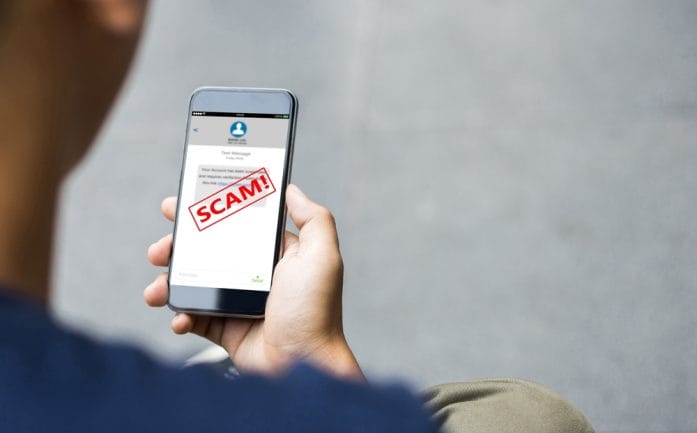
We have all been taught to stay on high alert for suspicious text messages that may be scams. Maybe it screams “urgent action required” or promises a reward that seems almost too good to be true. Those messages are often crafted to make your heart race and your fingers click before your brain even gets a chance to breathe. They look polished, they look real, and they look like something you absolutely must act on—but that’s exactly the point. Scammers rely on that split-second reaction to trick people out of money, personal info, or even both at once.

These messages don’t just lurk in spam folders. They invade your inbox, pop up as texts, or even slide into your social media DMs, perfectly dressed in the language of authority. A lot of them come cloaked as banks, delivery services, or even government notifications, making it nearly impossible to spot the danger at first glance. The catch? These messages are designed to pressure, confuse, and manipulate. If you want to outsmart the con artists, you need to know what you’re looking for.

1. The “Urgent Bank Alert” That Isn’t

Few things get attention faster than a banking emergency. Scammers know this, so they craft emails and texts that mimic your bank’s official tone, complete with logos and professional formatting. They might warn about suspicious activity, account freezes, or unauthorized purchases. The message will often demand immediate action, like clicking a link or calling a number, giving them the chance to steal login credentials instantly.

These fakes usually have tiny clues if you know where to look. Check the sender’s email or phone number—it often has extra letters or numbers that don’t match your bank. Links might look correct but redirect to entirely different websites. Real banks rarely ask for sensitive information through email or text. A solid defense is logging directly into your banking app or calling your bank using the official number, never the one in the suspicious message. That short pause can save you from a serious headache.

2. The “Package Delivery” Panic

Nothing spikes curiosity like a delivery notification, especially if you weren’t expecting a package. These scams mimic carriers like FedEx, UPS, or USPS, claiming your shipment can’t be delivered or requires urgent confirmation. The messages often include links or attachments, supposedly to “reschedule” or “verify” delivery. Clicking can install malware or steal personal information faster than a blink.

The scam usually leans on fear of missing out: missed deliveries, fines, or unexpected fees create instant pressure. Look closely at the sender info and URL. Real carriers usually provide tracking numbers that can be verified on their official websites. Avoid links in messages unless you initiated a shipment. A quick check with the actual company can reveal whether the notice is legitimate, saving you from digital chaos.

3. The “Government Agency” Deception

Scammers love pretending to be government offices. Tax authorities, immigration offices, or social security departments can all be impersonated convincingly. The messages often threaten penalties, legal action, or fines unless you act immediately. Panic sets in, and people feel forced to comply, which is exactly what the fraudsters want.

These scams are designed to feel official, sometimes even quoting real laws or referencing public programs. Legitimate agencies rarely communicate serious matters through text or email without prior notice by mail. If you receive a message claiming you owe money or must take immediate action, verify it independently by calling the agency directly using information from their official website. Staying skeptical is the best way to protect yourself from a high-pressure trap.

4. The “Account Suspended” Hook

Platforms you use every day, like social media, email services, or streaming accounts, can become tools for scammers. They craft messages claiming your account is suspended, hacked, or needs immediate verification. Panic is the bait: people tend to click first and think later. The link usually leads to a fake login page, harvesting your username and password before you know what hit you.

One key giveaway is generic language like “Dear User” instead of your actual account name. Another is grammar mistakes or odd phrasing that real companies would never use. Always navigate directly to the official platform to check your account status. Multi-factor authentication is also a strong shield, adding another layer of protection against these sneaky attempts.

8 Scam Messages That Look Official — But Aren’t

Image Source: Unsplash.com

5. The “Prize Winner” Illusion

Everyone loves free stuff. Scammers exploit this by sending messages claiming you’ve won a prize, lottery, or sweepstakes. They demand personal info or a small payment to release winnings, turning excitement into a trap. The offer often feels too good to be true because it is.

Legitimate contests never ask for sensitive information upfront or require payment to claim a prize. Examine the email address carefully, and don’t click on flashy links promising jackpots. If curiosity strikes, search for the contest online to verify authenticity. These scams prey on hope, but a little patience and skepticism can prevent a lot of frustration.

6. The “Tech Support” Con Game

A sudden pop-up or call claiming your computer is infected with viruses or compromised can create instant fear. Scammers impersonate tech companies, urging you to download software, call a number, or provide remote access. Once granted, they can steal files, install malware, or demand ransom.

Real tech support never initiates contact without prior reason. If a message claims there’s a problem with your device, close the window, restart, and reach out to the company through official channels. Avoiding panic is critical—these scams thrive on creating a sense of immediate danger. A calm, methodical approach will keep both your device and your sanity intact.

7. The “Subscription Renewal” Trap

Fake renewal notices target subscriptions people actually use, like streaming services, software, or even gym memberships. Messages claim your payment failed or that your account will be canceled unless you click a link or update your info. The urgency triggers quick reactions, often before users think twice.

Check your account directly by logging in on the official website. Watch for typos, suspicious email addresses, or unusual URLs in the message. Legitimate services rarely ask for sensitive details via email. Staying cautious can prevent financial loss and keep scammers from hijacking recurring payments.

8. The “Friend in Trouble” Ploy

This one’s straight out of a soap opera: a message from someone claiming to be a friend or family member in urgent need, stranded or locked out, asking for money immediately. The panic and emotional appeal are designed to override rational thinking. Many fall for this because it tugs at empathy and trust simultaneously.

Confirm the story through separate communication channels, like calling the person directly or messaging them on a platform you know is safe. Scammers rely on split-second emotional reactions, so taking a moment to pause and verify can prevent heartbreak and financial loss. Always check before acting—if it seems suspicious, it probably is.

Time To Outsmart the Fakes

Scam messages don’t have to ruin your day or empty your wallet. Recognizing the patterns—urgency, unexpected requests, links that don’t match official websites, and emotional manipulation—can give you the edge. Always take a moment to verify, check official sources, and trust your instinct when something feels off. Protecting personal information and credentials is non-negotiable, and a little skepticism goes a long way.

Have a story about a scam you almost fell for or a clever trick to spot fakes? Share it in the comments because everyone could use a few more tactics in their toolkit for staying one step ahead of these digital hustlers.

You May Also Like…

7 New Scam Tactics That Look Real — And Are Still Fooling Americans

Is Your Neighborhood Being Targeted by Real Estate Scammers?

7 Ways Identity Scammers Copy Your Signature Remotely

Regulation Alert: 9 Proposed Rules Every Investor Should Watch in 2026

4 Moves to Make After a Job Loss in a Tech-Driven Market

Brandon Marcus
Brandon Marcus

Brandon Marcus is a writer who has been sharing the written word since a very young age. His interests include sports, history, pop culture, and so much more. When he isn’t writing, he spends his time jogging, drinking coffee, or attempting to read a long book he may never complete.

Filed Under: scams Tagged With: Consumer Protection, cyber security, email scams, fraud prevention, identity theft, Online Safety, phishing, safety online, scam alerts, tech tips, text scams

7 New Scam Tactics That Look Real — And Are Still Fooling Americans

March 25, 2026 by Brandon Marcus Leave a Comment

7 New Scam Tactics That Look Real — And Are Still Fooling Americans

Image Source: Unsplash.com

An alarming shift has taken over the world of scams, and it doesn’t rely on clumsy emails or obvious red flags anymore. Today’s scams walk, talk, and breathe like the real thing, blending into everyday life so smoothly that even cautious people pause for just a second—and that second can cost everything. These schemes don’t just trick the careless; they target the busy, the distracted, and even the well-informed, turning normal moments into high-stakes traps. The rules have changed, and the line between real and fake keeps getting blurrier by the day. That shift demands attention right now, not later.

Modern scammers don’t gamble on luck anymore—they engineer trust. They study habits, mimic legitimate organizations, and time their attacks perfectly, often striking when stress runs high or attention runs low. A missed package, a bank alert, a job opportunity, or even a quick message from “family” can pull someone straight into a carefully built illusion.

1. The “Urgent Bank Alert” That Feels Way Too Legit

This scam doesn’t look like a scam at all, and that’s exactly the problem. A text message or email arrives claiming suspicious activity on a bank account, complete with branding, formatting, and even partial account numbers that look believable. It pushes urgency hard, often warning that immediate action must happen to avoid account suspension or fraud. That pressure forces quick decisions, and that’s where things go wrong. A link inside the message leads to a fake login page that mirrors a real bank website almost perfectly. Once login details get entered, scammers gain access in seconds and start draining accounts or collecting personal data.

People fall for this tactic because it hits a real fear: losing control of money. The message feels tailored and timely, especially when it lands during busy moments like work hours or errands. Instead of clicking links, always open a bank’s official app or type the website address directly into a browser. That simple step breaks the scam instantly. Banks never ask for full passwords or sensitive details through text links, no matter how convincing the message looks. Slowing down and double-checking turns this high-pressure trick into an obvious fake.

2. Fake Package Notifications That Exploit Everyday Habits

Online shopping continues to rise, and scammers have noticed. A message claims a delivery failed or needs confirmation, often using names of well-known shipping companies. It includes a tracking link that looks real, complete with order numbers and logos that match familiar brands. That link leads to a page requesting a small fee or personal information to “release” the package. It feels harmless—just a couple of dollars or a quick form—but that small step opens the door to much bigger problems.

This tactic works because it taps into routine behavior. People expect packages, forget exact delivery dates, and react quickly when something seems delayed. Scammers count on that moment of uncertainty and turn it into action. Checking orders directly through retailer accounts or official shipping apps eliminates the risk entirely. No legitimate courier demands payment through random links in text messages. Treat every unexpected delivery alert as suspicious until verified through trusted sources. That mindset keeps this scam from gaining any traction.

3. AI Voice Cloning That Sounds Like Someone You Know

Technology has taken scams to a whole new level, and this one feels especially unsettling. Scammers now use artificial intelligence to clone voices, creating audio that sounds like a family member, boss, or friend. A call comes in with urgency, often claiming an emergency or asking for quick financial help. The voice sounds familiar, emotional, and convincing enough to bypass skepticism. That realism pushes people to act fast without asking too many questions.

This tactic succeeds because it hijacks trust at a deeply personal level. Hearing a loved one’s voice triggers immediate concern and action, and scammers exploit that instinct. The safest response involves slowing everything down and verifying the situation through another method, like calling the person directly on a known number. Setting up a family “safe word” or verification phrase can also add a layer of protection. Technology may keep improving, but simple verification steps still shut this tactic down effectively.

4. Job Offers That Look Like a Dream Come True

Job scams have evolved far beyond poorly written emails. Today’s fake job offers include professional-looking websites, real company names, and detailed interview processes conducted through messaging apps or email. They promise flexible schedules, high pay, and quick hiring decisions, often targeting people eager for remote work. Once trust builds, the scam shifts toward requests for personal information or upfront payments for equipment and training. At that point, victims hand over sensitive details or money without realizing the job doesn’t exist.

The appeal of a great opportunity makes this scam especially effective. It feels exciting, hopeful, and legitimate, which lowers defenses quickly. Verifying job postings through official company websites or trusted job platforms adds a critical layer of protection. No real employer asks for payment to start a job or demands sensitive data early in the process. Taking time to research the company and cross-check communication channels exposes most fake offers immediately. Excitement should never replace caution when money or personal data sits on the line.

5. QR Code Scams That Hide in Plain Sight

QR codes have become part of everyday life, showing up in restaurants, parking meters, and advertisements. Scammers take advantage of that familiarity by placing fake QR codes in public spaces or embedding them in emails and messages. Scanning the code directs users to malicious websites designed to steal information or install harmful software. Because QR codes hide the actual link, people can’t see where they’re going before they scan. That blind trust creates the perfect setup for fraud.

This tactic works because it feels modern and convenient. People trust QR codes without thinking twice, especially in busy environments where speed matters. Checking the source before scanning makes a huge difference, especially when a code appears on a sticker or looks tampered with. Avoid scanning codes from random messages or unknown senders altogether. Using a QR scanner that previews the URL before opening adds another layer of safety. Convenience should never override basic caution, especially when hidden links come into play.

7 New Scam Tactics That Look Real — And Are Still Fooling Americans

Image Source: Unsplash.com

6. Subscription Renewal Traps That Drain Accounts Quietly

A message arrives claiming a subscription renewal failed or requires confirmation, often referencing streaming services, antivirus software, or online tools. It includes a link to “fix” the issue, which leads to a fake billing page requesting payment details. In some cases, scammers even claim large charges will process automatically unless action happens immediately. That urgency creates panic, pushing people to respond without verifying the claim. Once payment information gets entered, scammers either charge accounts or sell the data for further fraud.

This scam thrives on confusion and fear of unexpected charges. Many people lose track of subscriptions, which makes these messages feel plausible. Checking accounts directly through official apps or websites prevents any interaction with fake links. Real companies don’t demand immediate action through random emails or texts, especially with threats of large charges. Taking a moment to verify details avoids unnecessary stress and keeps financial information secure. Calm responses beat panic every time.

7. Social Media Impersonation That Feels Personal

Scammers increasingly impersonate real people on social media, copying profiles, photos, and even posting styles to look authentic. They send friend requests or direct messages, often pretending to reconnect or share opportunities. Once communication starts, they introduce requests for money, investments, or personal information. The familiarity of the profile lowers suspicion, especially when mutual connections appear involved. That false sense of trust makes this tactic incredibly effective.

This approach works because it blends into normal online interaction. People expect messages from friends or acquaintances, which makes it harder to spot red flags. Checking profiles carefully, including account history and activity, reveals many fakes quickly. Reaching out through another platform or verifying directly with the real person adds an extra layer of protection. Never send money or sensitive information based solely on social media messages, no matter how convincing they seem. Trust should always come with verification.

Staying Sharp in a World That Keeps Getting Trickier

Scams keep evolving, but one thing stays constant: awareness beats deception every time. Each of these tactics relies on speed, emotion, or distraction, pushing people to act before thinking. Slowing down, verifying details, and sticking to trusted channels instantly cuts off most of these schemes. Small habits—like typing website addresses manually, double-checking requests, and questioning urgency—build a powerful defense against even the most convincing scams. Staying informed doesn’t just help; it creates a shield that adapts as fast as these tricks change.

Which of these scams feels the most convincing, and what strategies have worked best to avoid getting caught off guard? Give us all your thoughts, experiences, or tips in the comments and keep the conversation going.

You May Also Like…

Is Quality Furniture Officially a Scam? Why Filling a New Home in 2026 is Destroying Senior Nest Eggs

8 Job-Scam Red Flags Everyone Needs to Know in 2025

Is Your Neighborhood Being Targeted by Real Estate Scammers?

Zelle and Instant Payments Are Facing New Scrutiny—Here’s What Users Are Seeing

6 Credit Card Reward Scams That Cost You More Than You Earn

Brandon Marcus
Brandon Marcus

Brandon Marcus is a writer who has been sharing the written word since a very young age. His interests include sports, history, pop culture, and so much more. When he isn’t writing, he spends his time jogging, drinking coffee, or attempting to read a long book he may never complete.
Filed Under: scams Tagged With: AI scams, Consumer Protection, cybersecurity, digital scams, financial safety, fraud prevention, identity theft, Online Safety, phishing, scam alerts, scams

The Financial Review Process Most People Skip That Exposes Them to Identity and Account Abuse

January 30, 2026 by Brandon Marcus Leave a Comment

The Financial Review Process Most People Skip That Exposes Them to Identity and Account Abuse

Image source: shutterstock.com

It’s a beautiful morning. You’re scrolling through your phone, sipping your coffee, feeling proud that you’ve got your finances “under control.” Bills are paid, your paycheck hit the account, and your credit card isn’t maxed out. Life is good.

But what if I told you that there’s a financial review almost nobody does that could save you from identity theft, unauthorized account access, and months of soul-crushing stress? Yes, the one thing most people skip could be the very thing keeping cybercriminals from living your best life… at your expense.

The Silent Account Threat Hiding in Plain Sight

Hackers and fraudsters don’t always break in with dramatic fireworks. Often, they slip through doors you didn’t even realize you left open. Many of us check our balances and call it a day, assuming our money is safe. But that’s like locking your front door while leaving the windows wide open.

A thorough financial review is your chance to notice irregularities before they become catastrophic. Look for unfamiliar charges, outdated contact information, or accounts you forgot you even opened. A real review isn’t just about seeing if the money’s there—it’s about understanding who can access it, how it’s being used, and whether your personal information could be exploited without your knowledge.

By taking an hour every month—or at least quarterly—to perform this review, you can spot potential abuse before it snowballs.

Why Most People Ignore the One Review That Protects Everything

Why don’t we do it? Honestly, a personal financial review is boring. There’s no rush, no flashy app telling you to “check now or else,” and no immediate reward for spending an afternoon scrutinizing statements. Humans are wired for instant gratification, and patience is a scarce resource in a world of streaming shows and push notifications.

Then there’s overconfidence. Many believe fraud happens “to someone else,” not them. They assume their passwords are strong, their bank’s security is solid, and any suspicious activity will automatically get flagged. Some signs of abuse are subtle—a $1 test charge from a scammer, a slightly delayed notification, or a new account opened in your name that hasn’t yet triggered an alert.

How to Make This Review Actually Useful (And Not Just Another Chore)

The review doesn’t have to feel like a punishment. Start by creating a simple checklist. Begin with all bank accounts, credit cards, investment portfolios, and any subscription services you pay for. Check balances, recent transactions, and account activity. Look for anything that feels “off,” even if it seems small.

Next, verify all your contact information is current. Email, phone numbers, and mailing addresses are often overlooked entry points for hackers. Even something as minor as an outdated email linked to your bank account could allow fraudsters to reset your password.

Then, dive into your credit report. Yes, it’s free from major reporting agencies once a year, and yes, it’s worth it. You’re looking for unfamiliar accounts, sudden inquiries, or strange balances. Catching these early can save you from massive headaches later.

The Financial Review Process Most People Skip That Exposes Them to Identity and Account Abuse

Image source: shutterstock.com

The Hidden Cost of Skipping This Review

It’s not just about the money you might lose. There’s time, stress, and reputation to consider. Recovering from identity theft isn’t like calling tech support for a frozen phone. It can take weeks, sometimes months, to untangle unauthorized accounts, disputing charges, and correcting your credit report. You might miss bill payments, damage your credit score, or even face legal issues if someone uses your identity for fraud.

And the emotional toll? It’s exhausting, invasive, and completely avoidable if a simple, proactive review becomes part of your routine.

Treat Your Financial Review Like a Superpower

A simple but thorough financial review like this one isn’t a chore—it’s a superpower. It gives you control, visibility, and a way to outsmart identity thieves before they strike. By dedicating a little time regularly, you transform from a passive target into a proactive defender of your financial life.

Make it a ritual, not an afterthought. Treat it like a coffee break for your finances. And remember, small steps now prevent giant headaches later.

Your Financial Health is Only as Strong as the Checks You Skip

Skipping a financial review isn’t harmless. Every overlooked statement, every ignored transaction, every expired password is a tiny crack in the armor protecting your money and identity. A consistent, careful review plugs those cracks, giving you confidence, control, and peace of mind. It’s easy to postpone, but every day you delay is a day you make things easier for fraudsters.

Schedule a review this week. Open your statements, scrutinize them like a detective, and lock down your accounts. It’s empowering, surprisingly satisfying, and may just save you from financial chaos you didn’t even know was possible.

What’s the one thing in your finances you keep skipping that might be putting your identity at risk? Share your thoughts below—we’re all ears for your stories and strategies.

You May Also Like…

5 Pieces of Financial Information Your Accountant Should Never Control Without Limits

How a Solid Estate Plan Can Protect Your Finances

8 Silent Costs of Ignoring Identity Theft

The Bank Account Features That Can Freeze Your Money Without a Court Order

8 Financial Habits That Quietly Drain Your Checking Account

Brandon Marcus
Brandon Marcus

Brandon Marcus is a writer who has been sharing the written word since a very young age. His interests include sports, history, pop culture, and so much more. When he isn’t writing, he spends his time jogging, drinking coffee, or attempting to read a long book he may never complete.
Filed Under: Finance Tagged With: account security, bank security, credit report, cybersecurity, finance, finances, Financial Health, financial review, fraud, fraud protection, general finances, identity theft, money management, Online Safety, Personal Finance

7 Everyday Mistakes That Invite Cybercriminals Into Your Life

November 19, 2025 by Travis Campbell Leave a Comment

cyber security

Image source: shutterstock.com

Cybercrime now exists in every aspect of our daily lives, appearing in our email messages and phone communications, on public Wi-Fi networks, and in the ordinary actions we tend to ignore. Cybercriminals target standard behaviors because these actions follow predictable patterns that they can easily understand, and most people fail to verify them. Criminals exploit these minor security weaknesses to launch their attacks. The attackers use their gained access to perform their operations quickly and stealthily. Cybercriminals manage to connect useful convenience to major financial losses through their daily operations.

1. Reusing the Same Password Everywhere

This mistake opens the door before cybercriminals even knock. A single leaked password gives them access to multiple accounts, and they test it across financial platforms, email, and cloud services within minutes. It’s a fast chain reaction that grows harder to stop with each login they break.

Many people rely on memorable passwords because complex ones feel burdensome. But that convenience becomes a liability the moment one site suffers a breach. A password manager reduces the risk and keeps unique logins organized. One strong password protects the rest.

2. Ignoring Software Updates

Updates feel optional. They pop up in the middle of something important, and it’s tempting to put them off. But delaying them gives cybercriminals an advantage. They watch for disclosed vulnerabilities and design attacks around them because they know millions of people won’t update for days or weeks.

Phones, laptops, routers, and even smart home devices need patches. When they’re outdated, cybercriminals can slip in through well-known security holes. The simplest fix is automatic updates. It removes hesitation and closes those holes before anyone can exploit them.

3. Trusting Public Wi-Fi Without Protection

Public Wi-Fi creates an easy hunting ground for cybercriminals. They can intercept traffic, mimic legitimate networks, or pull data from unsecured connections. The risk increases when banking, shopping, or logging into accounts on open networks.

A virtual private network encrypts traffic, making it far harder for cybercriminals to monitor activity. When a VPN isn’t available, mobile data is safer than any public hotspot. Even brief sessions on an unsecured network can expose sensitive information. That’s enough time for an attacker to take advantage.

4. Clicking Links Without Verifying the Source

Links remain one of the most effective tools for cybercriminals. They use urgency—missed packages, account alerts, payment errors—to push people into reactive decisions. A single click can install spyware or lead to a convincing fake login page designed to steal credentials.

Hovering over a link reveals the real destination. Slow down, check the URL, and watch for subtle misspellings or extra characters. Many fraudulent emails imitate real organizations, including banking sites and government agencies. The Federal Trade Commission breaks down common scam formats that appear in inboxes every day. A few seconds of scrutiny can block an attack before it starts.

5. Oversharing on Social Media

Birthdays, workplaces, vacation plans, pet names—these small details carry more weight than people realize. Cybercriminals use them to guess security answers, target scams, or time break-ins when they know a home is empty. A profile filled with personal information becomes a blueprint for exploitation.

Location tags and public friend lists add more clues. When accounts are open to anyone, cybercriminals can pull details and build trust with impersonation tactics. Setting profiles to private and removing unnecessary personal data limits what they can use. Not everything needs an audience.

6. Falling for Fake Apps and Browser Extensions

Cybercriminals use fake apps to capture passwords, monitor activity, or hijack devices. Some slip into official app stores before they’re removed, and others circulate through links promising features that don’t exist. Browser extensions carry similar risks. Once installed, a malicious extension can read browsing data, alter pages, or redirect traffic.

Installing software only from verified sources helps reduce exposure. So does checking developer histories and reviews that show patterns of suspicious behavior. Even widely used extensions get compromised. Regularly reviewing installed apps and removing anything unused strengthens security.

7. Forgetting to Secure Home Wi-Fi

A home network can be an entry point for cybercriminals when left unattended. Many routers ship with default passwords that are easy to find online. If those settings remain unchanged, attackers can gain access without much effort. From there, they can monitor traffic or move through connected devices.

Changing the default password, enabling encryption, and updating firmware make a big difference. Some routers offer automatic security features, but they require activation. The Cybersecurity and Infrastructure Security Agency provides clear guidance for secure home networks. Small configuration changes close the gap cybercriminals rely on.

A Safer Routine Starts With Awareness

Cybercriminals exploit human behavior because people tend to follow predictable patterns in their actions. Cybercriminals carry out their activities at regular times, revealing their reliance on persistent security vulnerabilities. Our awareness efforts will help us achieve this goal. The security advantage of cybercriminals decreases when people modify their daily routines. The security system defends against cybercriminals through robust password requirements, controlled-click functionality, and an automated software update system.

Financial stability protection and personal privacy need only short intervals to execute these critical operations. Experts use research on cybercriminal tactics to develop more effective security systems against these types of cyber threats.

Which daily practices have you implemented to stop cybercriminals from accessing your life?

What to Read Next…

  • 8 Things You’re Doing That Make Criminals Think You’re an Easy Target
  • How Your Wi-Fi Router Placement Might Be Sharing Personal Info
  • 6 Phone App Permissions That Spy on Your Financial Life
  • 8 Email Habits That Make You a Target for Identity Theft After 40
  • 10 Phishing Scheme Red Flags That Fool Even Savvy Account Holders
Travis Campbell
Travis Campbell

Travis Campbell is a digital marketer/developer with over 10 years of experience and a writer for over 6 years. He holds a degree in E-commerce and likes to share life advice he’s learned over the years. Travis loves spending time on the golf course or at the gym when he’s not working.

Filed Under: Online Safety Tagged With: cybersecurity, digital hygiene, fraud prevention, Online Safety, Personal Finance

6 Ways Big Tech’s Latest Privacy Policies Hurt People Over 45

October 22, 2025 by Travis Campbell Leave a Comment

privacy policy

Image source: shutterstock.com

Big tech companies are constantly updating their privacy policies. While these changes are meant to boost security, they can have unexpected downsides for users, especially those over 45. Many in this age group rely on digital tools for everything from banking to health records, but don’t always keep up with complicated policy updates. This can leave them vulnerable or confused. Understanding how these privacy shifts affect people over 45 is key to protecting financial, personal, and social well-being. Let’s examine the real impact of big tech privacy policies on this growing demographic, and why staying informed is so important for anyone navigating midlife and beyond.

1. Increased Complexity Leaves Many Behind

Big tech’s latest privacy policies are often packed with legal jargon and technical details. For users over 45, who may not have grown up with digital technology, this complexity can be overwhelming. When privacy settings change, it’s easy to miss important updates or misunderstand what’s actually being shared. This can result in personal information being exposed without the user’s knowledge. If you’re not a tech expert, navigating these updates can feel like learning a new language—one that changes every few months.

2. More Barriers to Accessing Accounts

Many new big tech privacy policies require multi-factor authentication or complex password requirements. While these steps do improve security, they can also create frustrating barriers for people over 45. Forgetting a password or losing access to a backup email can lock users out of important accounts. For those managing finances, health, or family schedules online, these barriers can have real-world consequences. Instead of feeling more secure, some users end up feeling excluded or anxious about using digital services at all.

3. Confusing Consent Requests

Every time a privacy policy changes, users are prompted to review and accept new terms. These consent requests are often lengthy and hard to interpret. For people over 45, who may not have the time or patience to read through pages of legal text, this can lead to blindly accepting terms that aren’t fully understood. This is especially risky with big tech privacy policies, since agreeing to new permissions may allow companies to collect more data than before. The result? Less control over personal information and more opportunities for misuse.

4. Targeted Advertising Gets More Aggressive

Big tech companies use updated privacy policies to refine how they collect and use data for advertising. For users over 45, this often means seeing more targeted ads based on their online activity, location, or even health searches. While some people appreciate relevant ads, others find it intrusive or unsettling—especially when ads seem to know too much. Worse, some targeted ads prey on fears that are more common in midlife, such as financial insecurity or health concerns. This raises the risk of scams and misinformation aimed at a vulnerable audience.

5. Data Sharing with Third Parties Increases

Another issue with modern big tech privacy policies is increased data sharing with third-party companies. Even if you think your information is safe with one service, it might be passed along to others for marketing, analytics, or unknown purposes. People over 45 are often less aware of how interconnected their data has become. This can lead to unintended exposure of sensitive details, such as health conditions or financial status, especially if those third parties have weaker security. In some cases, this data can end up on the dark web or be used for identity theft. Protecting your information means keeping up with not just one company’s policy, but potentially dozens.

6. Less Transparency About How Data Is Used

While companies claim to be more transparent, the reality is that big tech privacy policies often make it harder to understand exactly how your data is being used. For people over 45, who may already feel skeptical about technology, this lack of clarity can erode trust. If you don’t know what’s being collected or why, it’s tough to make informed choices about your online behavior. This creates a sense of powerlessness and can discourage users from taking advantage of digital tools that could improve their lives.

Taking Control in a Changing Digital World

Big tech privacy policies are evolving quickly, and their impact isn’t always obvious. For people over 45, these changes can mean more confusion, less control, and greater risk. The good news is that awareness is the first step to protection. Take time to review settings, ask for help if you need it, and don’t be afraid to question what companies are asking you to share. By staying engaged, you can maintain both your privacy and your confidence in the digital world.

How have big tech privacy policies affected your online experience? Share your thoughts in the comments below.

What to Read Next…

  • How Your Wi-Fi Router Placement Might Be Sharing Personal Info
  • 7 Free Financial Tools With Privacy Concerns
  • Are Financial Apps Sharing Your Spending Data More Than You Realize?
  • 6 Phone App Permissions That Spy On Your Financial Life
  • 7 ATM Removal Features That Could Reduce Your Financial Privacy
Travis Campbell
Travis Campbell

Travis Campbell is a digital marketer/developer with over 10 years of experience and a writer for over 6 years. He holds a degree in E-commerce and likes to share life advice he’s learned over the years. Travis loves spending time on the golf course or at the gym when he’s not working.

Filed Under: Auto & Tech Tagged With: big tech, Digital Security, Online Safety, over 45, personal data, privacy, technology trends

That Public QR Code You Scanned Could Be Giving Criminals Access to Your Phone

October 16, 2025 by Catherine Reed Leave a Comment

That Public QR Code You Scanned Could Be Giving Criminals Access to Your Phone

Image source: shutterstock.com

QR codes have become part of everyday life, from restaurant menus to parking meters and concert tickets. But while these black-and-white squares make life more convenient, they also open the door to serious security risks. A growing number of scams are now using a public QR code to trick people into giving away sensitive data or granting hackers direct access to their phones. What looks like a harmless scan could lead to stolen passwords, financial theft, or malware installation. Here’s how criminals exploit this new tactic and what you can do to protect yourself.

1. The Rise of QR Code Scams

Scammers have discovered that using a public QR code is one of the easiest ways to lure victims because it requires minimal effort and looks completely legitimate. You might find these codes posted on flyers, stickers, or parking meters, appearing as part of official signage. Once scanned, they can redirect users to fake websites designed to capture credit card details or install tracking software. The problem is that people rarely question QR codes—they trust that anything in a public space must be safe. This blind trust is exactly what cybercriminals rely on to spread their schemes quickly.

2. How QR Codes Can Hijack Your Phone

When you scan a public QR code, your phone’s camera reads a string of data that usually directs you to a URL or downloads a file. Malicious codes can reroute that process to install harmful software or open fake login pages that capture your credentials. Some even exploit vulnerabilities in your operating system to gain control of permissions, allowing access to contacts, photos, and stored passwords. Once inside, hackers can monitor your activity or use your device to target others. What makes this particularly dangerous is that everything happens silently in the background, often without the user noticing.

3. Real-World Examples of QR Code Exploitation

Law enforcement agencies have reported a surge in cases involving fraudulent QR codes placed in public areas. One common example is parking meter scams, where thieves cover legitimate payment stickers with counterfeit ones that redirect to fake payment portals. In another case, QR codes posted at ATMs or gas stations led victims to phishing pages designed to steal banking credentials. Even restaurant menus have been targeted, with criminals swapping out QR codes on tables for lookalike versions that prompt customers to enter personal details. Each of these incidents shows how easy it is to weaponize a simple piece of printed code.

4. Why Public QR Codes Are So Risky

The danger of scanning a public QR code lies in its invisibility—there’s no way to tell by looking whether it’s legitimate or malicious. Scammers can replace real codes with fake ones in seconds using stickers or printed overlays. Because the code looks official, people assume it’s safe and don’t verify where it leads before scanning. Unlike phishing emails or spam texts, QR scams bypass skepticism by disguising themselves as trusted public tools. The result is a perfect storm of accessibility, anonymity, and misplaced trust that makes these scams so effective.

5. Simple Ways to Stay Safe Before You Scan

You don’t have to give up using QR codes altogether—just approach them with the same caution you’d use when opening links from strangers. Always inspect the area around a public QR code to see if it looks tampered with or newly placed. Before scanning, make sure the code belongs to a legitimate business, and verify it through their official website or posted contact number. Use your phone’s built-in security features to preview URLs before opening them and avoid scanning codes from social media posts or random flyers. Installing antivirus or mobile security software can also help detect suspicious links.

6. How to Check If You’ve Been Compromised

If you recently scanned a questionable public QR code, there are steps you can take to protect yourself immediately. Start by checking your recent browser history for any strange websites or downloads. Run a malware or antivirus scan on your device to identify hidden threats. You should also change any passwords entered after scanning the code and enable two-factor authentication on your accounts. If you notice unfamiliar charges or login attempts, contact your bank or mobile provider right away. Acting quickly can minimize the damage and prevent future attacks.

Taking Back Control of Your Digital Safety

While technology constantly evolves, so do the tricks criminals use to exploit it. Understanding the risks behind a seemingly harmless public QR code is the first step toward safer digital habits. Treat every code you encounter like a potential doorway—because that’s exactly what it is, either to convenience or to crime. By verifying sources and practicing caution, you can enjoy the benefits of modern tech without sacrificing your privacy or security. Remember, one second of skepticism could save you hours of cleanup later.

Have you ever come across a suspicious public QR code or nearly fallen for a tech scam? Share your story and tips for staying safe in the comments below!

What to Read Next…

6 Situations Where Cash Is Safer Than Digital Payments

10 Digital Password Errors That Prevent Heirs From Accessing Funds

Are You Paying for Digital Tools You Don’t Use Anymore?

The Silent Rise of “Digital Squatters” Taking Over Abandoned Domains

What Are the Hidden Dangers of Digital-Only Banking?

Catherine Reed
Catherine Reed

Catherine is a tech-savvy writer who has focused on the personal finance space for more than eight years. She has a Bachelor’s in Information Technology and enjoys showcasing how tech can simplify everyday personal finance tasks like budgeting, spending tracking, and planning for the future. Additionally, she’s explored the ins and outs of the world of side hustles and loves to share what she’s learned along the way. When she’s not working, you can find her relaxing at home in the Pacific Northwest with her two cats or enjoying a cup of coffee at her neighborhood cafe.

Filed Under: safety Tagged With: cybersecurity, digital privacy, identity theft, Online Safety, phone security, QR code scams, tech awareness

7 Ways Identity Scammers Copy Your Signature Remotely

August 17, 2025 by Travis Campbell Leave a Comment

scammers

Image source: pexels.com

Identity scammers are getting smarter every year, and their latest tricks can hit you where you least expect: your handwritten signature. In today’s digital world, more documents are signed, sent, and stored online than ever before. That convenience comes with a risk—identity scammers can now copy your signature remotely using several clever methods. If they succeed, you could face financial loss or legal headaches, all from the comfort of your own home. Understanding how these scammers operate is the first step to protecting yourself. In this article, we’ll explore seven ways identity scammers copy your signature remotely and what you can do to stay one step ahead.

1. Phishing Emails with Document Requests

Identity scammers often use phishing emails to trick you into handing over your signature. These emails may look like they’re from your bank, employer, or another trusted source. They’ll ask you to sign a document and send it back—sometimes even providing a convenient link or attachment. Once you upload or email your signed document, scammers have a clean copy of your signature. They can then use it to forge documents or commit fraud in your name. To avoid falling victim, always verify the sender before responding to requests for signatures.

2. Social Media Image Harvesting

It may sound far-fetched, but identity scammers can copy your signature by scanning images you post online. If you’ve ever shared a photo of a signed check, a diploma, or even a contract, you might be at risk. Scammers use advanced image recognition tools to find and extract signatures from social media platforms. Once they have your signature, they can use it for fraudulent activities. Be careful about what you share online, especially if it includes any personal or financial details.

3. Hacking Cloud Storage Accounts

Many people store signed documents in cloud services like Google Drive, Dropbox, or OneDrive. If your account isn’t properly secured, identity scammers can break in and grab copies of your signature right from your files. They may use phishing, password guessing, or even data breaches to access your documents. Once inside, it’s easy for them to download, copy, and reuse your signature. To protect yourself, use strong, unique passwords and enable two-factor authentication on all your cloud accounts.

4. Intercepting Digital Signature Platforms

Platforms like DocuSign and Adobe Sign make it easy to sign documents remotely. But if scammers gain access to your account or intercept your emails, they can copy your signature and use it elsewhere. Sometimes, scammers even send fake signing requests to trick you into uploading your signature to a fraudulent site. This method is especially dangerous because it targets both individuals and businesses. Always double-check the sender and website before signing anything electronically. If you see something suspicious, contact the organization directly to confirm.

5. Malware That Captures Screenshots

Identity scammers sometimes use malware to steal your signature. These malicious programs can infect your computer or phone, then silently take screenshots as you sign documents. The malware sends these images back to the scammer, giving them a high-quality copy of your signature. You might not even realize your device is infected until it’s too late. Protect yourself by keeping your antivirus software up to date and avoiding suspicious downloads or email attachments.

6. Public Wi-Fi Eavesdropping

Using public Wi-Fi at a coffee shop or airport? Identity scammers can intercept data sent over unsecured networks, including electronic documents containing your signature. If you sign and send documents while connected to public Wi-Fi, your information could be exposed. Scammers use special tools to capture and analyze this data, searching for signatures and other valuable information. To reduce your risk, avoid signing sensitive documents on public networks or use a virtual private network (VPN) to encrypt your connection.

7. Data Breaches at Third-Party Services

Even if you’re careful, your signature could still end up in the wrong hands thanks to data breaches. Many third-party services—like payroll companies, schools, or online retailers—store signed documents. If these companies are hacked, identity scammers can access thousands of signatures in one go. There’s not much you can do about breaches at other companies, but you can limit your risk by only sharing your signature with trusted organizations and asking about their security practices. Keeping tabs on major breaches through services like Have I Been Pwned can also alert you if your information has been compromised.

Smart Steps to Defend Your Signature

Identity scammers are always developing new ways to copy your signature remotely, so staying aware is your best defense. Be cautious with emails or messages requesting your signature, and always verify the source. Use strong passwords and two-factor authentication on all your online accounts, especially those that store important documents. Avoid sharing signed documents on social media, and keep your devices protected with updated security software. If you must sign documents electronically, use trusted platforms and check for security features like encryption.

Finally, review your financial accounts and credit reports regularly for signs of suspicious activity. If you see anything unusual, act quickly to limit the damage. You can also freeze your credit or use identity theft protection services for extra peace of mind. The more proactive you are, the harder it will be for identity scammers to copy your signature and misuse it.

Have you ever experienced signature theft or know someone who has? What steps do you take to keep your signature safe? Share your thoughts in the comments below!

Read More

6 Online Freebies That End In Identity Theft

8 Everyday Scams Seniors Are Falling For Right Now

Travis Campbell
Travis Campbell

Travis Campbell is a digital marketer/developer with over 10 years of experience and a writer for over 6 years. He holds a degree in E-commerce and likes to share life advice he’s learned over the years. Travis loves spending time on the golf course or at the gym when he’s not working.

Filed Under: Online Safety Tagged With: cybersecurity, data breach, fraud prevention, identity theft, Online Safety, phishing, signature security

  • 1
  • 2
  • 3
  • Next Page »

FOLLOW US

Search this site:

Recent Posts

  • Can My Savings Account Affect My Financial Aid? by Tamila McDonald
  • 12 Ways Gen X’s Views Clash with Millennials… by Tamila McDonald
  • What Advantages and Disadvantages Are There To… by Jacob Sensiba
  • 10 Tactics for Building an Emergency Fund from Scratch by Vanessa Bermudez
  • Call 911: Go To the Emergency Room Immediately If… by Stephen Kanaval
  • 7 Weird Things You Can Sell Online by Tamila McDonald
  • 10 Scary Facts About DriveTime by Tamila McDonald

Copyright © 2026 · News Pro Theme on Genesis Framework