• Home
  • About Us
  • Toolkit
  • Getting Finances Done
    • Hiring Advisors
    • Debt Management
    • Spending Plan
  • Insurance
    • Life Insurance
    • Health Insurance
    • Disability Insurance
    • Homeowners/Renters Insurance
  • Contact Us
  • Risk Tolerance Quiz
  • Our Editorial Commitment

The Free Financial Advisor

You are here: Home / Archives for smart devices

7 Ways Criminals Are Bypassing Security Codes in 2026

March 29, 2026 by Brandon Marcus Leave a Comment

7 Ways Criminals Are Bypassing Security Codes in 2026
Image Source: Shutterstock.com

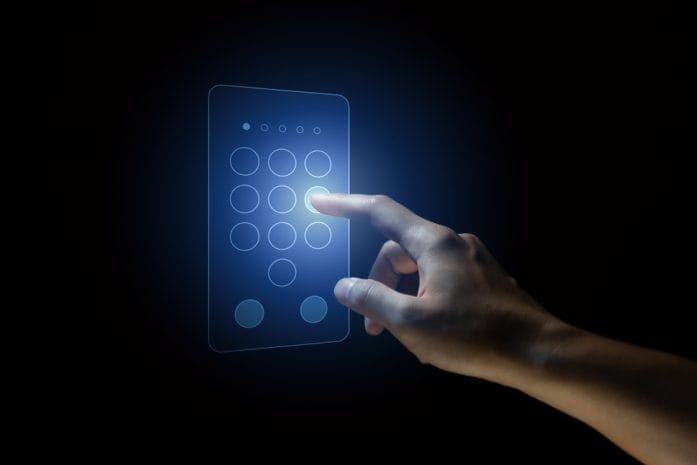
The idea of a “secure code” feels comforting—like a digital lock that only opens for the right person at the right time. That sense of safety used to hold up pretty well. In 2026, though, that illusion cracks fast under pressure from criminals who treat security like a puzzle they can solve with patience, creativity, and just enough nerve. These aren’t random guesses anymore; they’re calculated moves backed by psychology, technology, and a surprising amount of everyday observation.

Security codes still matter, but they don’t stand alone anymore, and that’s exactly where the trouble begins. Criminals don’t always break the system itself; they work around it, slip through side doors, and exploit habits people don’t even realize they have. That shift changes the entire game.

1. The Shoulder Surfing Comeback Nobody Expected

People tend to think of hacking as something that happens behind screens in dark rooms, but one of the oldest tricks in the book has made a loud return. Shoulder surfing has evolved from a casual glance into a deliberate strategy where criminals observe people entering codes in public spaces like cafés, transit stations, and even office buildings. High-resolution smartphone cameras and wearable tech now make it easier than ever to capture keystrokes without raising suspicion.

Criminals don’t rely on luck here; they study behavior. They watch how people angle their phones, how quickly they type, and even how often they reuse codes. Once they capture a pattern or a full entry, they move quickly to test it before the victim even realizes anything went wrong. This method works especially well in crowded environments where attention drifts and privacy shrinks.

Staying ahead of this tactic requires a shift in habits. Covering the keypad, using biometric authentication when possible, and avoiding entering sensitive codes in busy areas can make a huge difference. Even small adjustments, like turning slightly away from others or stepping aside before unlocking a device, can shut this method down completely.

2. SIM Swapping Gets a Dangerous Upgrade

SIM swapping has been around for years, but in 2026, it operates with alarming precision. Criminals no longer rely solely on impersonation; they gather detailed personal information from data breaches, social media, and even discarded documents. With enough details in hand, they convince mobile carriers to transfer a phone number to a new SIM card, effectively taking control of text-based verification codes.

Once they gain control of a number, everything connected to it becomes vulnerable. Bank accounts, email logins, and social media platforms often rely on SMS-based codes as a second layer of security. That layer collapses instantly when the attacker controls the phone number. The process moves quickly, and victims often don’t notice until accounts lock them out.

Protecting against SIM swapping means going beyond basic security. Setting up a PIN with a mobile carrier adds a critical barrier. Using authenticator apps instead of SMS for two-factor authentication strengthens defenses significantly. Keeping personal information off public platforms also limits the raw material criminals need to pull off this tactic in the first place.

3. Phishing 2.0: Codes Handed Over Voluntarily

Phishing has taken a sharp turn from obvious scam emails into highly convincing, real-time manipulation. Criminals now create situations where people willingly hand over their own security codes. These attacks often involve fake login pages, urgent alerts, or even impersonation of trusted institutions that feel completely legitimate at first glance. The real twist comes with timing. Attackers trigger a legitimate code request—like a password reset—and then immediately contact the target, claiming to be customer support or security personnel. In the confusion, people share the code, believing they help resolve an issue. That single moment of trust opens the door completely.

Avoiding this trap requires a strong rule: no legitimate service will ever ask for a security code directly. Verifying requests through official channels and slowing down before reacting to urgency can stop these attacks cold. When something feels rushed or slightly off, that instinct usually points in the right direction.

4. Malware That Watches and Waits

Modern malware doesn’t smash through systems anymore; it settles in quietly and watches everything. Keylogging software tracks every keystroke, while screen recording tools capture entire login sessions, including security codes. These programs often sneak in through harmless-looking downloads, email attachments, or compromised apps.

What makes this tactic so effective is patience. Criminals don’t act immediately. They collect data over time, building a complete picture of login habits, frequently used codes, and account access points. When they finally strike, they do so with precision that feels almost impossible to detect in real time.

Strong antivirus protection, regular software updates, and careful app downloads form the first line of defense. Avoiding unofficial app stores and double-checking permissions before installing anything can also reduce exposure. Devices should feel like private spaces, not open doors waiting for something to walk in unnoticed.

7 Ways Criminals Are Bypassing Security Codes in 2026
Image Source: Unsplash.com

5. Smart Devices, Dumb Security Habits

Smart homes and connected devices have exploded in popularity, but security hasn’t always kept pace. Many devices still rely on default codes or simple PINs that users never bother to change. Criminals take advantage of this by scanning networks for vulnerable devices and testing common combinations until something clicks.

Once inside, these devices can serve as entry points into larger systems. A compromised smart camera or door lock doesn’t just create a physical risk; it can also expose network credentials and linked accounts. The convenience of connected tech becomes a liability when security gets treated as an afterthought.

Locking down smart devices starts with changing default credentials immediately. Using strong, unique codes for each device and keeping firmware updated reduces risk dramatically. Separating smart devices onto a different network can also prevent a single breach from spreading across everything else.

6. AI-Powered Guessing Isn’t Science Fiction

Artificial intelligence has stepped into the world of cybercrime, and it has made code guessing far more efficient. Instead of random attempts, AI systems analyze patterns from leaked data, common password structures, and human behavior to predict likely codes. This approach cuts down guesswork and increases success rates dramatically.

Criminals feed these systems massive datasets, allowing them to refine predictions over time. They focus on patterns like birthdates, repeated digits, and predictable sequences that people tend to reuse. Even when systems limit login attempts, attackers distribute their efforts across multiple platforms to avoid detection.

Breaking free from predictable patterns offers the best defense. Randomized codes, password managers, and multi-factor authentication create layers that AI struggles to bypass. Treating every code as unique and avoiding personal information in security details removes the shortcuts these systems rely on.

7. QR Code Traps in Plain Sight

QR codes have become part of everyday life, from menus to payments, but they also open a new door for exploitation. Criminals replace legitimate QR codes with malicious ones that redirect users to fake websites or trigger downloads. Once scanned, these codes can lead directly to phishing pages designed to capture login credentials and security codes.

The problem lies in trust. People rarely question QR codes because they appear convenient and harmless. That assumption gives attackers an easy advantage. In busy environments, swapping a sticker or placing a fake code over a real one takes seconds and often goes unnoticed.

Staying safe means treating QR codes with the same caution as unknown links. Verifying the source before scanning and avoiding codes placed in unusual or unsecured locations can prevent trouble. Using devices that preview URLs before opening them adds another layer of protection.

Lock It Down Before Someone Else Does

Security codes still play a huge role in protecting personal information, but they can’t carry the weight alone anymore. Criminals have shifted their focus from brute force to clever workarounds, and that shift demands smarter habits in response. Every tactic listed here relies on a mix of human behavior and technological gaps, which means small changes can have a massive impact.

Which of these tactics feels the most surprising or concerning right now, and what steps seem worth trying first? Drop thoughts, strategies, or even close calls in the comments.

You May Also Like…

8 Mistakes That Can Trigger a Social Security Overpayment Notice

Social Security Checks Are Getting Smaller for Some Retirees — And It’s Not a Benefit Cut

7 Financial Transactions That Could Be Reported Without You Realizing It

Regulation Checklist: 9 Conversations Advisors Are Having With Clients Right Now

10 Documents That Should Be Locked Away in a Safety Deposit Box

Brandon Marcus
Brandon Marcus

Brandon Marcus is a writer who has been sharing the written word since a very young age. His interests include sports, history, pop culture, and so much more. When he isn’t writing, he spends his time jogging, drinking coffee, or attempting to read a long book he may never complete.

Filed Under: Crime & Safety Tagged With: biometrics, cybersecurity, data protection, Digital Security, hacking tactics, identity theft, Online Safety, password safety, phishing, scam prevention, smart devices, Tech Trends

Do You Really Own Your Smart Devices? The Answer May Surprise You

July 20, 2025 by Travis Campbell Leave a Comment

smart device
Image Source: pexels.com

Smart devices are everywhere. Phones, TVs, speakers, and even refrigerators now connect to the internet. You buy them, set them up, and use them every day. But do you really own your smart devices? The answer is more complicated than it seems. This question matters because it affects your privacy, your wallet, and your control over the things you use. If you think buying a device means you control it, you might want to read on.

1. You Buy the Hardware, Not Always the Software

When you pay for a smart device, you own the physical object. You can hold it, move it, or even smash it if you want. But the software inside—the code that makes it “smart”—is usually licensed, not sold. This means you agree to use the software under certain rules set by the company. If you break those rules, they can limit what your device does. For example, some companies can disable features or even “brick” your device if you try to change the software. This is common with phones, smart TVs, and even cars. You might own the shell, but the brains are on loan.

2. End User License Agreements (EULAs) Limit Your Rights

Every smart device comes with a long legal document called an End User License Agreement, or EULA. Most people never read it. But by clicking “agree,” you accept all the terms. These terms often say you can’t modify the software, share it, or use it in ways the company doesn’t like. If you do, they can shut down your device or block updates. Some EULAs even let companies collect your data or change the rules later. You might think you own your smart device, but the EULA says otherwise.

3. Remote Updates Can Change or Remove Features

Smart devices get updates over the internet. Sometimes these updates fix bugs or add new features. But they can also take features away or change how your device works. Companies can push updates that remove apps, limit functions, or add ads. You might wake up one day and find your device is different from when you bought it. In some cases, companies have even disabled devices completely when they stop supporting them. This happened with some smart home hubs and speakers. You paid for the device, but you don’t control what it does tomorrow.

4. Your Data Isn’t Always Yours

Smart devices collect a lot of data. They track what you watch, what you say, where you go, and more. This data often goes back to the company’s servers. You might think your data is private, but it’s usually not. Companies use your data to improve their products, target ads, or sell to third parties. In some cases, your data can be shared with law enforcement or hackers if there’s a breach. Owning the device doesn’t mean you own the data it creates.

5. Repairs and Modifications Are Often Restricted

If your smart device breaks, you might think you can fix it yourself or take it to any repair shop. But many companies make this hard. They use special screws, glue, or software locks to keep you out. Some even say in the EULA that you can’t repair or modify the device. If you try, you could void your warranty or lose access to updates. This is a big issue with phones, laptops, and even tractors. The “right to repair” movement is fighting for your ability to fix what you own, but it’s still an uphill battle.

6. Devices Can Stop Working When Companies Pull the Plug

Smart devices rely on servers and support from the company. If the company goes out of business or decides to stop supporting your device, it can stop working. This has happened with smart thermostats, security cameras, and more. You might have paid hundreds of dollars, but if the company pulls the plug, your device becomes useless. This risk is higher with smaller brands, but even big companies have done it. Before you buy, check how long the company promises to support the device.

7. Subscription Fees Can Limit Your Use

Some smart devices require a subscription to unlock all features. You might buy a security camera, but you need to pay monthly to store video or get alerts. If you stop paying, you lose access to key functions. This means you don’t fully own the experience, even if you own the hardware. Always check if your smart device needs a subscription and what happens if you cancel.

8. Legal Loopholes Can Override Your Ownership

Laws around digital ownership are still catching up. In many places, companies can use legal loopholes to control how you use your device. For example, the Digital Millennium Copyright Act (DMCA) in the U.S. makes it illegal to bypass software locks, even for repairs. This means you can’t always do what you want with your own property. Until laws change, companies have the upper hand.

What True Ownership Looks Like

Owning a smart device should mean you control it, can repair it, and decide how it works. Right now, that’s not always the case. Companies set the rules, and you have to play by them. If you want more control, look for devices that support open-source software, allow repairs, and don’t rely on subscriptions. Ask questions before you buy. Read the EULA, even if it’s boring. Push for laws that protect your rights as a consumer. True ownership means having the final say over what you buy.

Have you ever lost access to a smart device or had features taken away? Share your story or thoughts in the comments.

Read More

8 Ways Your Smart TV Might Be Sharing Your Personal Info

The Silent Car Theft Trick That’s Fooling Even Smart Drivers

Travis Campbell
Travis Campbell

Travis Campbell is a digital marketer/developer with over 10 years of experience and a writer for over 6 years. He holds a degree in E-commerce and likes to share life advice he’s learned over the years. Travis loves spending time on the golf course or at the gym when he’s not working.

Filed Under: safety Tagged With: consumer rights, digital ownership, EULA, privacy, right to repair, smart devices, technology

8 Ways Your Smart TV Might Be Sharing Your Personal Info

July 17, 2025 by Travis Campbell Leave a Comment

smart tv
Image Source: pexels.com

Smart TVs are everywhere now. They make it easy to stream shows, play games, and even browse the web. But there’s a catch. These devices can collect and share a lot of your personal info—sometimes more than you realize. If you own a smart TV, it’s important to know how your data might be leaving your living room. Here’s what you need to watch out for and what you can do about it.

1. Tracking What You Watch

Most smart TVs track your viewing habits. They log every show, movie, or video you watch. This info helps companies build a profile about your interests. They use it to target ads or recommend content. Sometimes, this data is shared with third parties. If you want to limit this, check your TV’s privacy settings. Turn off viewing data collection if you can. It’s not always easy to find, but it’s worth the effort.

2. Voice Assistant Recordings

Many smart TVs come with voice assistants. You can ask your TV to change the channel or search for a movie. But when you use voice commands, your TV records what you say. Some brands send these recordings to the cloud for processing. This means your voice data could be stored or analyzed by others. To protect your privacy, review your TV’s voice assistant settings. Mute the microphone when you’re not using it. Some TVs even let you delete stored voice recordings.

3. Automatic Content Recognition (ACR)

Automatic Content Recognition, or ACR, is a feature that scans what’s on your screen. It doesn’t matter if you’re streaming, watching cable, or playing a DVD. ACR collects info about everything you watch. This data is often sent to advertisers and analytics firms. They use it to target you with ads on other devices. You can usually turn off ACR in your TV’s settings. Look for options related to “viewing information” or “content recognition.”

4. Connected Apps and Services

Smart TVs let you install apps for streaming, gaming, and more. Each app may collect its own data. Some ask for access to your location, contacts, or even your camera. If you sign in with your email or social media, you’re sharing even more info. Always review app permissions before installing. Stick to trusted apps from official stores. Delete apps you don’t use. This limits how much of your personal info is shared.

5. Data Shared with Manufacturers

Your smart TV sends data back to the manufacturer. This can include device info, usage stats, and error reports. Sometimes, it’s used to improve performance or fix bugs. But it can also be used for marketing or sold to partners. Read your TV’s privacy policy to see what data is collected. Some brands let you opt out of certain data sharing. It’s not always obvious, so take time to look through the settings.

6. Wi-Fi and Network Data

When your smart TV connects to Wi-Fi, it can see other devices on your network. Some TVs collect info about your home network, like device names and traffic patterns. This data can be used to target ads or improve services. But it also creates a risk if your network isn’t secure. Make sure your Wi-Fi uses a strong password. Update your TV’s software regularly to patch security holes. Consider setting up a separate network for smart devices.

7. Personalized Advertising

Smart TVs often show ads based on your activity. They use your viewing history, app usage, and even your location. This info is shared with ad networks to serve targeted ads. You might see ads for products you just talked about or searched for online. If you want fewer personalized ads, look for an “ad preferences” or “limit ad tracking” option in your TV’s settings. It won’t stop all ads, but it can reduce how much of your info is used.

8. Security Vulnerabilities

Smart TVs are basically computers. They can have security flaws like any other device. Hackers can exploit these flaws to access your data or even take control of your TV. In some cases, they can use your TV as a gateway to your whole network. Always keep your TV’s software up to date. Turn off features you don’t use, like remote access or Bluetooth.

Protecting Your Privacy Starts at Home

Your smart TV can make life easier, but it also opens the door to privacy risks. The good news is you have some control. Check your settings, limit app permissions, and keep your software updated. Small steps can make a big difference. The more you know about how your smart TV shares your personal info, the better you can protect yourself.

Have you ever checked your smart TV’s privacy settings? What did you find? Share your experience in the comments.

Read More

Home Insurance Premiums Are About to Spike Again—Here’s Why

This Common Fast Food Ingredient Was Just Linked to Memory Loss

Travis Campbell
Travis Campbell

Travis Campbell is a digital marketer/developer with over 10 years of experience and a writer for over 6 years. He holds a degree in E-commerce and likes to share life advice he’s learned over the years. Travis loves spending time on the golf course or at the gym when he’s not working.

Filed Under: Online Safety Tagged With: cybersecurity, data security, home technology, personal info, privacy, smart devices, smart tv

FOLLOW US

Search this site:

Recent Posts

  • Can My Savings Account Affect My Financial Aid? by Tamila McDonald
  • 12 Ways Gen X’s Views Clash with Millennials… by Tamila McDonald
  • What Advantages and Disadvantages Are There To… by Jacob Sensiba
  • 10 Tactics for Building an Emergency Fund from Scratch by Vanessa Bermudez
  • Call 911: Go To the Emergency Room Immediately If… by Stephen Kanaval
  • 7 Weird Things You Can Sell Online by Tamila McDonald
  • 10 Scary Facts About DriveTime by Tamila McDonald

Copyright © 2026 · News Pro Theme on Genesis Framework