• Home
  • About Us
  • Toolkit
  • Getting Finances Done
    • Hiring Advisors
    • Debt Management
    • Spending Plan
  • Insurance
    • Life Insurance
    • Health Insurance
    • Disability Insurance
    • Homeowners/Renters Insurance
  • Contact Us
  • Privacy Policy
  • Risk Tolerance Quiz

The Free Financial Advisor

You are here: Home / Archives for Online banking

5 Digital Banking Changes That May Be Adding New Fees Without Notice

April 18, 2026 by Brandon Marcus Leave a Comment

5 Digital Banking Changes That May Be Adding New Fees Without Notice

Image Source: Shutterstock.com

Digital banking was supposed to make life easier—and cheaper. No lines, no paperwork, no hidden surprises, right? Not exactly. In recent years, many banks have quietly rolled out changes that can lead to new or increased charges, often buried in app updates or revised terms you probably didn’t read.

If you’ve noticed your balance dipping faster than expected, these subtle shifts in digital banking fees might be the reason. Let’s talk about five common changes that could be costing you more than you realize—and what you can do about it.

1. Increased Fees for Instant Transfers

Instant transfers used to feel like a premium perk, but now they’re becoming a sneaky source of digital banking fees. Many banks now charge small percentages or flat fees when you move money instantly between accounts or to other people. While the charge might seem minor—like $1.50 or 1%—it adds up quickly if you use the feature regularly. Some platforms even default to instant transfer, nudging you toward the paid option instead of the free standard one. To avoid unnecessary costs, always double-check transfer speeds and opt for standard delivery when timing isn’t critical.

2. ATM Access Changes and Out-of-Network Costs

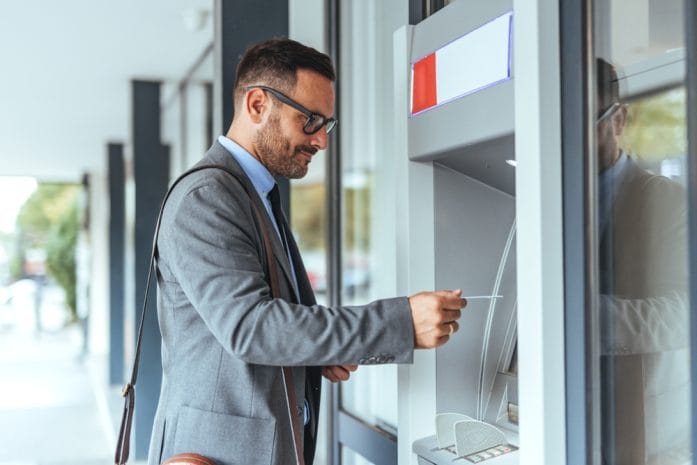
Digital banks often promote “no ATM fees,” but the fine print is where things get tricky. Some institutions have reduced the number of fee-free ATM partners or capped monthly reimbursements without loudly announcing it. This means you could suddenly be paying $2 to $5 per withdrawal if you’re not using the right machine.

These quiet updates are a growing contributor to unexpected digital banking fees for people who rely on cash. A good habit is to check your bank’s ATM locator regularly and plan withdrawals accordingly. It’s not glamorous, but it can save you a surprising amount over time.

5 Digital Banking Changes That May Be Adding New Fees Without Notice

Image Source: Shutterstock.com

3. Subscription-Style Account Features

A newer trend in digital banking is the introduction of subscription-style perks. Banks now offer “premium” accounts with benefits like higher interest rates, budgeting tools, or cashback rewards—for a monthly fee. While these features can be useful, they often replace what used to be free services, effectively introducing new digital banking fees. If you’re not actively using the perks, you’re essentially paying for nothing. It’s worth reviewing your account tier and downgrading if the extras don’t justify the cost. Think of it like streaming services—great in theory, but easy to overpay for.

4. Foreign Transaction and Currency Conversion Adjustments

If you travel or shop internationally, this one can hit hard. Some digital banks that once offered zero foreign transaction fees have quietly introduced small charges or less favorable exchange rates. These changes are often hidden in updated terms rather than clearly announced, making them easy to miss. Over time, these added digital banking fees can significantly increase the cost of international purchases. Even a 1% difference in exchange rates can matter if you spend frequently across borders. Before your next trip or online purchase, review your bank’s current policy so you’re not caught off guard.

5. Dormant Account or Inactivity Fees

It might sound old-school, but inactivity fees are making a comeback in the digital space. Some banks now charge if your account goes unused for a certain period, especially if there’s a low balance. These fees can slowly chip away at your money without you even noticing, particularly if the account isn’t your primary one. It’s another subtle way digital banking fees are creeping back into modern finance. The fix is simple: set a reminder to log in or make a small transaction every few months. Staying active keeps your money where it belongs—with you.

The Hidden Digital Costs Affecting You

Digital banking still offers convenience, speed, and flexibility that traditional banking struggles to match. But that convenience can come with a growing list of digital banking fees that are easy to overlook if you’re not paying attention. The key is staying informed, reviewing your account terms regularly, and questioning any new charges you see. Even small fees can snowball into significant expenses over time, especially if they’re tied to habits you repeat often. Treat your banking app like you would a monthly bill—something worth checking closely, not just trusting blindly. A few minutes of awareness can save you hundreds of dollars a year.

What’s the most surprising fee you’ve noticed in your digital banking account lately? Share your experience in the comments—we’d love to hear what others are seeing.

You May Also Like…

Banks Can Restrict Safe Deposit Box Access During Reviews—What That Means for Your Documents

Biometric Banking and the Rise of Fraud Concerns in 2026

5 Budgeting Apps That Integrate With Biometric Banking

How Can Small Banking Errors Snowball Into Huge Losses

The SSA’s Digital Shift Is Locking Some Users Out — What You Need to Know

Brandon Marcus
Brandon Marcus

Brandon Marcus is a writer who has been sharing the written word since a very young age. His interests include sports, history, pop culture, and so much more. When he isn’t writing, he spends his time jogging, drinking coffee, or attempting to read a long book he may never complete.
Filed Under: Banking Tagged With: banking fees, digital banking, Hidden Fees, money management, Online banking, personal finance tips, saving money

5 Red Flags That a Financial Alert Isn’t Actually From Your Bank

March 31, 2026 by Brandon Marcus Leave a Comment

5 Red Flags That a Financial Alert Isn’t Actually From Your Bank

Image Source: Shutterstock.com

The moment a “bank alert” lands on a phone or inbox, urgency kicks in hard. That little spike of adrenaline? Scammers count on it. They design messages to trigger fast reactions, not careful thinking, and they push just enough panic to make even cautious people hesitate for a split second. That split second often decides whether money stays safe or disappears into a digital black hole.

Real banks don’t play games with communication, and they certainly don’t rely on fear to get attention. They follow strict security practices, predictable formats, and consistent channels, because trust matters more than speed. Fake alerts, on the other hand, chase chaos. They rush, pressure, and confuse, all while pretending to protect.

1. The Message Screams Urgency Like It’s a Five-Alarm Fire

Scammers love urgency because it shuts down logic faster than almost anything else. A message that claims an account will lock within minutes or that suspicious charges demand immediate action often signals trouble rather than truth. Real banks take fraud seriously, but they don’t corner customers into rushed decisions without options. They provide clear steps, allow time to verify, and never demand instant compliance through a single message.

Urgent language often includes dramatic phrasing that feels slightly over-the-top, even if it looks convincing at first glance. Words like “immediate suspension,” “critical breach,” or “act now or lose access” push emotional buttons rather than deliver useful information. Banks aim for clarity and calm communication because panic leads to mistakes, and mistakes damage trust. A legitimate alert might flag unusual activity, but it won’t demand action within an absurdly short timeframe or threaten consequences that escalate every second.

Taking a breath changes everything in these situations. Instead of reacting to the message itself, a safer move involves opening the official banking app or logging in through a known website. If something truly needs attention, it will show up there without the dramatic countdown. That simple pause often breaks the scammer’s entire strategy.

2. The Link Looks Just a Little… Off

A suspicious link rarely screams “fake” right away. Instead, it hides behind something that looks almost right, with tiny differences that only stand out under closer inspection. A swapped letter, an extra word, or a strange domain ending can turn a legitimate-looking link into a trap. Scammers rely on quick glances, not careful reading, so they design URLs that pass the first impression test but fail under scrutiny.

Legitimate banks use consistent, recognizable web addresses that rarely change. They don’t send random shortened links or unfamiliar domains, especially in urgent alerts. A message that includes a link that looks messy, overly long, or slightly misspelled should raise immediate suspicion. Hovering over a link on a computer or pressing and holding it on a phone reveals the true destination, and that quick check can save a lot of trouble.

Clicking unknown links in financial messages creates unnecessary risk, even when curiosity kicks in. A smarter approach involves skipping the link entirely and heading straight to the official banking platform. Bookmarking the correct website or relying on the bank’s mobile app builds a safer habit over time. That small shift removes the scammer’s main entry point and keeps control firmly in the right hands.

3. It Asks for Information No Bank Would Ever Request

A real bank already holds essential account details, so it doesn’t need to ask for passwords, PINs, or full card numbers through an email or text. Requests for sensitive information in a message should set off immediate alarms. Scammers often disguise these requests as “verification steps” or “security checks,” but they aim to collect data, not protect it. These fake alerts sometimes include forms or direct replies that encourage sharing personal details quickly. That tactic plays on the idea that fast action prevents fraud, when in reality it creates it. Banks don’t ask for login credentials through messages, and they never request full authentication details outside secure platforms. Even customer support teams follow strict rules about what they can and cannot ask for.

Keeping personal information locked down requires a simple rule: never share sensitive details through a message, no matter how official it looks. If a situation feels uncertain, contacting the bank directly through verified channels clears things up fast. That extra step might feel inconvenient in the moment, but it eliminates the risk of handing valuable information to someone who shouldn’t have it.

4. The Sender Doesn’t Quite Match the Bank’s Identity

At first glance, a sender name might look perfectly fine. It might even include the bank’s name, logo, or branding. A closer look often reveals subtle inconsistencies that don’t line up with official communication. Email addresses with random numbers, unusual domains, or extra characters often signal a scam hiding in plain sight.

Text messages can also come from suspicious numbers that don’t match the bank’s usual contact methods. While some banks use short codes or automated systems, they maintain consistency in how they reach customers. A message that arrives from a completely unfamiliar number, especially one that looks personal or international, deserves a second look before any action.

Verifying the sender takes only a few seconds but makes a huge difference. Comparing the message details with previous legitimate communications from the bank helps spot inconsistencies quickly. If something feels even slightly off, ignoring the message and checking through official channels removes all doubt. Trust builds on consistency, and scammers struggle to replicate that perfectly.

5. The Message Feels Sloppy or Weirdly Written

Grammar mistakes, awkward phrasing, and unusual formatting often give fake alerts away. While not every legitimate message reads like polished marketing copy, banks invest in clear, professional communication. A message filled with typos or strange sentence structure suggests a lack of quality control, which rarely aligns with financial institutions.

Some scam messages mix formal language with odd word choices that don’t quite fit together. Others use inconsistent capitalization, missing punctuation, or strange spacing that disrupts the flow. These details might seem small, but they add up quickly and create a sense that something isn’t right. Scammers often prioritize speed over accuracy, and it shows.

Trusting instincts plays a big role here. If a message feels off, even without a clear reason, it deserves skepticism. Taking a moment to compare it with previous official alerts often highlights the differences immediately. That gut reaction often catches what the eyes don’t fully process at first glance.

5 Red Flags That a Financial Alert Isn’t Actually From Your Bank

Image Source: Shutterstock.com

Slow Down and Take Control

Spotting a fake financial alert doesn’t require technical expertise, just a steady approach and a willingness to pause. Urgency, strange links, odd requests, mismatched senders, and sloppy writing all point in the same direction: something isn’t right. Recognizing even one of these signs should stop any immediate action and shift attention toward safer verification methods.

What strategies have proven most effective for spotting fake alerts, or what warning signs stand out the most? Drop those thoughts and experiences in the comments and keep the conversation going.

You May Also Like…

Biometric Banking and the Rise of Fraud Concerns in 2026

Bank Alert: 7 Reasons “Courtesy Credits” Get Taken Back Without Warning

Payment Delay Alert: Why Your January Social Security Deposit May Not Hit Your Account Today

Traditional Banking vs. Digital Solutions: What is the Future of Overseas Payments?

5 Outrageous Fees Hidden in Everyday Banking Services


Brandon Marcus
Brandon Marcus

Brandon Marcus is a writer who has been sharing the written word since a very young age. His interests include sports, history, pop culture, and so much more. When he isn’t writing, he spends his time jogging, drinking coffee, or attempting to read a long book he may never complete.
Filed Under: Banking Tagged With: banking security, cybersecurity, Digital Security, email scams, financial safety, fraud awareness, fraud prevention, identity theft, Online banking, phishing, scam alerts, text scams

Banks Are Moving Toward All-Digital Payments — What That Means for Your Money

March 28, 2026 by Brandon Marcus Leave a Comment

Banks Are Moving Toward All-Digital Payments — What That Means for Your Money

Image Source: Unsplash.com

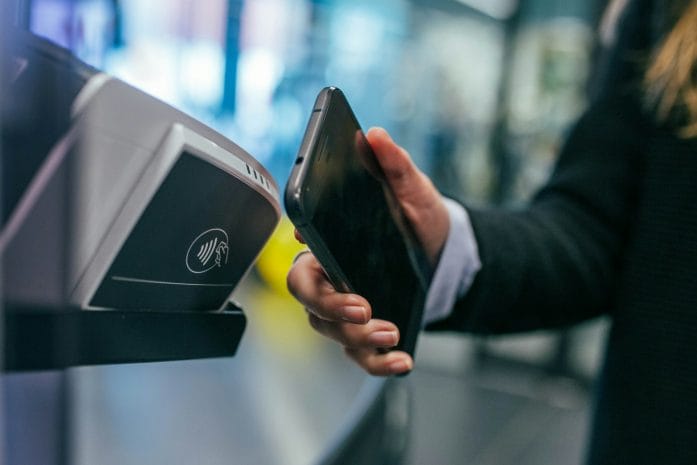
Ever pulled out a crumpled dollar bill at the grocery store and wondered if paper money will even exist in ten years? The financial world is hurtling into a cashless future faster than most people realize, and banks are leading the charge. Across the country, institutions are investing heavily in digital payment systems, mobile apps, and online banking features that make physical money seem almost prehistoric. From tap-to-pay smartphones to instant peer-to-peer transfers, the days of waiting for checks to clear or fumbling for coins are slipping away. This shift isn’t just about convenience; it’s reshaping how money flows in everyday life, and it’s happening faster than many customers can keep up with.

As banks go fully digital, they aren’t just changing how people pay—they’re changing how people think about money itself. The rise of digital payments is influencing spending habits, saving patterns, and even the way we handle financial emergencies. That’s why understanding what’s happening now isn’t just smart—it’s essential.

The Digital Dollar Is Taking Over

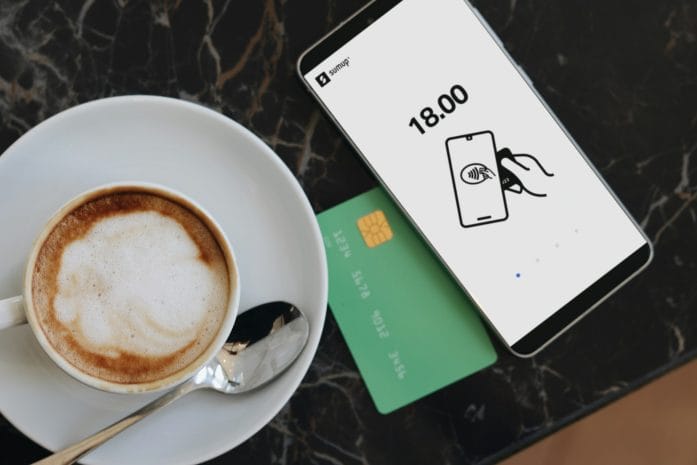
The push toward digital payments isn’t a gimmick or a passing trend. Banks are increasingly phasing out paper checks and encouraging customers to adopt mobile wallets, contactless cards, and app-based transfers. Digital transactions have been growing at double-digit rates over the past few years, with mobile payments like Apple Pay, Google Wallet, and Venmo accounting for a substantial share of everyday transactions. The convenience of sending money with a tap or a swipe is undeniable, but there’s more than just speed at play here. Banks also see digital payments as a way to collect data, streamline operations, and reduce the costs associated with handling physical cash.

For consumers, this transition means reevaluating how they carry and use money. A digital-first approach can save time and make budgeting easier, as app notifications track spending in real time and allow users to categorize expenses automatically. However, it also comes with responsibilities. Digital wallets and banking apps are vulnerable to hacks, phishing scams, and identity theft if users aren’t careful. The key takeaway? Embracing digital payments doesn’t mean giving up control—it means staying vigilant and using the tools smartly. Learning to protect passwords, enabling two-factor authentication, and keeping software updated aren’t optional anymore—they’re essential.

Goodbye Cash, Hello Convenience

The appeal of a cashless lifestyle isn’t hard to see. Forget digging for coins or standing in line to deposit checks. Mobile and online payments let people pay bills, split tabs, and shop online faster than ever. But convenience doesn’t automatically translate to safety. While banks implement encryption and security protocols to protect transactions, individuals must also adopt safe practices to avoid cyber threats. Using verified apps, avoiding public Wi-Fi for financial activities, and monitoring accounts for unusual activity are critical steps.

Moreover, the rise of digital payments has sparked a cultural shift. Spending money has become instantaneous and often less tangible. People feel the financial impact in real time rather than counting physical cash, which can influence budgeting habits. For some, this is empowering; for others, it may require adopting new strategies to avoid overspending. Automated alerts, digital envelopes, and regular app-based reconciliations can help keep spending habits in check while embracing the speed and simplicity of modern banking.

The Banks’ Big Bet on Mobile

It isn’t just consumers driving the move to digital payments—banks are betting big on mobile-first experiences. Apps now allow users to deposit checks with a photo, transfer money instantly to friends and family, and even track credit scores all in one place. According to studies, many U.S. banks have upgraded their mobile platforms to support advanced features, signaling a clear commitment to a fully digital future. The competition isn’t just about convenience—it’s about survival in a world where nimble fintech companies are snapping at the heels of traditional institutions.

For customers, this means more options but also more decisions. Comparing app features, transaction fees, and security protocols can help ensure that choosing a digital bank aligns with personal financial goals. Experimenting with different tools—like budgeting integrations, AI-powered alerts, or investment tracking features—can turn mobile banking from a mundane task into a genuinely useful resource. Staying informed and proactive allows people to take full advantage of what banks are offering without being blindsided by fees or limitations.

Banks Are Moving Toward All-Digital Payments — What That Means for Your Money

Image Source: Unsplash.com

Protecting Your Money in a Digital World

As digital payments dominate, protecting financial data has never been more critical. Cybersecurity threats evolve alongside technology, and relying solely on a bank’s security measures isn’t enough. Consumers must take active steps, such as using strong, unique passwords, monitoring accounts daily, and setting up fraud alerts. Biometrics, like fingerprint or facial recognition, add another layer of protection, especially for mobile payments.

Beyond security, having a backup plan for emergencies remains essential. Even the most tech-savvy individuals can encounter outages, frozen accounts, or lost devices. Keeping a small reserve of cash for unavoidable situations and knowing alternative payment options can prevent panic if digital systems fail. The goal isn’t to fear the digital shift but to navigate it confidently and safely, ensuring that convenience never comes at the expense of security.

Embracing the Future Without Losing Control

The all-digital payment era promises speed, simplicity, and efficiency, but it also demands responsibility and awareness. Banks are accelerating this transition, and consumers who adapt quickly can reap the benefits while staying protected. Learning how to manage digital wallets, safeguard accounts, and track spending proactively transforms what might feel like a chaotic shift into a smooth, empowering experience.

The move toward cashless living isn’t just a technical evolution—it’s a lifestyle change. Embracing it offers remarkable opportunities for efficiency, financial insight, and convenience, as long as people stay attentive to the risks. Thinking strategically about security, budgeting, and emergency plans allows anyone to thrive in a fully digital banking environment. As banks continue to innovate, the question isn’t whether the shift will happen—it’s how well people will adapt and take control of their digital financial future.

What strategies or tools have worked best for navigating digital payments? Give us your ideas, experiences, and tips in the comments below and spark the conversation about mastering money in the digital age.

You May Also Like…

Biometric Banking and the Rise of Fraud Concerns in 2026

5 Budgeting Apps That Integrate With Biometric Banking

6 Data-Scraping Features in Online Banking

6 Banking Terms That Invalidate Joint Ownership Intentions

What Are the Hidden Dangers of Digital-Only Banking?


Brandon Marcus
Brandon Marcus

Brandon Marcus is a writer who has been sharing the written word since a very young age. His interests include sports, history, pop culture, and so much more. When he isn’t writing, he spends his time jogging, drinking coffee, or attempting to read a long book he may never complete.

Filed Under: Banking Tagged With: banking trends, cashless society, consumer finance, digital payments, digital wallets, financial technology, fintech, future of banking, mobile banking, money management, Online banking

Customers Beware: Banks Are Tightening Fraud Rules and Freezing Accounts Faster Than Ever

March 23, 2026 by Brandon Marcus Leave a Comment

Customers Beware: Banks Are Tightening Fraud Rules and Freezing Accounts Faster Than Ever

Image Source: Shutterstock.com

Money moves fast now, and banks have decided they need to move even faster. One suspicious transaction, one unusual login, one transfer that looks slightly out of place, and suddenly access disappears. No warning, no countdown, just a locked account and a growing sense of panic.

This shift did not come out of nowhere. Fraud exploded in recent years, and banks responded by tightening the rules, sharpening their detection systems, and acting quicker than ever before. That might sound reassuring on paper, but it creates a new reality where everyday people can get caught in the crossfire without doing anything wrong.

When “Security” Hits the Brakes on Your Money

Banks now rely heavily on automated systems that scan activity in real time, and those systems do not hesitate when something looks off. A large transfer, a sudden change in spending habits, or a login from a new location can trigger an immediate freeze. That reaction does not mean fraud actually happened, but the system treats uncertainty as a risk worth stopping cold. Financial institutions have good reason to act this way. Fraud schemes have grown more sophisticated, especially with the rise of online banking, peer-to-peer payment apps, and digital wallets. Criminals move quickly, so banks try to move faster, even if that means locking down accounts before confirming anything.

That speed creates a frustrating experience when legitimate activity gets flagged. Someone might transfer money between personal accounts, book travel in another city, or receive a larger-than-usual payment, only to find their account suddenly restricted. The system sees a pattern change, not the full story.

Banks also face pressure from regulators to prevent fraud and money laundering, which pushes them toward aggressive monitoring. They would rather freeze a legitimate account temporarily than allow fraudulent transactions to slip through. That trade-off explains why these freezes have become more common. This approach leaves little room for nuance. Automated systems do not interpret intent, and they do not understand context beyond data patterns. That gap between human behavior and machine logic often creates the kind of disruption that catches people completely off guard.

The Triggers That Set Off Alarm Bells

Certain activities raise red flags faster than others, and understanding them can make a huge difference. Large or unusual deposits, especially from unfamiliar sources, often trigger reviews because they resemble patterns linked to fraud or scams. Even legitimate transfers can fall into this category if they break from normal habits. Frequent transfers between accounts, particularly across different banks or payment platforms, can also attract attention. These movements sometimes resemble tactics used to move stolen funds, so systems flag them quickly. That means even routine financial management can look suspicious under the wrong circumstances.

Logging in from a new device or location can also spark a freeze. Travel, a new phone, or even a different internet connection might cause the system to question whether the account owner still controls the account. That type of flag often leads to temporary restrictions until verification happens.

Peer-to-peer payment apps add another layer of complexity. Sending or receiving money from multiple unfamiliar contacts in a short period can raise concerns. Fraud rings often use these apps to move money quickly, so banks watch closely for patterns that match that behavior. Name mismatches, incorrect personal information, or outdated account details can also create problems. When records do not align, banks may pause activity until they confirm identity. That step protects accounts, but it can also create delays that feel unnecessary when everything seems correct on the surface.

What Happens After the Freeze Hits

An account freeze does not always mean total shutdown, but it often limits access in frustrating ways. Some people lose the ability to withdraw money, make payments, or transfer funds while the bank investigates. That restriction can disrupt daily life quickly, especially when bills or expenses depend on that account. Banks usually require identity verification before restoring access. That process might involve submitting documents, answering security questions, or speaking with a representative. The timeline varies, and while some cases resolve quickly, others can stretch into days or even weeks.

Communication does not always move as fast as the freeze itself. Notifications might arrive after the account gets restricted, and explanations can feel vague or incomplete. That lack of clarity adds stress, especially when money sits locked without a clear resolution timeline.

In more serious cases, banks may close accounts entirely if they believe activity violates their policies. That decision can happen even when no crime occurred, particularly if behavior consistently triggers risk alerts. Once an account closes, reopening it or moving funds can become more complicated. Despite the frustration, these steps exist to prevent larger losses. Banks aim to stop fraud before it spreads, even if that means inconveniencing legitimate customers. That balance between protection and access continues to shape how financial institutions handle risk.

How to Stay One Step Ahead of a Freeze

Taking a few proactive steps can reduce the chances of getting caught in a freeze. Keeping contact information updated ensures banks can reach out quickly when something looks unusual. That simple step often speeds up verification and prevents unnecessary delays. Maintaining consistent transaction patterns also helps. Sudden spikes in activity or major changes in behavior can trigger alerts, so spacing out large transfers or notifying the bank ahead of time can make a difference. Travel plans, especially international ones, should always get flagged with the bank in advance.

Using familiar devices and secure networks adds another layer of stability. Logging in from multiple new devices within a short time frame can raise suspicion, so sticking to known setups helps avoid unnecessary triggers. When a new device becomes necessary, verifying it quickly can prevent issues.

Reviewing account activity regularly keeps everything aligned. Catching errors, correcting outdated information, and monitoring transactions can prevent small issues from escalating into larger problems. Staying organized with financial records also makes it easier to respond if the bank requests verification. Diversifying where money sits can also provide a safety net. Relying on a single account for all expenses creates risk if that account gets frozen. Keeping funds in more than one place ensures access remains available even during an investigation.

Customers Beware: Banks Are Tightening Fraud Rules and Freezing Accounts Faster Than Ever

Image Source: Shutterstock.com

Banks Are Not Slowing Down Anytime Soon

Fraud continues to evolve, and banks continue to respond with tighter controls and faster reactions. Technology improves detection systems every year, which means freezes will likely become even more precise but not necessarily less frequent. The goal centers on stopping threats quickly, and that priority will not change. Customers now operate in a financial environment where security measures act first and explain later. That reality requires a shift in how people manage money, from staying aware of triggers to preparing for potential disruptions. Understanding the system turns frustration into something more manageable.

Banks do not aim to create chaos, but they prioritize protection above convenience. That approach makes sense from a risk perspective, yet it places more responsibility on individuals to stay informed and proactive. Awareness now plays a crucial role in avoiding unnecessary headaches.

How has banking changed in the past few years, and what strategies have helped avoid account issues or unexpected freezes? Share any and all thoughts, experiences, or tips in the comments.

You May Also Like…

Biometric Banking and the Rise of Fraud Concerns in 2026

4 Ways to Spot Fraud Before Your Bank Does

5 Outrageous Fees Hidden in Everyday Banking Services

Bank Alert: 7 Reasons “Courtesy Credits” Get Taken Back Without Warning

Why Overdraft Fee “Reforms” Haven’t Reduced Bank Profits

Brandon Marcus
Brandon Marcus

Brandon Marcus is a writer who has been sharing the written word since a very young age. His interests include sports, history, pop culture, and so much more. When he isn’t writing, he spends his time jogging, drinking coffee, or attempting to read a long book he may never complete.
Filed Under: Banking Tagged With: banking, banking rules, banking tips, Financial Security, fraud alerts, fraud prevention, frozen bank account, identity theft, money safety, Online banking, Personal Finance, scams

Why Free Online Checking Continues to Beat Traditional Banks

February 15, 2026 by Brandon Marcus Leave a Comment

Why Free Online Checking Continues to Beat Traditional Banks

Image source: shutterstock.com

The era of standing in line to access your own money should have ended decades ago. Yet traditional banks still cling to a model built around branches, paper forms, and fee schedules that feel like relics from another century.

Meanwhile, free online checking accounts have quietly reshaped the financial landscape, offering fewer fees, better interest rates, and sleek digital tools that put control back where it belongs: in your hands. The gap between the two models has grown so wide that choosing a traditional bank now often feels like paying extra for inconvenience.

The Fee Factor: Why Paying to Access Your Own Money Makes No Sense

Traditional banks often attach monthly maintenance fees to checking accounts unless you meet certain requirements, such as maintaining a minimum balance or setting up direct deposit. Many large banks still charge monthly fees that can exceed $10 unless you qualify for a waiver. Those charges may look small at first glance, but over time, they quietly chip away at your balance. Add overdraft fees, which can hover around $30 or more per transaction at some institutions, and the cost of staying loyal to a brick-and-mortar bank rises quickly.

Free online checking accounts flip that script. Many digital banks and financial technology companies eliminate monthly maintenance fees entirely. They often reduce or eliminate overdraft fees, and some even offer features that decline transactions instead of charging a penalty. When you remove recurring account fees, you create a simpler, more predictable financial life. That clarity matters, especially for anyone building savings or working toward specific goals.

You should always read the fine print, of course, because no financial product offers perfection. But when you compare fee schedules side by side, online checking accounts frequently offer a more consumer-friendly structure. In a world where every dollar counts, keeping more of your own money feels like a basic expectation, not a luxury.

Higher Yields Without the Marble Floors

Walk into a traditional bank branch, and you might see polished counters and plush seating. Those amenities cost money, and banks fund them through interest margins and customer fees. Online banks skip the expensive real estate and redirect those savings elsewhere. That shift often shows up in the form of higher annual percentage yields on associated savings accounts.

Institutions like Ally Bank and Capital One have built strong digital platforms and consistently offer savings rates that outpace many traditional banks. While checking accounts themselves typically pay little interest, many online banks pair free checking with competitive high-yield savings options. When you keep your money within the same digital ecosystem, you can move funds instantly and capture better returns without juggling multiple institutions.

Interest rates fluctuate based on Federal Reserve policy and broader economic conditions, so no bank guarantees a specific yield forever. Still, online institutions often respond quickly to rate changes because they operate with leaner cost structures. If you want your emergency fund to grow instead of stagnate, online banking offers a compelling advantage.

Technology That Actually Works for You

Traditional banks have invested heavily in mobile apps, and some do offer solid digital experiences. However, online-only banks build their entire identity around technology. They design tools for budgeting, transaction tracking, real-time alerts, and seamless transfers because their survival depends on digital satisfaction.

Consider how quickly you can deposit a check through a mobile app or freeze a debit card with a tap. Many online checking platforms send instant notifications for purchases, which helps you track spending and detect fraud faster. Some integrate with popular budgeting apps, allowing you to categorize transactions and monitor trends without extra effort.

That level of visibility encourages better financial habits. When you see exactly where your money flows each week, you can adjust your behavior in real time. You can set savings goals, automate transfers, and create guardrails that protect you from overspending. Instead of reacting to monthly statements, you stay proactive. That sense of control turns banking from a chore into a strategic tool.

Accessibility Without Geography

Traditional banks still rely heavily on branch networks. If you move to a new state or travel frequently, you might find yourself hunting for in-network ATMs or dealing with out-of-area limitations. Online checking accounts remove that geographic friction.

Many digital banks reimburse ATM fees or provide access to extensive ATM networks across the country. You can manage your account from anywhere with a secure internet connection. That flexibility matters for remote workers, digital nomads, military families, and anyone who refuses to anchor their finances to a single zip code.

Customer support also continues to evolve. Online banks typically offer 24/7 chat, email, or phone support. While some people still value face-to-face conversations, many prefer quick digital assistance that fits into busy schedules. You can resolve an issue during a lunch break or late at night without planning a branch visit. In a world that runs around the clock, banking should keep up.

Security in a Digital-First World

Skeptics sometimes question the safety of online banks, but digital institutions operate under the same regulatory framework as traditional banks when they hold deposits directly. Many online banks carry FDIC insurance up to the standard limit of $250,000 per depositor, per insured bank, for each account ownership category. That protection mirrors what you receive at a traditional bank.

Online banks also invest heavily in encryption, multi-factor authentication, and fraud monitoring systems. Because they operate digitally, they often update security features quickly in response to emerging threats. Traditional banks maintain robust security as well, but the idea that online equals unsafe no longer holds up under scrutiny.

Of course, personal responsibility still plays a role. You should use strong passwords, enable two-factor authentication, and monitor account activity regularly. When you combine smart personal habits with institutional safeguards, online checking offers security that rivals or exceeds traditional setups.

Why Free Online Checking Continues to Beat Traditional Banks

Image source: shutterstock.com

The Real Advantage Of Free Online Checking

Free online checking does more than eliminate fees or boost interest rates. It shifts power. You gain immediate access to your financial data, flexible tools that adapt to your lifestyle, and fewer arbitrary barriers between you and your own money. Traditional banks still serve important roles, especially for complex services like certain business accounts or specialized lending. Yet for everyday checking, online options often deliver a smarter fit.

If you value efficiency, transparency, and tangible financial benefits, online checking deserves serious consideration. Banking should support your goals rather than complicate them. When you remove unnecessary costs and friction, you create space to focus on what truly matters: building stability, funding dreams, and living with financial confidence.

So here’s the real question: if you could stop paying fees and start earning more with just a few clicks, what would keep you from making the switch? Make sure you share your thoughts in the comments with us below.

You May Also Like…

5 Outrageous Fees Hidden in Everyday Banking Services

5 Bank Fees That Are Secretly Draining Hundreds From Your Account Annually

8 Sneaky Bank Fees You’re Probably Paying (And How to Dodge Them)

8 Ways Hidden Bank Fees Keep Growing Without Notice

6 Major Banks Just Raised “Maintenance Fees”—Here is the List of Who to Ditch

Brandon Marcus
Brandon Marcus

Brandon Marcus is a writer who has been sharing the written word since a very young age. His interests include sports, history, pop culture, and so much more. When he isn’t writing, he spends his time jogging, drinking coffee, or attempting to read a long book he may never complete.
Filed Under: Banking Tagged With: banking fees, budgeting tools, consumer banking, digital banking, financial literacy, fintech, free checking, high-yield accounts, money management, Online banking, Personal Finance, traditional banks

6 Data-Scraping Features in Online Banking

August 23, 2025 by Travis Campbell Leave a Comment

data scraping

Image source: pexels.com

Online banking has changed the way we manage our finances. With a few clicks, you can view your balance, pay bills, and transfer money. But behind the scenes, data-scraping features play a huge role in making these tasks easier and more efficient. These tools gather, analyze, and present your financial data in ways that help you make smarter decisions. Understanding which data-scraping features are available can help you get more out of your online banking experience. In this article, we’ll look at six essential data-scraping features in online banking and how they can improve your financial life.

1. Automated Transaction Categorization

Automated transaction categorization is one of the most helpful data-scraping features in online banking. When you make a purchase or pay a bill, your bank’s system scrapes transaction details and assigns them to categories like groceries, utilities, or entertainment. This process happens in the background, saving you the hassle of sorting expenses manually.

This feature is especially useful for budgeting. By having your transactions grouped automatically, you can see at a glance where your money is going each month. Some banks even let you customize categories or set rules for recurring expenses. Over time, this data-scraping feature can reveal spending patterns and help you spot areas where you might want to cut back.

2. Real-Time Expense Tracking

Real-time expense tracking relies on data-scraping technology to update your account information as soon as transactions occur. This feature gives you an up-to-date picture of your finances, so you’re never caught off guard by an unexpected expense or low balance.

Many online banking apps use data scraping to pull in and display your most recent transactions from all linked accounts. You can set up alerts for specific spending categories or get notifications when you’re close to your budget limits. This level of transparency makes it easier to stay on top of your finances daily and avoid overdraft fees.

3. Account Aggregation Across Multiple Banks

Account aggregation is a powerful data-scraping feature that brings all your financial accounts into one dashboard. You don’t have to log in to multiple banking websites or apps. Instead, data-scraping tools collect information from checking, savings, credit cards, and even investment accounts, then display it in a single place.

This feature simplifies financial management, especially if you have accounts at different banks. You get a holistic view of your financial health and can track your net worth more easily. Some services, like Mint, use data scraping to provide these aggregation services securely, while also offering budgeting and goal-setting tools.

4. Spending Insights and Analytics

Many online banking platforms now offer spending insights powered by data-scraping features. These tools analyze your transaction history to show trends, averages, and comparisons over time. For example, you might see a graph of your dining-out expenses for the past six months or get a breakdown of your recurring monthly bills.

Spending analytics can help you identify habits and make informed choices about your money. If you notice that you’re spending more on takeout than you realized, you can set a goal to reduce it. Some banks even offer personalized tips or challenges based on your unique spending patterns, all made possible by robust data-scraping features in online banking.

5. Enhanced Fraud Detection and Alerts

Data-scraping isn’t just about convenience; it also plays a critical role in security. Many banks use data-scraping features to monitor your transactions for unusual activity. If the system detects a purchase that doesn’t fit your normal spending patterns, it can flag the transaction and alert you right away.

This real-time monitoring helps catch fraud early and can prevent unauthorized charges from snowballing. You’ll often get a text or email if something looks suspicious. Some banks even allow you to freeze your card or take other actions directly from their app. Enhanced fraud detection is an essential benefit of data-scraping features in online banking, giving you greater peace of mind.

6. Customizable Financial Reports

Customizable financial reports are another valuable data-scraping feature. With a few clicks, you can generate detailed reports on your income, expenses, and savings over any time period. These reports dig into your transaction data, helping you prepare for tax season or track financial goals.

Some online banking platforms let you export these reports to spreadsheets or integrate them with third-party tools like Quicken. Whether you’re self-employed, managing a household, or just want to keep better records, this feature makes it easier to analyze your financial life and plan for the future.

Getting the Most from Data-Scraping Features in Online Banking

Data-scraping features in online banking are more than just tech buzzwords—they’re practical tools that help you understand and control your money. From automated categorization to enhanced security, these features make managing your finances less stressful and more transparent. As banks continue to improve their digital offerings, expect even more useful data-scraping features to become available.

It’s a good idea to explore your bank’s online tools and see which data-scraping features are available to you. Try out the analytics, set up alerts, and use customizable reports to get a clearer picture of your financial health. These tools are there to help you make smarter decisions every day.

Which data-scraping features in online banking do you find most helpful, or wish your bank would add? Share your thoughts in the comments below!

Read More

What Are Banks Really Doing With Your Personal Spending Data?

Whos Watching Your Financial Apps Without You Knowing It?

Travis Campbell
Travis Campbell

Travis Campbell is a digital marketer/developer with over 10 years of experience and a writer for over 6 years. He holds a degree in E-commerce and likes to share life advice he’s learned over the years. Travis loves spending time on the golf course or at the gym when he’s not working.

Filed Under: Banking Tagged With: account security, banking features, data scraping, financial tools, Online banking, Personal Finance

8 New Tools That Collect Bank Info Through Pop-Ups

August 22, 2025 by Travis Campbell Leave a Comment

banking

Image source: pexels.com

Online banking has become second nature for most of us. But as more people manage their finances online, new tools have emerged that collect bank info through pop-ups. Some of these tools are helpful, while others can be risky. Understanding how they work can help you protect your accounts and personal data. If you’re not careful, even a simple pop-up could expose sensitive banking information. Here’s what you need to know about these new tools and how to spot them.

1. Plaid Link Pop-Ups

Plaid is a popular service that connects your bank account to apps like Venmo and Robinhood. Many apps use Plaid’s pop-up interface to collect your bank info. The pop-up asks for your bank login, then verifies your account. While Plaid is widely trusted, users should still check for secure HTTPS connections and make sure the pop-up is genuine. This is one of the most common tools that collects bank info through pop-ups.

2. Yodlee FastLink

Yodlee offers another tool that collects bank info through pop-ups. When you connect your bank to a budgeting or investment app, you may get a Yodlee pop-up. It asks for your banking credentials and pulls transaction data. Some users prefer Yodlee for its broad bank support but always confirm you’re on a secure site before entering your info. Fraudulent pop-ups can mimic Yodlee, so double-check the URL and look for security badges.

3. MX Connect Widget

MX is a data aggregator that powers many personal finance apps. Its Connect Widget appears as a pop-up when linking your bank. The tool collects your login details, then syncs your accounts. MX has strong encryption, but users should only use it on reputable apps. If you get a pop-up unexpectedly, close it and contact the app’s support team. This helps prevent phishing attacks that aim to steal your bank info through pop-ups.

4. Intuit OAuth Pop-Ups

Intuit, the company behind TurboTax and Mint, uses OAuth pop-ups to collect bank info. Instead of asking for your credentials directly, it redirects you to your bank’s site in a pop-up window. You log in there, and Intuit gets permission to access your data. This method is generally safer, but you should still verify you’re on your actual bank’s site. Watch for subtle differences in the web address or page design.

5. Tink Bank Connection Pop-Ups

Tink is a European open banking provider that lets apps collect bank info through pop-ups. When you choose to connect your bank, a Tink-branded pop-up appears. It guides you through authentication and consent. Tink complies with strict EU regulations, but spoofed pop-ups remain a risk. Ensure the pop-up only appears after you’ve requested a bank connection, not unexpectedly.

6. Finicity Verification Pop-Ups

Finicity is used by mortgage and lending apps to collect bank info through pop-ups. Their pop-ups request your bank credentials and then fetch statements or balances. Lenders use this to speed up application reviews. Always be cautious and check the browser address bar for secure connections. If something feels off, close the pop-up and call your lender directly.

7. TrueLayer Authentication Pop-Ups

TrueLayer is another tool that collects bank info through pop-ups, especially in the UK and Europe. It enables fast payments and account verification for fintech apps. TrueLayer’s pop-up asks for your bank login, then redirects you back to the app. Only use these pop-ups on trusted sites. If the pop-up asks for more info than usual, such as your full Social Security number, treat it as suspicious.

8. Custom JavaScript Pop-Up Forms

Some smaller apps and websites use custom JavaScript pop-ups to collect bank info. These are less secure than tools from big providers like Plaid or Yodlee. Custom pop-ups may not encrypt your data properly. If a site uses its own pop-up instead of a known service, think twice before entering your bank details. Look for reviews or security certifications.

Staying Safe with Pop-Up Bank Info Tools

As tools that collect bank info through pop-ups become more common, it’s important to stay vigilant. Always check that the pop-up comes from a trusted source and that the website uses HTTPS. Never enter your login details if you’re unsure about the pop-up’s legitimacy. When in doubt, close the pop-up and contact the company directly.

Using secure tools can make online banking easier, but you still need to be cautious. Read reviews and look for privacy policies before connecting your accounts. By knowing how tools that collect bank info through pop-ups work, you can keep your financial data safe and avoid unpleasant surprises.

Have you used any of these pop-up bank info tools? What was your experience? Share your thoughts in the comments below!

Read More

What Are Banks Really Doing With Your Personal Spending Data?

Whose Watching Your Financial Apps Without You Knowing It?

Travis Campbell
Travis Campbell

Travis Campbell is a digital marketer/developer with over 10 years of experience and a writer for over 6 years. He holds a degree in E-commerce and likes to share life advice he’s learned over the years. Travis loves spending time on the golf course or at the gym when he’s not working.

Filed Under: Banking Tagged With: bank info collection, data privacy, Financial Security, fintech, Online banking, pop-up tools

What Happens if Adult Children Control Your Online Banking Credentials

August 9, 2025 by Catherine Reed Leave a Comment

What Happens if Adult Children Control Your Online Banking Credentials

Image source: 123rf.com

As parents age, it’s common for adult children to help with financial tasks—from paying bills to managing online accounts. But when adult children control your online banking credentials entirely, things can get complicated fast. Whether it starts as a simple favor or a temporary need, handing over your login information can open the door to financial missteps, legal risks, and strained family relationships. Understanding the potential fallout can help you make safer decisions, protect your accounts, and maintain your independence. Here’s what can happen when adult children have full access to your financial life—and what to consider before sharing that login.

1. Transactions May Not Be Legally Protected

Giving your child your username and password might seem harmless, but it can strip you of legal protection if something goes wrong. Most banks prohibit sharing login credentials in their terms of service. If your child makes unauthorized transactions, your bank could hold you responsible because you technically violated the account agreement. Even if you trust your child completely, mistakes happen—like transferring money to the wrong account or paying an incorrect bill. Once the bank sees shared access, it may deny fraud claims, leaving you with no recourse.

2. Account Activity Could Raise Red Flags

When adult children control your online banking credentials, their activity might look suspicious to automated fraud systems. Banks monitor logins, IP addresses, and location data to detect unusual behavior. If your child is accessing your account from another state or country, the bank may flag or freeze the account, leading to delays or inconvenience. In some cases, repeated logins from different devices can trigger security reviews or even temporary lockdowns. That could mean missed payments, blocked transfers, or a whole lot of hassle.

3. It Could Impact Your Eligibility for Certain Benefits

Financial institutions aren’t the only ones watching your account activity—so are government agencies. If your adult child uses your funds for non-approved expenses while helping with your finances, it might jeopardize your eligibility for Medicaid, SSI, or housing assistance. These programs often have strict rules about spending and reporting. Even well-meaning actions, like transferring money between accounts, could appear as gifts or income. When adult children control your online banking credentials, it creates a gray area that could lead to unintentional violations.

4. You May Lose Track of Your Own Finances

Even with the best of intentions, handing over your financial control can make it harder for you to stay informed. When someone else is logging in, paying bills, and moving money, you may stop checking your own accounts. That can lead to missed fraudulent charges, unreviewed statements, or forgotten subscriptions. For older adults who are still mentally sharp, this shift can quietly erode financial independence and awareness. You don’t have to do everything yourself, but staying in the loop is essential.

5. Family Conflicts Can Arise Over Financial Control

Money can strain even the closest families, especially when transparency is lacking. If one adult child has full access to your online banking but others don’t, resentment or suspicion may build. Siblings may question spending choices, accuse each other of favoritism, or disagree about what “helping” really means. When adult children control your online banking credentials, clear communication and legal safeguards become essential to prevent misunderstandings. It’s not just about access—it’s about fairness and trust.

6. Access Doesn’t Equal Authority

Even if you want your child to help with your banking, simply giving them your login doesn’t give them the legal right to manage your finances. To do it properly, you should establish a financial power of attorney (POA), which allows your chosen person to act on your behalf with full legal recognition. Without that documentation, banks may reject requests for assistance during emergencies or health crises. Worse, if there’s a dispute, having no POA can lead to lengthy legal battles. A password may give access, but it doesn’t give permission.

7. It Could Leave You Vulnerable to Exploitation

Sadly, financial abuse by adult children is more common than most people think—and it often begins with shared access. Even in loving families, temptation or financial pressure can lead someone to “borrow” money without permission, change account settings, or hide transactions. Because the child is using your own login, their actions might not show up as unauthorized. By the time anyone catches on, the damage can be significant. Protecting yourself means putting boundaries and legal protections in place, even when trust is high.

8. There Are Safer Alternatives to Sharing Credentials

If you need help managing your accounts, there are safer ways to get support. Most banks offer “view-only” access or shared account management features where permissions can be limited and monitored. You can also automate bill payments or set up alerts to keep yourself in the loop without giving up control. Working with a financial advisor or elder law attorney can help create a plan that balances help with protection. When adult children control your online banking credentials, it should be a carefully managed arrangement—not an open door.

Keep Help Helpful, Not Risky

Support from adult children can be a lifeline—but only if it’s handled wisely. Letting them control your online banking credentials may seem like a quick fix, but it often invites more trouble than it solves. By creating a clear plan with legal authority, limited access, and regular communication, you can get the help you need without putting your finances or relationships at risk. It’s your money, your future, and your peace of mind—make sure you keep the keys in the right hands.

Have you had to share financial access with a family member? What worked—and what didn’t? We’d love to hear your experiences in the comments.

Read More:

6 Times Banks Quietly Close Your Account Without Warning

The Hidden Dangers of Biometric Login Features on Your Phone

Catherine Reed
Catherine Reed

Catherine is a tech-savvy writer who has focused on the personal finance space for more than eight years. She has a Bachelor’s in Information Technology and enjoys showcasing how tech can simplify everyday personal finance tasks like budgeting, spending tracking, and planning for the future. Additionally, she’s explored the ins and outs of the world of side hustles and loves to share what she’s learned along the way. When she’s not working, you can find her relaxing at home in the Pacific Northwest with her two cats or enjoying a cup of coffee at her neighborhood cafe.

Filed Under: Banking & Finance Tagged With: adult children and money, banking access, Digital Security, elder care, family finances, financial safety, money management, Online banking, power of attorney

How to Spot a Phishing Email Before It Steals Your Bank Info

June 20, 2025 by Travis Campbell Leave a Comment

email

Image Source: pexels.com

You’re not alone if you’ve ever felt a jolt of panic after clicking a suspicious email. Phishing emails are more sophisticated than ever, designed to trick even the most careful among us. With online banking and digital payments now a part of daily life, protecting your bank info from cybercriminals is crucial. Falling for a phishing scam can mean losing your hard-earned money, compromising your identity, and facing a long road to recovery. The good news? You can outsmart these scams by learning to spot the warning signs before it’s too late. Here’s how to spot a phishing email before it steals your bank info—and keep your finances safe.

1. The Sender’s Email Address Looks Off

A suspicious sender address is one of the first clues that an email might be a phishing attempt. Cybercriminals often create email addresses that look almost identical to those of legitimate companies, but with subtle differences. For example, you might see “support@yourb4nk.com” instead of “support@yourbank.com.” Always double-check the sender’s address, especially if the message claims to be from your bank. If something seems off, don’t click any links or download attachments. Instead, contact your bank directly using a phone number from their official website.

2. Urgent or Threatening Language

Phishing emails often try to create a sense of urgency or fear. You might see subject lines like “Immediate Action Required: Account Suspended” or “Your Bank Account Will Be Closed.” These messages are designed to make you panic and act quickly without thinking. Legitimate banks rarely use threatening language or demand immediate action via email. If you receive a message that pressures you to act fast, pause and verify its authenticity. Take a deep breath and remember that urgency is a classic phishing tactic.

3. Unusual Requests for Personal Information

Your bank will never ask you to provide sensitive information via email, like your password, PIN, or full Social Security number. If an email asks for this kind of information, it’s almost certainly a phishing attempt. Some scammers may even ask you to “confirm” your account details by clicking a link. Never share personal or financial information through email. When in doubt, log in to your bank’s website directly (not through the email link) or call customer service to check if the request is legitimate.

4. Suspicious Links and Attachments

Phishing emails often contain links or attachments that can compromise your security. Hover your mouse over any link (without clicking) to see the actual URL. If the link address looks strange, doesn’t match the bank’s official website, or contains odd characters, it’s a red flag. Attachments can also be dangerous, as they may contain malware to steal your bank information. Don’t open it if you weren’t expecting an attachment or if the file type seems unusual.

5. Poor Grammar and Spelling Mistakes

While not all phishing emails are riddled with errors, many contain awkward phrasing, misspelled words, or odd formatting. Professional organizations, especially banks, take care to communicate clearly and correctly. Be cautious if you notice multiple grammar mistakes or sentences that don’t make sense. These errors often indicate that the email was created quickly or translated poorly by scammers. Trust your instincts—if the message doesn’t sound like your bank, it probably isn’t.

6. Generic Greetings Instead of Your Name

Legitimate banks usually address you by your full name, not with vague greetings like “Dear Customer” or “Valued Account Holder.” Phishing emails often use generic salutations because they’re sent to thousands of people at once. If an email from your bank doesn’t use your name, being skeptical is a good idea. Always look for personalized details that confirm the sender knows who you are. If the greeting feels impersonal, treat the email with caution.

7. Inconsistent Branding and Design

Banks invest heavily in their branding, so their emails typically have a consistent look and feel. Phishing emails may have low-quality logos, mismatched colors, or formatting that looks “off.” Compare the suspicious email to previous legitimate messages from your bank. If the design, logo, or layout seems inconsistent, it could be a phishing attempt. When in doubt, visit your bank’s official website or app to check for any important messages.

8. Requests to Bypass Security Protocols

Some phishing emails may ask you to disable security features, such as two-factor authentication, or to install unfamiliar software. These requests are major red flags. Your bank will never ask you to lower your security settings or install third-party apps to access your account. If you receive such a request, delete the email immediately and report it to your bank.

9. Unusual Timing or Context

Be cautious if you receive an email about a transaction you didn’t make or a security alert at an odd hour. Phishing emails often arrive at strange times or reference activities that don’t match your recent banking history. Always check your account directly (not through email) to verify any claims. If something doesn’t add up, it’s better to be safe and investigate further.

Stay One Step Ahead of Phishing Scams

Spotting a phishing email before it steals your bank info is all about staying alert and trusting your instincts. You can protect your bank info and avoid scams by paying attention to details like the sender’s address, the language used, and the requests made. Remember, your bank will never pressure you to act fast, ask for sensitive information via email, or send poorly written messages. When in doubt, always verify through official channels. Staying informed and cautious is your best defense against phishing attacks.

Have you ever received a suspicious email trying to steal your bank information? Share your story or tips in the comments below!

Read More

How to Date Your Bank

The Definition of Irony (or Why You Should Know What You’re Doing)

Travis Campbell
Travis Campbell

Travis Campbell is a digital marketer/developer with over 10 years of experience and a writer for over 6 years. He holds a degree in E-commerce and likes to share life advice he’s learned over the years. Travis loves spending time on the golf course or at the gym when he’s not working.

Filed Under: Online Safety Tagged With: bank info, cybersecurity, email scams, financial safety, fraud prevention, Online banking, phishing

8 Things You Didn’t Know About Digital-Only Banks (And Why They’re the Future)

February 7, 2025 by Latrice Perez Leave a Comment

Online Banking

Image Source: 123rf.com

In recent years, digital-only banks have been gaining traction, offering an alternative to traditional banking. These banks operate entirely online, with no physical branches, and provide a modern approach to managing your finances. With the increasing shift towards digital solutions, many people are wondering if digital-only banks could be the future of personal banking. But what makes these banks different, and why should you care? Let’s dive into 8 things you didn’t know about digital-only banks and why they’re quickly becoming the future of banking.

1. Lower Fees, Higher Savings

One of the most attractive features of digital-only banks is the significantly lower fees they charge. Traditional banks often come with maintenance fees, ATM fees, and other hidden costs that add up over time. In contrast, digital-only banks typically have fewer fees because they don’t have the overhead costs associated with maintaining physical branches. With fewer expenses, they can pass those savings onto customers in the form of higher interest rates on savings accounts and lower charges for basic banking services.

2. 24/7 Access to Your Account

Unlike traditional banks that may limit your access based on business hours, digital-only banks provide 24/7 access to your accounts. Whether you’re checking your balance at midnight or transferring money while on vacation, digital-only banks allow you to do so at any time, from anywhere. With a mobile app or website, managing your finances is just a few taps away. This flexibility is especially valuable for people with busy schedules or those who prefer managing their finances outside of traditional office hours.

3. Cutting-Edge Technology and Security

Digital-only banks are built from the ground up with technology in mind. They often offer the latest in banking innovation, from AI-powered budgeting tools to instant payment notifications. This means that these banks don’t just streamline your finances; they also provide enhanced security features. With built-in encryption, multi-factor authentication, and fraud detection systems, digital-only banks prioritize protecting your financial data. These modern security measures make your personal information safer than ever before.

4. Eco-Friendly and Sustainable

Eco Friendly

Image Source: 123rf.com

If you’re concerned about your environmental impact, digital-only banks are an excellent option. Since there are no physical branches to maintain or paper forms to process, these banks have a much lower carbon footprint than their traditional counterparts. Many digital-only banks also embrace sustainability by partnering with eco-friendly initiatives or offering customers the chance to offset their carbon footprint. By choosing a digital-only bank, you’re supporting a greener approach to banking.

5. Simple and User-Friendly Experience

Digital-only banks are designed to make managing money as simple and intuitive as possible. Their mobile apps and websites are often user-friendly and streamlined, focusing on offering just what you need without unnecessary features. Whether you’re setting up direct deposits, paying bills, or reviewing transactions, digital-only banks make it easy to navigate your finances without the confusion and complexity of a traditional bank. This simplicity appeals especially to younger generations who are tech-savvy and prefer quick, easy access to their accounts.

6. Instant Money Transfers and Payments

One of the biggest advantages of digital-only banks is their ability to process transactions instantly. Whether you’re sending money to a friend or paying for a service, digital-only banks often support instant money transfers, making it easy to handle transactions without the delays typically associated with traditional banks. This feature is especially helpful for those who need to send money quickly or want real-time updates on their financial activity. If you’re tired of waiting days for bank transfers to process, a digital-only bank can offer you a quicker solution.

7. Enhanced Customer Service

Digital-only banks might not have in-person branches, but they often provide exceptional customer service through chatbots, virtual assistants, and dedicated support teams. Many of these banks are available around the clock, so you can get help when you need it most. Chatbots powered by artificial intelligence can answer basic questions instantly, while live support is often available through messaging platforms or phone calls. With digital-only banks, you’ll find that customer service is just as efficient, if not more so, than traditional brick-and-mortar banks.

8. They’re Perfect for Digital Natives

If you’re part of the growing population of digital natives—those who have grown up with the internet—digital-only banks are a natural fit. These banks are built for people who are comfortable using apps and websites for everything from shopping to managing finances. Digital-only banks also tend to offer integrations with other services like budgeting apps, investment platforms, and even cryptocurrency exchanges. For tech-savvy individuals who want to simplify their financial lives, digital-only banks offer the flexibility and convenience that traditional banks can’t match.

The Future of Banking Is Digital

Digital-only banks are not just a trend; they’re a glimpse into the future of banking. With lower fees, more advanced technology, and enhanced accessibility, they provide a modern solution to financial management. As more people embrace online services for everything from shopping to entertainment, it’s only natural that banking will follow suit. Whether you’re looking for better security, 24/7 access, or more eco-friendly options, digital-only banks have something for everyone. If you haven’t made the switch yet, now is the perfect time to explore the future of banking.

Are you currently using a digital-only bank? What are the biggest benefits that you enjoy? Let us know about it in the comments below.

Read More:

Traditional Banking vs. Digital Solutions: What is the Future of Overseas Payments?

Automating Compliance: The Role of AML Software in Modern Banking

Latrice Perez

Latrice is a dedicated professional with a rich background in social work, complemented by an Associate Degree in the field. Her journey has been uniquely shaped by the rewarding experience of being a stay-at-home mom to her two children, aged 13 and 5. This role has not only been a testament to her commitment to family but has also provided her with invaluable life lessons and insights.

As a mother, Latrice has embraced the opportunity to educate her children on essential life skills, with a special focus on financial literacy, the nuances of life, and the importance of inner peace.

Filed Under: money management Tagged With: digital banking, digital finance, digital-only banks, eco-friendly banking, Financial Security, future of banking, mobile banking, Online banking, Personal Finance, tech-savvy banking

FOLLOW US

Search this site:

Recent Posts

  • Can My Savings Account Affect My Financial Aid? by Tamila McDonald
  • 12 Ways Gen X’s Views Clash with Millennials… by Tamila McDonald
  • What Advantages and Disadvantages Are There To… by Jacob Sensiba
  • 10 Tactics for Building an Emergency Fund from Scratch by Vanessa Bermudez
  • Call 911: Go To the Emergency Room Immediately If… by Stephen Kanaval
  • 7 Weird Things You Can Sell Online by Tamila McDonald
  • 10 Scary Facts About DriveTime by Tamila McDonald

Copyright © 2026 · News Pro Theme on Genesis Framework