• Home
  • About Us
  • Toolkit
  • Getting Finances Done
    • Hiring Advisors
    • Debt Management
    • Spending Plan
  • Insurance
    • Life Insurance
    • Health Insurance
    • Disability Insurance
    • Homeowners/Renters Insurance
  • Contact Us
  • Privacy Policy
  • Risk Tolerance Quiz

The Free Financial Advisor

You are here: Home / Archives for digital-life

5 Online Actions That Are Logged By Default and Most People Never Notice

April 4, 2026 by Brandon Marcus Leave a Comment

5 Online Actions That Are Logged By Default and Most People Never Notice

Image Source: Unsplash.com

A single tap, swipe, or voice command can leave a digital footprint that lasts far longer than expected. The internet does not just react to actions—it remembers them, organizes them, and often builds detailed profiles from them. That reality feels invisible because nothing dramatic happens in the moment, yet those tiny interactions stack up into something surprisingly revealing over time. The average person moves through apps and websites quickly, focusing on convenience, speed, and entertainment, without pausing to consider what gets recorded behind the scenes.

Data logging does not always mean something shady or malicious, but it absolutely shapes what shows up next—ads, recommendations, search results, even pricing in some cases. Companies rely on this data to refine services, improve experiences, and target content more effectively. Still, that convenience comes with a tradeoff, and it deserves a closer look.

1. Every Click Leaves a Trail You Didn’t Know Existed

Clicks feel harmless because they happen constantly, often without a second thought. Tapping a product, opening a headline, or selecting a suggested video all count as signals that platforms eagerly collect. Websites and apps track these clicks to understand preferences, interests, and even emotional reactions based on what holds attention the longest. That data feeds algorithms that shape future recommendations, which explains why one random click can suddenly flood a feed with similar content. This system thrives on patterns, and each click strengthens those patterns whether it reflects genuine interest or just curiosity.

Tracking clicks does not stop at obvious actions either, because platforms often monitor hover time, scrolling behavior, and interaction speed. That level of detail helps companies determine not just what gets clicked, but how engaging something feels in real time. This approach creates a feedback loop that constantly refines what appears next. A single click on a niche topic can snowball into a highly personalized stream that feels oddly specific. That precision feels convenient, but it also limits exposure to new or diverse content over time.

Taking control starts with awareness, and small adjustments can make a big difference. Clearing browsing history regularly, using private browsing modes, or adjusting personalization settings can reduce how much influence past clicks carry. Clicking more intentionally also helps, especially when curiosity leads toward topics that do not reflect real interests. Platforms will still track activity, but mindful habits can shift what gets logged and how it gets used.

2. Your Search History Knows More Than You Think

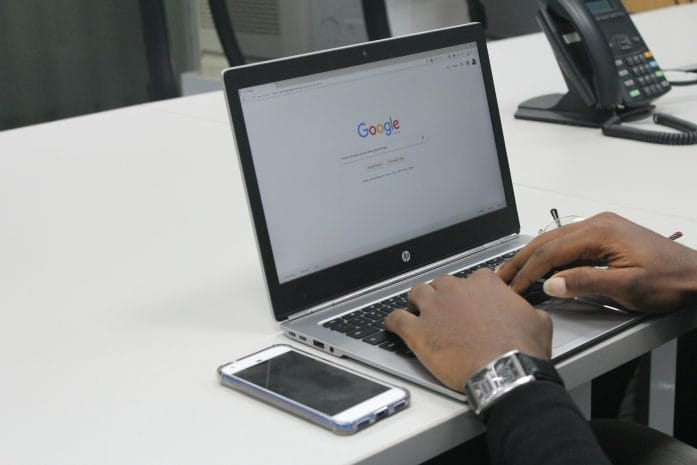
Search bars feel like neutral tools, but they act more like diaries that record questions, curiosities, and concerns. Every search query gets logged by default on most platforms, especially when accounts stay signed in. That information helps improve search results, but it also builds a detailed picture of interests, habits, and even future plans. Over time, search history becomes a timeline that reveals patterns far beyond what any single query suggests.

Search engines often connect this data across devices, which means a search on a phone can influence results on a laptop later. That seamless experience feels convenient, yet it also expands the scope of what gets tracked. Personalized results rely heavily on past searches, which can create a filter bubble that reinforces existing viewpoints. This effect shapes what information appears first, often without any obvious indication that personalization plays a role.

Managing search history requires more than a one-time cleanup. Many platforms offer settings that allow auto-deletion after a set period, which helps limit long-term data buildup. Turning off personalized search features can also reduce how much past activity influences future results. Taking a few minutes to review account settings can reveal options that many people never realize exist, and those options offer more control than expected.
5 Online Actions That Are Logged By Default and Most People Never Notice

Image Source: Unsplash.com

3. Location Tracking Doesn’t Turn Off When You Think It Does

Location services feel straightforward, especially when apps ask for permission upfront. Many assume that turning off location access in one app solves the issue, but tracking often continues in less obvious ways. Devices can log location data through Wi-Fi networks, Bluetooth signals, and even IP addresses, creating a broader picture of movement patterns. That data helps with navigation, local recommendations, and weather updates, but it also builds a record of where time gets spent.

Some apps collect location data in the background even when they do not actively run on the screen. This feature supports functions like traffic updates or location-based reminders, yet it also increases how often data gets recorded. Over time, location history can reveal routines such as daily commutes, favorite hangouts, and travel habits. That level of detail holds value for services, but it also raises important questions about privacy and control.

Adjusting location settings can reduce unnecessary tracking without sacrificing useful features. Switching apps to “while using” access instead of “always” access limits background data collection. Reviewing which apps truly need location data can also cut down on excess logging. Regularly checking location history within account settings offers a clear view of what gets stored, which helps guide smarter choices moving forward.

4. Voice Assistants Remember More Than Commands

Voice assistants respond quickly and make everyday tasks easier, from setting reminders to answering quick questions. Each interaction, however, often gets recorded and stored to improve accuracy and performance. These recordings can include not just commands, but also snippets of background conversation if the device activates unintentionally. That possibility surprises many people because the process feels invisible and effortless.

Companies use voice data to train systems, refine speech recognition, and personalize responses. This approach improves functionality, but it also means that voice interactions contribute to a growing data profile. Some platforms allow users to review and delete voice recordings, yet many never explore those settings. Over time, those stored interactions can add up, creating a detailed log of spoken requests and habits.

Taking control of voice data starts with exploring privacy settings within the device or app. Disabling voice recording storage or enabling automatic deletion can limit how long data stays on file. Muting microphones when not in use adds another layer of control, especially in shared spaces. Voice assistants offer convenience, but a few simple adjustments can keep that convenience from turning into constant background tracking.

5. App Activity Tracking Goes Far Beyond What You Open

Apps track more than just usage time or frequency. Many collect data about how long screens stay open, which features get used most, and how interactions unfold within the app. This information helps developers improve design and functionality, but it also contributes to detailed user profiles. Even apps that seem simple, like games or note-taking tools, often gather more data than expected.

Cross-app tracking adds another layer, as some platforms share data across multiple apps or services. This connection allows for more targeted advertising and personalized experiences, but it also expands the scope of what gets logged. A single action in one app can influence what appears in another, creating a network of interconnected data points. That system operates quietly, without obvious signs, which makes it easy to overlook.

Reviewing app permissions and privacy settings can reveal how much data each app collects. Limiting permissions to only what feels necessary can reduce excessive tracking. Turning off ad personalization within device settings can also minimize how data gets shared across apps. Staying aware of app behavior helps maintain a better balance between convenience and privacy.

Awareness Changes Everything

Digital life runs on convenience, and that convenience depends on data flowing constantly behind the scenes. These five everyday actions—clicks, searches, location sharing, voice commands, and app activity—form the backbone of how platforms understand behavior. None of this happens by accident, and most of it gets enabled by default. That reality does not mean panic or complete disconnection, but it does call for a more intentional approach to everyday online habits.

Small changes can shift the balance in a meaningful way. Checking settings once a month, clearing histories, and adjusting permissions can reduce unnecessary data collection without sacrificing the benefits of modern technology. Awareness creates options, and those options put control back where it belongs. The internet will always track something, but it does not need to track everything.

Which of these surprised you the most, and what changes feel worth trying first? Drop thoughts, strategies, or even personal discoveries in the comments and keep the conversation going.

You May Also Like…

6 Online Habits That Quietly Expose Your Financial Information

Why IRS Payment Plans Still Default After Missed Online Notices

Why Free Online Checking Continues to Beat Traditional Banks

8 Personal Finance Debates That Are Dividing the Internet

14 Online Debates That Show How Social Media Divided the Nation

Brandon Marcus
Brandon Marcus

Brandon Marcus is a writer who has been sharing the written word since a very young age. His interests include sports, history, pop culture, and so much more. When he isn’t writing, he spends his time jogging, drinking coffee, or attempting to read a long book he may never complete.

Filed Under: Online Safety Tagged With: apps tracking, browsing habits, Cybersecurity Tips, data collection, data tracking, digital footprint, digital-life, internet habits, online privacy, Online Safety, privacy settings, tech awareness

7 Tech Products Gen Z Can’t Live Without — That Are Actually Downgrades

November 27, 2025 by Travis Campbell Leave a Comment

smart watch

Image source: shutterstock.com

Gen Z grew up surrounded by sleek devices that promised to make life easier, faster, and cleaner. But some of these tech products created more problems than they solved. They cost more, break faster, and lock users into routines that feel less free than the analog versions they replaced. The tension is visible every time a device glitches or a subscription renews without warning. The reality: some of the most popular tech products feel like steps backward. And that matters because these habits shape the cost of living and the quality of daily life.

1. Wireless Earbuds

Wireless earbuds sit at the center of modern convenience, but they represent one of the clearest downgrades in everyday tech products. They fall out, get lost, and require constant charging. Battery life fades, turning a once‑functional pair into e-waste in a few years. Wired headphones rarely failed this quickly, and they never needed their own power source. Yet many Gen Z users accept the trade because wireless has become the social default.

The downgrade deepens when you factor in audio compression. Wireless audio often loses depth and detail, even on expensive models. The simplicity of a plug has been replaced with troubleshooting menus and Bluetooth pairing loops. That’s not progress. It’s a compromise disguised as innovation.

2. Smart Watches

Smart watches promise health data, quick replies, and constant connectivity. What they deliver is another screen demanding attention. Many buyers feel obligated to monitor metrics they once ignored, creating a low‑grade sense of pressure. Traditional watches had one job and did it flawlessly for decades. Today’s versions require frequent charging and updates that interrupt daily routines.

These devices also feed an expectation that every moment should be tracked. But the more data people collect, the more they rely on the device instead of their own sense of well‑being. In the growing sea of tech products, this one blurs the line between helpful and intrusive.

3. Digital Note Apps

Gen Z relies heavily on digital note apps for school, work, and planning. They seem efficient. But they scatter thoughts across platforms, password walls, and cloud syncs that sometimes fail without explanation. Paper notebooks never crashed. They didn’t vanish behind subscription tiers or require file exports.

The downgrade shows up in focus. Typing invites multitasking, and multitasking kills retention. Students flip between tabs, notifications, and windows. A notebook stays still. In a world overwhelmed by tech products, the analog version wins on simplicity alone.

4. Portable Projectors

These tiny projectors show up in dorm rooms and apartments as replacements for televisions. They look stylish, save space, and feel modern. But the image quality rarely matches even a mid‑range TV, and the sound often needs separate speakers just to be audible. Bulbs dim quickly. Fan noise interrupts movies.

What was meant to be an upgrade becomes a hassle: dark rooms, endless adjustments, and a picture that washes out with the slightest ambient light. In practice, this is a downgrade that quietly drains time and money.

5. App-Based Calendars

Digital calendars dominate Gen Z scheduling. They send alerts, connect to email, and sync across devices. But they also create a dependence that’s difficult to break. Auto-scheduling features add events without a clear context. Color coding grows cluttered. Share settings complicate even simple planning.

A physical planner sits open and visible. It never hides behind an app icon or buries entries beneath default settings. As more tech products insert layers between intention and execution, calendars show how digital convenience can obscure clarity.

6. Keyboard Cover Skins

Gen Z often uses silicone keyboard skins to protect laptops from spills. They seem practical. In reality, they trap heat and degrade typing accuracy. Keys lose tactile response, slowing typing speed and increasing errors. Many users peel them off after months of frustration, only to find dust or residue stuck underneath.

The promise of protection created a downgrade in basic performance. And for a device as central as a laptop, any barrier to typing affects productivity in ways that feel subtle at first, then significant.

7. Smart Water Bottles

Smart water bottles sit at the intersection of hydration and data. Lights blink when it’s time to drink. The premise feels harmless, even helpful. But the charging, sync issues, and app notifications turn a simple habit into a chore managed by yet another gadget.

Water bottles never needed firmware updates. They didn’t stop working because a charger went missing. Among modern tech products, this one symbolizes the excess of turning every object into a device with a companion app.

The Cost of Chasing Convenience

People now value convenience above all else, which has led to the decline of products that were once durable and clear and allowed personal freedom. The requirement for weak technology products to function as convenience tools leads to a lifestyle marked by frequent interruptions, equipment failures, and minor degrees of frustration.

The world Gen Z experiences today stems from the actions of previous generations. Previous generations created the world we live in today. People can improve their technology selection through understanding product weaknesses, which helps them save money on subscriptions and build dependable technology relationships.

Which of these supposed upgrades has negatively impacted your daily life?

What to Read Next…

  • How Your Wi-Fi Router Placement Might Be Sharing Personal Info
  • Why ChatGPT May Be Generating Fake Financial Advice And Getting Away With It
  • Are Budgeting Apps Designed To Push You Into Debt
  • What Are Banks Really Doing With Your Personal Spending Data
  • 7 Free Financial Tools With Privacy Concerns
Travis Campbell
Travis Campbell

Travis Campbell is a digital marketer/developer with over 10 years of experience and a writer for over 6 years. He holds a degree in E-commerce and likes to share life advice he’s learned over the years. Travis loves spending time on the golf course or at the gym when he’s not working.

Filed Under: Lifestyle Tagged With: consumer habits, digital-life, gadgets, gen z, technology

7 Gadgets From the 2000s That Will Blow Gen Alpha’s Minds

November 21, 2025 by Travis Campbell Leave a Comment

flip phone

Image source: shutterstock.com

The world of Generation Alpha is defined by modern technology, including glass slabs for phones, instant music streaming, and cloud-based photo storage that can make content disappear. The physical technology that controlled daily life before 2010 appears to Generation Alpha as something from a distant past. Research on 2000s gadgets requires examination because it demonstrates how quickly technology has advanced for consumers and highlights the main differences between digital life then and current automated systems. Children experience a strong contrast between previous technology devices because these devices have unusual features and limited capabilities.

1. iPod Classic

The iPod Classic defined portable music for an entire generation. It packed thousands of songs into a hard drive the size of a deck of cards, a feat that felt enormous at the time. Gen Alpha lives in a world where playlists sync automatically and music never truly runs out. Holding an old iPod, with its click wheel and fixed storage, shows how different digital entertainment felt when gadgets from the 2000s ruled the scene. Managing a music library manually sounds almost absurd to them, but it once shaped how people listened on the go.

2. Flip Phone

The flip phone delivered a physical snap that no touchscreen can match. It shut with finality—conversation over, call complete. Simple, tough, and unapologetically limited, it offered texting, calling, and little else. For Gen Alpha, who grew up pinching, swiping, and streaming on full-color displays, these phones resemble props from early sci‑fi. Yet for many families, flip phones provided independence while shielding kids from the open internet. That balance now exists mainly in parental‑control settings rather than hardware.

3. Portable DVD Player

Before streaming libraries followed people everywhere, portable DVD players guarded long road trips. You put a disc inside, waited for it to spin up, and hoped it wouldn’t skip during a bump. That was entertainment on demand. And it was precious. Kids today carry endless shows in their pockets, but the act of choosing one disc and sticking with it built a different kind of patience. Portable DVD players remain one of the clearest examples of how gadgets from the 2000s shaped travel before digital ecosystems took over.

4. Digital Point-and-Shoot Camera

Digital cameras in the 2000s felt advanced even when they captured grainy images by today’s standards. They introduced the idea of shooting without film, but storage and battery limits kept users cautious. You reviewed each shot, deleted the mistakes, and guarded your memory card like a treasure. Gen Alpha takes thousands of photos without thinking; everything uploads instantly. They rarely touch a device dedicated solely to photography unless it’s a high-end camera. The point-and-shoot sits in the middle—simple, small, and now almost forgotten.

5. Nintendo DS

Two screens, a stylus, and a clamshell design turned the Nintendo DS into a breakout handheld console. Kids carried them everywhere, tapping through games on commutes and school breaks. The dual-screen setup feels strange now, given how unified modern devices look. But the DS thrived on that novelty. Gen Alpha, used to gaming on tablets or cloud platforms, often reacts with surprise at how limited the graphics were and how physical the cartridges felt. Yet the DS shows how creative game design flourished within tight technical boundaries.

6. BlackBerry Phone

The BlackBerry keyboard made mobile email feel unstoppable. Tactile keys delivered speed and precision long before predictive typing became reliable. Adults clutched them like lifelines, firing off messages with a distinct rhythm. For Gen Alpha, the idea of a phone built around email feels almost surreal. And the physical keyboard stands in contrast to the invisible tools they use now—autocorrect, voice typing, and cloud-synced drafts. The BlackBerry era illustrates the business world’s reliance on gadgets from the 2000s and the drastic change in workplace communication.

7. USB Flash Drive

The USB flash drive served as a pocket-sized vault. School assignments, photos, reports, and music files all lived on these tiny sticks that could disappear in a heartbeat. The fear of losing one created real tension. Today’s kids rely on cloud storage that updates constantly in the background. The flash drive’s limitations—capacity, fragility, and the ever-present chance of corruption—capture the unpredictable nature of early digital organization. It remains one of the most tangible examples of how people moved data in an era before constant connectivity.

The Pull of Tech From Another Era

People in the 2000s had to keep going through difficulties by finding innovative solutions to their problems. Users had to put in physical effort to operate these devices, risking data loss and battery failure with no backup solutions. People from Generation Alpha are interested in these outdated devices because they represent a different technological environment than the one they experience in their automated present. Gen Alpha uses pre-smartphone devices to understand how quickly society has evolved to its current state of modern technology.

Which 2000s gadget do you think would surprise Gen Alpha the most?

What to Read Next…

  • How Your Wi-Fi Router Placement Might Be Sharing Personal Info
  • Is It Legal for Companies to Listen to You Through Smart Speakers?
  • What Happens to Your Credit Score If Your Cell Provider Changes Ownership?
  • Why ChatGPT May Be Generating Fake Financial Advice and Getting Away with It
  • 7 Ways Your Neighbor Could Be Spying on You Without Breaking the Law
Travis Campbell
Travis Campbell

Travis Campbell is a digital marketer/developer with over 10 years of experience and a writer for over 6 years. He holds a degree in E-commerce and likes to share life advice he’s learned over the years. Travis loves spending time on the golf course or at the gym when he’s not working.

Filed Under: History Tagged With: digital-life, gadgets, nostalgia, parenting, technology

FOLLOW US

Search this site:

Recent Posts

  • Can My Savings Account Affect My Financial Aid? by Tamila McDonald
  • 12 Ways Gen X’s Views Clash with Millennials… by Tamila McDonald
  • What Advantages and Disadvantages Are There To… by Jacob Sensiba
  • 10 Tactics for Building an Emergency Fund from Scratch by Vanessa Bermudez
  • Call 911: Go To the Emergency Room Immediately If… by Stephen Kanaval
  • 7 Weird Things You Can Sell Online by Tamila McDonald
  • 10 Scary Facts About DriveTime by Tamila McDonald

Copyright © 2026 · News Pro Theme on Genesis Framework