• Home
  • About Us
  • Toolkit
  • Getting Finances Done
    • Hiring Advisors
    • Debt Management
    • Spending Plan
  • Insurance
    • Life Insurance
    • Health Insurance
    • Disability Insurance
    • Homeowners/Renters Insurance
  • Contact Us
  • Privacy Policy
  • Risk Tolerance Quiz

The Free Financial Advisor

You are here: Home / Archives for online privacy

5 Online Actions That Are Logged By Default and Most People Never Notice

April 4, 2026 by Brandon Marcus Leave a Comment

5 Online Actions That Are Logged By Default and Most People Never Notice

Image Source: Unsplash.com

A single tap, swipe, or voice command can leave a digital footprint that lasts far longer than expected. The internet does not just react to actions—it remembers them, organizes them, and often builds detailed profiles from them. That reality feels invisible because nothing dramatic happens in the moment, yet those tiny interactions stack up into something surprisingly revealing over time. The average person moves through apps and websites quickly, focusing on convenience, speed, and entertainment, without pausing to consider what gets recorded behind the scenes.

Data logging does not always mean something shady or malicious, but it absolutely shapes what shows up next—ads, recommendations, search results, even pricing in some cases. Companies rely on this data to refine services, improve experiences, and target content more effectively. Still, that convenience comes with a tradeoff, and it deserves a closer look.

1. Every Click Leaves a Trail You Didn’t Know Existed

Clicks feel harmless because they happen constantly, often without a second thought. Tapping a product, opening a headline, or selecting a suggested video all count as signals that platforms eagerly collect. Websites and apps track these clicks to understand preferences, interests, and even emotional reactions based on what holds attention the longest. That data feeds algorithms that shape future recommendations, which explains why one random click can suddenly flood a feed with similar content. This system thrives on patterns, and each click strengthens those patterns whether it reflects genuine interest or just curiosity.

Tracking clicks does not stop at obvious actions either, because platforms often monitor hover time, scrolling behavior, and interaction speed. That level of detail helps companies determine not just what gets clicked, but how engaging something feels in real time. This approach creates a feedback loop that constantly refines what appears next. A single click on a niche topic can snowball into a highly personalized stream that feels oddly specific. That precision feels convenient, but it also limits exposure to new or diverse content over time.

Taking control starts with awareness, and small adjustments can make a big difference. Clearing browsing history regularly, using private browsing modes, or adjusting personalization settings can reduce how much influence past clicks carry. Clicking more intentionally also helps, especially when curiosity leads toward topics that do not reflect real interests. Platforms will still track activity, but mindful habits can shift what gets logged and how it gets used.

2. Your Search History Knows More Than You Think

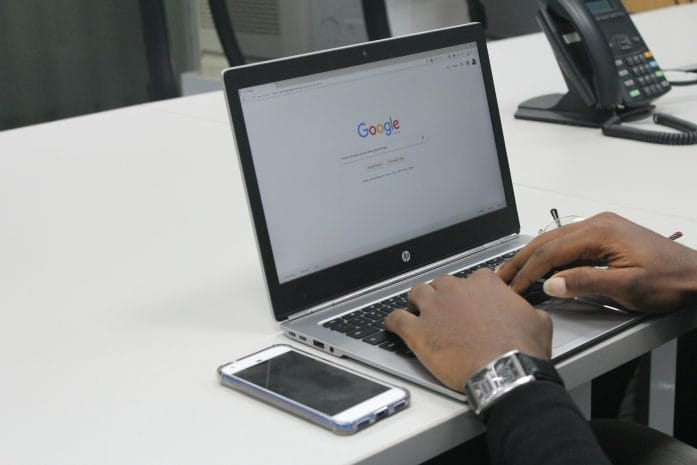
Search bars feel like neutral tools, but they act more like diaries that record questions, curiosities, and concerns. Every search query gets logged by default on most platforms, especially when accounts stay signed in. That information helps improve search results, but it also builds a detailed picture of interests, habits, and even future plans. Over time, search history becomes a timeline that reveals patterns far beyond what any single query suggests.

Search engines often connect this data across devices, which means a search on a phone can influence results on a laptop later. That seamless experience feels convenient, yet it also expands the scope of what gets tracked. Personalized results rely heavily on past searches, which can create a filter bubble that reinforces existing viewpoints. This effect shapes what information appears first, often without any obvious indication that personalization plays a role.

Managing search history requires more than a one-time cleanup. Many platforms offer settings that allow auto-deletion after a set period, which helps limit long-term data buildup. Turning off personalized search features can also reduce how much past activity influences future results. Taking a few minutes to review account settings can reveal options that many people never realize exist, and those options offer more control than expected.
5 Online Actions That Are Logged By Default and Most People Never Notice

Image Source: Unsplash.com

3. Location Tracking Doesn’t Turn Off When You Think It Does

Location services feel straightforward, especially when apps ask for permission upfront. Many assume that turning off location access in one app solves the issue, but tracking often continues in less obvious ways. Devices can log location data through Wi-Fi networks, Bluetooth signals, and even IP addresses, creating a broader picture of movement patterns. That data helps with navigation, local recommendations, and weather updates, but it also builds a record of where time gets spent.

Some apps collect location data in the background even when they do not actively run on the screen. This feature supports functions like traffic updates or location-based reminders, yet it also increases how often data gets recorded. Over time, location history can reveal routines such as daily commutes, favorite hangouts, and travel habits. That level of detail holds value for services, but it also raises important questions about privacy and control.

Adjusting location settings can reduce unnecessary tracking without sacrificing useful features. Switching apps to “while using” access instead of “always” access limits background data collection. Reviewing which apps truly need location data can also cut down on excess logging. Regularly checking location history within account settings offers a clear view of what gets stored, which helps guide smarter choices moving forward.

4. Voice Assistants Remember More Than Commands

Voice assistants respond quickly and make everyday tasks easier, from setting reminders to answering quick questions. Each interaction, however, often gets recorded and stored to improve accuracy and performance. These recordings can include not just commands, but also snippets of background conversation if the device activates unintentionally. That possibility surprises many people because the process feels invisible and effortless.

Companies use voice data to train systems, refine speech recognition, and personalize responses. This approach improves functionality, but it also means that voice interactions contribute to a growing data profile. Some platforms allow users to review and delete voice recordings, yet many never explore those settings. Over time, those stored interactions can add up, creating a detailed log of spoken requests and habits.

Taking control of voice data starts with exploring privacy settings within the device or app. Disabling voice recording storage or enabling automatic deletion can limit how long data stays on file. Muting microphones when not in use adds another layer of control, especially in shared spaces. Voice assistants offer convenience, but a few simple adjustments can keep that convenience from turning into constant background tracking.

5. App Activity Tracking Goes Far Beyond What You Open

Apps track more than just usage time or frequency. Many collect data about how long screens stay open, which features get used most, and how interactions unfold within the app. This information helps developers improve design and functionality, but it also contributes to detailed user profiles. Even apps that seem simple, like games or note-taking tools, often gather more data than expected.

Cross-app tracking adds another layer, as some platforms share data across multiple apps or services. This connection allows for more targeted advertising and personalized experiences, but it also expands the scope of what gets logged. A single action in one app can influence what appears in another, creating a network of interconnected data points. That system operates quietly, without obvious signs, which makes it easy to overlook.

Reviewing app permissions and privacy settings can reveal how much data each app collects. Limiting permissions to only what feels necessary can reduce excessive tracking. Turning off ad personalization within device settings can also minimize how data gets shared across apps. Staying aware of app behavior helps maintain a better balance between convenience and privacy.

Awareness Changes Everything

Digital life runs on convenience, and that convenience depends on data flowing constantly behind the scenes. These five everyday actions—clicks, searches, location sharing, voice commands, and app activity—form the backbone of how platforms understand behavior. None of this happens by accident, and most of it gets enabled by default. That reality does not mean panic or complete disconnection, but it does call for a more intentional approach to everyday online habits.

Small changes can shift the balance in a meaningful way. Checking settings once a month, clearing histories, and adjusting permissions can reduce unnecessary data collection without sacrificing the benefits of modern technology. Awareness creates options, and those options put control back where it belongs. The internet will always track something, but it does not need to track everything.

Which of these surprised you the most, and what changes feel worth trying first? Drop thoughts, strategies, or even personal discoveries in the comments and keep the conversation going.

You May Also Like…

6 Online Habits That Quietly Expose Your Financial Information

Why IRS Payment Plans Still Default After Missed Online Notices

Why Free Online Checking Continues to Beat Traditional Banks

8 Personal Finance Debates That Are Dividing the Internet

14 Online Debates That Show How Social Media Divided the Nation

Brandon Marcus
Brandon Marcus

Brandon Marcus is a writer who has been sharing the written word since a very young age. His interests include sports, history, pop culture, and so much more. When he isn’t writing, he spends his time jogging, drinking coffee, or attempting to read a long book he may never complete.

Filed Under: Online Safety Tagged With: apps tracking, browsing habits, Cybersecurity Tips, data collection, data tracking, digital footprint, digital-life, internet habits, online privacy, Online Safety, privacy settings, tech awareness

Apple and Google “Legacy” Warning: 5 Settings You Must Change Today to Avoid a Post-Mortem Tech Nightmare

February 24, 2026 by Brandon Marcus Leave a Comment

Apple and Google "Legacy" Warning: 5 Settings You Must Change Today to Avoid a Post-Mortem Tech Nightmare

Image Source: Unsplash.com

Your entire life sits behind a password. Photos, messages, financial records, location history, health data, purchase receipts, voice notes, and that email account you opened in college and never closed. Apple and Google don’t just store your data. They store your identity. And if something happens to you tomorrow, that identity can turn into a locked vault that your family cannot open.

Both Apple and Google built tools that let you decide what happens to your data after you die. Most people never touch those settings. That creates confusion, legal headaches, and in some cases, permanent data loss. If you want to avoid a post-mortem tech nightmare, you need to change five settings today.

1. Apple’s Legacy Contact: The One Setting Too Many People Ignore

If you use an iPhone, iPad, or Mac, your Apple ID controls everything tied to iCloud. That includes your photos, notes, device backups, messages, and even purchases. Apple created a feature called Legacy Contact to solve the access problem after death, yet many people never activate it.

When you add a Legacy Contact, you choose someone who can access specific data in your Apple account after you pass away. You generate a special access key and share it with that person. After your death, they submit that key and a death certificate to Apple. Apple then grants them access to your data for a limited period.

Without this setting, your family might need a court order just to retrieve photos. Even then, Apple does not guarantee access to everything. Privacy laws and company policies limit what Apple can release.

2. Google’s Inactive Account Manager: Your Digital Executor in Disguise

Your Google account probably runs your email, cloud storage, calendar, YouTube subscriptions, and maybe even your phone. If you use Gmail, Google Photos, or Google Drive, your digital footprint grows fast. Google built a feature called Inactive Account Manager that lets you decide what happens if your account goes unused for a set period.

You choose how long Google waits before it considers your account inactive, usually between three and eighteen months. After that, Google contacts you through your listed recovery methods. If you still do not respond, Google notifies the trusted contacts you selected. You can allow them to download specific data, such as photos or emails.

You can also instruct Google to delete your account permanently after that process. That choice matters. Some people want preservation. Others want a clean digital exit.

3. Two-Factor Authentication: Protection That Can Backfire

Two-factor authentication keeps hackers out. It adds a second step, often a code sent to your phone or generated by an app. Apple and Google both encourage it, and you absolutely should use it. Apple uses two-factor authentication for Apple ID, and Google supports several 2FA methods for Google Accounts.

But here is the problem: if you do not document your recovery options, two-factor authentication can lock out your family permanently.

Review your trusted phone numbers and recovery email addresses right now. Make sure they stay current. If you changed numbers recently and forgot to update your account, you created a future disaster. Check your account recovery contacts in both Apple ID settings and your Google Account security page.

Also, consider where you store backup codes. Google lets you generate one-time backup codes. Save them in a secure password manager or physical safe. If no one can access your phone and no one can receive your recovery codes, your digital life freezes in place.

Apple and Google "Legacy" Warning: 5 Settings You Must Change Today to Avoid a Post-Mortem Tech Nightmare

Image Source: Unsplash.com

4. Password Managers: Stop Being the Only Person With the Keys

If you handle every password in your head or in a secret note app, you create a single point of failure. Apple offers iCloud Keychain inside your Apple ecosystem. Google offers its own password manager through Chrome and Android. Many people also use third-party managers.

These tools encrypt and store your login credentials. They make daily life easier and safer. But you must think about inheritance. If you use Apple’s built-in password system tied to your Apple ID, your Legacy Contact can eventually access data after approval. If you use Google’s password manager, access depends on your Inactive Account Manager settings.

You should also evaluate whether you want a separate password manager that supports emergency access features. Some services allow you to designate a trusted contact who can request access, with a waiting period that gives you time to deny the request if you are alive.

5. Data Cleanup: Decide What Deserves to Survive You

You do not need to preserve every digital breadcrumb. Apple and Google store years of data by default. Google Maps may hold location history. Google Photos may store thousands of images. iCloud may contain backups from devices you no longer own.

Review what you actually want someone to access. Log into your Google Account and examine your activity controls. Decide whether you want location history and web activity saved long-term. Check your iCloud storage and delete what no longer serves you.

This step does two things. It reduces your digital footprint, and it simplifies what your trusted contacts must sort through later. You shape your legacy by choosing what remains.

Your Digital Afterlife Deserves a Plan

You plan for insurance, wills, and medical directives. Your tech life deserves the same respect. Apple and Google gave you the tools. They did not activate them for you.

We live online now. Photos, conversations, and memories sit on servers instead of in shoeboxes. If you care about the people who will handle your affairs someday, give them clarity instead of chaos.

Have you adjusted your Apple or Google settings yet, or does this feel like something you keep meaning to do but never quite start? Let’s discuss it in the comments below.

You May Also Like…

Market Frame: 4 Visual Techniques Advisors Use to Explain Risk Better

Tech-Threat: 5 Ways AI Is Changing What Your Financial Advisor Should Be Doing for You

7 Tech Products Gen Z Can’t Live Without — That Are Actually Downgrades

9 Powerful Techniques to Master Your Money Emotions Wisely

Lease Management Made Easy: Best Software Solutions

Brandon Marcus
Brandon Marcus

Brandon Marcus is a writer who has been sharing the written word since a very young age. His interests include sports, history, pop culture, and so much more. When he isn’t writing, he spends his time jogging, drinking coffee, or attempting to read a long book he may never complete.

Filed Under: Technology Tagged With: Apple ID, digital estate planning, Gmail Security, Google Account, iCloud Data, Inactive Account Manager, iPhone Settings, Legacy Contact, online privacy, password management, Tech Safety, two-factor authentication

Are Your Social Media Posts Creating a Credit Risk?

August 12, 2025 by Travis Campbell Leave a Comment

apps

Image source: pexels.com

Social media is everywhere. You post photos, share updates, and comment on news. But have you ever stopped to think about how your social media posts might affect your credit risk? Lenders, insurers, and even landlords are paying more attention to what you share online. Your digital footprint can say a lot about your habits, lifestyle, and even your financial stability. This isn’t just about privacy. It’s about how your online life could impact your ability to borrow money, get a loan, or even rent an apartment. Here’s why your social media activity matters—and what you can do about it.

1. Lenders Are Watching

Lenders want to know if you’re a good risk. They look at your credit score, income, and debt. But now, some are also looking at your social media. If you post about big purchases, expensive vacations, or risky behavior, it could raise red flags. Lenders may see these posts and wonder if you’re living beyond your means. Even if you pay your bills on time, your online image can create doubts. Some lenders use algorithms to scan social media for signs of financial stress or instability. This isn’t science fiction. It’s happening now, especially with online lenders and fintech companies. If you want to protect your credit risk, think before you post.

2. Your Posts Can Reveal Financial Habits

What you share online can give away more than you think. Frequent check-ins at bars, casinos, or luxury stores might suggest you spend a lot. Complaints about money problems or job loss can also be a warning sign. Even sharing memes about being broke can be taken the wrong way. Lenders and insurers may use this information to judge your reliability. They want to know if you’re likely to pay back what you owe. If your posts suggest you’re careless with money, it could hurt your chances. Keep your financial life private. Don’t overshare about spending, debt, or financial struggles.

3. Privacy Settings Aren’t Foolproof

You might think your posts are private. But privacy settings can change, and friends can share your content. Screenshots last forever. Even if you delete a post, it might still be out there. Some companies use data brokers to collect information from public and semi-private profiles. If you want to lower your credit risk, assume anything you post could be seen by a lender. Review your privacy settings often, but don’t rely on them completely. The safest move is to avoid posting anything you wouldn’t want a lender to see.

4. Social Media Scoring Is Growing

Social media scoring is a real thing. Some companies use your online activity to help decide if you’re a good credit risk. They look at your friends, your posts, and even your grammar. The idea is that your online behavior can predict how you handle money. For example, having a stable job and a strong network is a plus. But if you post about gambling or missing payments, that’s a minus. This kind of scoring is more common in some countries, but it’s spreading.

5. Insurers and Landlords Are Paying Attention

It’s not just lenders. Insurers and landlords are also looking at social media. They want to know if you’re a safe bet. If you post about risky hobbies, like skydiving or racing, your insurance rates could go up. If you complain about your landlord or show damage to your apartment, you might have trouble renting in the future. Some landlords even check social media before approving a lease. Your posts can affect more than your credit risk—they can impact your whole financial life. Be careful about what you share, especially if you’re applying for insurance or a new place to live.

6. Algorithms Don’t Understand Context

Algorithms scan your posts for keywords and patterns. But they don’t understand jokes, sarcasm, or context. If you post a joke about being broke, an algorithm might flag it as a sign of financial trouble. If you share a photo from a fancy restaurant, it might look like you’re spending too much. These systems aren’t perfect. They can make mistakes that hurt your credit risk. If you want to avoid problems, keep your posts neutral and avoid sharing anything that could be misunderstood.

7. Your Network Matters

Who you connect with online can also affect your credit risk. Some scoring systems look at your friends and followers. If you’re connected to people with bad credit or risky behavior, it could reflect on you. This isn’t fair, but it’s happening. Your network can influence how lenders see you. Be mindful of who you add and interact with online. It’s not just about what you post—it’s about who you know.

8. Deleting Posts Doesn’t Erase the Risk

You might think deleting old posts will solve the problem. But data can stick around. Screenshots, archives, and data brokers can keep copies of your posts. Even if you clean up your profile, old information might still be out there. Lenders and insurers can use this data to assess your credit risk. The best approach is to be careful from the start. Think before you post, and remember that the internet never forgets.

9. What You Can Do to Protect Yourself

You can’t control everything, but you can take steps to protect your credit risk. First, review your privacy settings and limit what you share. Avoid posting about money problems, big purchases, or risky behavior. Be careful with jokes or memes about finances. Think about how your posts might look to someone who doesn’t know you. If you’re applying for a loan, insurance, or a rental, clean up your profiles. Remove anything that could raise questions. Stay informed about how companies use social media data. Take control of your digital footprint.

Your Digital Footprint Follows You

Your social media posts can shape your credit risk in ways you might not expect. Lenders, insurers, and landlords are paying attention. What you share online can affect your financial future. Protect yourself by thinking before you post, keeping your financial life private, and staying aware of how your digital footprint is used. Your online image matters more than ever.

Have you ever worried that your social media posts could affect your credit or financial opportunities? Share your thoughts or experiences in the comments.

Read More

5 Quiet Changes to Social Security That Reduce Spousal Benefits

Social Security Offices Are Facing Backlogs—What It Means for You

Travis Campbell
Travis Campbell

Travis Campbell is a digital marketer/developer with over 10 years of experience and a writer for over 6 years. He holds a degree in E-commerce and likes to share life advice he’s learned over the years. Travis loves spending time on the golf course or at the gym when he’s not working.

Filed Under: credit score Tagged With: credit risk, credit score, digital footprint, Financial Health, Insurance, lenders, online privacy, Social media

7 “Free” Financial Tools With Privacy Concerns

August 9, 2025 by Catherine Reed Leave a Comment

7 “Free” Financial Tools That Sold Your Data Despite Promises

Image source: 123rf.com

Many free financial tools make money by using your data. You sign up for convenience and trade personal details without realizing it. That data can be shared, sold, or used to target you. Knowing which tools carry privacy risks helps you make smarter choices.

1. Budgeting apps that link to your bank accounts

Budgeting apps ask for account access to categorize spending. That access gives them transaction histories, merchant names, locations, and balances. Some apps share anonymized data with partners or sell trends to data brokers. Limit risk by using read-only access or manual entry when possible, and review the app’s privacy policy for third-party sharing.

2. Investment robo-advisors with free tiers

Robo-advisors collect income, net worth, and risk tolerance to build portfolios. Even free tiers may gather browsing and device data. Firms sometimes share data with analytics or ad partners. Pick services that commit to never selling personal data, check for encryption statements, and prefer advisors covered by strict financial privacy rules.

3. Credit score and monitoring sites

Free credit score sites often pull from credit bureaus or request identity details. To monetize, many integrate third-party trackers and ad networks. These trackers can link your financial profile to advertising IDs. Use official bureau services when possible, enable tracker blockers, and avoid giving extra permissions like SMS or call access.

4. Cashback and coupon extensions

Browser extensions and cashback tools need access to shopping activity to apply offers. That access can expose purchase histories and visited stores. Extensions may collect browsing data beyond shopping pages. Only install extensions from trusted sources, inspect requested permissions, and remove ones that ask for full browsing access.

5. Personal finance aggregators and “free” spreadsheets

Aggregators that combine multiple accounts are convenient but centralize risk. A single breach can expose data across banks, cards, and investment accounts. Spreadsheets shared or saved in cloud accounts can also leak info if linked to third-party apps. Use strong, unique passwords, enable two-factor authentication, and limit which accounts you connect.

6. Free tax-preparation tools

Some free tax tools advertise no-cost filing but monetize with targeted offers and data sharing. Sensitive details like Social Security numbers and dependents end up in their systems. Confirm whether the provider uses data for marketing or shares with affiliates. Prefer providers that explicitly restrict data use to tax services and that follow strong security standards.

7. Socially driven money apps and payment platforms

Peer payment apps and social finance tools collect contact lists, payment histories, and sometimes geo-location. That data can be used to suggest lenders, advertisers, or credit offers. Check settings to prevent contact syncing, and remove permissions you don’t need. If a social feature feels optional, turn it off.

Why these risks matter now

Free financial tools are widely used for convenience. At the same time, regulators are paying attention. The Federal Trade Commission has increased enforcement on data practices and financial privacy, and it has guidance on data brokers and tracking. Older but still relevant research shows how data brokers compile and sell consumer profiles, which can include financial behaviors.

Simple checks to protect your privacy

Start with the privacy policy. Look for clear statements about selling data. Next, limit permissions: apps often ask for more access than they need. Use bank accounts that support read-only API access. Turn on two-factor authentication and use a password manager. If a feature is optional, skip it. For browser tools, inspect extension permissions before installing.

Practical alternatives to sharing everything

You don’t have to avoid free tools entirely. Consider using separate accounts with lower balances for aggregation. Use manual imports or CSV uploads instead of full linking. Employ privacy-focused browsers and tracker blockers when using web-based tools. For sensitive tasks like tax filing, consider paid versions that promise no data-sharing, or use a local software install.

A clear, quick checklist

Check the privacy policy, limit permissions, use read-only connections, enable two-factor authentication, and avoid syncing contacts or location. Backup any exported records securely and delete old accounts you no longer use. These steps cut exposure without giving up convenience.

Main takeaway: convenience costs more than you think

Free financial tools can save time and money, but often trade privacy for convenience. Treat each app like a service that asks for access to your life. Read policies, reduce permissions, and use safer alternatives when you can. That keeps your financial data under your control.

How have free financial tools affected your privacy or finances? Share your experiences or tips in the comments.

Read More:

How Safe Is That “Password-Free” Login Feature Everyone’s Using?

How Your Wi-Fi Router Placement Might Be Sharing Personal Info

Catherine Reed
Catherine Reed

Catherine is a tech-savvy writer who has focused on the personal finance space for more than eight years. She has a Bachelor’s in Information Technology and enjoys showcasing how tech can simplify everyday personal finance tasks like budgeting, spending tracking, and planning for the future. Additionally, she’s explored the ins and outs of the world of side hustles and loves to share what she’s learned along the way. When she’s not working, you can find her relaxing at home in the Pacific Northwest with her two cats or enjoying a cup of coffee at her neighborhood cafe.

Filed Under: Online Safety Tagged With: budgeting apps, credit monitoring, data privacy, digital safety, fintech, free financial tools, identity protection, online privacy, Personal Finance, Planning

How Safe Is It to Link All Your Devices to a Single Email Account?

August 1, 2025 by Travis Campbell Leave a Comment

email

Image Source: pexels.com

Staying connected is easier than ever. You can check your email on your phone, tablet, laptop, and even your smart TV. Many people link all their devices to a single email account. It feels simple. You get your messages everywhere. But is it safe? What happens if someone gets into that account? Email account security is more important than most people realize. If you use one email for everything, you need to know the risks and how to protect yourself.

1. Convenience Comes with a Price

Linking all your devices to one email account makes life easier. You get instant notifications. You can reset passwords quickly. You don’t have to remember which device has what. But this convenience can be risky. If someone hacks your email, they can access every device connected to it. They might see your contacts, messages, and even your location. Email account security is not just about your inbox. It’s about your whole digital life. If you use one email for everything, you’re putting a lot of trust in that one account.

2. One Breach, Many Problems

If your email account gets hacked, the damage can spread fast. Hackers can reset passwords for your bank, social media, and shopping accounts. They can lock you out of your devices. They might even use your email to scam your friends or family. The more devices you link, the more doors you open. Email account security means thinking about what could happen if someone else gets in. It’s not just about losing access. It’s about losing control over your digital identity.

3. Two-Factor Authentication Isn’t Foolproof

Many people use two-factor authentication (2FA) to protect their email. It’s a good step. But it’s not perfect. If all your devices are linked to the same email, a hacker who gets in might also get your 2FA codes. For example, if you use your email to get 2FA codes for other accounts, and someone hacks your email, they can get those codes too. This makes email account security even more important. Don’t rely on 2FA alone. Use different methods, like an authenticator app or a physical security key, for extra protection.

4. Privacy Risks Multiply

Your email account holds a lot of personal information. It might have receipts, travel plans, medical info, and private conversations. When you link all your devices, you’re spreading that information across more places. If one device gets lost or stolen, someone could use it to get into your email. And if your email is hacked, every device becomes a risk. Email account security is about more than just passwords. It’s about keeping your private life private. Think about what’s in your inbox. Would you want a stranger to see it?

5. Syncing Can Lead to Data Leaks

When you sync your email across devices, you’re copying data everywhere. That means your messages, contacts, and files are stored on each device. If you sell or give away an old phone or laptop without wiping it, your email data could go with it. Even if you think you deleted everything, some data might stay behind. Email account security means making sure your data doesn’t end up in the wrong hands. Always wipe devices before getting rid of them. And check your account settings to see which devices are connected.

6. Phishing Attacks Get Easier

Phishing is when someone tries to trick you into giving up your password or other information. If all your devices are linked to one email, a successful phishing attack can be much worse. Hackers can send fake alerts to all your devices at once. You might see a message on your phone, then your laptop, then your tablet. It feels urgent, so you might act without thinking. Email account security means being careful with every message. Don’t click on links or download attachments from people you don’t know.

7. Recovery Can Be Complicated

If you lose access to your email, getting it back can be hard. If all your devices are linked, you might lose access to everything at once. Recovery steps often use your email to verify your identity. If you can’t get into your email, you might be locked out of your bank, social media, and more. Email account security means having backup options. Set up recovery emails or phone numbers. Write down important information and keep it somewhere safe. Don’t wait until you’re locked out to think about recovery.

8. Kids and Shared Devices Add Risk

If you share devices with family or kids, linking everything to one email can be risky. Kids might click on unsafe links or download bad apps. Shared devices can make it easier for someone to accidentally change settings or delete important messages. Email account security is harder when more people use the same devices. Set up separate accounts for each person when possible. Use parental controls and teach kids about online safety.

9. You Might Miss Security Alerts

Many services send security alerts to your email. If you get a lot of notifications on all your devices, it’s easy to miss something important. You might ignore a warning about a suspicious login or a password change. Email account security means paying attention to alerts. Set up filters or rules to highlight security messages. Check your account activity regularly. Don’t assume everything is fine just because you haven’t noticed a problem.

10. There Are Safer Ways to Stay Connected

You don’t have to link every device to the same email. Use different accounts for work, personal, and important services. Set up guest accounts on shared devices. Use strong, unique passwords for each account. Turn on security features like device tracking and remote wipe. Email account security is about making smart choices. You can stay connected without putting everything at risk.

Protecting Your Digital Life Starts with One Account

Linking all your devices to a single email account is easy, but it’s not always safe. Email account security should be a top priority. Take steps to protect your information, use strong passwords, and think before you link. Your email is the key to your digital life. Treat it with care.

Have you ever had a problem with email account security? Share your story or tips in the comments.

Read More

How to Spot a Phishing Email Before It Steals Your Bank Info

How Safe Is That “Password-Free” Login Feature Everyone’s Using?

Travis Campbell
Travis Campbell

Travis Campbell is a digital marketer/developer with over 10 years of experience and a writer for over 6 years. He holds a degree in E-commerce and likes to share life advice he’s learned over the years. Travis loves spending time on the golf course or at the gym when he’s not working.

Filed Under: safety Tagged With: account protection, cybersecurity, device safety, email security, online privacy, Personal Finance, tech tips

How Your Shopping Cart Is Being Used to Profile Your Finances

July 6, 2025 by Travis Campbell Leave a Comment

shopping cart

Image Source: pexels.com

Online shopping has become second nature for most of us. With just a few clicks, we can fill our digital shopping carts and have everything from groceries to gadgets delivered to our doorsteps. But have you ever wondered what happens behind the scenes when you add items to your cart? Your shopping cart isn’t just a convenient tool—it’s a powerful data source that companies use to profile your finances. Understanding how your shopping cart is used to profile your finances can help you make more informed decisions and protect your privacy. This knowledge matters because it impacts your spending, privacy, and the deals you see online.

Let’s break down the ways your shopping cart is being used to profile your finances and what you can do about it.

1. Tracking Your Spending Habits

Every time you add an item to your shopping cart, retailers are tracking your choices. They analyze what you buy, how often you shop, and how much you spend. This information helps them build a detailed profile of your financial habits. For example, if you regularly purchase high-end products, retailers may label you as a “premium” shopper. On the other hand, if you often abandon your cart or only buy during sales, you might be seen as a budget-conscious consumer. This profiling can influence the prices and promotions you see, as well as the types of products recommended to you. If you want to limit this tracking, consider using guest checkout or clearing your cookies regularly.

2. Predicting Your Income Level

Your shopping cart can reveal a lot about your income. The brands you choose, the frequency of your purchases, and even the time of day you shop all contribute to a financial profile. Retailers use algorithms to estimate your income bracket based on the contents of your cart. For instance, consistently adding luxury items or shopping for the latest tech gadgets can signal a higher income. Conversely, filling your cart with discount items or generic brands may indicate a tighter budget. This profiling isn’t just for marketing—it can affect the credit offers or payment plans you’re shown.

3. Influencing the Deals You Receive

Retailers use your shopping cart data to personalize the deals and discounts you see. If their algorithms think you’re likely to pay full price, you might not get the same coupons as someone who waits for sales. This practice, known as price discrimination, means two shoppers can see different prices for the same item based on their financial profile. Your shopping cart history plays a significant role in this. To level the playing field, try browsing in incognito mode or clearing your browsing history before making a purchase. This can help you see more neutral pricing and avoid being targeted based on your financial profile.

4. Shaping Your Credit and Payment Options

The contents of your shopping cart can even influence the payment options you’re offered. Some retailers partner with financial institutions to offer “buy now, pay later” plans or special credit card deals. These offers aren’t random—they’re based on your shopping behavior and perceived financial stability. If your cart is filled with expensive items, you might get more aggressive financing offers. On the flip side, a cart full of budget items might limit your options. This profiling can impact your financial decisions, so always read the fine print before accepting any payment plan.

5. Building a Long-Term Financial Profile

Your shopping cart isn’t just about your current purchase—it’s part of a long-term data collection strategy. Retailers track your cart history over months or even years to build a comprehensive financial profile. This profile can be shared with third parties, including advertisers and credit agencies. Over time, your shopping cart data can influence everything from the ads you see to the credit offers you receive. To protect your financial privacy, review your account settings and limit the data you share with retailers. Opt out of data sharing when possible and use privacy-focused browsers or extensions.

6. Targeting You with Financial Products

Once retailers have a sense of your finances, they can target you with specific financial products. This might include credit cards, loans, or insurance offers tailored to your spending habits. If your shopping cart suggests you’re a big spender, you might get offers for premium credit cards with high limits. If you’re more conservative, you could see offers for basic cards or budgeting tools. While some of these offers can be helpful, others may encourage unnecessary spending or debt. Always evaluate financial products carefully and consider whether they truly fit your needs.

Protecting Your Financial Profile Starts with Awareness

Your shopping cart is more than just a list of things you want to buy—it’s a window into your financial life. By understanding how your shopping cart is being used to profile your finances, you can take steps to protect your privacy and make smarter choices. Use privacy tools, limit the data you share, and stay informed about how your information is being used. The more you know, the more control you have over your financial future.

Have you noticed personalized deals or targeted offers based on your shopping habits? Share your experiences or tips in the comments below!

Read More

The Definition of Irony (or Why You Should Know What You’re Doing)

Stop Reading About Last Year’s Top Ten Mutual Funds

Travis Campbell
Travis Campbell

Travis Campbell is a digital marketer/developer with over 10 years of experience and a writer for over 6 years. He holds a degree in E-commerce and likes to share life advice he’s learned over the years. Travis loves spending time on the golf course or at the gym when he’s not working.

Filed Under: Spending Habits Tagged With: consumer data, digital marketing, e-commerce, financial profiling, online privacy, Personal Finance, shopping cart

8 Privacy Settings Everyone Should Change Immediately

March 20, 2025 by Latrice Perez Leave a Comment

Privacy Access login PERFORMANCE Identification Password

Image Source: 123rf.com

Think your online data is safe? Think again. Companies, advertisers, hackers, and even nosy acquaintances can access more of your personal information than you probably realize. From tracking your location to listening in on your conversations, many default privacy settings are designed to collect as much data as possible. If you haven’t checked your settings recently, you could be exposing sensitive details without even knowing it. Here are eight privacy settings you should change right now to keep your personal information secure.

1. Stop Apps from Tracking Your Location

Many apps track your location even when you’re not using them, collecting data on your daily routines and movements. This information is often shared with advertisers or, in some cases, even sold to third parties. To take back control, go to your phone’s settings and check which apps have location access. Change permissions to “While Using the App” or “Never” for anything that doesn’t absolutely need your location. If you’re on iPhone, enable “Precise Location” only for necessary apps to prevent detailed tracking.

2. Limit Who Can See Your Social Media Posts

If your social media profiles are public, you’re giving complete strangers access to your personal life. Photos, locations, and even details about your family can be easily found and used against you. Adjust your privacy settings so only friends or approved followers can see your posts. On Facebook, go to Settings > Privacy and change “Who can see your future posts?” to “Friends” or “Only Me” for maximum control. For Instagram and Twitter, switch your account to private.

3. Disable Ad Tracking on Your Devices

Ever wonder why you see ads for something you just talked about? That’s because your devices collect data on your browsing and conversations to deliver targeted ads. To reduce this, disable ad tracking on your phone. On iPhone, go to Settings > Privacy > Tracking and turn off “Allow Apps to Request to Track.” On Android, go to Settings > Google > Ads and enable “Opt out of Ads Personalization.” You can also adjust ad settings on Google and Facebook to limit personalized tracking.

4. Turn Off Voice Assistant Recordings

Smart assistants like Siri, Alexa, and Google Assistant are constantly listening for their wake words—but they also record snippets of your conversations. These recordings can be stored and analyzed, sometimes even by human employees. If you’re concerned about privacy, disable voice recording storage. On Alexa, go to Settings > Alexa Privacy > Manage Your Alexa Data and turn off “Use Voice Recordings to Improve Amazon Services.” For Google Assistant, go to Google Account > Data & Personalization > Web & App Activity and uncheck “Include voice and audio recordings.”

5. Restrict App Permissions on Your Phone

App Restrictions

Image Source: 123rf.com

Many phone apps request unnecessary permissions that invade your privacy. For example, a flashlight app shouldn’t need access to your contacts or camera, yet some request it anyway. Go to your phone’s settings and check which apps have access to your microphone, camera, contacts, and messages. Revoke permissions for anything that seems unnecessary. If an app refuses to work without excessive permissions, consider deleting it and finding a safer alternative.

6. Change Your Google Privacy Settings

Google collects an enormous amount of data about your searches, location, and activity across devices. If you haven’t adjusted your privacy settings, Google likely has a detailed history of everywhere you’ve been and everything you’ve searched for. Go to myactivity.google.com and delete your search, location, and web activity history. Then, navigate to Google Account > Data & Personalization > Activity Controls and turn off tracking for Web & App Activity, Location History, and YouTube History.

7. Secure Your Home Wi-Fi Network

Your home Wi-Fi router is the gateway to all your devices, yet many people leave it completely exposed. If you’re still using the default password that came with your router, you’re making it easy for hackers to access your network. Change your Wi-Fi password to something strong and unique. Also, disable remote access and change the default admin login credentials, as these are often publicly available. Enabling WPA3 encryption (or WPA2 if WPA3 isn’t available) will add an extra layer of security.

8. Block Third-Party Cookies in Your Browser

Websites use cookies to track your online activity, collecting data on your browsing habits and preferences. While some cookies are useful, third-party cookies allow advertisers to follow you across different sites, building detailed profiles of your behavior. To stop this, go to your browser settings and block third-party cookies. In Chrome, navigate to Settings > Privacy and Security > Cookies and Other Site Data, then select “Block third-party cookies.” Firefox and Safari also offer enhanced tracking protection to limit this data collection.

Take Control of Your Privacy Before It’s Too Late

Companies and hackers are constantly looking for ways to access your data—but you don’t have to make it easy for them. Changing these privacy settings takes just a few minutes but can protect your personal information from being exploited. The internet isn’t going to get any less invasive, so taking proactive steps now can save you from major privacy headaches in the future.

Have you checked your privacy settings lately? What’s one change you’ve made to improve your online security? Share your thoughts in the comments!

Read More:

Online Shopping Dangers: 7 Red Flags That Scream “Scam!”

8 Signs Your Neighbor Is Watching You (And What to Do About It)

Latrice Perez

Latrice is a dedicated professional with a rich background in social work, complemented by an Associate Degree in the field. Her journey has been uniquely shaped by the rewarding experience of being a stay-at-home mom to her two children, aged 13 and 5. This role has not only been a testament to her commitment to family but has also provided her with invaluable life lessons and insights.

As a mother, Latrice has embraced the opportunity to educate her children on essential life skills, with a special focus on financial literacy, the nuances of life, and the importance of inner peace.

Filed Under: Online Safety Tagged With: cybersecurity, data protection, digital privacy tips, identity theft prevention, online privacy, personal security, smart home security, social media safety

FOLLOW US

Search this site:

Recent Posts

  • Can My Savings Account Affect My Financial Aid? by Tamila McDonald
  • 12 Ways Gen X’s Views Clash with Millennials… by Tamila McDonald
  • What Advantages and Disadvantages Are There To… by Jacob Sensiba
  • Call 911: Go To the Emergency Room Immediately If… by Stephen Kanaval
  • 10 Tactics for Building an Emergency Fund from Scratch by Vanessa Bermudez
  • 7 Weird Things You Can Sell Online by Tamila McDonald
  • 10 Scary Facts About DriveTime by Tamila McDonald

Copyright © 2026 · News Pro Theme on Genesis Framework