• Home
  • About Us
  • Toolkit
  • Getting Finances Done
    • Hiring Advisors
    • Debt Management
    • Spending Plan
  • Insurance
    • Life Insurance
    • Health Insurance
    • Disability Insurance
    • Homeowners/Renters Insurance
  • Contact Us
  • Privacy Policy
  • Risk Tolerance Quiz

The Free Financial Advisor

You are here: Home / Archives for security

Why You Should Never Store These Documents in a Safe

July 10, 2025 by Travis Campbell Leave a Comment

safe

Image Source: pexels.com

Some things feel obvious. You want to keep your most important documents safe, so you put them in a safe. But that’s not always the best move. In fact, storing certain documents in a safe can cause more problems than it solves. You might think you’re protecting your future, but you could be making things harder for yourself or your loved ones. The truth is, not every document belongs behind a locked door. Some need to be accessible, and others can even be damaged by the very place you think is protecting them. Here’s why you should never store these documents in a safe—and what you should do instead.

1. Wills

A will is one of the most important documents you’ll ever create. But if you lock it in a safe, you might be setting up your family for a headache. After you pass away, your loved ones may not know the combination or even that the safe exists. If they can’t access your will, the probate process gets complicated. Courts might treat your estate as if you never had a will at all. That means your wishes could be ignored. Instead, keep your will in a place that’s secure but accessible. Many people use a fireproof document box or leave it with their attorney. Some states even allow you to file your will with the local probate court for safekeeping. The key is making sure the right people know where to find it when they need it.

2. Power of Attorney Documents

Power of attorney documents give someone the legal right to act on your behalf. If you become incapacitated, your agent needs these papers fast. If they’re locked in a safe, your agent might not be able to get to them. That defeats the whole purpose. Emergencies don’t wait for you to remember a combination. Keep these documents in a place where your agent can access them quickly. Give a copy to your agent and maybe your attorney. You can also keep a digital copy in a secure cloud storage service. The goal is to make sure help is available when you need it most.

3. Advance Directives and Medical Instructions

Advance directives, like living wills or do-not-resuscitate (DNR) orders, guide your medical care if you can’t speak for yourself. Doctors and hospitals need these documents right away. If they’re in a safe, medical staff won’t have time to wait for someone to open it. In a crisis, every second counts. Keep these documents somewhere easy to grab, like a folder in your home or with a trusted family member. Some people keep a copy in their wallet or purse. You can also ask your doctor to keep a copy in your medical file. The main thing is that your wishes are clear and available when needed.

4. Passports and Travel Documents

You might think a safe is the best place for your passport. But if you need to travel on short notice, you don’t want to be hunting for keys or combinations. Worse, if you’re out of town and someone needs to send you your passport, they won’t be able to get it. Passports are valuable, but they’re also meant to be used. Store them in a secure but accessible spot, like a locked drawer or a travel wallet. If you travel often, keep your passport where you can grab it quickly. For more on passport safety, check out the U.S. Department of State’s advice.

5. Insurance Policies

Insurance policies are critical after a loss. If your house burns down or you’re in an accident, you need your policy details right away. If your insurance papers are in a safe that’s damaged or inaccessible, you could face delays in filing a claim. Some safes aren’t as fireproof as you think, and water from firefighting can ruin paper. Instead, keep a copy of your insurance policies in a waterproof folder in your home and another copy with a trusted person or in secure cloud storage. Many insurance companies also offer digital access to your policies, which can be a lifesaver in an emergency.

6. Social Security Cards

Social Security cards are important, but you rarely need them. Keeping them in a safe might seem smart, but if you ever need to show your card for a job or government service, you don’t want to be locked out. Plus, if your safe is stolen, a thief now has your Social Security number. It’s better to keep your card in a secure, hidden spot at home. Only carry it when you need it.

7. Birth and Marriage Certificates

Birth and marriage certificates are needed for things like getting a passport, enrolling in school, or proving your identity. If they’re locked away, you might not be able to get them when you need them. And if your safe is damaged by fire or water, these documents can be destroyed. Store them in a fireproof, waterproof document bag in a secure but accessible place. You can also order certified copies from the issuing agency if you lose the originals, but that takes time and can be stressful.

8. Keys and Spare Car Fobs

It sounds logical to keep spare keys or car fobs in a safe. But if you’re locked out of your house or car, you can’t get to them. That defeats the purpose of having a spare. Instead, give a spare key to someone you trust or use a secure outdoor key box. For car fobs, keep a spare in a hidden spot at home, not in your car or a locked safe.

Rethink What “Safe” Really Means

A safe can protect valuables from theft or fire, but it’s not always the best place for every important document. Accessibility matters just as much as security. If you lock away documents you or your loved ones need in an emergency, you could be creating bigger problems. Think about what you need to access quickly and what can be replaced. Use a mix of secure storage options, and always let trusted people know where to find what matters most.

What documents do you keep outside your safe, and why? Share your thoughts in the comments.

Read More

Find the Right Amount of Life Insurance in 10 Minutes

Tax Season is Here

Travis Campbell
Travis Campbell

Travis Campbell is a digital marketer/developer with over 10 years of experience and a writer for over 6 years. He holds a degree in E-commerce and likes to share life advice he’s learned over the years. Travis loves spending time on the golf course or at the gym when he’s not working.

Filed Under: safety Tagged With: document storage, emergency preparedness, Estate planning, Insurance, Personal Finance, safe deposit box, security, wills

Privacy Settings You Should Never Ignore on Banking Apps

July 10, 2025 by Travis Campbell Leave a Comment

banking app

Image Source: pexels.com

Banking apps make life easier. You can check your balance, pay bills, and transfer money in seconds. But with this convenience comes risk. Hackers and scammers are always looking for ways to get into your accounts. If you don’t pay attention to your privacy settings, you could be leaving the door wide open. Protecting your money starts with a few simple steps. Here are the privacy settings you should never ignore on banking apps.

1. Two-Factor Authentication (2FA)

Two-factor authentication is one of the most important privacy settings on any banking app. It adds an extra layer of security. Even if someone gets your password, they can’t get in without the second step. Usually, this means a code sent to your phone or email. Some banks use authentication apps or even biometrics. Always turn on 2FA if your app offers it. It’s a small step that can stop big problems.

2. Biometric Login

Most banking apps now let you use your fingerprint or face to log in. This is called biometric login. It’s faster than typing a password and much harder for someone else to fake. If your phone supports it, enable this feature. It keeps your account safer, especially if you lose your phone. Just make sure your device’s biometric data is set up securely. Don’t skip this setting—it’s one of the easiest ways to protect your privacy.

3. App Notification Settings

Banking apps send notifications for all kinds of things—logins, transfers, payments, and more. These alerts can help you spot fraud fast. But if you turn off notifications, you might miss something important. Go into your app’s settings and make sure you get alerts for every transaction. If you see something you didn’t do, you can act right away. This simple setting can save you from a lot of trouble.

4. Account Access Permissions

When you install a banking app, it may ask for access to your contacts, location, or camera. Some of these permissions are needed, but many are not. Only allow what’s necessary. For example, your bank doesn’t need your contacts to process a payment. Check your app’s permissions in your phone’s settings. Remove anything that feels unnecessary. The less access your app has, the safer your data stays.

5. Session Timeout Settings

Session timeout is a feature that logs you out after a period of inactivity. This is important if you forget to close the app or lose your phone. Some apps let you set how long before you’re logged out. Choose the shortest time that works for you. If your app doesn’t have this option, ask your bank to add it. A short session timeout keeps your account from staying open when you’re not using it.

6. Device Management

Many banking apps let you see which devices are logged into your account. This is called device management. Check this list often. If you see a device you don’t recognize, remove it right away. This setting helps you spot if someone else is accessing your account. Some banks even let you log out of all devices at once. Use this feature if you think your account is at risk.

7. Privacy Settings for Data Sharing

Banks sometimes share your data with third parties for marketing or analytics. You can usually control this in your app’s privacy settings. Look for options to limit data sharing. Turn off anything you don’t need. Your financial data is valuable. Don’t let it be used without your permission.

8. Transaction History Visibility

Some apps let you hide or limit how much of your transaction history is shown on the main screen. This is useful if you share your device or use it in public. Adjust these settings so only you can see your full history. If your app doesn’t offer this, be careful about where you open it. Keeping your transaction history private helps protect your financial life from prying eyes.

9. In-App Security Alerts

Many banking apps offer security alerts for things like password changes, failed logins, or large transactions. Make sure these alerts are turned on. They can warn you if someone is trying to break into your account. Set alerts for anything that seems important. The more you know about what’s happening in your account, the better you can protect it. For more on security alerts, see this resource from the Consumer Financial Protection Bureau.

10. Regular Privacy Checkups

Settings change. Apps update. What was secure last year might not be secure now. Make it a habit to review your privacy settings every few months. Check for new features or options. Update your passwords and review your device list. Staying on top of your privacy settings is the best way to keep your banking app secure.

Protecting Your Money Starts with You

Banking apps are powerful tools, but they need your attention. The right privacy settings can stop hackers, protect your data, and give you peace of mind. Don’t wait for a problem to happen. Take a few minutes today to check your settings. Your money—and your privacy—are worth it.

What privacy settings do you always check on your banking apps? Share your tips or stories in the comments.

Read More

Tax Season is Here

Why Junior’s Education Might Be Less Expensive Than Expected

Travis Campbell
Travis Campbell

Travis Campbell is a digital marketer/developer with over 10 years of experience and a writer for over 6 years. He holds a degree in E-commerce and likes to share life advice he’s learned over the years. Travis loves spending time on the golf course or at the gym when he’s not working.
Filed Under: Banking Tagged With: banking apps, data protection, financial safety, mobile banking, privacy, security, two-factor authentication

6 Apps That Secretly Share Your Location (and How to Disable Them)

April 2, 2025 by Latrice Perez Leave a Comment

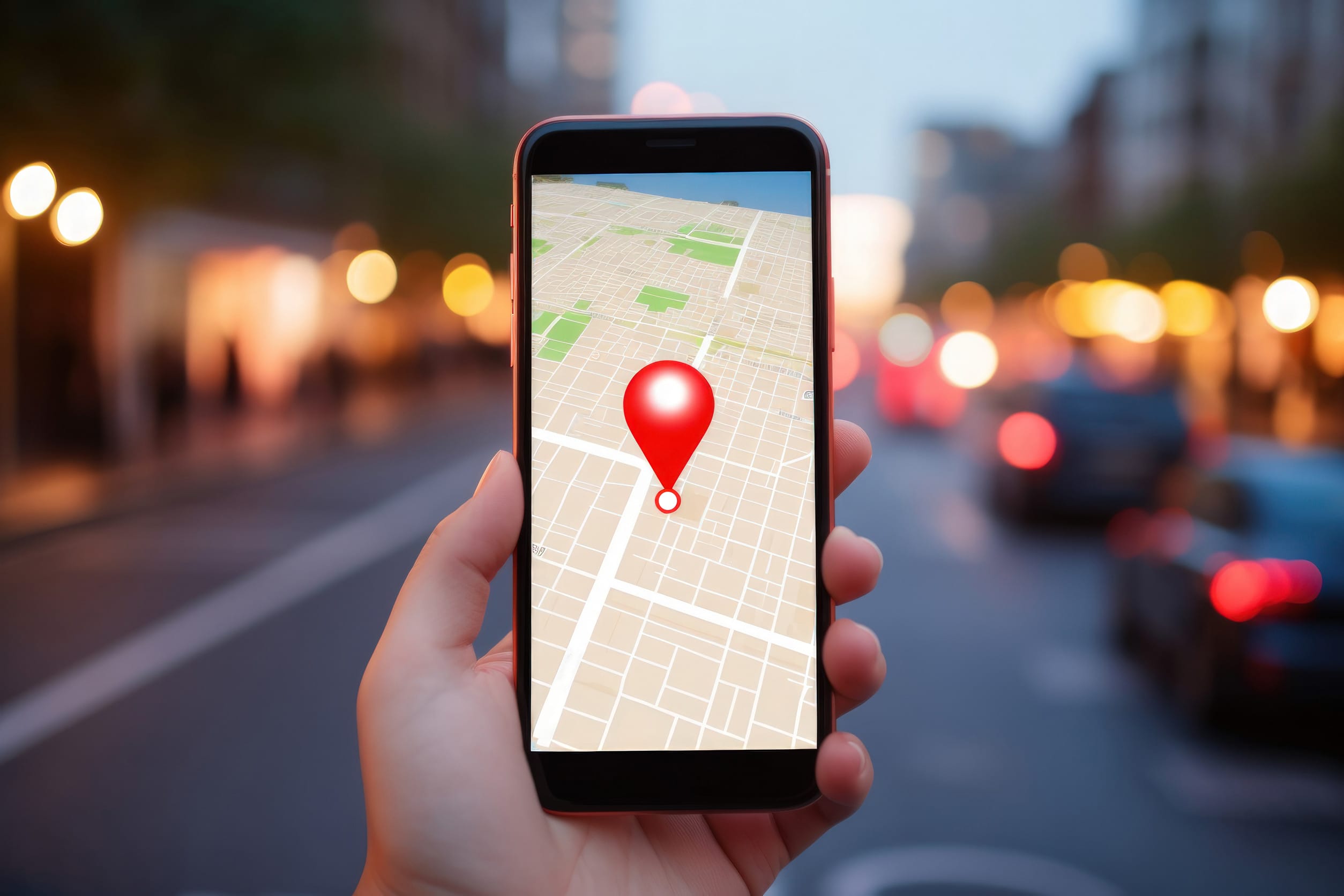
Woman hand using smartphone with gps navigator map icon on blur street background. Technology and business travel concept. Generative ai.

Image Source: 123rf.com

In today’s hyper-connected world, our smartphones have become indispensable tools, guiding us through daily life and keeping us connected. They guide us, connect us, and track our fitness goals, making our lives more convenient. However, this convenience comes with a trade-off: our location data, a valuable commodity that many apps seek to collect.

Many apps, often without our explicit knowledge, monitor our whereabouts, raising serious privacy concerns and prompting us to question the extent of our digital footprint. It’s crucial to understand which apps have access to your location and how to regain control of this sensitive information, safeguarding our privacy in an increasingly digital age.

1. Understanding Location Tracking

Location tracking isn’t inherently malicious, as many apps use it for legitimate purposes like navigation or ride-sharing, providing essential services. The concern arises when this data falls into the wrong hands, potentially leading to identity theft or harm, compromising our personal security. It’s vital to know that most smartphones allow you to see what apps use your location and change those settings, empowering us to make informed choices about our privacy. Understanding the nuances of location tracking empowers you to make informed decisions about your privacy. This knowledge helps you navigate the digital world with greater awareness, protecting yourself from potential privacy breaches.

2. Reviewing App Permissions

The first step to safeguarding your location privacy is to review your app permissions, taking control of the information you share. Both Android and iOS provide settings to control which apps access your location, giving you granular control over your data. You can choose from options like “Always,” “While Using the App,” “Ask Next Time,” or “Never,” customizing your settings to fit your needs. Regularly auditing these permissions helps identify and disable unnecessary location tracking, minimizing the risk of unauthorized access. You can also research app permissions to understand the best settings for each app.

3. Identifying Suspicious Apps

Some apps request location permissions even when it’s not essential for their functionality, raising red flags about their intentions. For example, a simple flashlight app shouldn’t require constant location access, suggesting a potential privacy violation. Be wary of apps that ask for excessive permissions and research their privacy policies, scrutinizing their data collection practices.

If you suspect an app is tracking you without a valid reason, consider uninstalling it or disabling its permissions, removing the threat from your device. Recognizing suspicious apps is key to maintaining your digital safety, and helps you protect yourself from potential privacy breaches.

4. Disabling Background Location Tracking

Many apps track your location even when not actively in use, draining your battery and raising privacy concerns, compromising your device’s performance. To disable this, navigate to your phone’s settings and adjust location permissions for individual apps, limiting their access to your location data.

You can also disable location services altogether when not needed, preventing any apps from tracking your whereabouts. Understanding how background tracking works is vital for privacy, enabling you to manage your device’s settings effectively and protect your personal information.

5. Utilizing Privacy-Focused Apps

Privacy Access Identification Password Passcode and Privacy

Image Source: 123rf.com

Several privacy-focused apps help control and monitor your location data, providing detailed reports and blocking unwanted tracking, enhancing your privacy. Consider using a VPN to encrypt traffic and mask your IP, making tracking harder, and adding an extra layer of security. These tools offer enhanced privacy and security features, giving you greater control over your digital footprint. They provide an extra layer of protection against digital surveillance, and help you maintain your anonymity.

6. Staying Informed to New Challenges to Privacy

The landscape of location tracking evolves, with new apps and technologies emerging regularly, posing new challenges to privacy. Stay informed about privacy threats and best practices, keeping up with the latest developments. Regularly update your OS and apps for the latest security patches, ensuring your devices are protected against vulnerabilities. Be cautious about granting permissions and read the fine print, understanding the implications of your choices. Maintaining vigilance is crucial in the digital age, and helps to safeguard your personal information.

Taking Control of Your Location Privacy

Protecting your location privacy is an ongoing process requiring vigilance, awareness, and proactive measures. By understanding how apps track you and controlling permissions, you safeguard your personal information, reclaiming your digital autonomy. This proactive approach helps you maintain control over your digital footprint, and allows you to use your devices safely. Take the time to understand your phone’s settings, and to make informed choices.

Have you encountered apps that secretly track you? What steps do you take to protect your privacy? Share your experiences and tips below, and help others to protect their digital privacy!

Read More:

8 Privacy Settings Everyone Should Change Immediately

Delete These 8 Apps Right Now—They’re Secretly Spying on You

Latrice Perez

Latrice is a dedicated professional with a rich background in social work, complemented by an Associate Degree in the field. Her journey has been uniquely shaped by the rewarding experience of being a stay-at-home mom to her two children, aged 13 and 5. This role has not only been a testament to her commitment to family but has also provided her with invaluable life lessons and insights.

As a mother, Latrice has embraced the opportunity to educate her children on essential life skills, with a special focus on financial literacy, the nuances of life, and the importance of inner peace.

Filed Under: safety Tagged With: apps, digital privacy, location tracking, privacy, security, smartphone, technology

  • « Previous Page
  • 1
  • 2

FOLLOW US

Search this site:

Recent Posts

  • Can My Savings Account Affect My Financial Aid? by Tamila McDonald
  • 12 Ways Gen X’s Views Clash with Millennials… by Tamila McDonald
  • What Advantages and Disadvantages Are There To… by Jacob Sensiba
  • 10 Tactics for Building an Emergency Fund from Scratch by Vanessa Bermudez
  • Call 911: Go To the Emergency Room Immediately If… by Stephen Kanaval
  • 7 Weird Things You Can Sell Online by Tamila McDonald
  • 10 Scary Facts About DriveTime by Tamila McDonald

Copyright © 2026 · News Pro Theme on Genesis Framework