• Home
  • About Us
  • Toolkit
  • Getting Finances Done
    • Hiring Advisors
    • Debt Management
    • Spending Plan
  • Insurance
    • Life Insurance
    • Health Insurance
    • Disability Insurance
    • Homeowners/Renters Insurance
  • Contact Us
  • Risk Tolerance Quiz
  • Our Editorial Commitment

The Free Financial Advisor

You are here: Home / Archives for cyber security

8 Scam Messages That Look Official — But Aren’t

March 28, 2026 by Brandon Marcus Leave a Comment

8 Scam Messages That Look Official — But Aren’t
Image Source: Shutterstock.com

We have all been taught to stay on high alert for suspicious text messages that may be scams. Maybe it screams “urgent action required” or promises a reward that seems almost too good to be true. Those messages are often crafted to make your heart race and your fingers click before your brain even gets a chance to breathe. They look polished, they look real, and they look like something you absolutely must act on—but that’s exactly the point. Scammers rely on that split-second reaction to trick people out of money, personal info, or even both at once.

These messages don’t just lurk in spam folders. They invade your inbox, pop up as texts, or even slide into your social media DMs, perfectly dressed in the language of authority. A lot of them come cloaked as banks, delivery services, or even government notifications, making it nearly impossible to spot the danger at first glance. The catch? These messages are designed to pressure, confuse, and manipulate. If you want to outsmart the con artists, you need to know what you’re looking for.

1. The “Urgent Bank Alert” That Isn’t

Few things get attention faster than a banking emergency. Scammers know this, so they craft emails and texts that mimic your bank’s official tone, complete with logos and professional formatting. They might warn about suspicious activity, account freezes, or unauthorized purchases. The message will often demand immediate action, like clicking a link or calling a number, giving them the chance to steal login credentials instantly.

These fakes usually have tiny clues if you know where to look. Check the sender’s email or phone number—it often has extra letters or numbers that don’t match your bank. Links might look correct but redirect to entirely different websites. Real banks rarely ask for sensitive information through email or text. A solid defense is logging directly into your banking app or calling your bank using the official number, never the one in the suspicious message. That short pause can save you from a serious headache.

2. The “Package Delivery” Panic

Nothing spikes curiosity like a delivery notification, especially if you weren’t expecting a package. These scams mimic carriers like FedEx, UPS, or USPS, claiming your shipment can’t be delivered or requires urgent confirmation. The messages often include links or attachments, supposedly to “reschedule” or “verify” delivery. Clicking can install malware or steal personal information faster than a blink.

The scam usually leans on fear of missing out: missed deliveries, fines, or unexpected fees create instant pressure. Look closely at the sender info and URL. Real carriers usually provide tracking numbers that can be verified on their official websites. Avoid links in messages unless you initiated a shipment. A quick check with the actual company can reveal whether the notice is legitimate, saving you from digital chaos.

3. The “Government Agency” Deception

Scammers love pretending to be government offices. Tax authorities, immigration offices, or social security departments can all be impersonated convincingly. The messages often threaten penalties, legal action, or fines unless you act immediately. Panic sets in, and people feel forced to comply, which is exactly what the fraudsters want.

These scams are designed to feel official, sometimes even quoting real laws or referencing public programs. Legitimate agencies rarely communicate serious matters through text or email without prior notice by mail. If you receive a message claiming you owe money or must take immediate action, verify it independently by calling the agency directly using information from their official website. Staying skeptical is the best way to protect yourself from a high-pressure trap.

4. The “Account Suspended” Hook

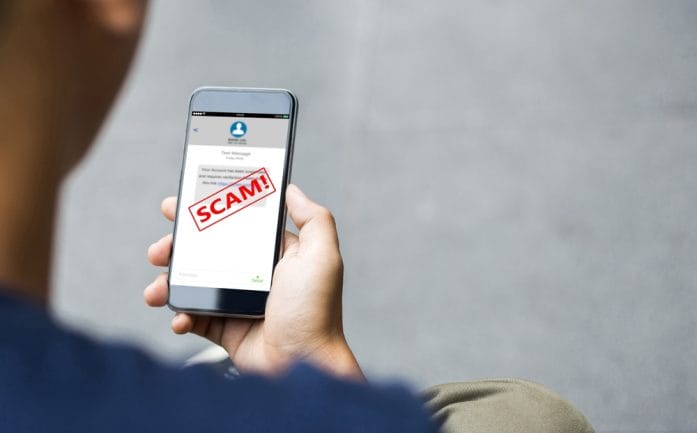
Platforms you use every day, like social media, email services, or streaming accounts, can become tools for scammers. They craft messages claiming your account is suspended, hacked, or needs immediate verification. Panic is the bait: people tend to click first and think later. The link usually leads to a fake login page, harvesting your username and password before you know what hit you.

One key giveaway is generic language like “Dear User” instead of your actual account name. Another is grammar mistakes or odd phrasing that real companies would never use. Always navigate directly to the official platform to check your account status. Multi-factor authentication is also a strong shield, adding another layer of protection against these sneaky attempts.

8 Scam Messages That Look Official — But Aren’t
Image Source: Unsplash.com

5. The “Prize Winner” Illusion

Everyone loves free stuff. Scammers exploit this by sending messages claiming you’ve won a prize, lottery, or sweepstakes. They demand personal info or a small payment to release winnings, turning excitement into a trap. The offer often feels too good to be true because it is.

Legitimate contests never ask for sensitive information upfront or require payment to claim a prize. Examine the email address carefully, and don’t click on flashy links promising jackpots. If curiosity strikes, search for the contest online to verify authenticity. These scams prey on hope, but a little patience and skepticism can prevent a lot of frustration.

6. The “Tech Support” Con Game

A sudden pop-up or call claiming your computer is infected with viruses or compromised can create instant fear. Scammers impersonate tech companies, urging you to download software, call a number, or provide remote access. Once granted, they can steal files, install malware, or demand ransom.

Real tech support never initiates contact without prior reason. If a message claims there’s a problem with your device, close the window, restart, and reach out to the company through official channels. Avoiding panic is critical—these scams thrive on creating a sense of immediate danger. A calm, methodical approach will keep both your device and your sanity intact.

7. The “Subscription Renewal” Trap

Fake renewal notices target subscriptions people actually use, like streaming services, software, or even gym memberships. Messages claim your payment failed or that your account will be canceled unless you click a link or update your info. The urgency triggers quick reactions, often before users think twice.

Check your account directly by logging in on the official website. Watch for typos, suspicious email addresses, or unusual URLs in the message. Legitimate services rarely ask for sensitive details via email. Staying cautious can prevent financial loss and keep scammers from hijacking recurring payments.

8. The “Friend in Trouble” Ploy

This one’s straight out of a soap opera: a message from someone claiming to be a friend or family member in urgent need, stranded or locked out, asking for money immediately. The panic and emotional appeal are designed to override rational thinking. Many fall for this because it tugs at empathy and trust simultaneously.

Confirm the story through separate communication channels, like calling the person directly or messaging them on a platform you know is safe. Scammers rely on split-second emotional reactions, so taking a moment to pause and verify can prevent heartbreak and financial loss. Always check before acting—if it seems suspicious, it probably is.

Time To Outsmart the Fakes

Scam messages don’t have to ruin your day or empty your wallet. Recognizing the patterns—urgency, unexpected requests, links that don’t match official websites, and emotional manipulation—can give you the edge. Always take a moment to verify, check official sources, and trust your instinct when something feels off. Protecting personal information and credentials is non-negotiable, and a little skepticism goes a long way.

Have a story about a scam you almost fell for or a clever trick to spot fakes? Share it in the comments because everyone could use a few more tactics in their toolkit for staying one step ahead of these digital hustlers.

You May Also Like…

7 New Scam Tactics That Look Real — And Are Still Fooling Americans

Is Your Neighborhood Being Targeted by Real Estate Scammers?

7 Ways Identity Scammers Copy Your Signature Remotely

Regulation Alert: 9 Proposed Rules Every Investor Should Watch in 2026

4 Moves to Make After a Job Loss in a Tech-Driven Market

Brandon Marcus
Brandon Marcus

Brandon Marcus is a writer who has been sharing the written word since a very young age. His interests include sports, history, pop culture, and so much more. When he isn’t writing, he spends his time jogging, drinking coffee, or attempting to read a long book he may never complete.

Filed Under: scams Tagged With: Consumer Protection, cyber security, email scams, fraud prevention, identity theft, Online Safety, phishing, safety online, scam alerts, tech tips, text scams

Delete These 8 Apps Right Now—They’re Secretly Spying on You

March 11, 2025 by Latrice Perez Leave a Comment

Phone Apps
Image Source: 123rf.com

Most people don’t think twice about the apps they download, assuming that companies wouldn’t be allowed to track them without permission. However, many popular apps are quietly collecting vast amounts of data about you—your location, browsing habits, messages, and even private conversations. While some apps claim this tracking is for “improving user experience,” in reality, they are gathering and selling your data, sometimes without your knowledge. Here are eight apps that could be spying on your every move and why you should think twice before keeping them on your device.

Facebook and Messenger

Facebook has long been criticized for its aggressive data collection practices. Even when you’re not actively using the app, Facebook tracks your location, browsing activity, and even what you say in private messages. If you’ve ever talked about a product and then mysteriously seen an ad for it within minutes, you’re not imagining things. Facebook has access to your microphone, location, and even motion sensors, giving it insight into where you go and what you do. Messenger is no different—your conversations, contacts, and call logs can all be monitored. While you can adjust privacy settings, Facebook’s reach extends far beyond what most users realize.

TikTok

TikTok has exploded in popularity, but many cybersecurity experts warn that the app collects an alarming amount of data. The app has access to your location, device information, keystrokes, and even clipboard data. Security researchers have found that TikTok’s tracking is more aggressive than many other social media apps, and it is suspected of sending data to servers in China. Even if you don’t use TikTok actively, the app still monitors your behavior and habits in the background. If you’re concerned about privacy, limiting TikTok’s access to your device or deleting it altogether may be a wise decision.

Google Maps

Google Maps
Image Source: 123rf.com

Google Maps is a useful tool, but it tracks your every move, whether you realize it or not. Even when you’re not actively using the app, Google continuously logs your location and travel history. The app stores data on where you go, how long you stay, and even how often you visit certain places. While Google claims this information is used to improve navigation and recommendations, it also serves as a powerful surveillance tool. To limit tracking, you can disable location history in your Google account settings, but this doesn’t completely stop the app from collecting data.

Weather Apps

Many people download weather apps for convenience, but these seemingly harmless apps are often some of the worst offenders when it comes to tracking. Popular weather apps have been caught collecting precise location data and selling it to advertisers, insurance companies, and even third parties involved in surveillance. Some weather apps go as far as tracking your location in real time, even when the app is closed. Before downloading any weather app, check the privacy policy and opt for one that doesn’t require constant location access.

Snapchat

Snapchat is known for its disappearing messages, but what many users don’t realize is how much data the app collects. The Snap Map feature tracks your real-time location, allowing friends—and potentially strangers—to see exactly where you are. Even if you disable Snap Map, Snapchat still collects location data in the background. Additionally, the app monitors user interactions, including how often you communicate with friends and how long you spend viewing content. If you value your privacy, consider adjusting Snapchat’s settings or avoiding the app entirely.

Zoom

Zoom became a household name during the pandemic, but privacy concerns surrounding the app have raised serious red flags. Early versions of Zoom were caught sending data to Facebook, even for users who didn’t have a Facebook account. The app has also faced scrutiny for its ability to track user activity, including monitoring whether participants are paying attention during meetings. While Zoom has improved its security over time, privacy experts still caution that the app collects more data than most users realize. If you use Zoom regularly, review the privacy settings and avoid sharing sensitive information during calls.

Instagram

Instagram, owned by Meta (formerly Facebook), is another major offender when it comes to data collection. The app tracks your location, browsing history, direct messages, and even what you type—whether or not you hit send. Instagram also listens to background audio, which is why many users experience eerily accurate ad targeting after mentioning something in a conversation. Even if you don’t post regularly, Instagram builds a detailed profile of your behavior and interests. While adjusting privacy settings can help, Instagram remains one of the most invasive apps on your phone.

Smartphone Flashlight Apps

Flashlight apps might seem harmless, but many of them are secretly tracking your data. Some flashlight apps request excessive permissions, such as access to your location, microphone, and even call logs. These unnecessary permissions are often used to gather data that can be sold to advertisers or worse—malicious third parties. Given that most modern smartphones have built-in flashlight features, there’s no reason to download a third-party flashlight app. If you still have one on your phone, it’s best to delete it immediately.

How to Protect Yourself from Spy Apps

With so many apps tracking your every move, protecting your privacy requires proactive steps. Start by reviewing the permissions of all installed apps and revoking access to unnecessary data, such as location tracking, microphone usage, and contacts. If an app requires excessive permissions that don’t align with its function, consider deleting it.

Using a VPN can also help minimize tracking by masking your IP address and encrypting your data. Regularly clearing your browsing history, cookies, and cache can further limit the amount of data apps collect about you. For the most privacy-conscious users, switching to encrypted messaging apps and privacy-focused search engines can provide an extra layer of security.

Finally, be mindful of what you share online. Even if an app isn’t directly spying on you, data brokers collect and sell user information from multiple sources. The less personal information you put online, the harder it is for apps and third parties to track your behavior.

Your Data Is Valuable—Don’t Give It Away for Free

Many of the apps you use daily are designed to collect and monetize your data. While some level of tracking is unavoidable in the digital age, being aware of which apps pose the biggest privacy risks allows you to make informed choices. If an app is tracking you more than it should, take control by adjusting its permissions or deleting it altogether. Your personal information is valuable, and protecting it should be a top priority.

Do you use any of these apps? What has your experience been with data concerns? Let’s discuss it in the comments below.

Read More:

11 Real Dangers of Using Rideshare Apps

Try These 5 Apps If You Need Help With Your Budget

Latrice Perez

Latrice is a dedicated professional with a rich background in social work, complemented by an Associate Degree in the field. Her journey has been uniquely shaped by the rewarding experience of being a stay-at-home mom to her two children, aged 13 and 5. This role has not only been a testament to her commitment to family but has also provided her with invaluable life lessons and insights.

As a mother, Latrice has embraced the opportunity to educate her children on essential life skills, with a special focus on financial literacy, the nuances of life, and the importance of inner peace.

Filed Under: safety Tagged With: app privacy, cyber security, data tracking, digital surveillance, hidden app tracking, Online Safety, privacy, protecting personal data, smartphone security, social media tracking

9 Everyday Situations That Could Secretly Be a Setup for a Scam

March 10, 2025 by Latrice Perez Leave a Comment

Scammers
Image Source: 123rf.com

Most people think they can spot a scam from a mile away, but the truth is that scams have become more sophisticated and harder to detect. Scammers no longer rely solely on obvious tricks like fake lottery winnings or suspicious emails from foreign princes. Instead, they use everyday situations—places you visit, services you use, and interactions that seem completely normal—to manipulate unsuspecting victims. You could be walking into a setup without even realizing it. Here are nine everyday situations that could secretly be part of a scam.

A “Good Samaritan” Offering to Help at the ATM

Imagine you’re at an ATM, and your card suddenly won’t work. A stranger standing nearby kindly offers to help, suggesting you try a different way to insert the card or a new PIN combination. What you don’t realize is that they may have been watching you enter your PIN and are looking for an opportunity to steal your card. In some cases, scammers place fake card readers or devices that jam the ATM to trick people into seeking help, allowing them to steal banking information. If you ever run into trouble at an ATM, go inside the bank for assistance rather than trusting a stranger.

The “Accidental” Bump and Spill Trick

You’re walking down the street or through a busy shopping center when someone bumps into you and spills coffee or another liquid on your clothes. As they frantically apologize and help clean up the mess, you’re distracted—just long enough for their accomplice to pickpocket you. This scam is common in crowded areas where people are rushing and not paying full attention to their belongings. If someone spills something on you, secure your wallet and phone before engaging with them.

Fake Wi-Fi Networks in Public Places

You sit down at a coffee shop or airport and connect to the free Wi-Fi without a second thought. What you don’t know is that scammers often create fake Wi-Fi networks with names similar to the official ones. When you connect, they can intercept your data, including passwords, emails, and financial information. Always confirm the official network name with staff before connecting, and never enter sensitive information while using public Wi-Fi unless you have a VPN enabled.

The “Overpayment” Scam When Selling Online

If you sell items online, be wary of buyers who “accidentally” send you too much money and ask you to refund the difference. Scammers often use stolen credit cards or fake checks that later bounce, leaving you with no product and no money. The safest way to sell items is through trusted platforms that offer secure payment methods, and never send refunds for overpayments until you’re sure the money has cleared.

The “Found Wallet” Scam

Someone approaches you, claiming they found a wallet full of cash and suggesting that you split the money before turning it in. This is a classic distraction scam. As soon as you agree, an “angry owner” appears, accusing you of stealing. The scammers then demand money from you to “settle” the situation before it escalates. If someone claims they found a wallet, insist on turning it in to the police and walk away if they resist.

The Fake Charity Collector

You’re outside a grocery store, and a person in a uniformed vest asks for donations to a well-known charity. They have a clipboard, a collection bucket, and a heartwarming story about why your donation is needed. The problem? The charity is fake, and the money goes straight into their pocket. Scammers rely on emotions to pressure people into giving quickly without verifying legitimacy. Before donating, ask for official documentation or look up the charity online to ensure it’s real.

The “Broken” Gas Pump Card Reader

Gas Pump
Image Source: 123rf.com

You pull up to a gas station, insert your card, and the machine doesn’t work. A helpful stranger tells you that the reader is down and suggests you pay inside instead. What they don’t tell you is that they just installed a card skimmer on the pump to steal your credit card information. Before inserting your card, always check for anything unusual on the reader, such as a loose or bulky card slot. If a pump seems suspicious, move to another one or pay inside directly with the cashier.

The “Free” Trial That Won’t Let You Cancel

You sign up for a free trial of a service, expecting to cancel before being charged. However, when you try to cancel, the website is impossible to navigate, the phone number doesn’t work, or the cancellation process is deliberately complicated. Many companies, even legitimate ones, use this tactic to keep charging you for a service you don’t want. Always read the fine print before signing up for a free trial and use a virtual credit card that allows you to block future charges.

The Fake Customer Service Call

You receive a call from someone claiming to be from your bank, Amazon, or a utility company, saying there’s a problem with your account. They may even spoof the official number so it looks legitimate. The caller then asks for your personal information to “verify” your account. This is a classic phishing scam designed to steal sensitive details. If you get an unexpected call from a company asking for account details, hang up and contact the company directly using the number on their official website.

How to Protect Yourself from Everyday Scams

Scammers are becoming more creative, using everyday situations to take advantage of unsuspecting people. The best defense is awareness and skepticism. If something feels off, take a step back and think before acting. Never share personal information with strangers, double-check credentials before trusting someone, and always verify payment methods when buying or selling items.

If you’ve encountered any of these scams or have tips on how to avoid them, share your experience in the comments.

Read More:

5 Little-Known Laws That Can Protect You from Getting Scammed

Is It Really Your “Dream” Job? 10 Ways to Avoid Job Scams

Latrice Perez

Latrice is a dedicated professional with a rich background in social work, complemented by an Associate Degree in the field. Her journey has been uniquely shaped by the rewarding experience of being a stay-at-home mom to her two children, aged 13 and 5. This role has not only been a testament to her commitment to family but has also provided her with invaluable life lessons and insights.

As a mother, Latrice has embraced the opportunity to educate her children on essential life skills, with a special focus on financial literacy, the nuances of life, and the importance of inner peace.

Filed Under: Personal Finance Tagged With: Consumer Protection, cyber security, Financial Security, fraud prevention, identity theft, online scams, personal safety, Public Safety, scam awareness, scams

FOLLOW US

Search this site:

Recent Posts

  • Can My Savings Account Affect My Financial Aid? by Tamila McDonald
  • 12 Ways Gen X’s Views Clash with Millennials… by Tamila McDonald
  • What Advantages and Disadvantages Are There To… by Jacob Sensiba
  • 10 Tactics for Building an Emergency Fund from Scratch by Vanessa Bermudez
  • Call 911: Go To the Emergency Room Immediately If… by Stephen Kanaval
  • 7 Weird Things You Can Sell Online by Tamila McDonald
  • 10 Scary Facts About DriveTime by Tamila McDonald

Copyright © 2026 · News Pro Theme on Genesis Framework