• Home
  • About Us
  • Toolkit
  • Getting Finances Done
    • Hiring Advisors
    • Debt Management
    • Spending Plan
  • Insurance
    • Life Insurance
    • Health Insurance
    • Disability Insurance
    • Homeowners/Renters Insurance
  • Contact Us
  • Privacy Policy
  • Risk Tolerance Quiz

The Free Financial Advisor

You are here: Home / Archives for online payments

1099-K Reality Check: Which Payments Are Always Reported

February 16, 2026 by Brandon Marcus Leave a Comment

1099-K Reality Check: Which Payments Are Always Reported

Image source: shutterstock.com

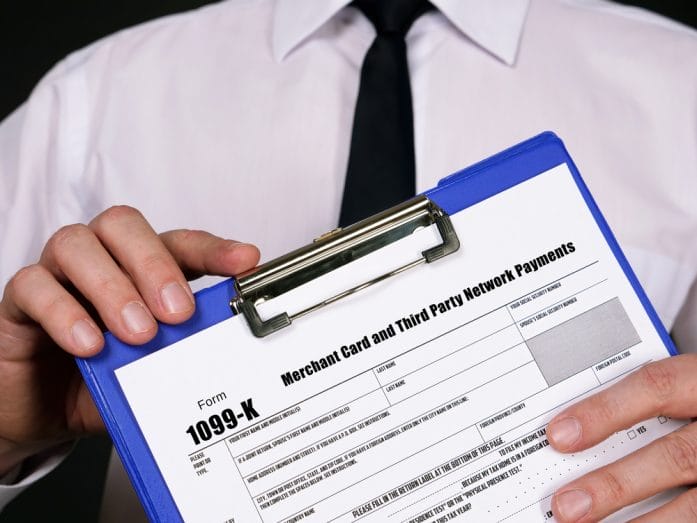
You can ignore a lot of paperwork in life, but you cannot ignore a Form 1099-K.

That form lands in your inbox or mailbox with one clear message: the IRS already knows about this money. The real question is whether you understand which payments triggered it and why. If you sell products online, freelance, drive for a rideshare company, flip concert tickets, or even accept digital payments for a side hustle that started as a hobby, you need a clear-eyed understanding of how 1099-K reporting works. Guessing your way through it invites headaches you do not want in April.

The Platforms That Report No Matter What

Third-party payment networks sit at the center of the 1099-K universe. Companies like PayPal, Venmo, Stripe, Square, and Cash App fall under IRS rules as payment settlement entities when they process payments for goods and services. When you receive money through these platforms for business activity, they track your gross payments and report them to the IRS using Form 1099-K if you meet the applicable federal threshold for that year.

If a platform processes payments for goods or services and you cross the reporting threshold, that company will issue a 1099-K and send the same information to the IRS. You do not get a vote in that process. The system runs automatically, and the IRS computers match forms against tax returns.

1099-K Reality Check: Which Payments Are Always Reported

Image source: shutterstock.com

Business Transactions Count, Personal Payments Do Not

Here is where confusion explodes. Not every digital payment triggers reporting. The IRS cares about payments for goods and services. When someone pays you for a product you sold, a service you performed, or gig work you completed, that payment counts as business income. If the total hits the reporting threshold, the platform reports it.

Personal payments sit in a different category. If your roommate reimburses you for rent or your friend sends money for dinner through a personal transfer labeled correctly as non-business, those transfers do not count toward 1099-K reporting. Payment platforms now ask users to designate whether a transaction involves goods and services or personal transfers. That distinction matters because platforms treat those categories differently.

However, you cannot play games with labels. If you sell custom artwork and mark those payments as personal transfers to avoid fees or reporting, you create a problem for yourself. The IRS focuses on the substance of the transaction, not the emoji in the memo line.

Gross Payments Get Reported, Not Profit

This part catches people off guard. Form 1099-K reports gross payment amounts. That number does not subtract fees, refunds, shipping costs, or chargebacks. If you run an online shop and process $20,000 in sales but pay $3,000 in platform fees and issue $2,000 in refunds, your 1099-K may still show the full $20,000 in gross payments.

You need to track your expenses carefully so you can report your true net income. The IRS expects your reported gross receipts to match or reasonably align with the total shown on your 1099-K. If your tax return shows dramatically less income without explanation, IRS systems may flag that discrepancy.

Smart recordkeeping solves this problem before it starts. Keep detailed records of fees, refunds, cost of goods sold, shipping expenses, and other legitimate deductions. When tax time arrives, you can reconcile your books to your 1099-K and explain any differences with confidence.

Your Game Plan for Staying Ahead

You do not need to fear Form 1099-K, but you do need a strategy. First, separate personal and business transactions clearly. Open a dedicated business account or payment profile for your side hustle or freelance work. That separation keeps your records clean and makes tax preparation far less chaotic.

Second, track your income and expenses monthly rather than scrambling in March. Use accounting software, a spreadsheet, or even a meticulous notebook, but choose a system and stick with it. Reconcile your records with platform statements so you understand exactly how much gross income you received and what expenses reduce your taxable profit.

Third, consider making estimated tax payments if you earn significant non-wage income. The IRS expects quarterly payments when you do not have enough withholding from a traditional paycheck. Planning for those payments prevents underpayment penalties and the shock of a large bill in April.

The Bottom Line on 1099-K Reporting

Form 1099-K does not exist to surprise you; it exists to document payments that platforms process on your behalf for goods and services. When you cross the applicable reporting threshold, those payments get reported to the IRS whether you feel ready or not. Gross amounts appear on the form, and you must reconcile them with your actual income and deductions.

Clarity beats anxiety every time. If you run a side hustle, sell through online marketplaces, or accept digital payments for services, treat your activity like a real business from day one. Keep records, understand the rules, and review IRS updates each year because thresholds and guidance can evolve. When you know which payments always get reported and why, you stay in control of your tax story instead of reacting to it.

Are you tracking your digital payments closely enough to feel confident when that 1099-K shows up? If you have some helpful tax tips for others, make sure that you share them in our comments below.

You May Also Like…

State 1099-K Rules Still Create Reporting Confusion

IRS 1099-K Rules in 2026: Who Must Report Payments This Year

The One Line on Your 1099 That Can Ruin Everything

6 Advanced Techniques to Lower Your Capital Gains Taxes Legally

Can Your Taxes Be Cut In Half By You Simply Incorporating Your Name?

Brandon Marcus
Brandon Marcus

Brandon Marcus is a writer who has been sharing the written word since a very young age. His interests include sports, history, pop culture, and so much more. When he isn’t writing, he spends his time jogging, drinking coffee, or attempting to read a long book he may never complete.

Filed Under: tax tips Tagged With: 1099-K, digital payments, e-commerce taxes, gig economy, IRS reporting rules, online payments, PayPal taxes, side hustle income, small business taxes, tax reporting thresholds, third-party payment networks, Venmo taxes

The Venmo Privacy Setting That Can Trigger Unwanted Tax Reporting

February 12, 2026 by Brandon Marcus Leave a Comment

The Venmo Privacy Setting That Can Trigger Unwanted Tax Reporting

Image source: shutterstock.com

Venmo feels like the digital equivalent of tossing a few bills to a friend across a table. It’s fast, casual, and so woven into everyday life that most people barely think about it as “financial infrastructure.” But under the hood, Venmo is also a payment processor that plays by the same reporting rules as much bigger financial platforms.

One small setting in the app can quietly change how your payments are categorized, how they’re tracked, and whether they end up on a tax form. If you use Venmo for anything beyond splitting pizza and rent, this is one of those things that’s genuinely worth understanding before it turns into a paperwork headache later.

The Privacy Setting Everyone Clicks Past Without Reading

Venmo’s privacy settings are deceptively simple: public, friends, or private. Most people treat this as a social feature, not a financial one. It feels like choosing who gets to see your emojis and payment notes, not something that could ever affect your taxes. But public transactions do more than broadcast your business to strangers scrolling a feed. They create a visible record of frequent payments, patterns, and activity that can look a lot like business behavior, especially if the descriptions suggest services or sales.

Here’s the important reality: privacy settings themselves do not determine whether Venmo reports income to the IRS. That part is driven by how payments are classified. But visibility does matter in a different way. Public transactions make it easier for platforms, auditors, or even automated systems to identify activity that appears commercial. If your feed looks like a digital storefront instead of casual peer-to-peer transfers, it increases the chances that your activity is flagged as business-related.

The Real Trigger: The “Goods and Services” Switch

The true tax tripwire on Venmo isn’t the privacy toggle, it’s the “goods and services” classification. When a payment is marked as goods and services, Venmo treats it as a commercial transaction, not a personal one. That classification is what feeds into tax reporting systems. Under current IRS rules, payment platforms must issue Form 1099-K for goods and services payments once reporting thresholds are met.

If someone sends you money for design work, tutoring, selling a couch, freelance projects, or any kind of side hustle and it’s tagged as goods and services, that payment becomes part of a reportable total. Privacy settings don’t override that classification. You could have every transaction set to private and still receive a 1099-K if those payments are categorized as commercial. This is where people get blindsided, because the app experience feels casual while the backend reporting system is very much not.

How Casual Payments Start Looking Like Business Income

The line between personal and commercial payments has gotten blurrier. People use Venmo for everything: group trips, event tickets, resale items, hobby income, freelance gigs, and side hustles. Over time, those little payments can stack up into patterns that resemble a business cash flow stream. Multiple payments from different people, consistent amounts, similar descriptions, and repeated activity can all signal commercial use.

The problem isn’t that Venmo is doing something shady. It’s that the platform is required to follow financial reporting laws, and algorithms don’t understand context the way humans do.

Why Public Feeds Add a Layer of Risk

Public visibility doesn’t create tax obligations, but it adds friction and risk. A public transaction history creates a permanent, searchable pattern of activity. If someone is receiving frequent payments with business-like descriptions, that record exists outside of private account data. It becomes part of a broader digital footprint. This doesn’t mean people are actively scanning Venmo feeds for tax enforcement, but in an era of automated systems and data analysis, visibility always increases exposure.

Think of it like this: private transactions live inside a financial system, while public transactions live inside a social system and a financial system at the same time. That dual presence makes them easier to analyze, categorize, and interpret as commercial behavior.

The Venmo Privacy Setting That Can Trigger Unwanted Tax Reporting

Image source: shutterstock.com

Smart Moves to Stay in Control

If you use Venmo casually, the safest habit is to default your privacy setting to private and only switch visibility on when there’s a real reason to share. That keeps your financial activity from becoming part of a public feed. More importantly, always pay attention to how payments are categorized. If you’re receiving money for work, assume it’s taxable income and plan for it accordingly. Keep records, track totals, and don’t treat app-based payments as invisible money.

For side hustlers and freelancers, it’s often cleaner to separate personal and business finances entirely. Using a dedicated payment account for income makes tracking easier and avoids confusion at tax time. For everyday users, the biggest win is awareness.

The Setting That Changes Everything Without Feeling Important

Privacy settings feel cosmetic. Payment labels feel optional. Descriptions feel playful. But those tiny details shape how transactions are categorized, tracked, and reported. The app experience is friendly, but the financial infrastructure behind it is serious, regulated, and data-driven.

What’s your take on digital payment apps becoming part of the tax system—does it feel fair, invasive, or just inevitable? How do you treat Venmo, and do you have any advice to share? Talk about it in our comments section.

You May Also Like…

IRS Warning: That Venmo Payment for Your Garage Sale Just Triggered a Surprise Tax Bill

IRS 1099-K Rules in 2026: Who Must Report Payments This Year

Repayment Assistance Plan Launches July 2026: New Income-Based Option for Borrowers

What Young People Can Teach Their Grandparents About Money

5 Types of Income People Forget to Pay Taxes On

Brandon Marcus
Brandon Marcus

Brandon Marcus is a writer who has been sharing the written word since a very young age. His interests include sports, history, pop culture, and so much more. When he isn’t writing, he spends his time jogging, drinking coffee, or attempting to read a long book he may never complete.

Filed Under: tax tips Tagged With: 1099-K, digital payments, financial privacy, fintech, IRS reporting, money apps, online payments, Personal Finance, side hustle, taxes, Venmo

Are Automated Payout Systems Losing Your Money?

August 24, 2025 by Travis Campbell Leave a Comment

automated

Image source: pexels.com

Automated payout systems have become the backbone of online payments, gig economy platforms, and even investment apps. They promise convenience, speed, and fewer errors. But as these systems take over more financial tasks, many people wonder: Are automated payout systems losing your money? With accounts linked and transactions running in the background, it’s easy to overlook small discrepancies or glitches. Understanding the risks and how to protect yourself is crucial, especially as these systems become more common in our daily financial lives. Let’s break down the key issues you should know.

1. Hidden Fees and Charges

One major concern with automated payout systems is the potential for hidden fees. Many platforms advertise “free” or “low-cost” transfers, but the reality can be different. Automated systems may apply service charges, processing fees, or currency conversion costs that aren’t obvious upfront. Over time, these small charges can add up and eat into your balance, making you wonder if automated payout systems are losing your money without you even noticing.

Always read the fine print before connecting your bank account or card. If you’re using a global service or receiving payments in different currencies, check for extra costs that might not appear until after the transaction. Don’t hesitate to ask customer support for a detailed breakdown of fees if something looks off. Keeping an eye on your statements can help you catch these charges early.

2. Glitches and Technical Errors

Technology isn’t perfect. Automated payout systems rely on complex algorithms and integrations with banks, third-party processors, and sometimes even blockchain networks. If a system hiccup occurs, payouts can be delayed, duplicated, or even sent to the wrong account. While these errors are usually fixed, the time it takes can leave you short on cash or scrambling to resolve the issue.

It’s not just about missed payments. Sometimes, technical errors can result in overpayments or underpayments, and you may not notice right away. Regularly reviewing your account activity helps you spot these anomalies. If you spot a problem, contact support immediately. The faster you report it, the more likely it is you’ll recover any lost money.

3. Security Risks and Unauthorized Transactions

Security is a huge concern when all your payouts are automated. If your login details or connected accounts are compromised, hackers can exploit automated payout systems to siphon off funds. Unlike manual payouts, which might require extra verification, automated transactions can be more vulnerable if your account is breached.

Enable two-factor authentication wherever possible. Use strong, unique passwords and change them regularly. Keep an eye on your notification settings so you’re alerted to any unusual activity. If you ever suspect fraud, contact your financial institution and the payout platform immediately to freeze your account and limit potential losses.

4. Lack of Oversight and Manual Control

One of the biggest appeals of automated payout systems is their “set it and forget it” approach. But that also means you might not notice changes in payment schedules, amounts, or recipient details. If you’re not regularly checking your payout history, it’s easy to miss errors or unauthorized changes.

Many platforms allow you to set limits or require approvals for large transactions. Take advantage of these features. Schedule regular check-ins—weekly or monthly—to review your automated payouts. This simple step can help ensure you’re not losing money to unnoticed changes or mistakes.

5. Integration Issues with Multiple Platforms

As more people juggle multiple income streams—like freelancing, side gigs, or rental income—integrating several automated payout systems can get messy. If two platforms are connected to the same bank account, timing mismatches or duplicate transfers could lead to overdrafts or missed payments. This is another way automated payout systems are losing your money, often without a clear warning.

Keep a list of all platforms linked to your accounts. If you add a new income source, double-check how it interacts with your existing payment systems. Some services offer dashboards that show all your connected accounts and transfers in one place. Using these tools can help prevent costly mistakes.

How to Protect Yourself from Automated Payout Pitfalls

Automated payout systems can be a huge time-saver, but they’re not foolproof. The risks—hidden fees, technical glitches, security threats, and integration issues—can all contribute to you losing your money if you’re not careful. Stay proactive by regularly monitoring your accounts, understanding the fee structure, and setting up alerts.

Automated payout systems are here to stay, but with a bit of vigilance, you can keep your hard-earned money safe.

Have you had a problem with automated payouts losing your money? Share your experience in the comments below!

Read More

Why ChatGPT May Be Generating Fake Financial Advice And Getting Away With It

Why Financial Institutions Delay Payouts Without Penalty

Travis Campbell
Travis Campbell

Travis Campbell is a digital marketer/developer with over 10 years of experience and a writer for over 6 years. He holds a degree in E-commerce and likes to share life advice he’s learned over the years. Travis loves spending time on the golf course or at the gym when he’s not working.

Filed Under: Technology Tagged With: automated payouts, Financial Tips, fraud prevention, money management, online payments, Personal Finance

9 Bill-Payment Services That Delay Transfers Without Explanation

August 7, 2025 by Travis Campbell Leave a Comment

paypal

Image source: unsplash.com

Paying bills online should be simple. You expect your money to move fast and land where it’s supposed to. But sometimes, bill-payment services hold up your transfer with no warning or reason. This can leave you stressed, scrambling to avoid late fees, or even facing service shutoffs. If you’ve ever wondered why your payment didn’t go through on time, you’re not alone. Many people run into this problem, and it’s not always clear what’s going on behind the scenes. Knowing which bill-payment services are most likely to delay transfers can help you avoid headaches and keep your finances on track.

1. PayPal

PayPal is everywhere. People use it for everything from splitting dinner to paying rent. But when it comes to bill-payment services, PayPal sometimes holds your money for “review.” This can last a few hours or several days. You might not get a clear answer about why. If you’re paying a bill with a tight deadline, this delay can cause real problems. Always check your payment status and consider using another method if you need the money to arrive fast.

2. Venmo

Venmo is owned by PayPal, and it’s popular for quick payments between friends. But as a bill-payment service, Venmo can also delay transfers. Sometimes, payments get flagged for “security checks.” You might see your money stuck in limbo, and customer support often gives vague answers. If you’re using Venmo to pay rent or utilities, plan ahead. Don’t wait until the last minute, or you could end up with a late fee.

3. Zelle

Zelle is built into many banking apps. It’s supposed to move money instantly. But that’s not always the case. Some users report that Zelle payments get delayed for “review” or “security reasons.” The app rarely explains why. If you’re using Zelle as a bill-payment service, double-check that your payment went through. If it’s pending, contact your bank right away. Zelle’s FAQ has more details, but answers are often generic.

4. Google Pay

Google Pay is another bill-payment service that can hold up your money. Transfers sometimes get flagged for extra verification. You might get an email asking for more information, or your payment could just sit there with no update. This is frustrating if you’re trying to pay a bill on time. If you use Google Pay, keep an eye on your transaction history and be ready to use a backup method if needed.

5. Apple Pay

Apple Pay is known for its security, but that can mean delays. If Apple’s system detects an issue, it may pause your payment. You might not get a clear reason, just a message saying your transfer is “pending.” This can be a problem if you’re paying a bill that’s due today. Always check your payment status and have another option ready if you’re on a deadline.

6. Cash App

Cash App is popular for its simplicity. But as a bill-payment service, it’s not always reliable. Transfers can get delayed for “review” or “security checks.” Sometimes, the app asks for more information, but other times, it just holds your money. If you’re using Cash App to pay bills, send your payment a few days early to avoid surprises.

7. Western Union

Western Union is a classic for sending money, but it’s not immune to delays. Transfers can get held up for compliance checks or “additional review.” You might not get a clear answer about what’s happening. If you’re using Western Union as a bill-payment service, keep your receipts and follow up if your payment doesn’t arrive on time.

8. MoneyGram

MoneyGram is similar to Western Union. It’s used for bill payments, especially for utilities and rent. But sometimes, MoneyGram delays transfer for “security reasons.” You may not get much information about why. If you’re using MoneyGram, confirm with the biller that your payment was received. If not, contact MoneyGram support right away.

9. Bank Bill Pay Services

Many banks offer online bill-payment services. These are supposed to be reliable but delays still happen. Sometimes, the bank holds your payment for review, especially if it’s a new payee or a large amount. You might not get a clear explanation. Always check your payment status and set up alerts so you know if something goes wrong. If your payment is delayed, call your bank and ask for details.

Protecting Yourself from Payment Delays

Bill-payment services are convenient, but they’re not perfect. Delays can happen for many reasons—security checks, compliance reviews, or just system errors. The problem is, you often don’t get a clear answer. To protect yourself, always pay bills a few days early if you can. Check your payment status right after you send money. Keep records of your transactions, including confirmation numbers and screenshots. If a payment is delayed, contact customer support right away and ask for a timeline. And if you’re facing a late fee because of a delay, ask the biller if they’ll waive it—sometimes they will if you show proof you paid on time.

Have you ever had a bill-payment service delay your transfer without explanation? Share your story in the comments below.

Read More

6 Monthly Bills You Should Cancel Immediately—Even If You Can Afford Them

Tiny Kitchen Items That Add Hundreds to Your Electric Bill

Travis Campbell
Travis Campbell

Travis Campbell is a digital marketer/developer with over 10 years of experience and a writer for over 6 years. He holds a degree in E-commerce and likes to share life advice he’s learned over the years. Travis loves spending time on the golf course or at the gym when he’s not working.

Filed Under: Banking Tagged With: bill payment, delayed transfers, Financial Tips, money management, online payments, payment delays, payment services, Personal Finance

FOLLOW US

Search this site:

Recent Posts

  • Can My Savings Account Affect My Financial Aid? by Tamila McDonald
  • 12 Ways Gen X’s Views Clash with Millennials… by Tamila McDonald
  • What Advantages and Disadvantages Are There To… by Jacob Sensiba
  • Call 911: Go To the Emergency Room Immediately If… by Stephen Kanaval
  • 10 Tactics for Building an Emergency Fund from Scratch by Vanessa Bermudez
  • 7 Weird Things You Can Sell Online by Tamila McDonald
  • 10 Scary Facts About DriveTime by Tamila McDonald

Copyright © 2026 · News Pro Theme on Genesis Framework