• Home
  • About Us
  • Toolkit
  • Getting Finances Done
    • Hiring Advisors
    • Debt Management
    • Spending Plan
  • Insurance
    • Life Insurance
    • Health Insurance
    • Disability Insurance
    • Homeowners/Renters Insurance
  • Contact Us
  • Privacy Policy
  • Risk Tolerance Quiz

The Free Financial Advisor

You are here: Home / Archives for Online Safety

Why You Should Never Link Your Bank Account to These 5 Services

May 24, 2025 by Travis Campbell Leave a Comment

bank account

Image Source: pexels.com

Have you ever been tempted to conveniently link your bank account to a new app or service? You’re not alone. In today’s digital world, every platform—from budgeting tools to shopping apps—seems to want direct access to your financial information. But before you click “connect,” it’s crucial to consider the risks. Bank account security is more important than ever, with cybercrime and data breaches on the rise. A single misstep could expose your hard-earned money to fraudsters or leave you scrambling to recover lost funds. Let’s dive into the five types of services you should never link your bank account to—and what you can do to keep your finances safe.

1. Unregulated Money Transfer Apps

It’s easy to see the appeal of money transfer apps. They promise quick, seamless payments to friends, family, or even strangers for online purchases. However, not all of these apps are created equal. Some operate without proper oversight or regulation, making them a risky choice for your bank account security. If the app isn’t backed by a reputable financial institution or doesn’t follow strict security protocols, your sensitive information could be at risk. Worse, if the app is hacked or goes out of business, you might have little recourse to recover your funds. Instead, stick to well-known, regulated platforms like PayPal or Zelle, and always read the fine print before linking your bank account.

2. Subscription Services With Poor Security

Subscription boxes and streaming services are everywhere, offering everything from meal kits to movies. While many are legitimate, some smaller or newer companies may not prioritize bank account security. If their systems are outdated or lack encryption, your account details could be vulnerable to hackers. Even worse, some services make it difficult to cancel, leading to unauthorized charges long after you’ve tried to unsubscribe. Before linking your bank account, research the company’s reputation and security measures. Look for reviews, check if they use secure payment gateways, and consider using a credit card instead, which often offers better fraud protection. The Federal Trade Commission offers tips on recognizing and reporting fraud.

3. Social Media Platforms

Social media is all about sharing, but your bank account information should never be part of the mix. Some platforms now offer shopping features or peer-to-peer payments, tempting users to link their bank accounts for convenience. However, social media companies are frequent targets for cyberattacks, and their primary focus isn’t bank account security. If your account is compromised, hackers could gain access to your financial data, leading to unauthorized withdrawals or identity theft. Instead, use dedicated payment apps with strong security features, and never share sensitive information through direct messages or posts.

4. Online Marketplaces With Lax Oversight

Online marketplaces make buying and selling everything from vintage clothes to electronics easy. But not all of them have robust security or buyer protection policies. Some lesser-known platforms may ask you to link your bank account directly for payments or payouts. This can be risky, especially if the site doesn’t use secure payment processors or has a history of data breaches. If your information is stolen, you could face unauthorized transactions or even have your account drained. To protect your bank account security, use established marketplaces like eBay or Amazon, and opt for payment methods that offer dispute resolution and fraud protection.

5. Free Budgeting or Financial Planning Apps

Budgeting apps can be a game-changer for managing your money, but not all are trustworthy. Many free apps make money by selling user data or displaying ads, which can compromise your privacy and bank account security. Some may not use proper encryption, exposing your account details to hackers. Before linking your bank account, research the app’s privacy policy and security practices. Look for apps that are transparent about how they use your data and are backed by reputable companies. When in doubt, consider using manual entry or connecting only through read-only access, which limits what the app can do with your information.

Protecting Your Bank Account in a Digital World

In our increasingly connected world, convenience often comes at the cost of security. But when it comes to your finances, it’s always better to be safe than sorry. Bank account security should be your top priority, no matter how tempting a new service or app may seem. Always research before linking your account, use credit cards or secure payment platforms when possible, and regularly monitor your statements for suspicious activity. Remember, you have the power to control who accesses your financial information. By staying vigilant and making informed choices, you can enjoy the benefits of digital banking without putting your hard-earned money at risk.

What about you? Have you ever regretted linking your bank account to a service? Share your story or tips in the comments below!

Read More

The Silent Theft: How to Spot a Relative Stealing from Your Elderly Parents

7 Signs Your Financial Advisor is Costing You More Than They’re Worth

Travis Campbell
Travis Campbell

Travis Campbell is a digital marketer/developer with over 10 years of experience and a writer for over 6 years. He holds a degree in E-commerce and likes to share life advice he’s learned over the years. Travis loves spending time on the golf course or at the gym when he’s not working.

Filed Under: Personal Finance Tagged With: bank account security, digital banking, Financial Tips, fintech, fraud prevention, Online Safety, Personal Finance

Delete These 8 Apps Right Now—They’re Secretly Spying on You

March 11, 2025 by Latrice Perez Leave a Comment

Phone Apps

Image Source: 123rf.com

Most people don’t think twice about the apps they download, assuming that companies wouldn’t be allowed to track them without permission. However, many popular apps are quietly collecting vast amounts of data about you—your location, browsing habits, messages, and even private conversations. While some apps claim this tracking is for “improving user experience,” in reality, they are gathering and selling your data, sometimes without your knowledge. Here are eight apps that could be spying on your every move and why you should think twice before keeping them on your device.

Facebook and Messenger

Facebook has long been criticized for its aggressive data collection practices. Even when you’re not actively using the app, Facebook tracks your location, browsing activity, and even what you say in private messages. If you’ve ever talked about a product and then mysteriously seen an ad for it within minutes, you’re not imagining things. Facebook has access to your microphone, location, and even motion sensors, giving it insight into where you go and what you do. Messenger is no different—your conversations, contacts, and call logs can all be monitored. While you can adjust privacy settings, Facebook’s reach extends far beyond what most users realize.

TikTok

TikTok has exploded in popularity, but many cybersecurity experts warn that the app collects an alarming amount of data. The app has access to your location, device information, keystrokes, and even clipboard data. Security researchers have found that TikTok’s tracking is more aggressive than many other social media apps, and it is suspected of sending data to servers in China. Even if you don’t use TikTok actively, the app still monitors your behavior and habits in the background. If you’re concerned about privacy, limiting TikTok’s access to your device or deleting it altogether may be a wise decision.

Google Maps

Google Maps

Image Source: 123rf.com

Google Maps is a useful tool, but it tracks your every move, whether you realize it or not. Even when you’re not actively using the app, Google continuously logs your location and travel history. The app stores data on where you go, how long you stay, and even how often you visit certain places. While Google claims this information is used to improve navigation and recommendations, it also serves as a powerful surveillance tool. To limit tracking, you can disable location history in your Google account settings, but this doesn’t completely stop the app from collecting data.

Weather Apps

Many people download weather apps for convenience, but these seemingly harmless apps are often some of the worst offenders when it comes to tracking. Popular weather apps have been caught collecting precise location data and selling it to advertisers, insurance companies, and even third parties involved in surveillance. Some weather apps go as far as tracking your location in real time, even when the app is closed. Before downloading any weather app, check the privacy policy and opt for one that doesn’t require constant location access.

Snapchat

Snapchat is known for its disappearing messages, but what many users don’t realize is how much data the app collects. The Snap Map feature tracks your real-time location, allowing friends—and potentially strangers—to see exactly where you are. Even if you disable Snap Map, Snapchat still collects location data in the background. Additionally, the app monitors user interactions, including how often you communicate with friends and how long you spend viewing content. If you value your privacy, consider adjusting Snapchat’s settings or avoiding the app entirely.

Zoom

Zoom became a household name during the pandemic, but privacy concerns surrounding the app have raised serious red flags. Early versions of Zoom were caught sending data to Facebook, even for users who didn’t have a Facebook account. The app has also faced scrutiny for its ability to track user activity, including monitoring whether participants are paying attention during meetings. While Zoom has improved its security over time, privacy experts still caution that the app collects more data than most users realize. If you use Zoom regularly, review the privacy settings and avoid sharing sensitive information during calls.

Instagram

Instagram, owned by Meta (formerly Facebook), is another major offender when it comes to data collection. The app tracks your location, browsing history, direct messages, and even what you type—whether or not you hit send. Instagram also listens to background audio, which is why many users experience eerily accurate ad targeting after mentioning something in a conversation. Even if you don’t post regularly, Instagram builds a detailed profile of your behavior and interests. While adjusting privacy settings can help, Instagram remains one of the most invasive apps on your phone.

Smartphone Flashlight Apps

Flashlight apps might seem harmless, but many of them are secretly tracking your data. Some flashlight apps request excessive permissions, such as access to your location, microphone, and even call logs. These unnecessary permissions are often used to gather data that can be sold to advertisers or worse—malicious third parties. Given that most modern smartphones have built-in flashlight features, there’s no reason to download a third-party flashlight app. If you still have one on your phone, it’s best to delete it immediately.

How to Protect Yourself from Spy Apps

With so many apps tracking your every move, protecting your privacy requires proactive steps. Start by reviewing the permissions of all installed apps and revoking access to unnecessary data, such as location tracking, microphone usage, and contacts. If an app requires excessive permissions that don’t align with its function, consider deleting it.

Using a VPN can also help minimize tracking by masking your IP address and encrypting your data. Regularly clearing your browsing history, cookies, and cache can further limit the amount of data apps collect about you. For the most privacy-conscious users, switching to encrypted messaging apps and privacy-focused search engines can provide an extra layer of security.

Finally, be mindful of what you share online. Even if an app isn’t directly spying on you, data brokers collect and sell user information from multiple sources. The less personal information you put online, the harder it is for apps and third parties to track your behavior.

Your Data Is Valuable—Don’t Give It Away for Free

Many of the apps you use daily are designed to collect and monetize your data. While some level of tracking is unavoidable in the digital age, being aware of which apps pose the biggest privacy risks allows you to make informed choices. If an app is tracking you more than it should, take control by adjusting its permissions or deleting it altogether. Your personal information is valuable, and protecting it should be a top priority.

Do you use any of these apps? What has your experience been with data concerns? Let’s discuss it in the comments below.

Read More:

11 Real Dangers of Using Rideshare Apps

Try These 5 Apps If You Need Help With Your Budget

Latrice Perez

Latrice is a dedicated professional with a rich background in social work, complemented by an Associate Degree in the field. Her journey has been uniquely shaped by the rewarding experience of being a stay-at-home mom to her two children, aged 13 and 5. This role has not only been a testament to her commitment to family but has also provided her with invaluable life lessons and insights.

As a mother, Latrice has embraced the opportunity to educate her children on essential life skills, with a special focus on financial literacy, the nuances of life, and the importance of inner peace.

Filed Under: safety Tagged With: app privacy, cyber security, data tracking, digital surveillance, hidden app tracking, Online Safety, privacy, protecting personal data, smartphone security, social media tracking

11 Things You’re Doing Online That Hackers Love

June 11, 2024 by Vanessa Bermudez Leave a Comment

11 Things You’re Doing Online That Hackers Love

Canva

In the digital age, our online habits can sometimes lead to unintended invitations to hackers. Just like leaving your front door unlocked might attract burglars, certain online behaviors can draw in cybercriminals. But don’t worry. Becoming aware is the first step in fortifying your digital doors against unwanted intrusions. Let’s walk through 11 common online actions that might be making hackers jump for joy and how you can flip the script to keep them out.

1. Reusing Passwords

Reusing Passwords

Canva

Reusing passwords across multiple sites is like using the same key for your car, house, and office. Once a hacker gets hold of one password, they have an all-access pass to your digital life. This practice is one of the easiest ways to multiply the damage of a single data breach. To stay safe, use unique passwords for different sites. A password manager can help you keep track of them all without a headache.

2. Ignoring Software Updates

Ignoring Software Updates

Canva

Are those annoying pop-ups reminding you to update your software? They’re actually your first defense against security vulnerabilities. Hackers love it when you put off updates because it gives them time to exploit old weaknesses. Always update your software as soon as possible to protect yourself from the latest threats. Think of updates like a vaccine for your devices; necessary and timely.

3. Clicking on Unknown Links

Clicking on Unknown Links

Canva

Clicking on links from unknown sources can be the digital equivalent of opening your door to a stranger. These links often lead to phishing sites designed to steal your information. Hackers are cunning; they can make these links look incredibly legitimate. Always verify the source before clicking and hovering over links to see where they really lead. When in doubt, go directly to the website by typing the URL in the browser.

4. Using Public Wi-Fi Without Caution

Using Public Wi-Fi Without Caution

Canva

Public Wi-Fi is super convenient, but it’s also a playground for hackers. Using public Wi-Fi to access personal accounts or handle sensitive information can expose you to eavesdropping. Always use a virtual private network (VPN) when you connect to public Wi-Fi networks to encrypt your online activity. This shields your data from prying eyes. Consider public Wi-Fi as insecure as a postcard sent through the mail; anyone can read it if they take a moment to look.

5. Not Using Two-Factor Authentication

Not Using Two-Factor Authentication

Canva

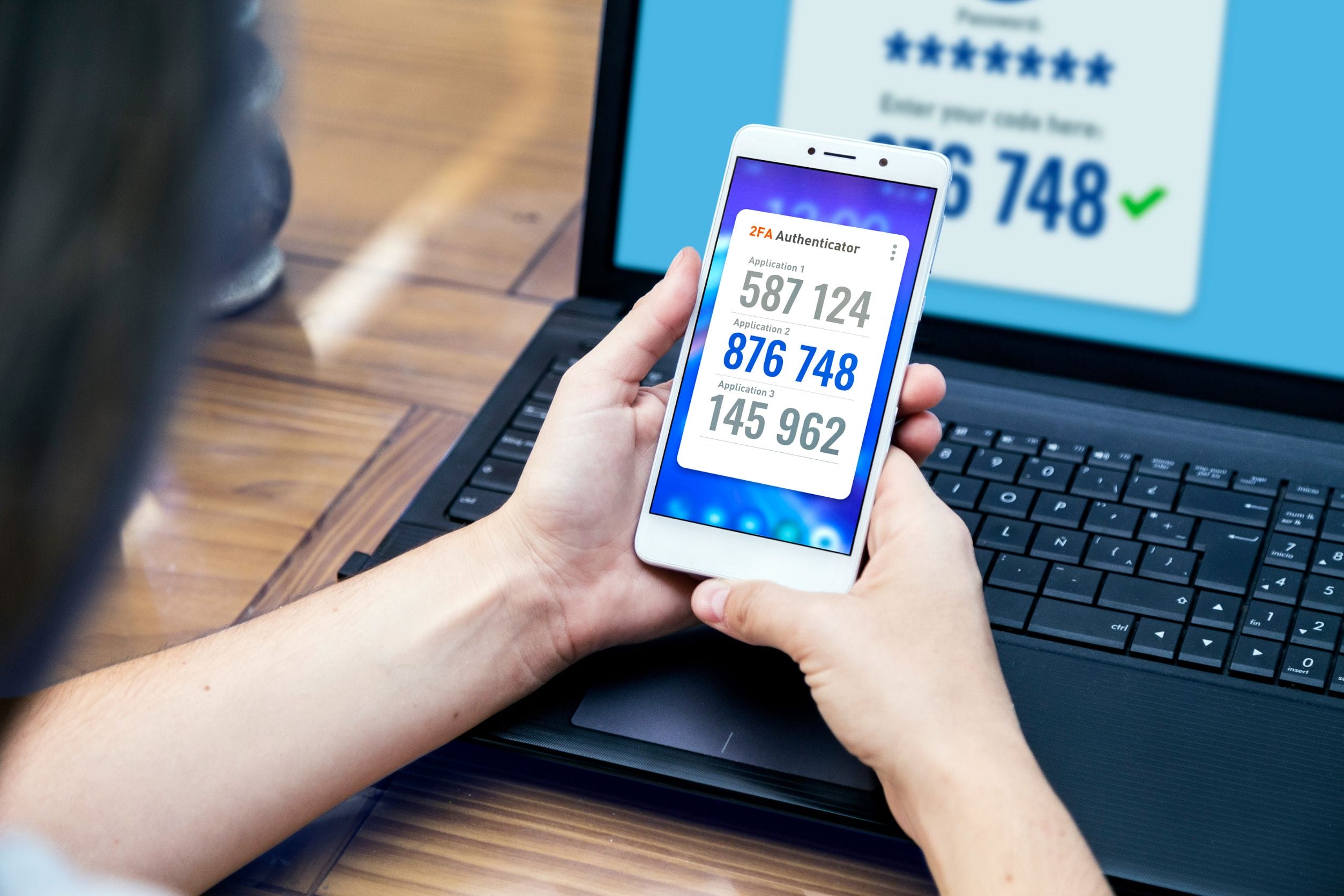
Two-factor authentication (2FA) adds an extra layer of security to your online accounts. It’s like having a double lock on your door. Even if a hacker gets your password, they can’t access your account without the second factor; usually a code sent to your phone or generated by an app. Many people skip setting up 2FA because it seems like a hassle, but the few extra seconds it takes can save you from a major security headache. Always enable 2FA where possible.

6. Sharing Too Much Personal Information on Social Media

Sharing Too Much Personal Information on Social Media

Canva

Oversharing on social media can give hackers easy access to password clues and answers to security questions. You might love sharing birthday countdowns, pet names, or favorite spots, but hackers love this information even more because it helps them guess passwords or craft targeted attacks. Be mindful of what you share online. Adjust your privacy settings to limit who can see your posts. Remember, the internet never forgets.

7. Ignoring Privacy Settings

Ignoring Privacy Settings

Canva

Not checking the privacy settings on new apps and websites is like leaving your blinds wide open. Without proper adjustments, you might be sharing more information than you intend to with more people than you realize. Hackers can use this publicly accessible information to target you specifically. Take the time to understand and configure your privacy settings on all platforms. A few minutes spent here can prevent a lot of exposure.

8. Failing to Secure Your Home Network

Failing to Secure Your Home Network

Canva

Your home Wi-Fi network is a gateway to all your connected devices. Failing to secure it with a strong password and updated security settings is like leaving your digital back door wide open. Change the default username and password on your router. Make sure you enable WPA2 or WPA3 encryption. Regularly check for firmware updates to keep your network fortress strong.

9. Not Using Secure Websites

Not Using Secure Websites

Canva

Browsing websites without HTTPS is risky because the data sent and received is unencrypted. This makes it easy for hackers to “listen” and steal sensitive information. Always check for the HTTPS in the URL before entering personal or financial information. If the site doesn’t secure your data with HTTPS, think twice before proceeding. Your data deserves the best security measures.

10. Downloading from Unreputable Sources

Downloading from Unreputable Sources

Canva

Downloading software or media from sketchy sources is a common way to invite malware onto your device. These downloads can contain anything from spyware to ransomware. Stick to reputable, official sites for your downloads and avoid clicking “agree” without reading what you’re actually installing. Your device’s health depends on the quality of what you feed it. Treat downloads like you treat food; go for quality and safety.

11. Not Having a Backup Plan

Not Having a Backup Plan

Canva

Failing to back up your important data regularly is like not having insurance on your valuables. In the event of a cyber-attack, like ransomware, where hackers lock you out of your own files, having a backup can be the difference between disaster and a minor inconvenience. Make regular backups a habit. Store them in a secure location, ideally both physically and in the cloud. This way, you’re prepared for whatever comes your way.

Tighten Up Your Digital Security

Tighten Up Your Digital Security

Canva

By now, you should have a good grasp of the common mistakes that make hackers’ jobs easier and how to avoid them. Tightening up your digital security isn’t just a one-time fix; it’s a lifestyle change that requires ongoing attention and adjustment. Embrace these habits to protect yourself from cyber threats and keep your digital life as secure as your physical one. Remember, every step you take to secure your online activities is a step away from potential cyber chaos.

Vanessa Bermudez
Vanessa Bermudez
Vanessa Bermudez is a content writer with over eight years of experience crafting compelling content across a diverse range of niches. Throughout her career, she has tackled an array of subjects, from technology and finance to entertainment and lifestyle. In her spare time, she enjoys spending time with her husband and two kids. She’s also a proud fur mom to four gentle giant dogs.

Filed Under: Misc. Tagged With: Cybersecurity Tips, Digital Security, Hacker Prevention, Online Safety, Safe Browsing Practices

  • « Previous Page
  • 1
  • 2
  • 3

FOLLOW US

Search this site:

Recent Posts

  • Can My Savings Account Affect My Financial Aid? by Tamila McDonald
  • 12 Ways Gen X’s Views Clash with Millennials… by Tamila McDonald
  • What Advantages and Disadvantages Are There To… by Jacob Sensiba
  • Call 911: Go To the Emergency Room Immediately If… by Stephen Kanaval
  • 10 Tactics for Building an Emergency Fund from Scratch by Vanessa Bermudez
  • 7 Weird Things You Can Sell Online by Tamila McDonald
  • 10 Scary Facts About DriveTime by Tamila McDonald

Copyright © 2026 · News Pro Theme on Genesis Framework